Cloudflare is a very good network acceleration CDN and security protection service. Many websites want to connect to CloudFlare CDN, but there is a problem that the NS server of the website domain name needs to be modified. Many people do not want to modify the NS server of the domain name, so there are many Cloudflare Partner access management, which can directly use IP or CNAME to access the CDN.
However, CloudFlare has stopped most of the Cloudflare Partner API services, resulting in many people who want to directly access CloudFlare CDN through CNAME or IP unable to find a good way. Fortunately, CloudFlare for SaaS recently adjusted the free quota. It used to charge 2USD/month per domain name.
Now CloudFlare for SaaS not only provides 100 domain names for free, but also charges 0.1USD/month for each domain name after the quota is exceeded. This quota can be said to be enough for everyone. CloudFlare for SaaS has a very useful feature: self-hosting. Using this custom hosting function, domain names that are not connected to CloudFlare can be quickly connected.

1. Preparation stage
- Enabling Cloudflare for SaaS requires adding a payment credit card (UnionPay is supported) or PayPal
- Prepare two domain names, the main domain name and the transfer domain name back to the source (the transfer domain name must be connected to cf, the main domain name is optional, the demonstrations in this article are all connected to cf)
- Source server: the destination server IP that ultimately needs to be accessed
2. Enable CloudFlare for SaaS by transferring the domain name back to the source.
1. First add an A record to resolve to the source IP and enable the proxy.
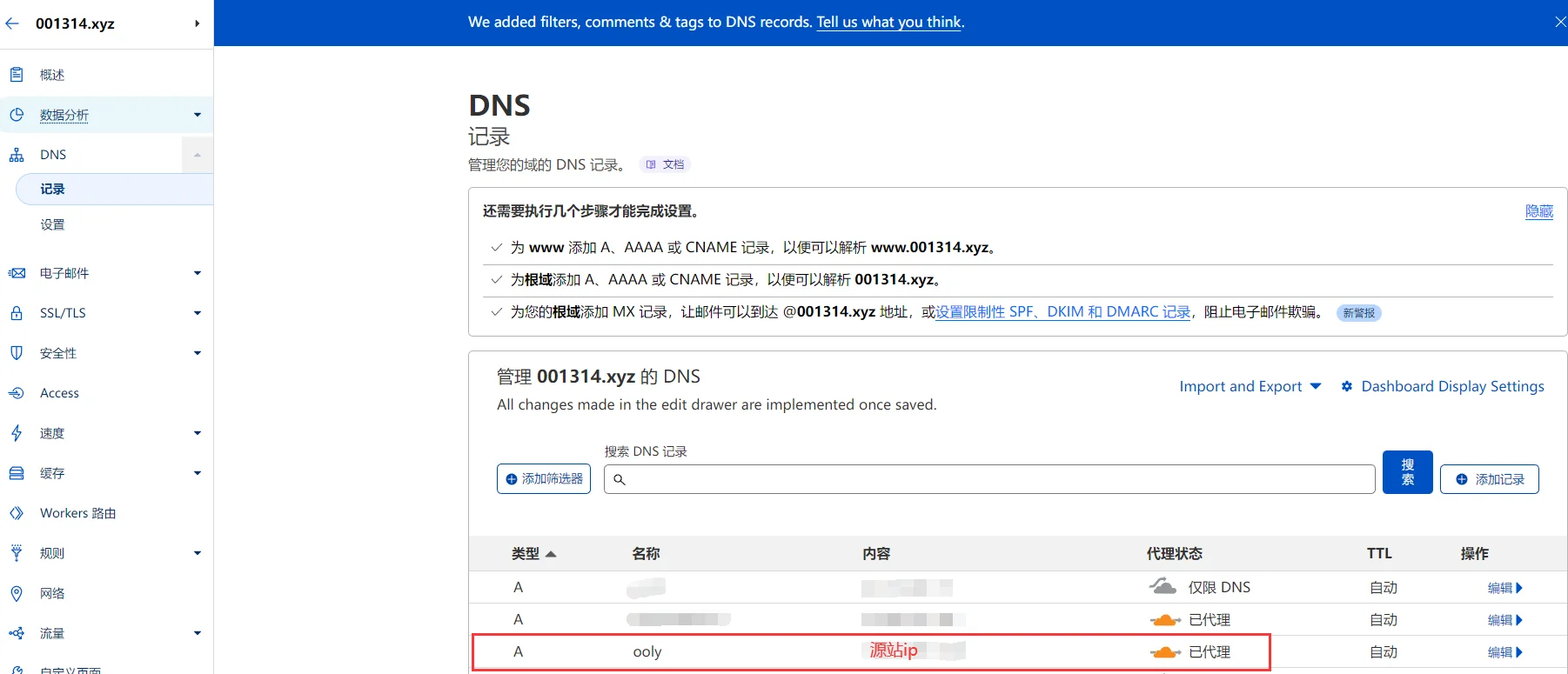
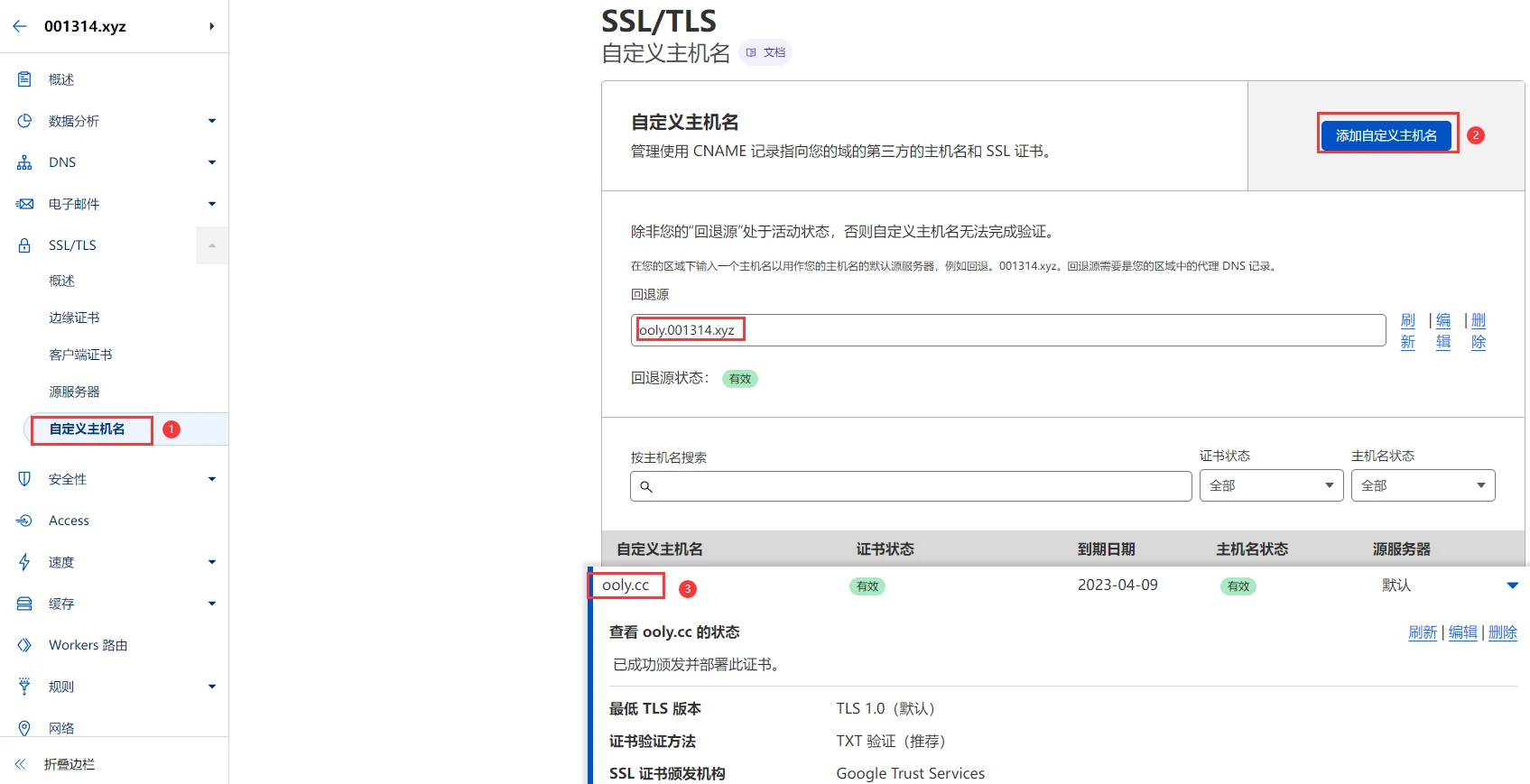
2. Operate custom host name
Open the SSL/TLS settings for the domain name that is connected to CloudFlare for transit, select "Custom host name", and add the host name to the final target domain name. And add the domain name just resolved as the fallback source.
3. Verify valid status
Verify the txt certificate given by the custom host name and resolve it in the dns of the main domain name.
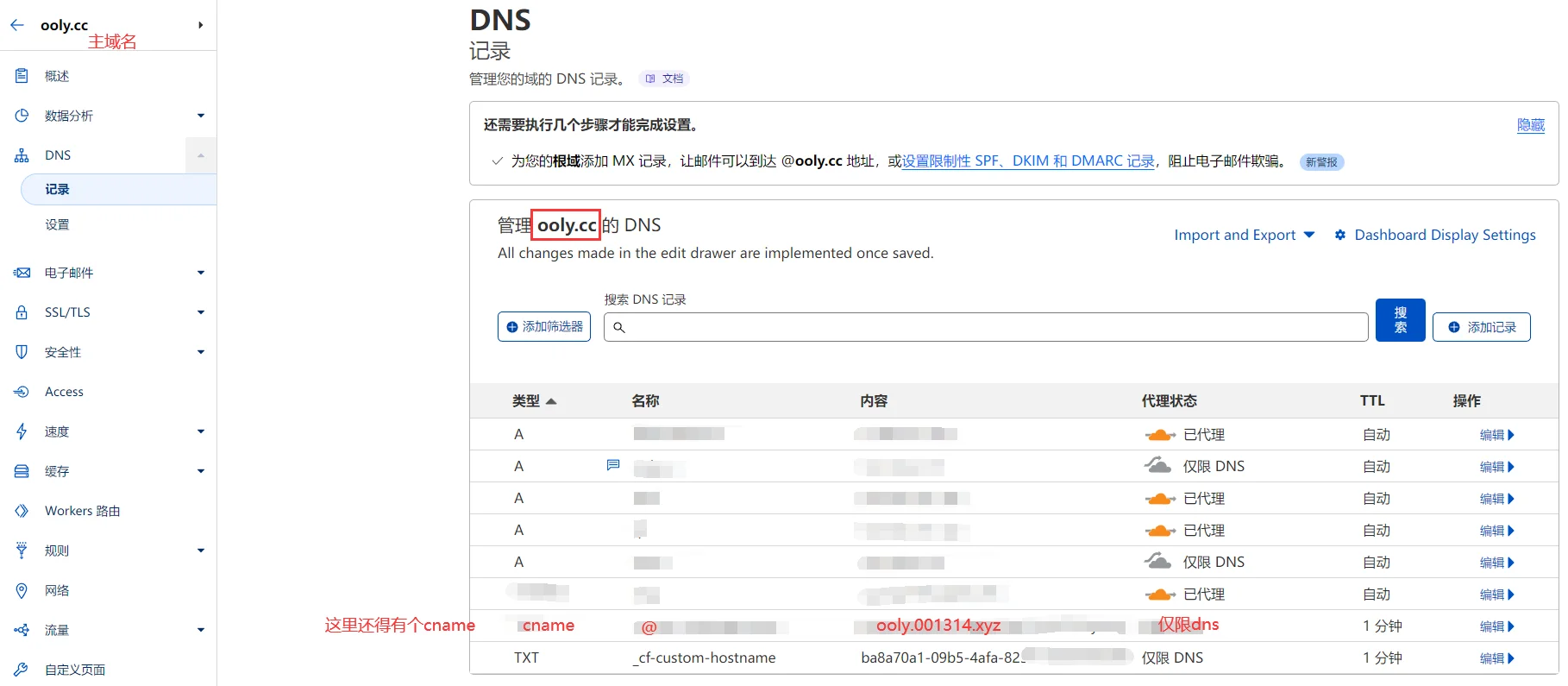
Wait for a while and then transfer back to the source domain name to refresh the status of the custom host name. (@ here represents ooly.cc)

After waiting for the status to become valid, start selecting your own IP; remember to renew the certificate once a year!
Note: After the certificate is valid, the primary domain name deletes the record added by the primary domain name above! Don’t delete the custom host of the source domain name.
3. Preferred / self-selected IP
1. Connect the main domain name to a service provider that supports sub-operator resolution (please skip if already connected). We recommend a few free ones: Huawei Cloud DNS, Qingyun DNS [recommended method, you can also use CloudFlare directly]
2. Use the following script to select an IP. Remember to test it with devices from different operators:
The most famous project of Cloudflare ST is powerful but requires downloading the executable file corresponding to the system and architecture.
Better Cloudflare IP is based on bat and bash, simple and versatile.
4. The main domain name points to the IP of your choice (choose one)
Delete the “TXT” verification record and CNAME record you just added
Point the primary domain name to an IP of your choice or a preferred domain name
(Note: If your main domain name is on Cloudflare, the proxy status here needs to be changed to "DNS Only")
1. The CNAME record points to the domain name with the preferred IP
You can add a domain name that dynamically resolves the preferred IP before this, and then the main domain name CNAME points to this domain name.
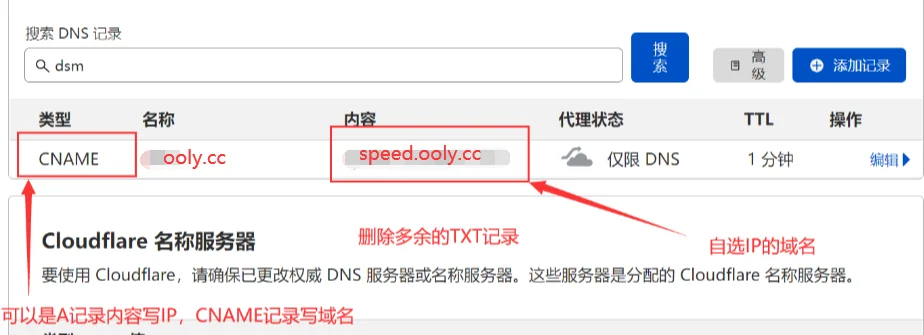
2.A record points to the already preferred IP

5. Precautions
- The origin site uses the SSL certificate of the primary domain name, and do not use the SSL certificate of the back-to-origin domain name.
- The primary domain name can directly use the 15-year source server certificate on cloudflare (note: the source server certificate is not a client certificate!).
- Deleting the custom hostname of the "source domain name" will cause the "primary domain name" to return to the origin (unreachable).
- You cannot change the "main domain name" CNMAE to the "source domain name", such as:
a.com(Main) CNAMEb.com(Source), writing that both the main domain name and the source domain name are accessible does not achieve the desired effect. This is only used as the initial certificate verification. After verifying the main domain name of the certificate, please delete these two verification records. - Remember to regularly check if your chosen IP is available.