When you right-click a file or launch a traditional desktop application in Windows 11, you are actually still dealing with old code that was born before the commercial Internet: the Win32 API, which dates back to the Windows 95 era, is still an important basic layer of today's most popular desktop operating system, and according to Microsoft executives, this was not originally within the company's long-term plan.
In a recent video released by Microsoft's official Dev Docs account, Mark Russinovich, chief technology officer of Microsoft Azure and founder of the Sysinternals suite, bluntly stated that Win32 can still be a "first-class citizen" level API in 2026, which is one of the most unexpected things in the company's history. He even joked that people at that time fantasized about flying cars and moon bases, rather than a set of APIs born in the Windows 95 era that can still be used today.
The key to this 30-year-old API being able to survive to this day and remain strong even after being "declared to be terminated" repeatedly within Microsoft lies in the huge application ecosystem built on top of it. Russinovich described Win32 as the "bedrock" of Windows on which countless applications are built, so any outright replacement would come at a huge cost. He pointed to the Sysinternals tools he founded in 1996 as an example. If he had made a bet back then, he would "bet a million dollars" that these tools would not still be valuable in 2026, but the reality is: not only have they survived, they are more important than ever. For example, Sysmon has been integrated directly into Windows in the March 2026 update, while ZoomIt, which was born in the early 2000s, remains one of the most popular gadgets in PowerToys today.
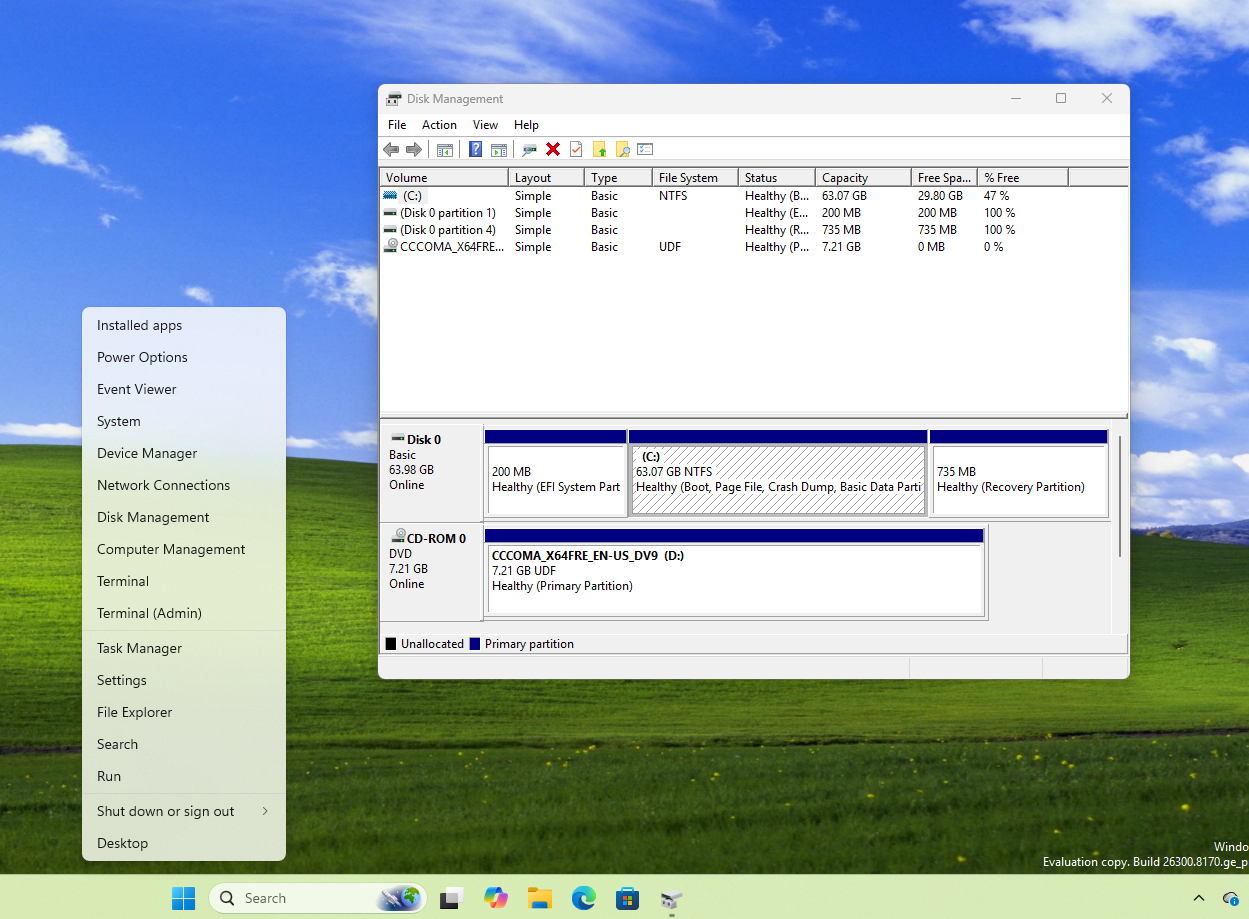
However, the "vitality" of Win32 does not mean that Microsoft has never tried to change the story. On the contrary, in the past two decades, Microsoft has almost built a "graveyard of alternative frameworks." Within Microsoft, efforts to "kill Win32" have almost never stopped. In order to solve the visual and interactive modernization problems of traditional desktop applications, Microsoft has successively launched MFC (C++ encapsulation) and WinForms for .NET developers. Although they are still essentially encapsulation of Win32 rather than a replacement, they are Microsoft's early attempts at application layer abstraction. The real "replacement project" began with WPF, which introduced XAML and hardware-accelerated rendering, followed by a brief bet on cross-platform with Silverlight - an approach that was eventually phased out after the rise of HTML5.
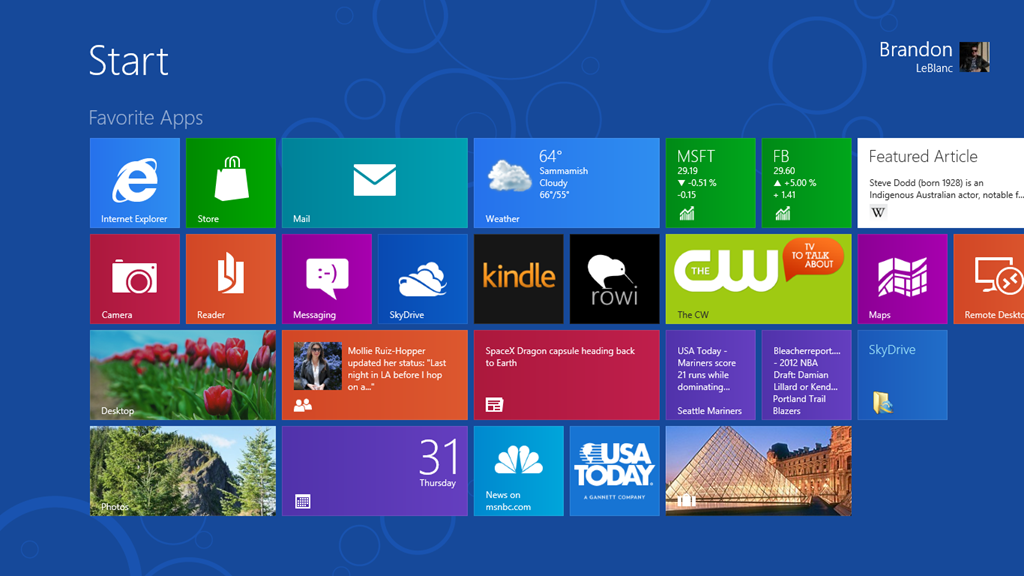
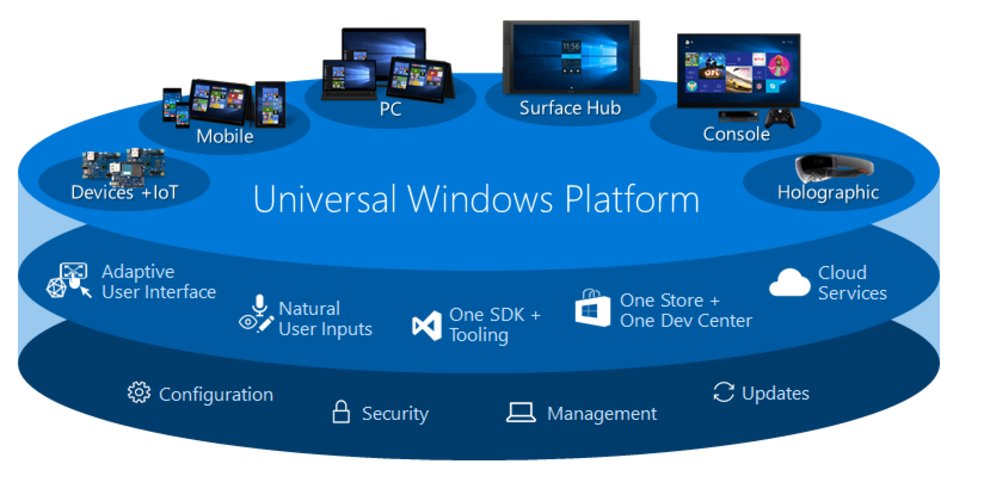
The most radical alternative attempt appeared in the Windows 8 era: Microsoft launched WinRT, hoping that developers could build new applications that are secure, touch-friendly, and run full-screen, and thus completely renovate Windows application forms. However, as the interface route of Windows 8 encountered a cold reception in the market, the company turned to the Universal Windows Platform (UWP) on Windows 10, emphasizing "a unified application platform across mobile phones, Xbox and PCs."
UWP is too closed and has strict sandbox restrictions, which seriously constrains traditional desktop developers who need in-depth access to system resources. Russinovich also admitted in the video that Microsoft has tried to "restart" the Windows API surface many times in history, such as WinRT, but due to the constant separation between the thick client and Win32, and the HTML and JavaScript on the browser side, these attempts ultimately did not land as expected.
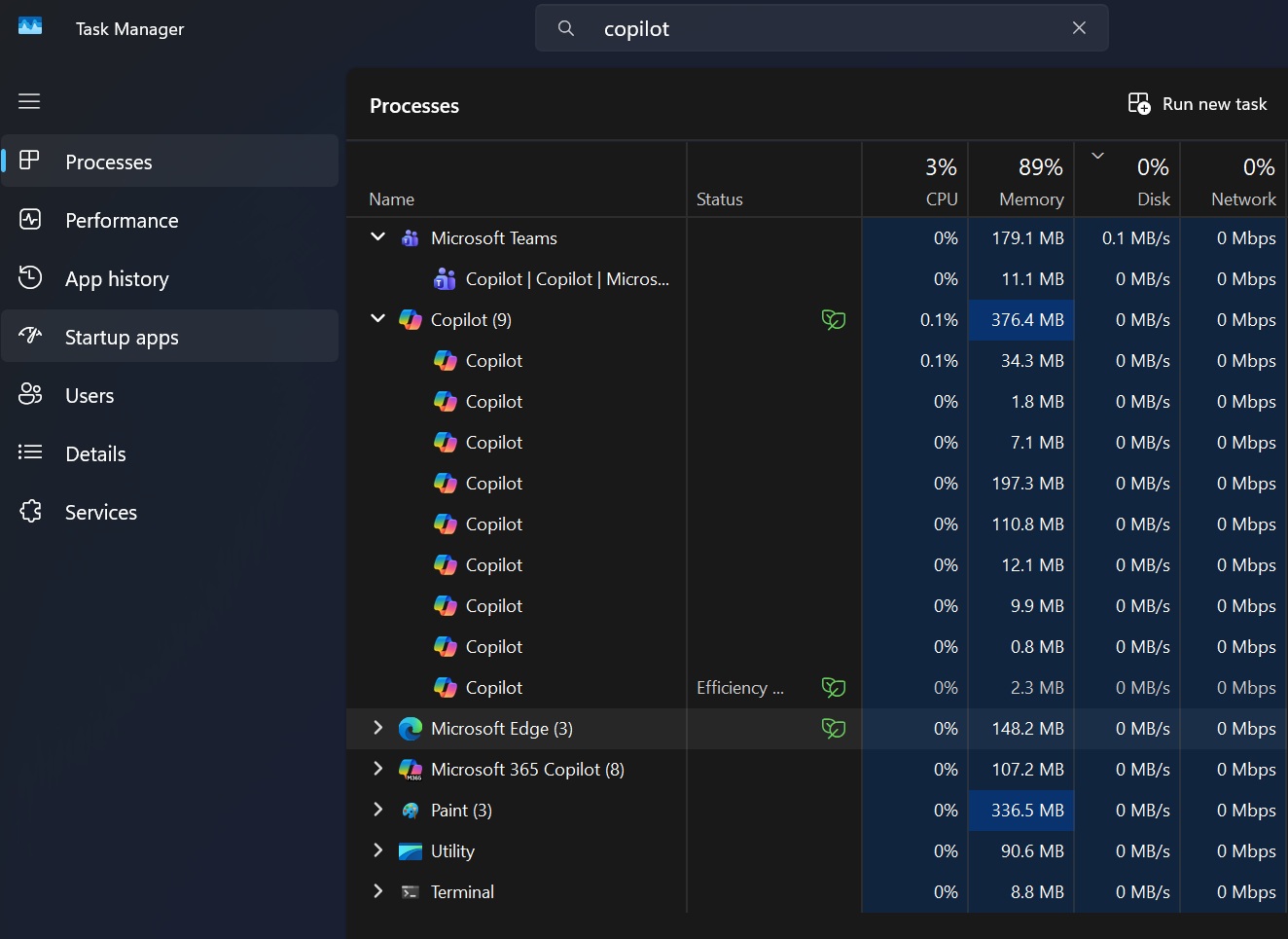
Multiple framework failures have caused developers to gradually lose trust in Microsoft's native platform. This is one of the important reasons why the Windows desktop application ecosystem has shifted to the Web. In a previous report, a developer bluntly stated that investing in a native framework in Microsoft's ecosystem has begun to become a "burden". No one is willing to bet years of development time on a platform that may be abandoned at any time. In ironic contrast, it was Microsoft itself that took the lead in embracing the Web: it launched the WebView2 control, embedded the Chromium-based Microsoft Edge engine in desktop applications, and then the entire system was covered with Web applications - from Microsoft Teams, Clipchamp, the new version of Outlook, OneDrive, to the Windows 11 widget panel, and even the latest version of Copilot exists in the form of Web applications.
The advantages of web applications in terms of development and cross-platform maintenance costs are obvious. However, in a traditional desktop environment, this model is extremely inefficient in resource usage. Each application embeds a complete browser engine, which is almost destined to cause a memory disaster. Web-based clients also consume a lot of memory while "doing almost nothing", while early native UWP-based implementations were much more lightweight. Microsoft's built-in video editor Clipchamp is also a web application. In addition to performance and resource consumption issues, it was also forcibly tied to OneDrive cloud synchronization, which prompted him to eventually give up using this tool. Comparing this experience with macOS highlights the gap: Apple users can use applications such as iMovie and Pages that are highly localized and tightly integrated with the system for free, while many loyal Windows users are forced to rely on web solutions like Clipchamp that require a network connection, lack deep system integration, and have a high memory footprint.
After Apple launched a cost-effective laptop under $600 and achieved success, Microsoft began to re-examine its application strategy and realized that turning Windows into a "Chrome OS-like" did not meet the expectations of heavy users and actually harmed system performance. A few months ago, Microsoft partner architect Rudy Huyn publicly confirmed that he was forming a team dedicated to building "100% native" Windows 11 applications. The company's focus is accelerating towards WinUI 3, the latest native UI framework based on the Windows App SDK. WinUI 3 has the potential to be Microsoft's key to regaining developer trust: it can not only provide a modern, Fluent-designed interface experience, but also allow applications to have complete and unfettered access to the underlying Win32 "bedrock". Microsoft also recently released a major update to Windows App SDK 2.0, which brings semantic versioning, a restructured Windows ML stack, and better drag-and-drop support to developers for seamlessly embedding WebView2 content into the native WinUI 3 shell.
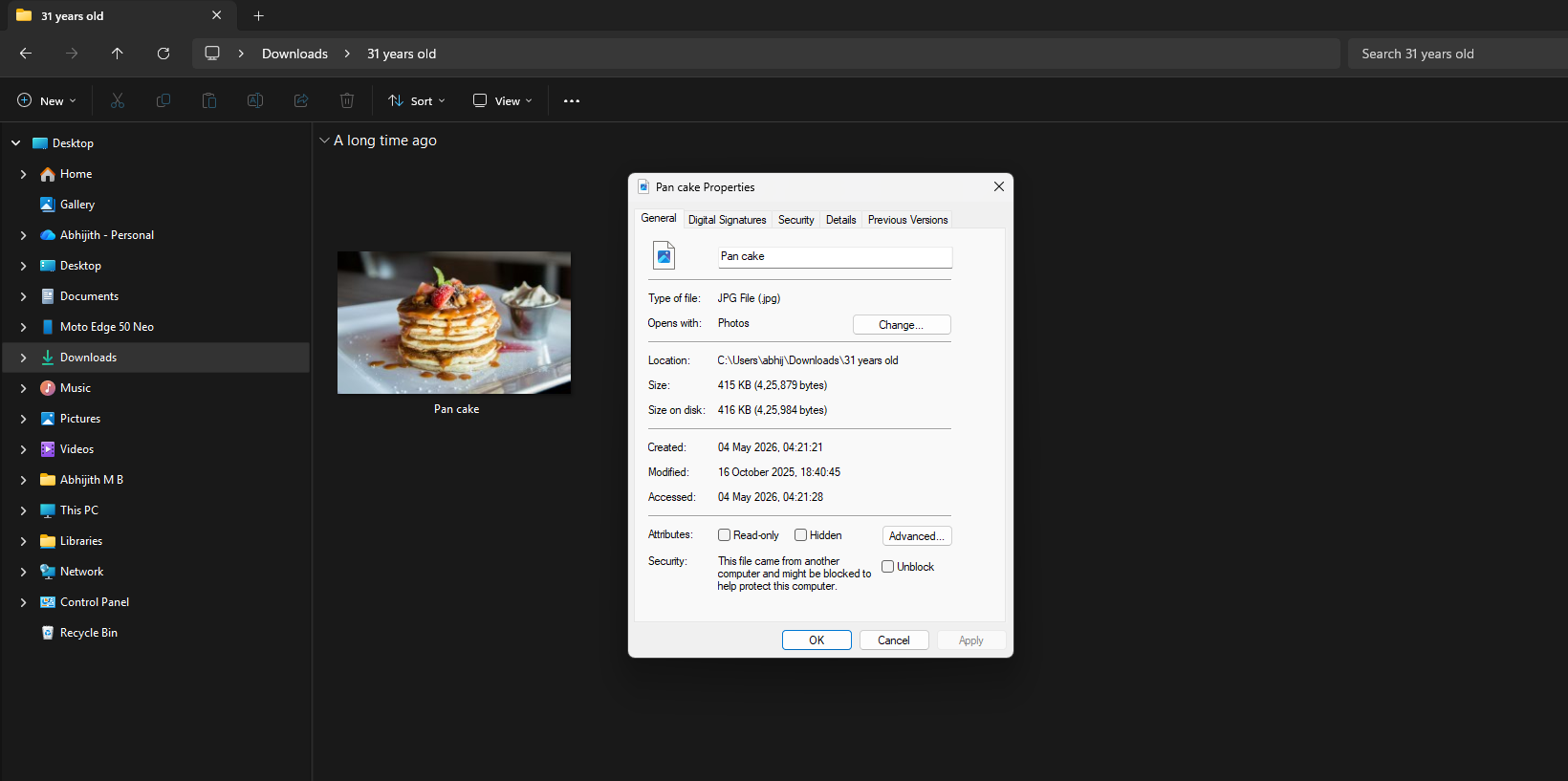
At the system level itself, Microsoft has also begun to rhythmically replace the oldest batch of Win32 interface elements with WinUI 3, instead of adopting the "hard restart" strategy of WinRT. The File Explorer properties dialog box that continues from the Windows 95 era has been found to be replaced by the WinUI 3 interface that supports full dark mode.
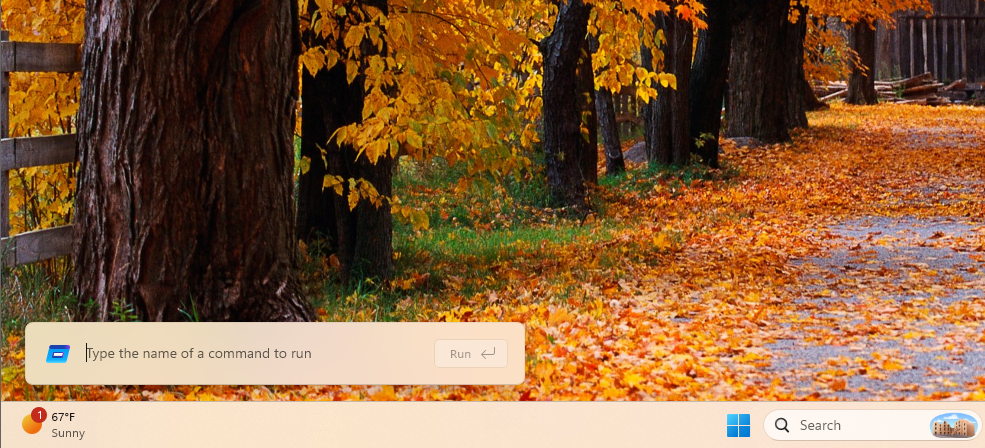
The classic "Run" dialog box (Win + R) has also been rewritten in WinUI 3. The new version is clearly ahead in terms of aesthetics and is not inferior in terms of use experience. According to test data, this new run dialog compiled with .NET AOT has a median popup time of 94 milliseconds, which is faster than the old version it replaces, which is taken as a sign that the modern WinUI 3 architecture is more than capable of matching or even surpassing the performance of traditional Win32 code in terms of speed and efficiency.
As Microsoft replaces the Web interface wrapped in WebView2 with native WinUI 3 components in more scenarios, Windows 11's unnecessary consumption of memory resources will gradually reduce, and the overall system is expected to return to a light, unified and native-first direction. We may not be seeing flying cars or moon bases in 2026, but after years of framework experimentation and course-swinging, Windows has a chance to become a desktop operating system that respects its Win32 heritage while also being truly modern.