When building a foreign trade website or a website for foreign users, you need to add a one-click sharing function to social platforms such as LinkedIn, WhatsApp, Facebook, etc. How can this be achieved?
Here’s how to add sharing buttons on social platforms such as LinkedIn, WhatsApp, and Facebook:
Step 1: Open the URL
Website: https://sharethis.com/zh-tw/onboarding/
Step 2: Select the function form you want to share under "Choose a ShareThis tool"
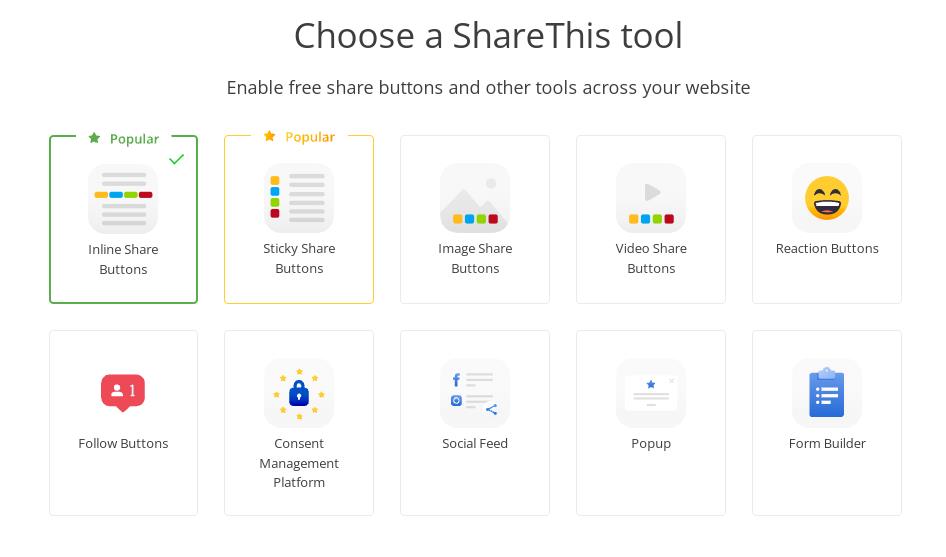
Inline Share Buttons: Refers to nesting the share button into a specified fixed position on the page
Sticky Share Buttons: Refers to the sharing button being fixed and suspended at a designated position in the web browser window (such as the left side of the browser)
Image Share Buttons: refers to the function of adding a share button to the image on the current webpage when the mouse passes over the image.
Video Share Buttons: refers to sharing videos on the page
Reaction Buttons: It is the function of evaluating the content of the current page.
Follow Buttons: This is the follow button, which can follow the designated social account
Social Feed: This is a widget for a designated social account. It can embed the social account homepage of the designated account into a designated location on the web page.
Form Builder: This is a tool for making online forms. It can generate a customized online form and embed it into a web page.
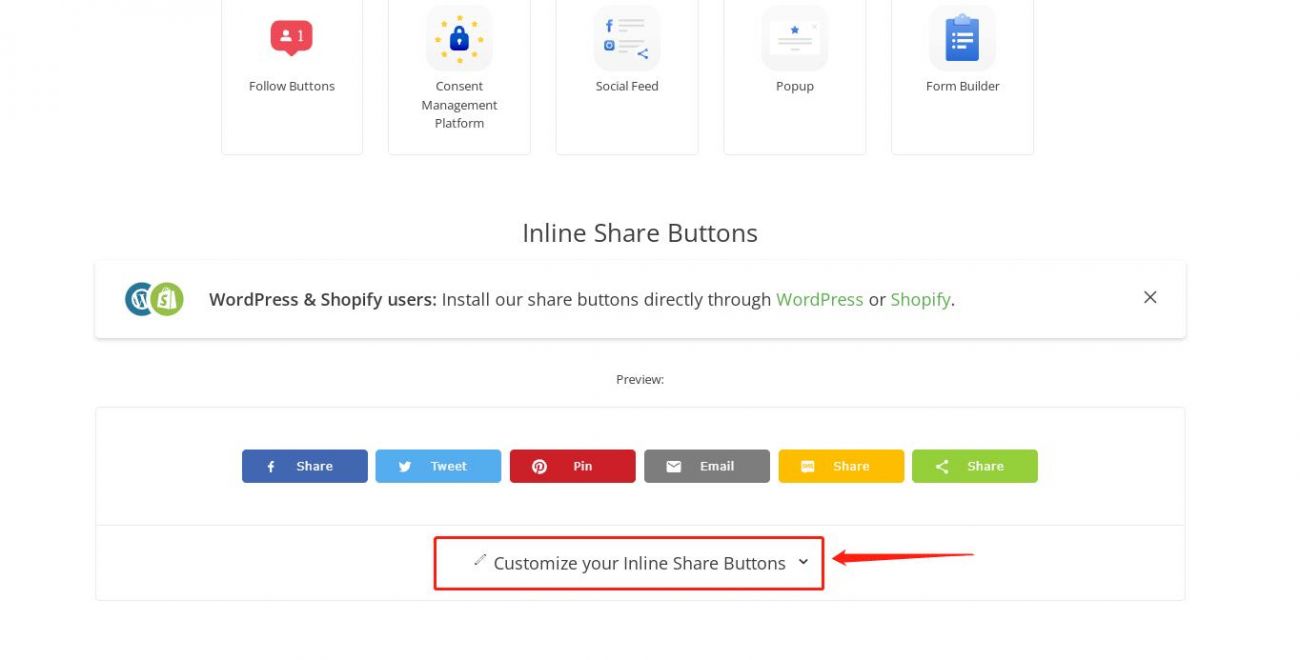
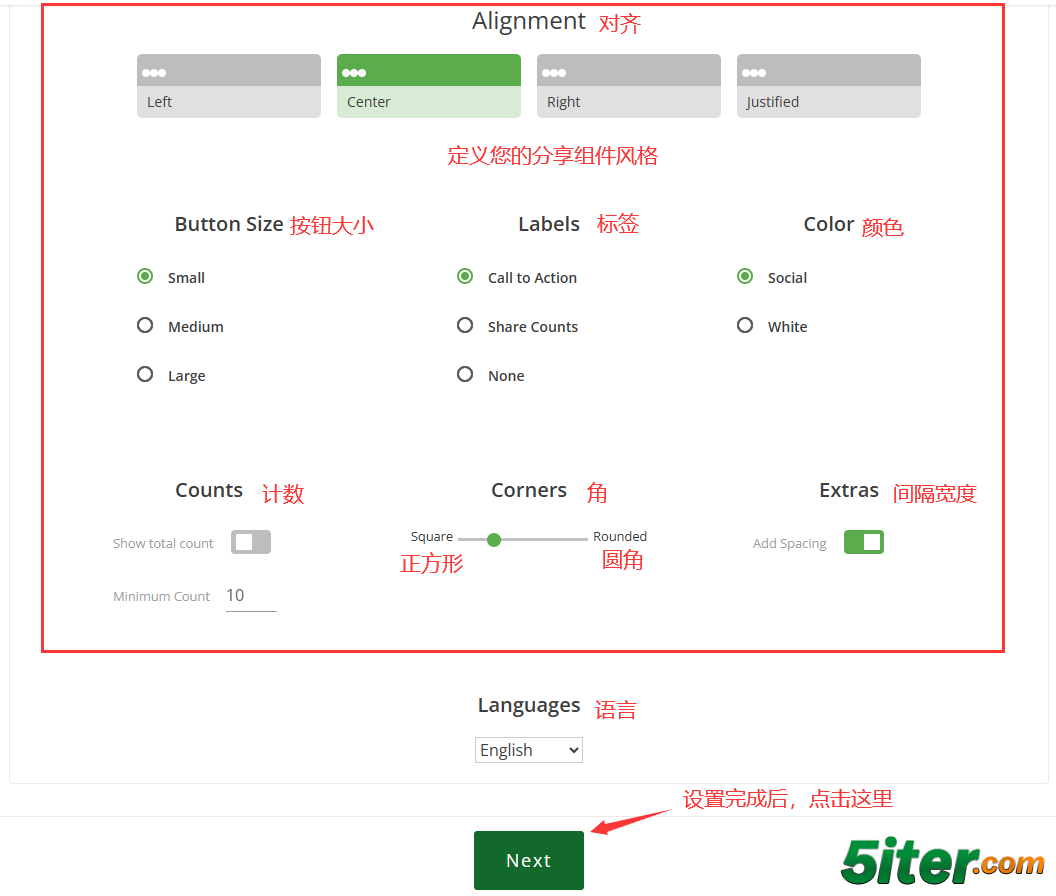
Step 3: Click "Customize your Inline Share Buttons" to personalize the buttons and interface
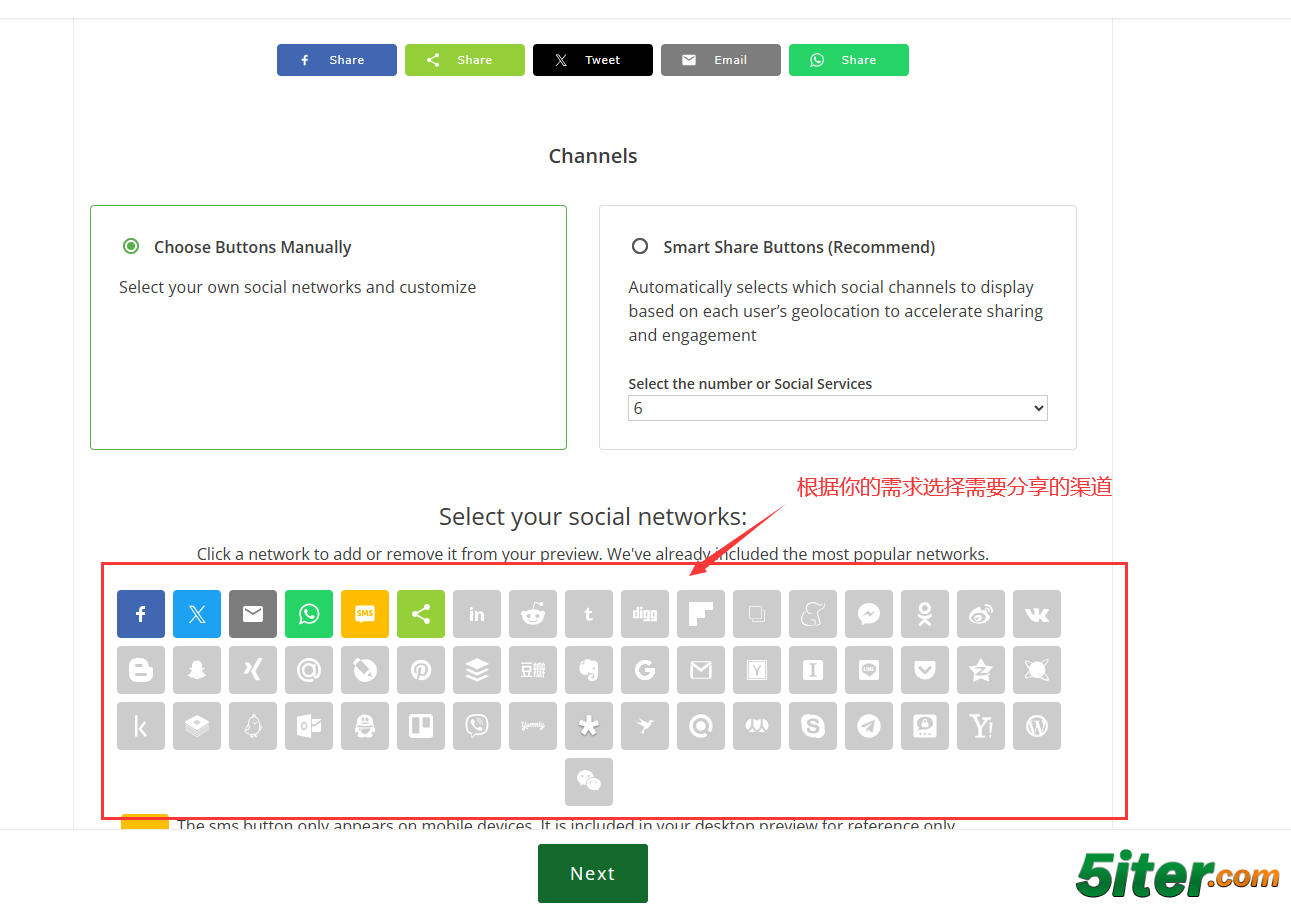
You can select settings such as the buttons that appear, button effects, and positions. And you can preview the effect in real time on the current page
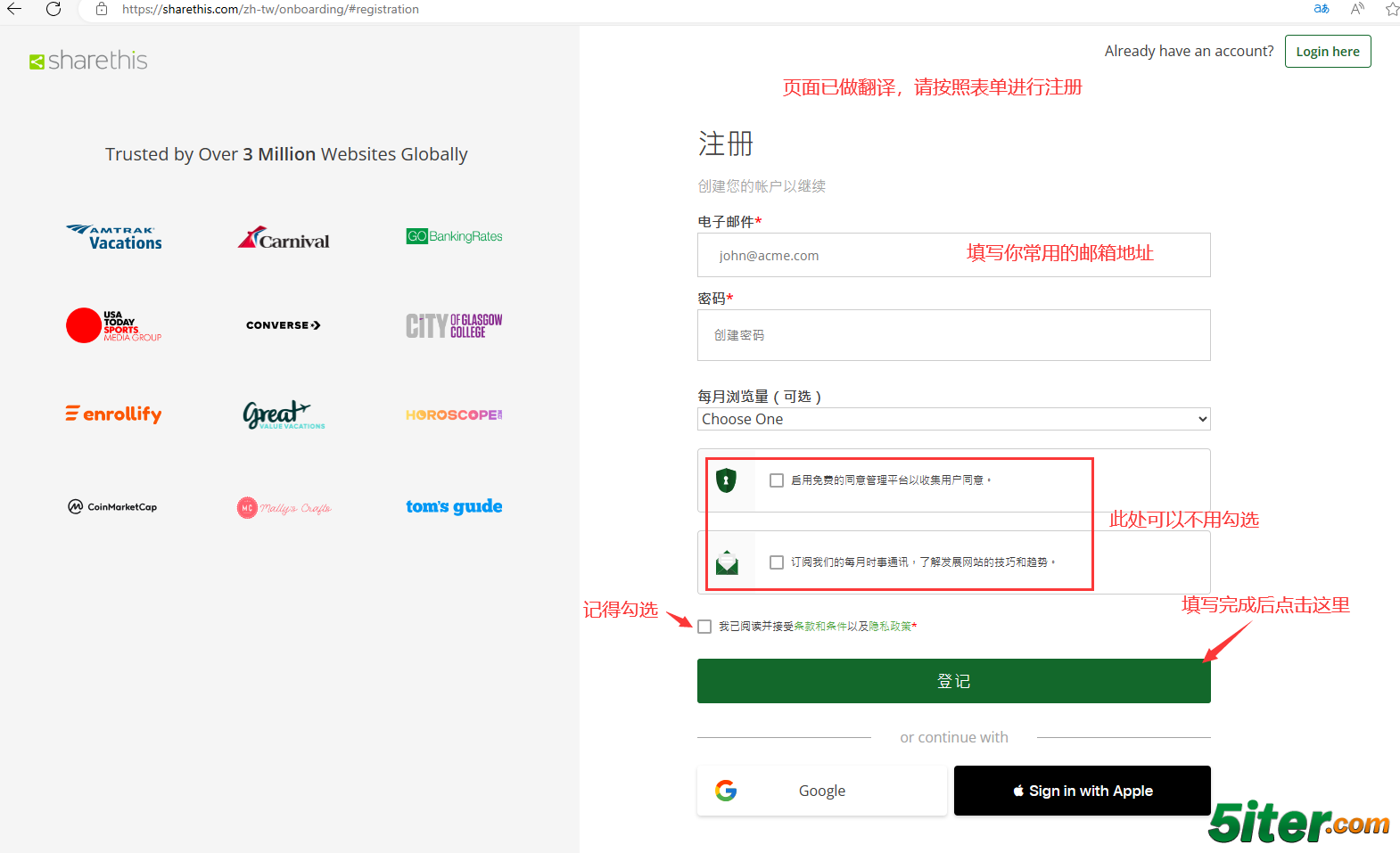
Step 4: Set an account and password so that you can view the shared data next time
When setting the password, please pay attention to the password complexity (if it is low, it cannot be saved. It is recommended to use uppercase and lowercase letters + numbers + special matches)
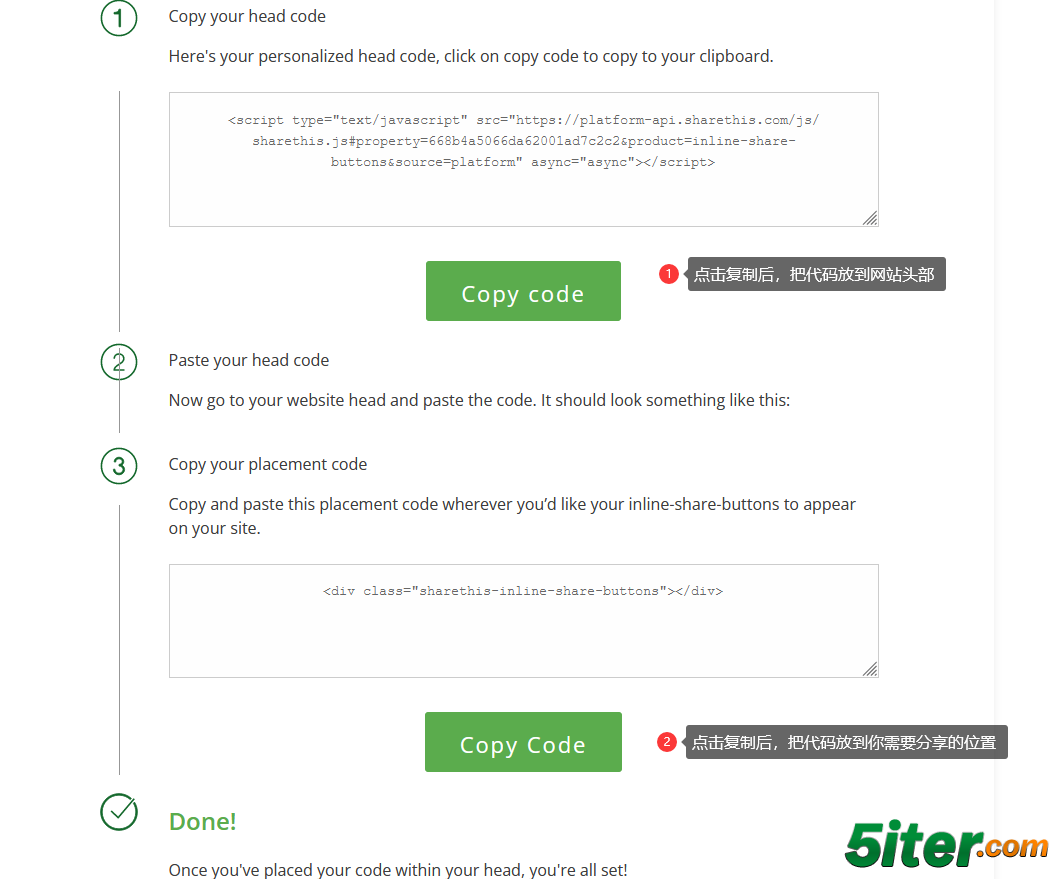
Step 5: Deploy the code to the target web page according to the page prompts