Microsoft plans to push an update to Office applications next week that will allow users to turn off the recently criticized Copilot floating button. This button was previously added to Word, Excel and PowerPoint, and was fixed in the lower right corner of the document or table in a floating form. It not only blocked the content, but also could not be completely closed, causing a large number of dissatisfaction and complaints from Excel users.
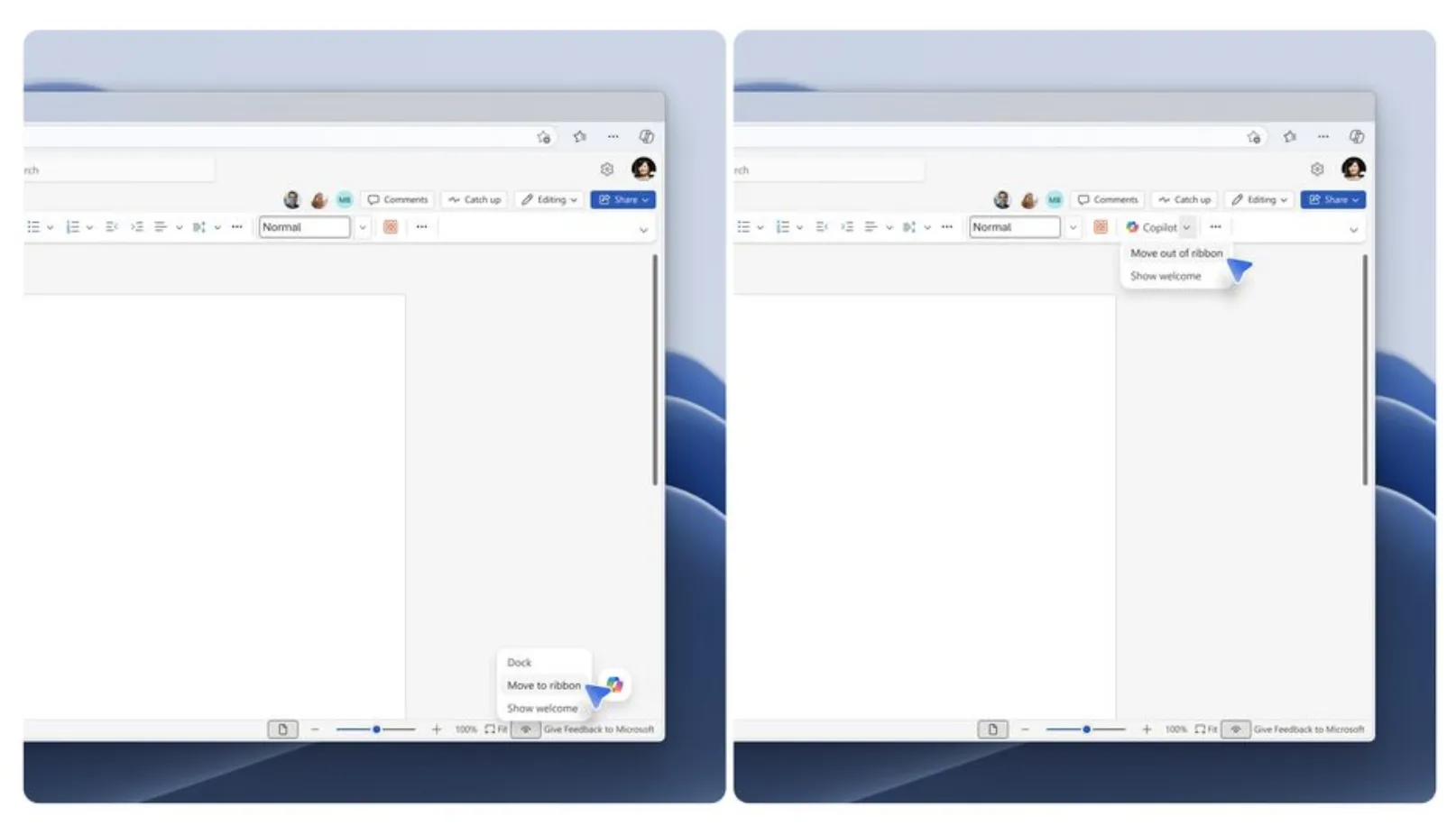
Katie Kivett, partner group product manager responsible for Microsoft Office-related products, said that in this update, on the one hand, Microsoft has seen an increase in the use of Copilot in Office applications, and on the other hand, it has also heard the voice of users who want to have more control over the way Copilot is displayed. She emphasized that Microsoft’s long-term goal is to make Copilot more adaptable and flexible in different scenarios, but in the short term it will first adjust the existing experience.
Currently, Copilot floating buttons already provide a "dock" option, which can reduce the size of the button and slightly reduce the feeling of interference. However, many users still feel that it blocks critical cells or text in the work area. According to Microsoft's latest adjustment plan, users can right-click this "dynamic action button" in the future to move Copilot from a suspended form back to the ribbon above the application, thus completely preventing it from floating above the content of documents or tables.
The changes come against the backdrop of Microsoft's larger effort to slim down Copilot buttons. About a month ago, Microsoft just started removing Copilot buttons that were deemed “non-essential” from some Windows 11 apps. After adding a large number of Copilot portals throughout the system and applications in recent years, Microsoft seems to have begun to realize that these AI buttons may be more annoying in many cases than actually improving efficiency.