
Abstract:
Recently, some users discovered a hidden setting related to Gemini in the Google Chrome browser, which may cause the browser to continue running after the user clicks the close button and occupy hundreds of megabytes of memory. This issue still occurs even if the user has turned off the "Continue running background apps after Chrome is closed" option.
Every time this user exits Chrome through the close button in the upper right corner, he will see multiple Chrome processes still running in the Windows Task Manager. The memory occupied by these processes ranges from approximately 300MB to 700MB. The user then tried a variety of common troubleshooting methods, including disabling extensions, deleting installed web applications, clearing cookies and cache, resetting Chrome settings, and turning off hardware acceleration, preloading, and device-side AI functions, but none of them solved the problem.
Further investigation showed that after creating a new Chrome profile without a logged-in account, the browser was able to exit completely, which helped the user narrow the scope of the problem to a Gemini setting. It turns out that the Gemini feature in Chrome allows users to remain accessible when the browser is minimized. To achieve this feature, Chrome keeps related processes in the background, so even if the user closes the browser window, these processes continue to run and occupy memory.
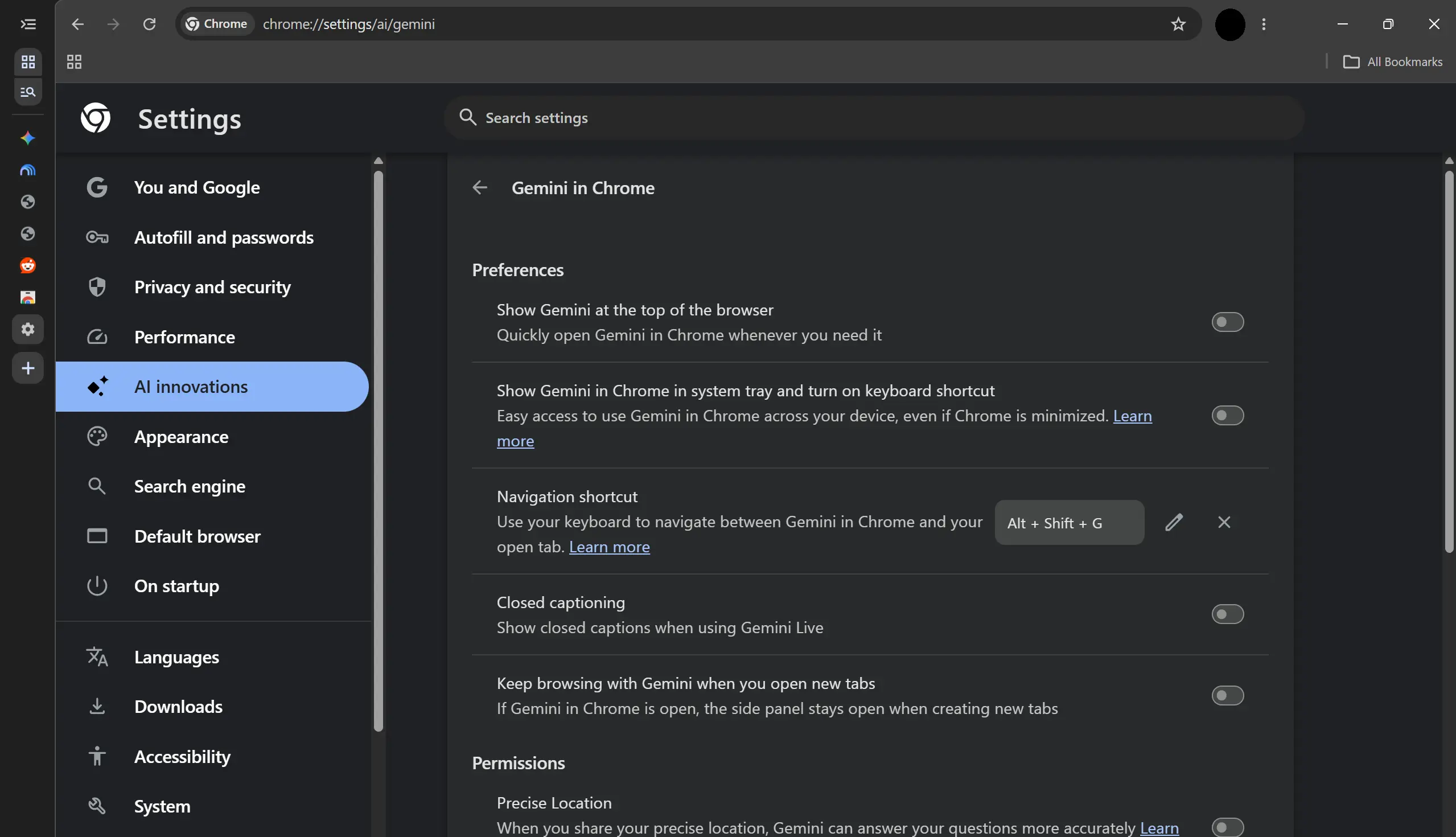
If users want Chrome to exit completely after closing, they need to turn off this specific setting, and the memory usage will also decrease. The specific path is to enter chrome://settings/ai/gemini in the Chrome address bar, or enter "Settings", "AI Innovation" and "Gemini in Chrome" in sequence. In the Preferences section, find the option "Show Gemini in Chrome and enable keyboard shortcuts in the system tray" and turn it off.
Google's official support document has previously stated that after the user chooses to enable Gemini, the feature will be added to the Windows system tray and can be accessed through keyboard shortcuts. However, it is difficult to find the above instructions on the latest version of the support page. Google seems to use AI-generated content instead to guide users to seek help from the Gemini chatbot.
The report also pointed out that Chromium-based browsers, such as Chrome and Edge, may reserve up to 20GB of disk space for AI models. As AI functions increasingly become a standard feature of browsers, Chrome's memory usage issue has once again attracted attention. Chrome launched the "Memory Saver" function as early as 2022, which can display its memory usage under each tab to help users understand the resource consumption of each page.
For users affected by this problem, turning off Gemini's system tray and shortcut key settings is currently known to be an effective method that allows Chrome to completely release memory after exiting.
Comments