In the latest Firefox Nightly build, Mozilla is testing a so-called "Copy Highlight Link" feature that allows you to create links by highlighting specific text strings on a web page. The feature works exactly like the Google Chromium browser.
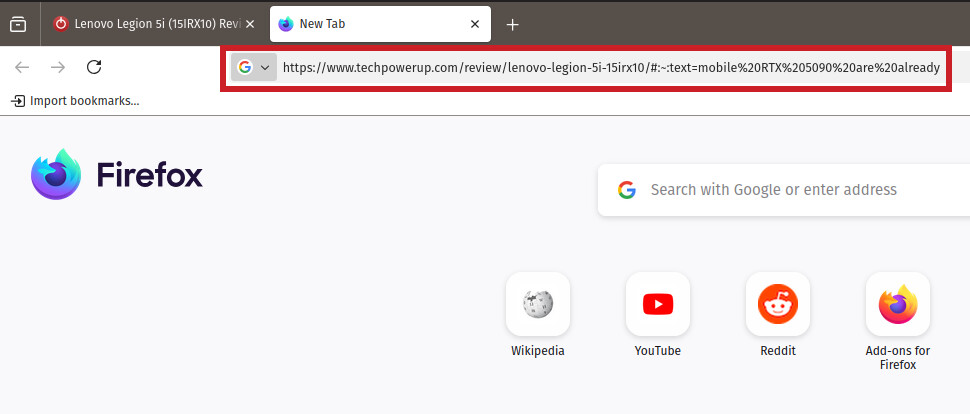
After highlighting text, there is an option in the context menu to copy the link to the highlighted text, which generates a link with the "#:~:text=" tag that Chromium browsers have used for years.
There is also an option to copy clean links to highlights, which will remove unwanted content such as trackers and affiliate links from highlighted links. When you open a link tagged with text highlighting, the browser directs you to the highlighted text - this feature is useful when you want to share a snippet of a website without taking a screenshot.
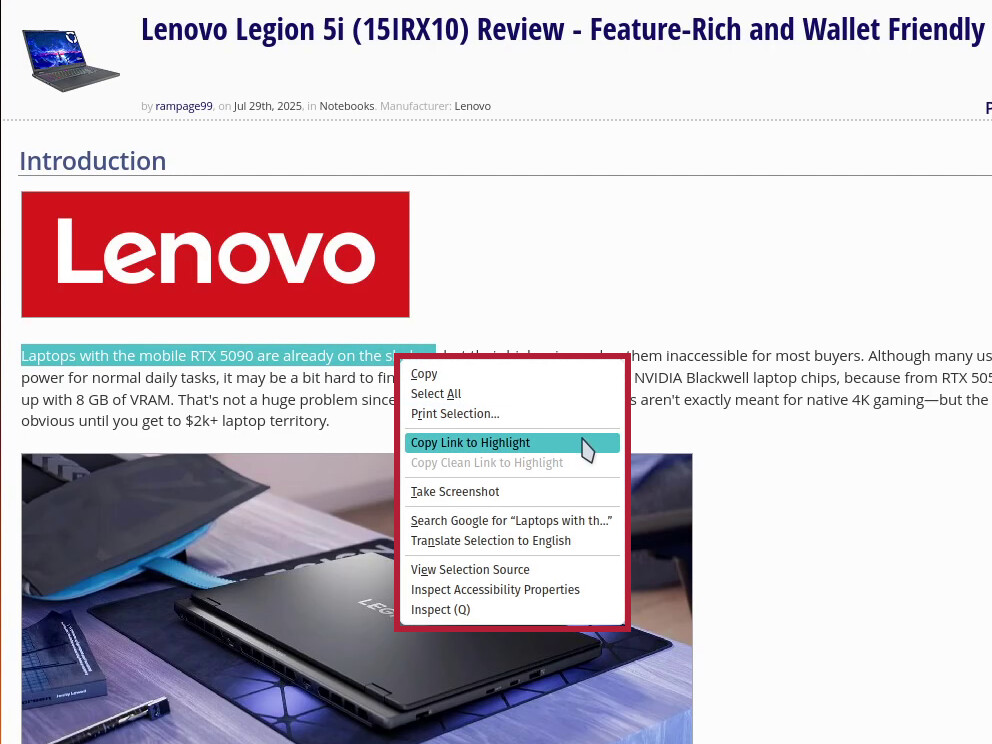
Highlighting text links is available in Firefox Nightly build 185 for Linux, macOS, and Windows. It's unclear whether this feature will be implemented in the Android version of the browser, which is currently still being tested in the Nightly version until the development team confirms that it is stable.
Mozilla is also testing an API so that Firefox extensions can detect whether the recently added vertical tab feature is enabled. This should allow extension developers to notify users when their extensions are incompatible with vertical tabs and adjust the extension UI as needed.
There are also a few bug fixes in the Nightly build, including fixes to the built-in unit converter, as well as minor UI fixes to things like the New Tab page and some search functionality. Click here to read the full release notes for more details.