Microsoft is continuing to enhance the functionality of Notepad in Windows 11. After adding support for rich text formats (such as bold, italics, and underlining) earlier this year, the latest update brings table support. The feature is currently rolling out gradually to Windows Insider users and is expected to be available to all users in the coming weeks.
Windows Latest also conducted practical testing of this feature,It believes that for daily users of Microsoft Word, Notepad's table integration method is more concise and efficient.
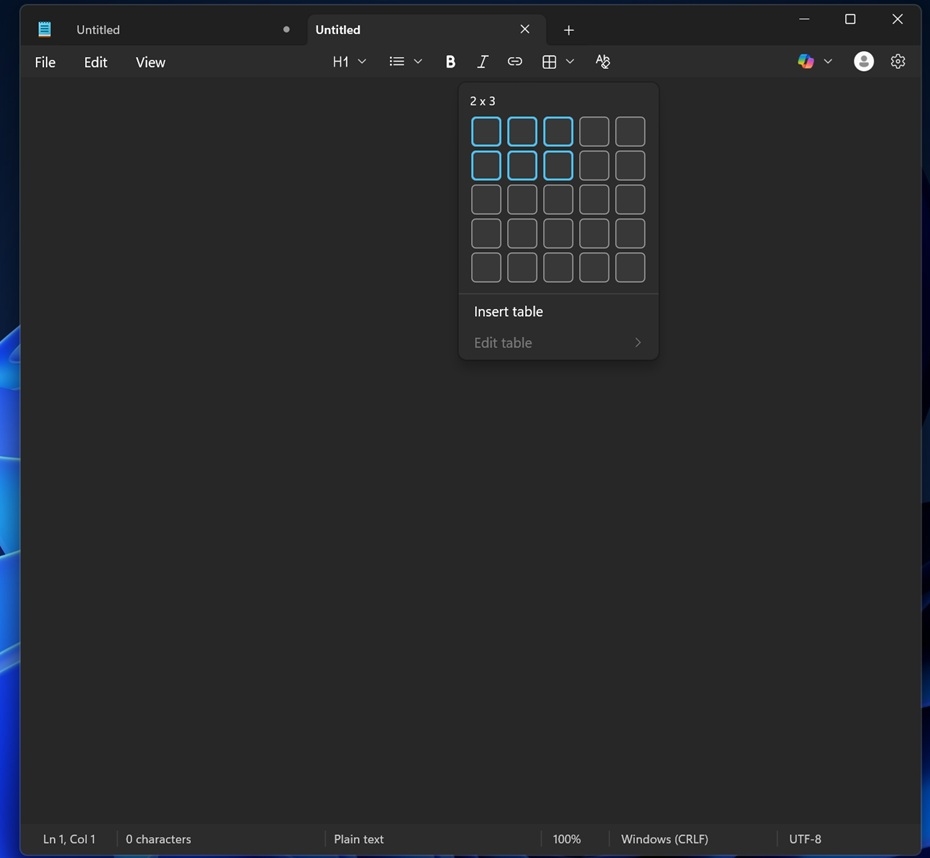
To add a table, users only need to click the new "Table" button on the formatting toolbar. After clicking, a small pop-up window will appear, allowing the user to visually select the desired number of rows and columns (e.g. 3x4), or the user can manually enter the required number of rows/columns.
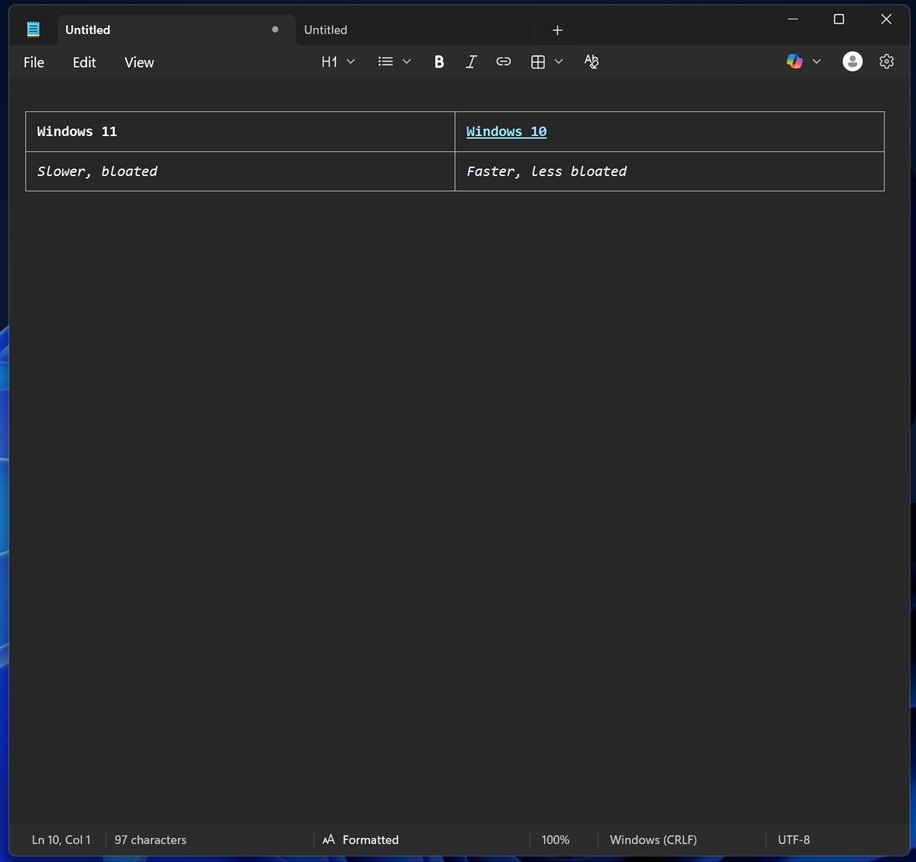
And this function also supports Markdown syntax. Users who are accustomed to using Markdown language can quickly generate tables through code directly in Notepad, which greatly improves efficiency and compatibility.
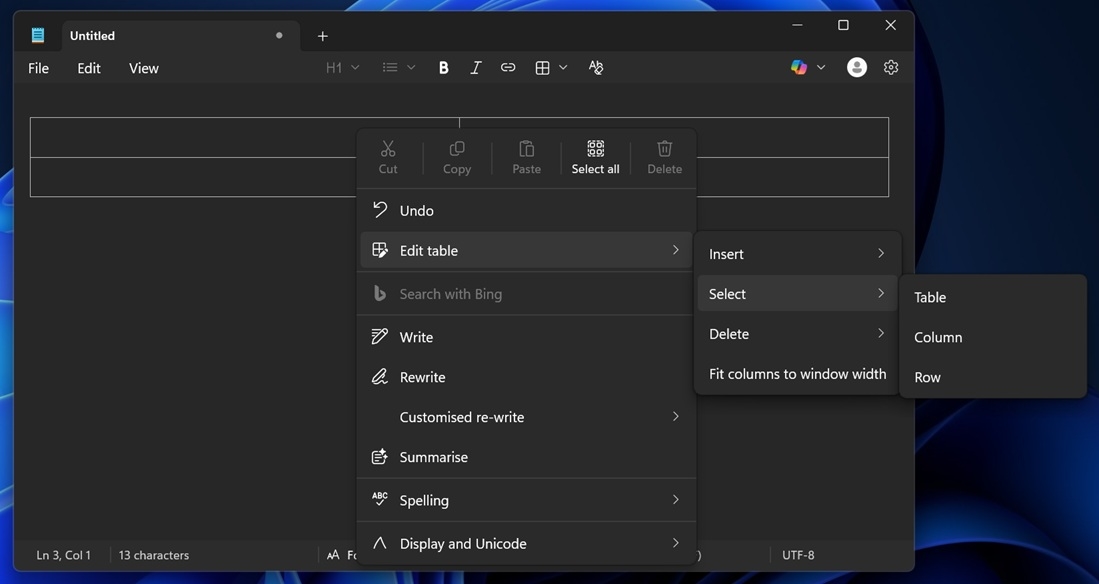
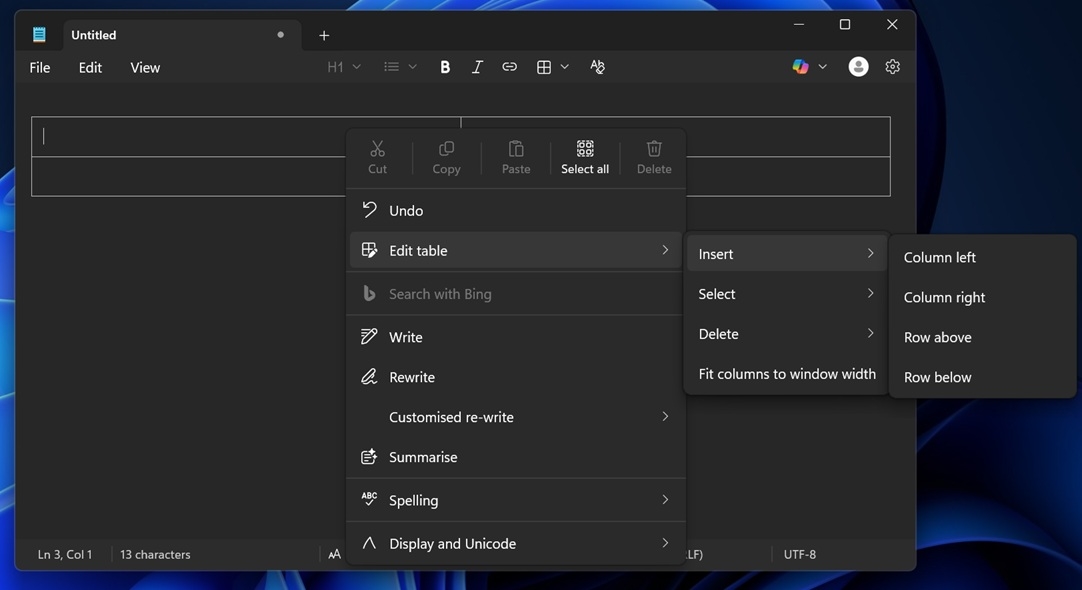
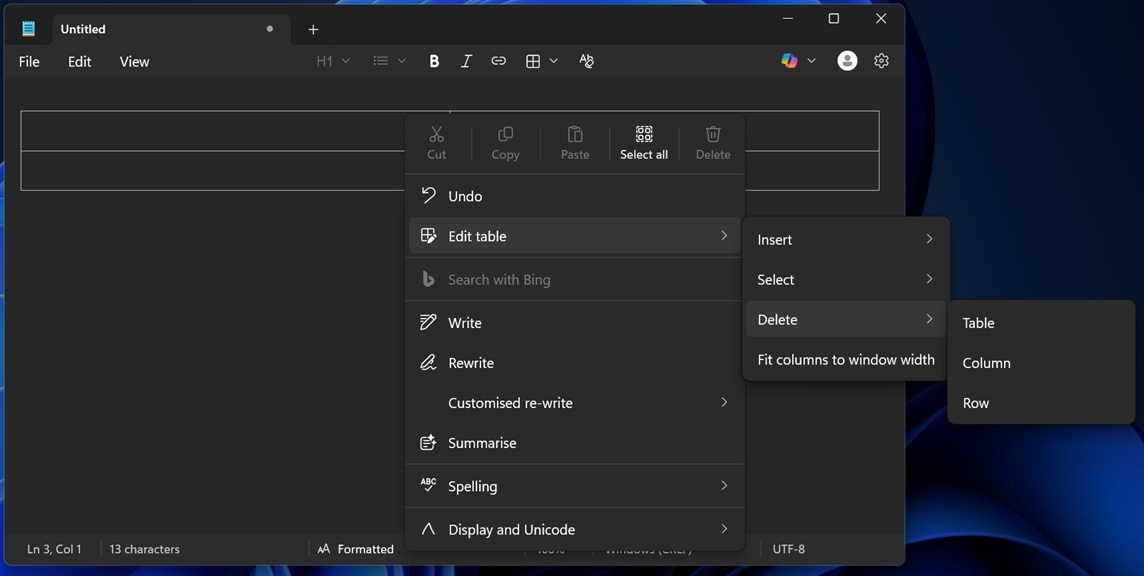
The editing operation of the table is also very convenient. Just right-click anywhere in the table or use the "Table" menu in the toolbar to insert or delete rows/columns. It also supports "fit columns to window width", allowing the table to automatically stretch to fit the width of the Notepad window.
As features continue to increase, some users are beginning to worry whether Notepad will lose its essence as a "simple text editor".However, preliminary test results show that table integration in Notepad is very lightweight and will not affect the performance of the application.
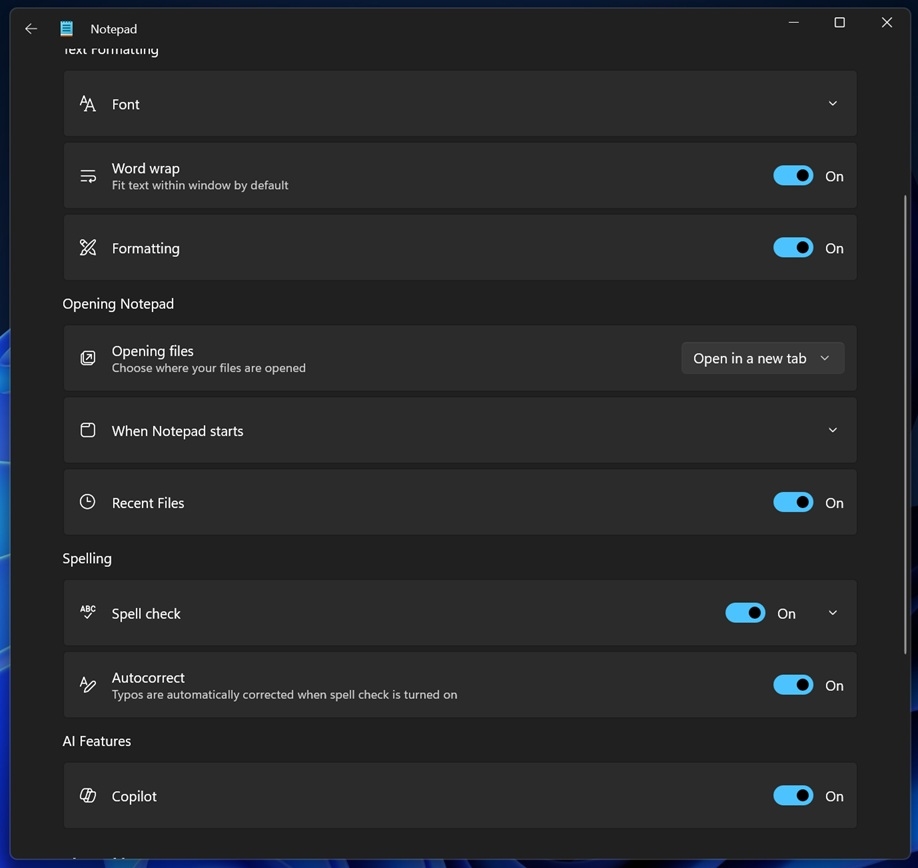
For those who prefer a pure text editing experience, you can easily turn off most formatting features including tables, bolding, and italics in Settings.