
Abstract:
The GNOME project recently launched a public preview version of GNOME OS, which is powered by the GNOME 51.1 desktop environment. Many users come into contact with the GNOME desktop through systems such as Fedora Linux or Ubuntu. GNOME OS is a complete Linux system built by the project team. It integrates the desktop, basic components and update mechanism into a bootable system image for testing and displaying the GNOME software stack.
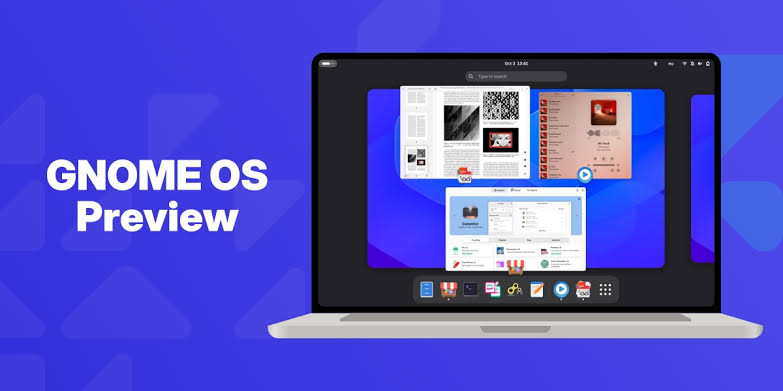
GNOME OS has long been mainly serving developers and testers. The project uses this system to test the collaborative performance of the GNOME desktop and related components in real systems. The previously disclosed nightly build version will continue to integrate the latest development code of each component, which is suitable for testing and development, but not suitable for ordinary users who require the system to remain stable.
GNOME OS uses a system image update mechanism. There is no traditional apt or dnf package management method. System updates are handled by systemd-sysupdate, and graphics applications are mainly installed through Flatpak. This design allows the GNOME team to test the desktop, application platform, and underlying components in a unified system environment.
Public preview brings stable branch and regular download:
The GNOME OS preview version uses officially released stable version components, this time equipped with the GNOME 51.1 desktop environment, while the nightly build version continues to follow the latest development code of each component. The two versions are provided in parallel, and users can choose according to their actual usage needs.
The GNOME official website provides x64 and Arm64 images. Users can install the system on a physical computer or run it through a GNOME Boxes virtual machine.
https://blogs.gnome.org/adrianvovk/2026/10/16/gnome-os-preview/
The public preview builds on existing GNOME OS, and project leaders say it is more suitable for non-developers to try than nightly builds.
However, it should be noted that the public preview version has been launched for a short time and has not been extensively tested on various hardware. Therefore, users who plan to install it on a physical computer are advised to be mentally prepared. It is best to find an idle backup device to install it, so that if there are problems, it will not affect daily use.
Comments