
Abstract:
Tiny11 Builder releases WinUI 3 redesigned version to help users create a Windows 11 installation ISO from a Windows installation image that is more streamlined and has optional components. The new version focuses on fixing the problem that the old version of the tool mistakenly determined the Windows 11 26H2 image as incompatible, and added functions such as accelerated processing and follow-up to build interruptions. It is a third-party image creation tool, not a Windows version launched by Microsoft, nor does it directly provide a ready-made tiny11 26H2 system.
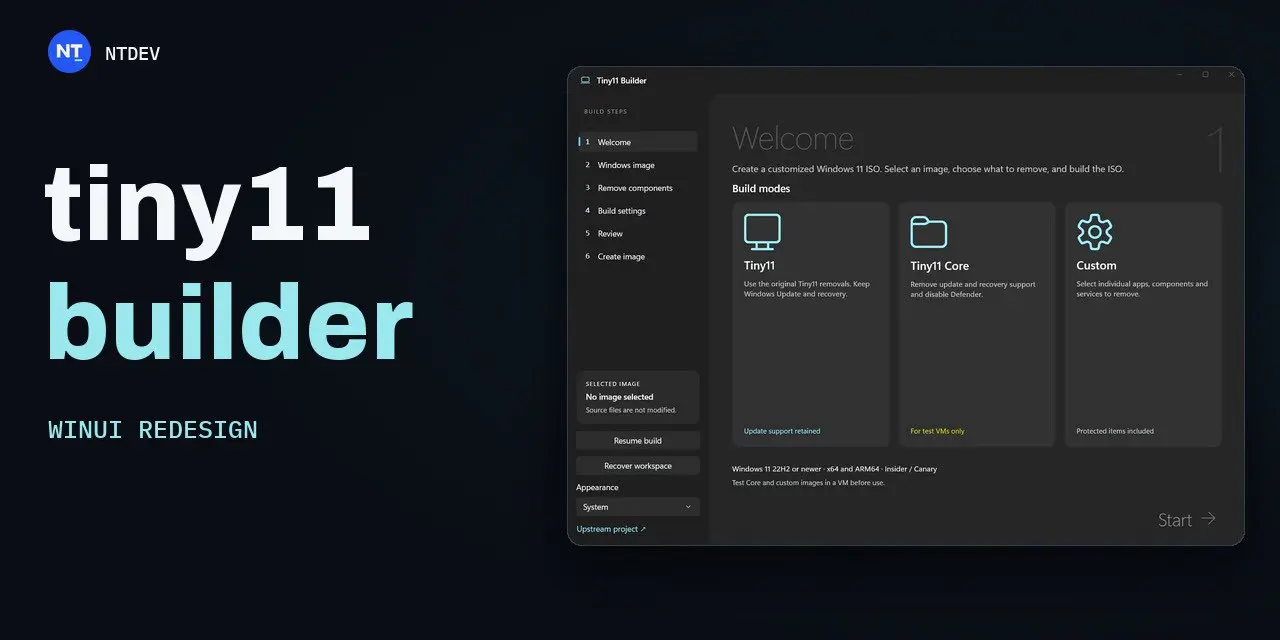
This time it is updated to version 0.1.1, using a redesigned native WinUI interface. For Windows 11 26H2, the old version of the imaging tool will incorrectly reject the new version because it only checks the startup program; the new version changes to check the image service provider to be compatible with shared service-based tools. In addition to Windows 11, the production end can also be run on a Windows 10 host with compatible deployment tools installed. The official GitHub provides an x64 version for Intel and AMD computers, and an ARM64 version for Windows on Arm devices; administrator rights are required to launch the program after decompression.
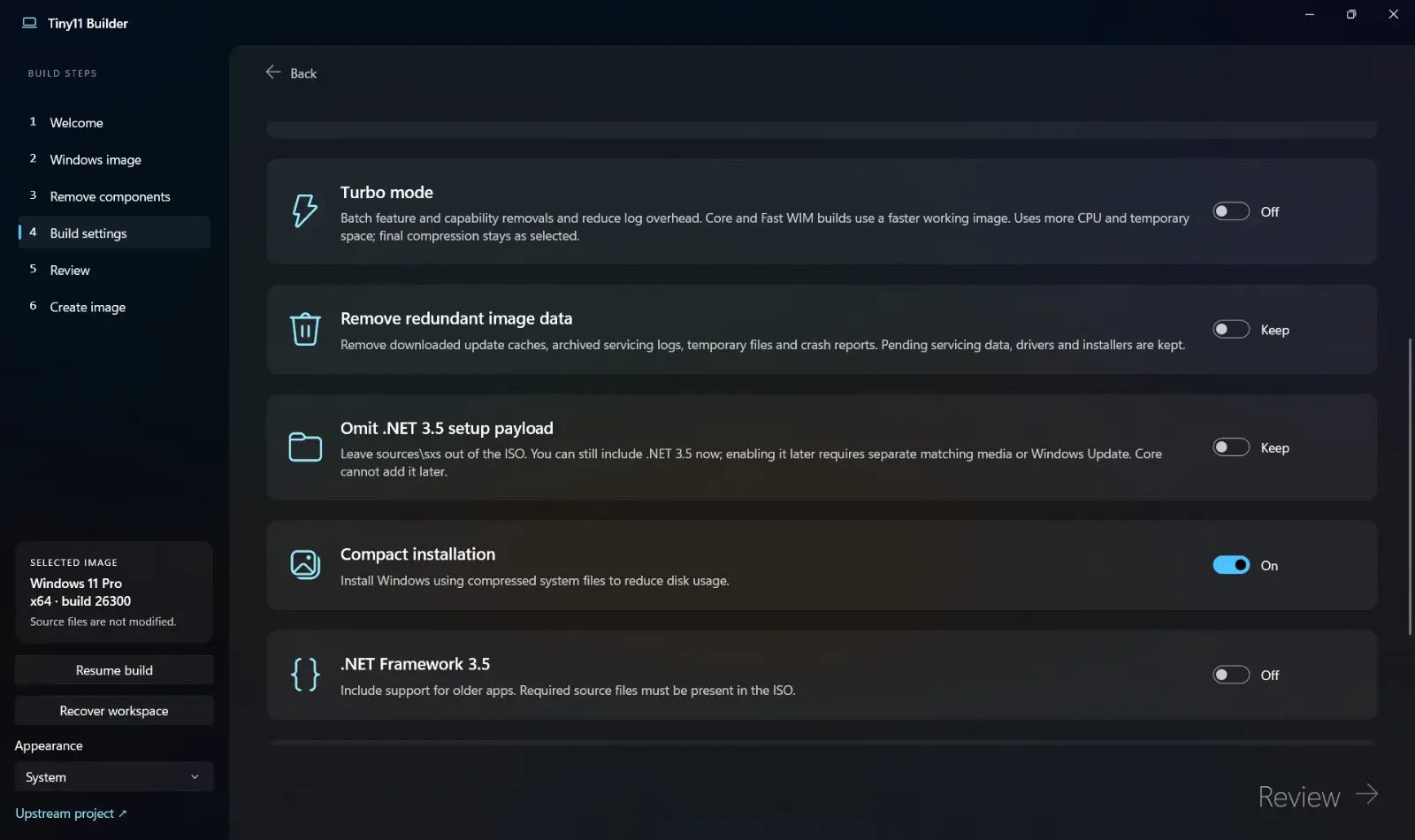
Users can choose from three build methods: regular Tiny11 will remove bundled applications and unnecessary features while retaining Windows updates, Microsoft Defender and recovery support; Tiny11 Core is more streamlined, but will remove update and recovery support and turn off Defender; Custom mode allows one-by-one selection of applications, components, features and services to be removed or retained. The new version also provides Turbo mode to speed up image processing, and can save the progress after the build has been submitted or compressed, and continue from the saved state when an interruption is encountered. When Core builds and removes component store content, the software automatically switches to the older Windows installer.
When making, the user needs to prepare a Windows installation image, and then the tool selects to remove components and generate an ISO, so the final system content depends on the selected configuration. Developers specifically warn that removing protected components or using the Core version may cause damage to Windows functionality; the Core version cannot be updated or maintained normally. It is recommended to test the generated image in a virtual machine first, and then consider installing it on the main computer.
For computers that do not meet the minimum hardware requirements of Windows 11, creating a stripped-down image does not mean that Microsoft provides official compatibility or support. Microsoft still says that installing Windows 11 on non-compliant devices is not supported, you may encounter compatibility issues, and updates (including security updates) are not guaranteed.
Download address:
https://github.com/ntdevlabs/tiny11builder/releases/tag/winui-v0.1.1
Comments