
Abstract:
Microsoft is strengthening the linkage between the search function of Windows 11 system and Android devices. In the latest beta version, after connecting a compatible Android device to the computer, users can directly search for applications on the device in the taskbar, and click on the search results to start and perform operations on the computer.
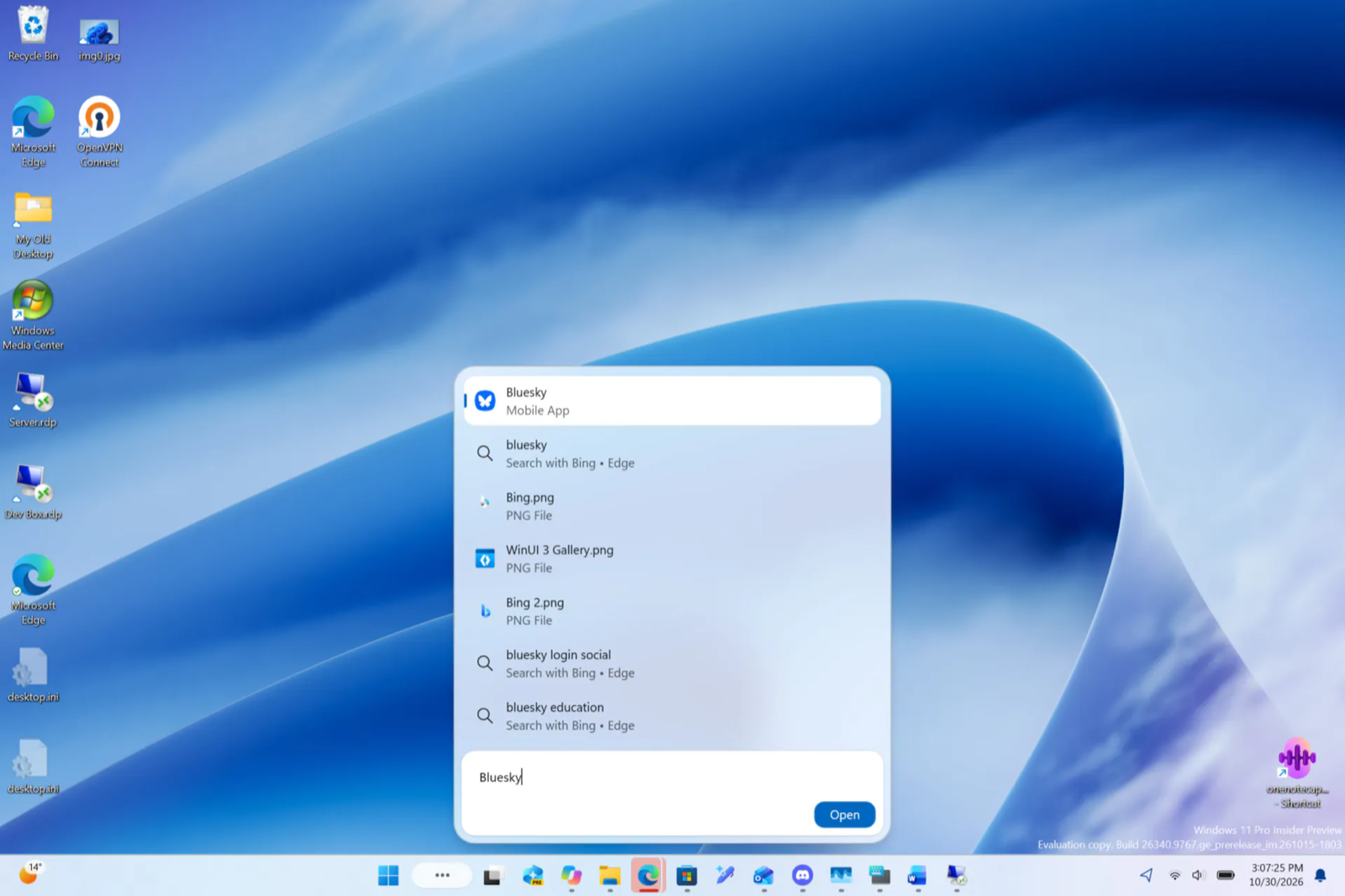
Link the app via your mobile phone:
This function is implemented through Microsoft's Phone Link mobile connection application. The application still runs on the Android device. The computer is responsible for displaying the application screen and transmitting operations. When using it, the connection between the mobile phone and the computer needs to be maintained.
Currently, the ability to directly search and launch Android applications in the search bar is available in the Windows 11 Experimental Preview. After completing the pairing connection, when searching for a specific name in the taskbar, the applications already installed on the phone will be displayed, and the mobile application will also be marked below the name.
After startup, the vertical screen of the application will be transferred to the computer for display, and the user can operate it normally using the keyboard and mouse. This function is different from the Android subsystem. The Android subsystem runs and installs applications on the computer through a virtual layer, and the Android subsystem has been abandoned by Microsoft.
Requires a compatible Android device for use on PC:
To use the mobile app screen mirroring function, you first need to activate the mobile phone connection on Windows 11 and follow the prompts to connect to a compatible Android device. The Android device and PC need to be in the same local area network. To ensure connection stability, it is recommended that users also complete a Bluetooth pairing connection.
The application screencasting function only supports some compatible models. The device brands listed by Microsoft include Samsung, Honor, OPPO, ASUS, vivo, Xiaomi, iQOO, Realme and OnePlus, but whether specific models are supported depends on the OEM. This feature typically requires the device to have pre-installed connectivity mechanisms to Windows.
Therefore, some Android devices may be able to send and receive text messages and view notifications after pairing, but may not support the application screen function. The specific compatibility list can be viewed here:
Windows Phone Link compatibility list
Comments