Math Notes is for iOS 18andiPadOS 18New features in . It's available in the Notes app, or through the Math Notes option in the Calculator app. This feature is designed to solve math problems or equations by entering an equal sign. existiPhoneOn, Math Notes supports entering equations, but inOn iPad, you can use Apple PencilWrite equations by hand and get results online.
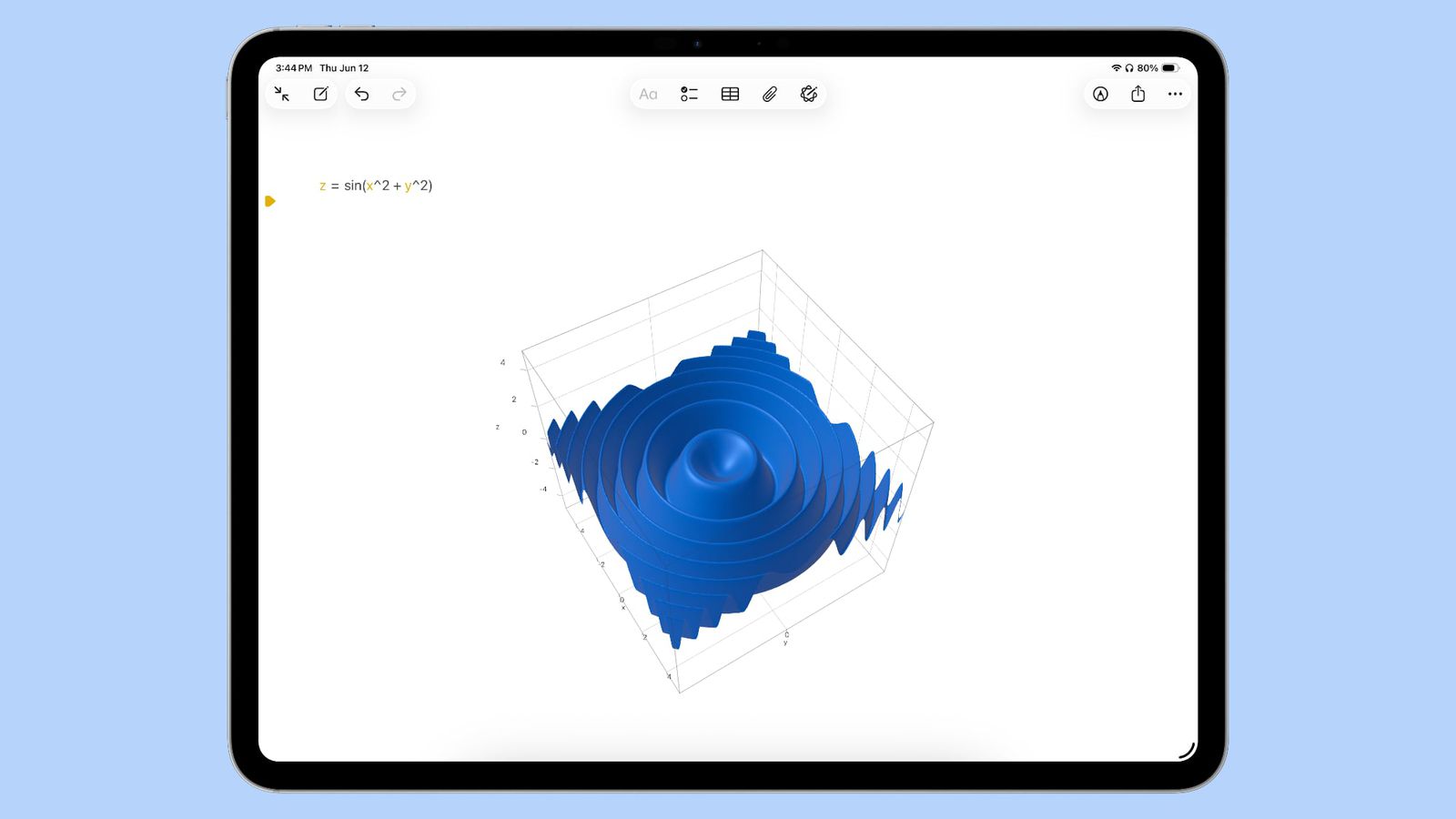
In iOS 26 and iPadOS 26, Math Notes can create three-dimensional graphs when you write an equation with three variables. For example, if you write an equation like z=sin(x^2 + y^2), you will get a ripple plot.
To use this feature, write or enter a formula, then click on one of the variables and select the "Insert 3D Graphic" option. You can use tap and drag gestures to zoom in, resize, and move 3D graphics. While the feature works on both iPhone and iPad, it works better on iPad due to its larger display area. If you're handwriting math notes on iPad, write an equation and then circle it to access the drawing options.
New 3D graphics capabilities are useful for visualizing linear algebra and multivariable calculus, and the output graphics can be copied and pasted into other applications.
iOS 26 and iPadOS 26 are in early beta and currently available to developers only. Apple plans to release a public beta in July and launch it officially in September.