Xunlei released the download MCP service, breaking the traditional download model. You can let AI automatically help you download in one sentence.This service supports both PC version of Thunder and NAS Thunder, and is now available to all users for free. Currently, Xunlei MCP supports access to various mainstream large-model applications at home and abroad, such as Nano AI, Button Space, Cursor, Cherry Studio, etc., allowing AI to become your download assistant.
Whether you want to download videos, software, or learning materials, just state your needs in an AI application that supports access to MCP, and the resources will be automatically found and downloaded.

If you want to use this function, you need to complete the Thunder MCP configuration yourself, which usually takes 3 minutes!
The steps are as follows (taking Nano AI as an example, different AI application configurations are slightly different):
1. Get the Thunder MCP link
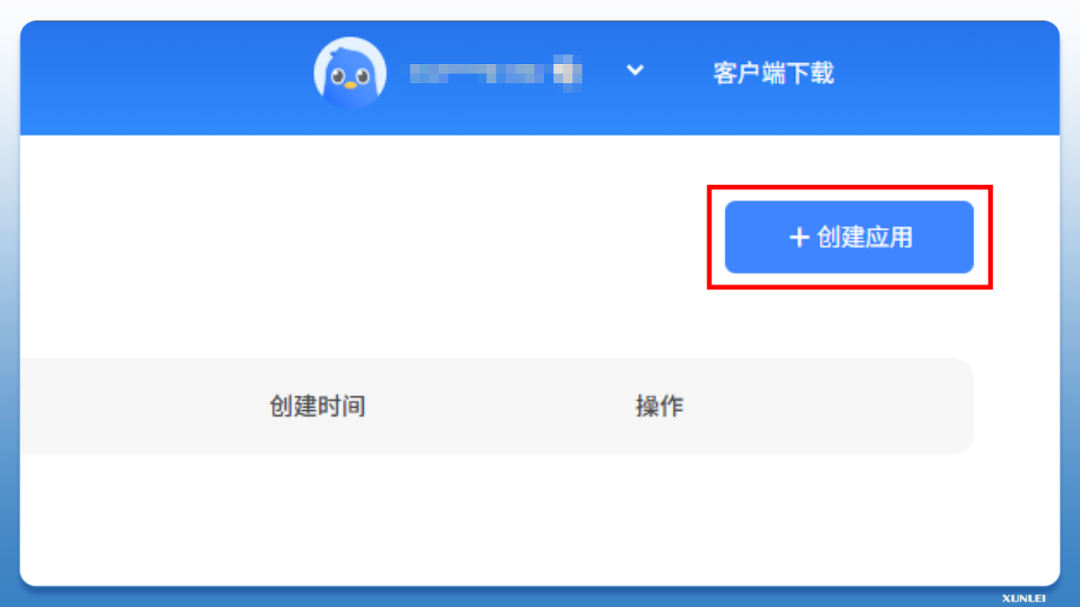
Create an application: Open the Xunlei MCP management homepage https://pan.xunlei.com/mcp, click the "Create Application" button after logging in, and enter the application name for easy management.
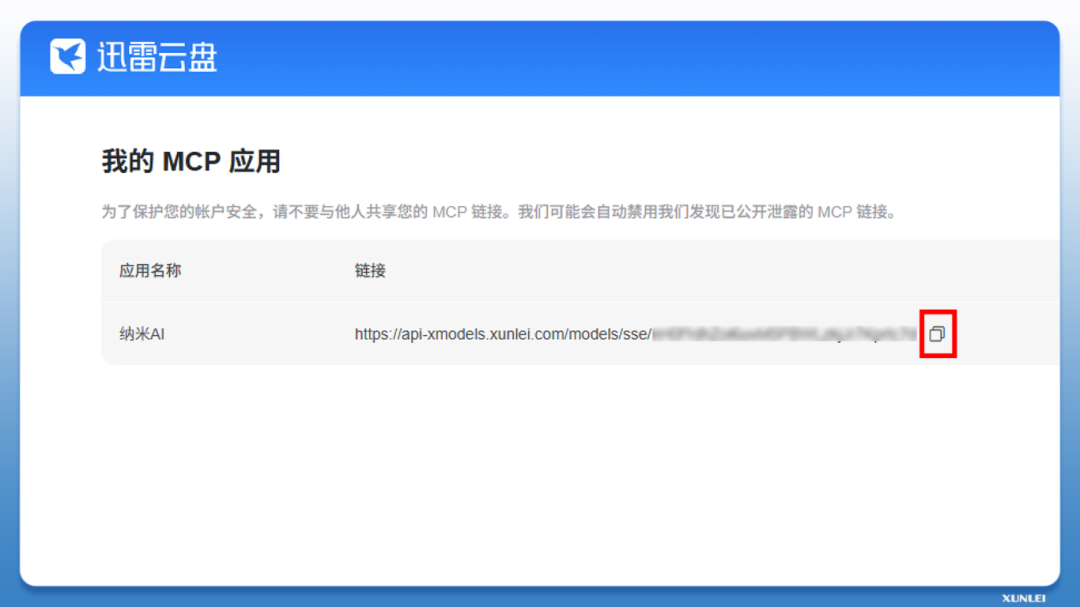
Copy link: After the application is successfully created, the page will generate your exclusive Thunder MCP link. Click the "Copy" button to save the link, which will be used in subsequent configurations.
2. Connect MCP to Nano AI
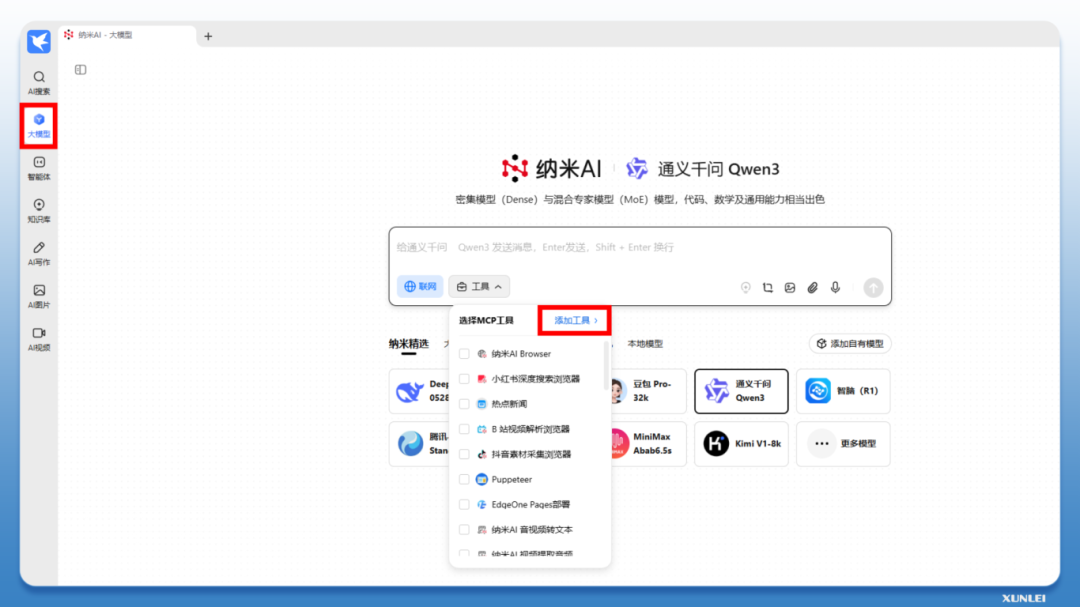
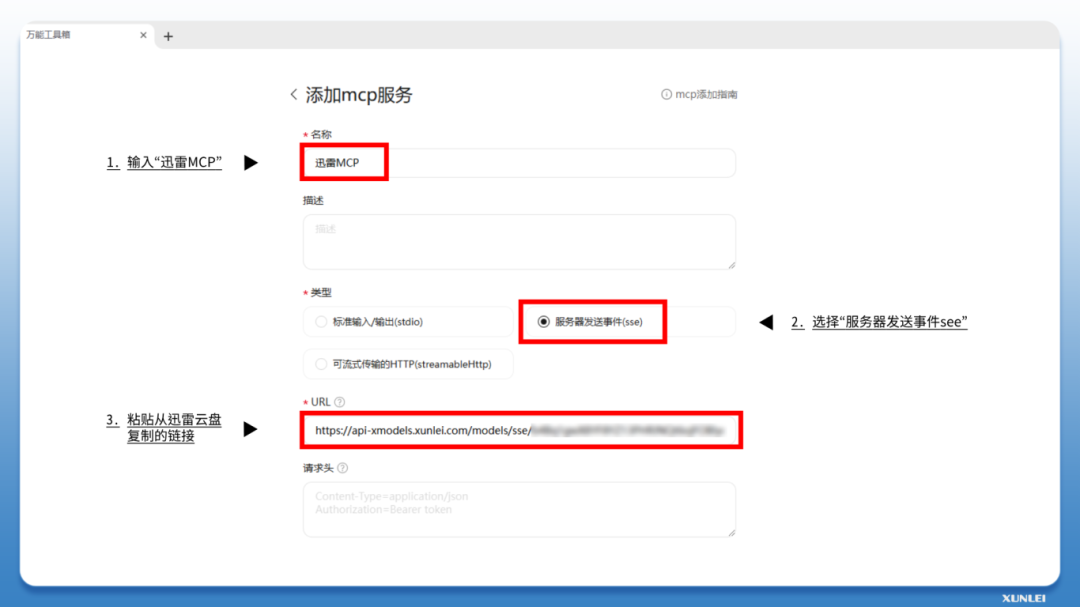
Add MCP service: Open Nano AI, select the large model interface, and click "Add Tool" - "Add MCP Service".
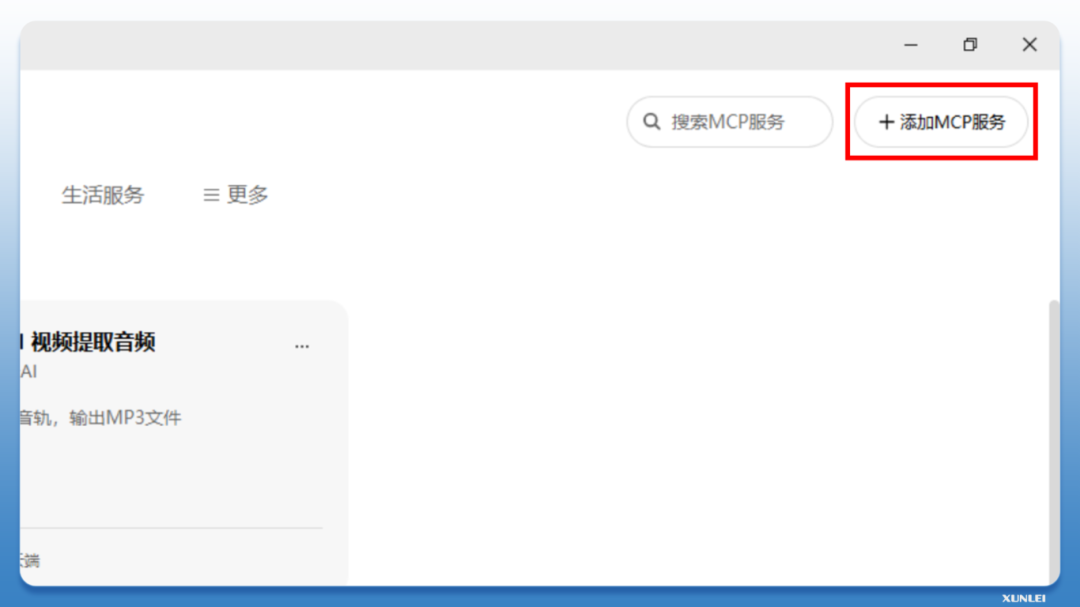
Enter the MCP name - select "Server Sent Event SSE" - paste the link copied from Thunder Cloud Disk and click "OK".
Open the Thunder client, enter the "Settings" interface, and check "Enable remote downloading" in "Download Settings". (Important: this step is very important)
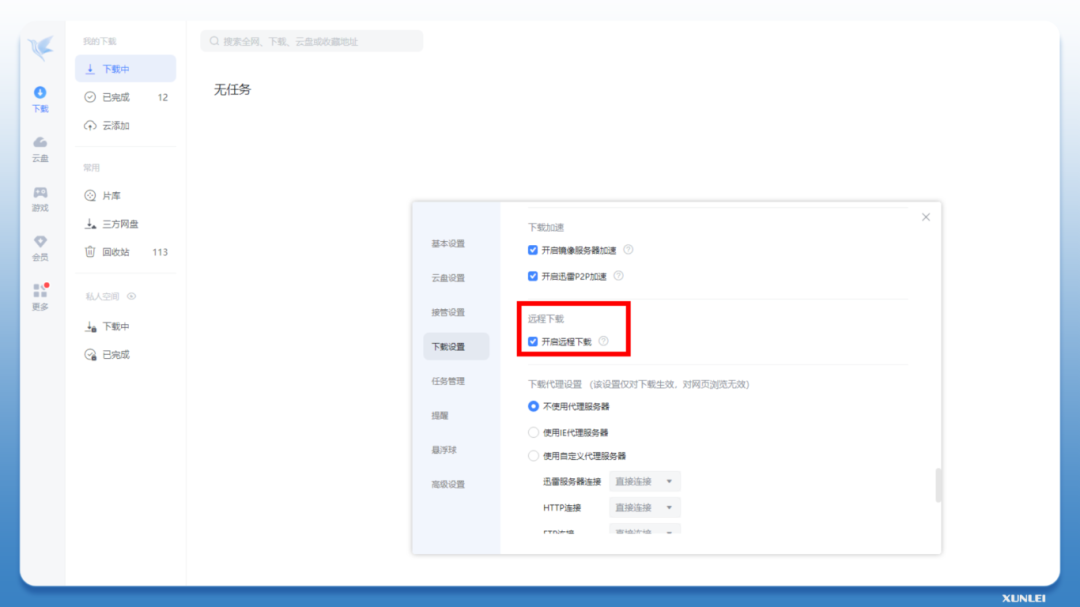
At this point, you have successfully completed the configuration of Thunder MCP.
3. Turn on smart download
Enable MCP service: Return to the large model interface, select the model - click "Tools", check "Thunder MCP" and "Nano AI Web Crawling", and click "Network".
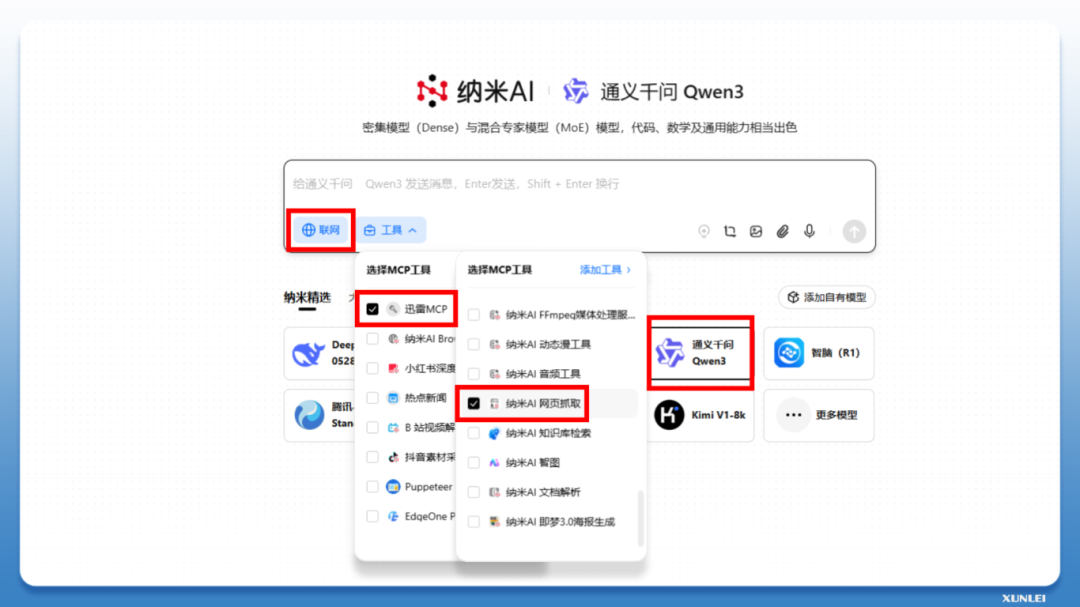
Next, you can directly use voice or text commands to create task commands in one sentence, and enjoy the convenient experience of AI automatically finding resources and downloading them!