Microsoft has confirmed that it will reopen the Windows 11 taskbar movement feature in the future, allowing users to place the taskbar at the top, left, or right of the screen. This ability has officially returned for the first time since it was removed five years ago. This change is seen as the latest signal that Microsoft has shifted from simply stacking AI features to seriously polishing the basic system experience and solving user "pain points".
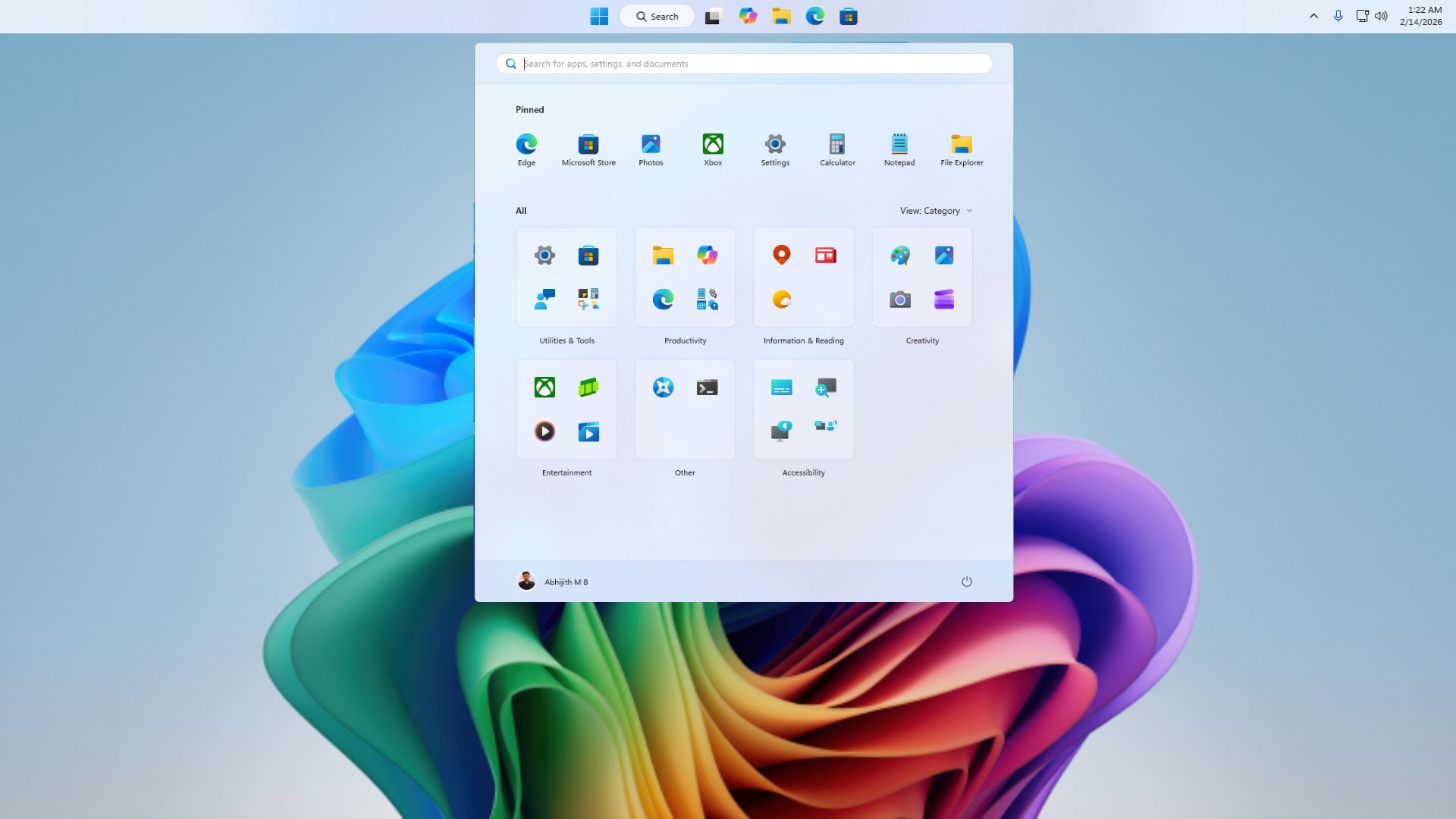
In past versions of Windows, users have been able to freely adjust the position of the taskbar, but since the release of Windows 11 in 2021 and the "modernization" of the taskbar, this classic feature has been canceled, causing a lot of dissatisfaction. The reputation of Windows 11 is currently at a low ebb, and Microsoft internally realizes that limiting the position of the taskbar is one of the strongest complaints from users. Microsoft told the media that "repositioning the taskbar is one of the most important requests we hear," so it will add settings options to the system to allow users to move the taskbar to the top or sides of the screen to better personalize their workspace.
Judging from screenshots of early internal builds, users will be able to pin the taskbar to the top, left, and right of the screen, while the default position will still be the bottom. However, these changes are not yet open to test users, and specific interaction details are still being polished. According to the existing information, users need to adjust the position of the taskbar through "Settings > Personalization > Taskbar". It is not yet certain whether in the future, you can directly press and hold the taskbar and drag it to the edge of the screen to complete the move like the old version of Windows. Microsoft has not given further explanation on the relevant details.
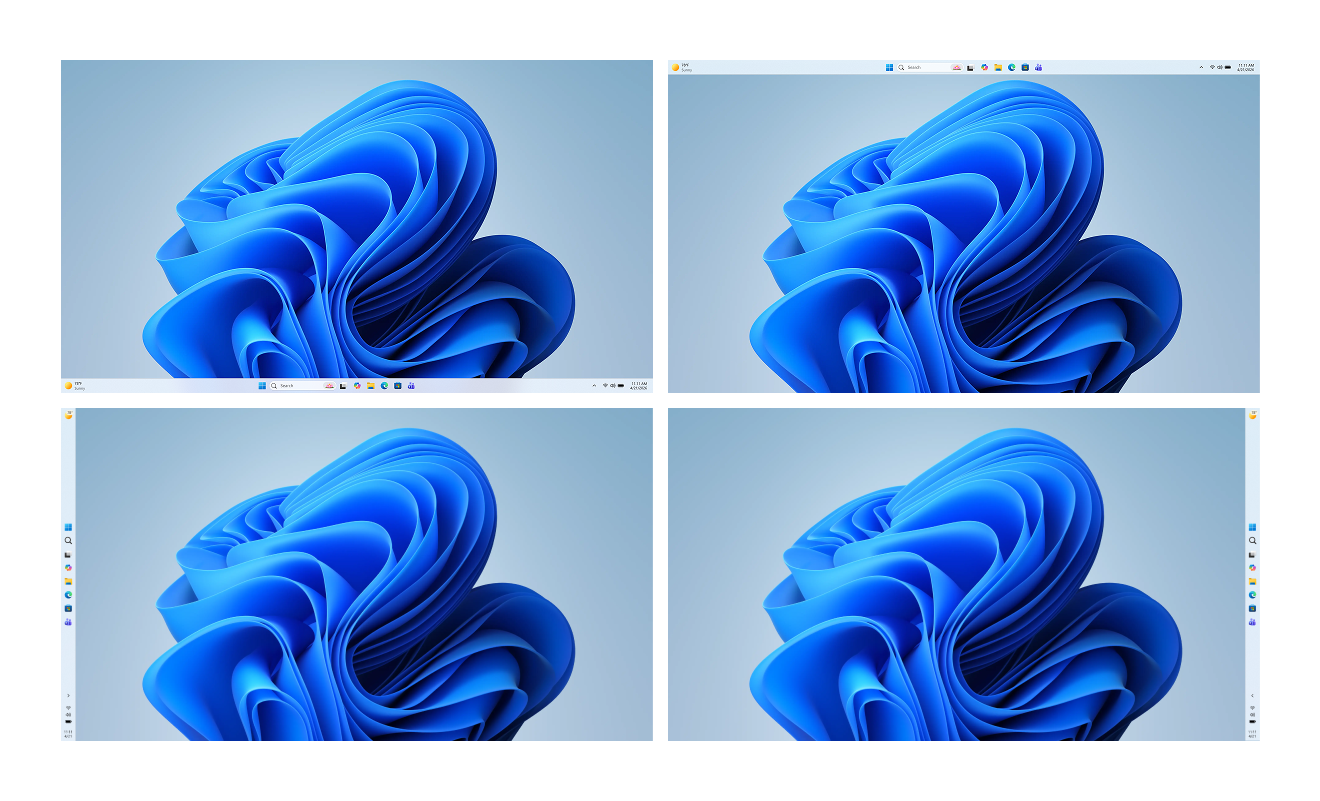
In addition to the position adjustment, Microsoft also plans to introduce a "smaller" taskbar in Windows 11 that goes beyond just shrinking icons and buttons. The current system provides a "Use small taskbar button" switch, but this only changes the button size: the user either makes the button smaller when the taskbar space is full, or always uses small icons, but the height of the taskbar itself does not change. When Microsoft added this setting in 2025, it was seen as an alternative to Windows 10's "Small Taskbar" mode, but the actual experience is significantly different. In Windows 10, users can adjust the overall size of the taskbar, not just the size of app icons. Now, Microsoft has confirmed that it is filling this gap and will provide a true "small taskbar" option to make the entire taskbar more compact.
It is worth noting that while fixing the taskbar experience, Microsoft is also adjusting the recommended content area (Recommended feed) of the Start menu. Officials said that through more intelligent sorting and filtering, the recommendation area will more effectively present the applications and content that users really care about, instead of blindly pushing items that are not highly relevant to user habits. This series of changes, taken together, shows that Microsoft is trying to rebuild the image of the much-criticized Windows 11 through specific and detailed experience optimization, rather than continuing to just pile new AI features into the system.