Google is introducing a new feature for folding screen devices to the next-generation Android 17 system - "Folding Screen Game Mode". By providing a virtual handle at the system level, the folding screen phone can achieve a gaming experience closer to that of a handheld device in the unfolded state. An early preview of this feature was shared by former technology journalist and current Google employee Mishaal Rahman, showing how it would actually work on a foldable screen device.
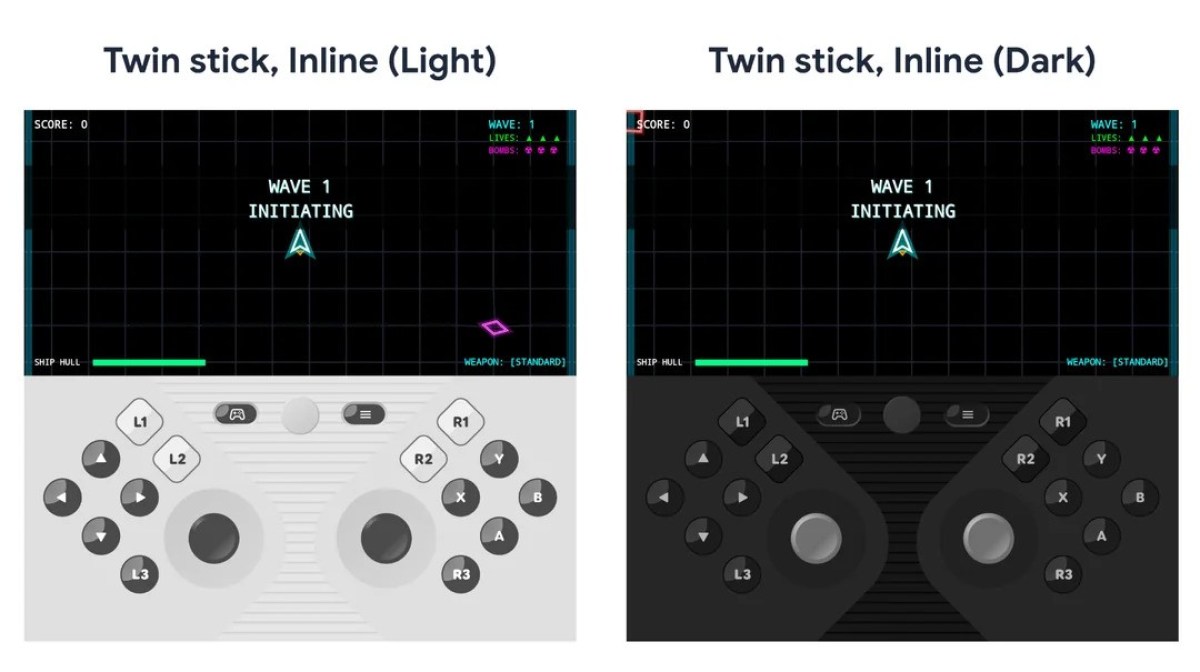
In the demonstration, after the folding screen device is unfolded, the system will divide the screen into equal parts: the upper half is used to display the game screen, and the lower half generates a highly customizable virtual controller interface. Currently, the split screen has a fixed 50/50 ratio, and the size of the upper and lower areas cannot be adjusted freely, but Google said that it will not rule out adding more customization options such as ratio adjustment in the future.
Different from ordinary screen buttons, the virtual controller in the "folding screen game mode" simulates physical controller input at the system level, which means that any Android game that already supports game controllers can theoretically directly adapt to this mode without additional changes by developers. The only prerequisite is that the game itself needs to have certain adaptive capabilities to the interface layout and be able to display and run normally when only the upper half of the screen is occupied.
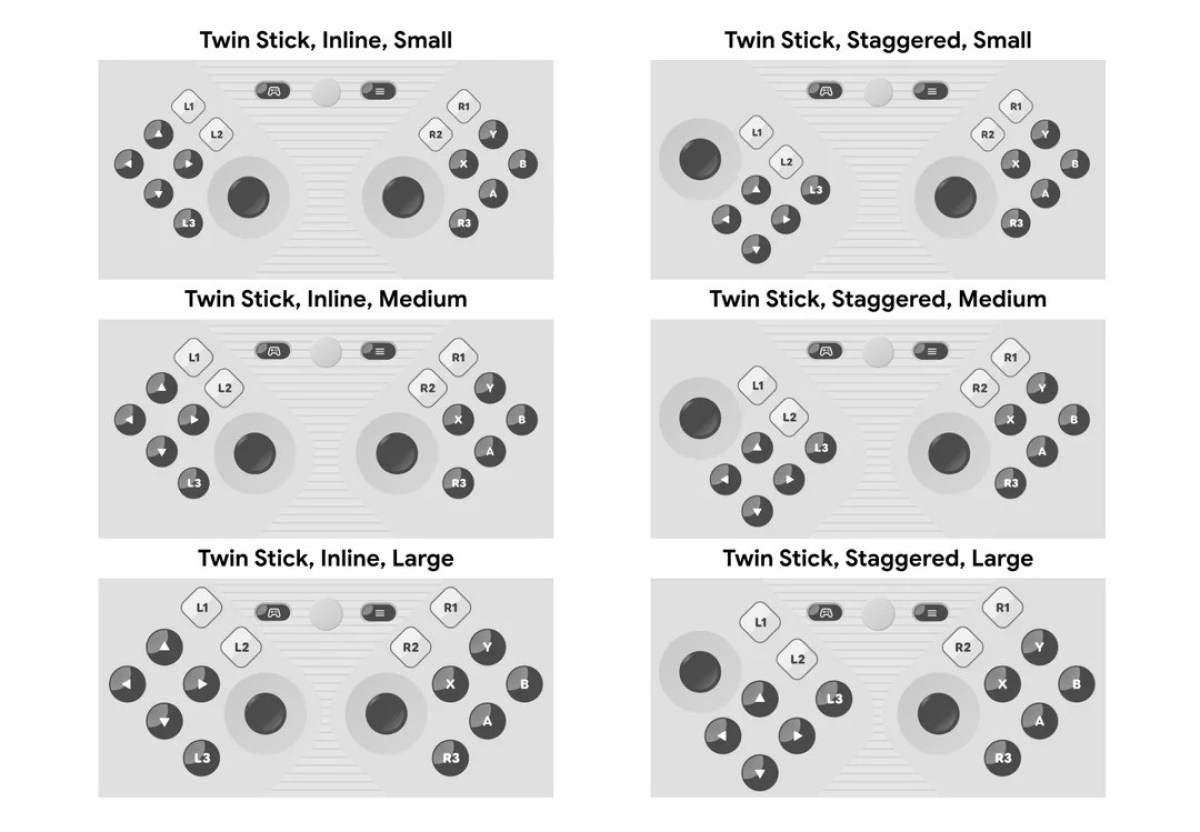
In terms of button layout, the current version of the virtual controller already supports common controller inputs, including the direction keys D-pad, left and right joysticks, A/B/X/Y main keys, and keys such as L1, L2, L3, R1, R2, R3, and Start. Although the screen allocation ratio has not been adjusted yet, Google has provided more personalized settings in terms of button style and layout to meet the feel and usage preferences of different players.
Users can select staggered layout in the settings to obtain the "staggered" button layout that some players are more accustomed to to improve the ergonomic experience. In terms of button size, three options are provided: "small, medium, and large" to facilitate fine-tuning according to screen size and personal habits. At the same time, the virtual controller interface also supports dark mode and allows users to turn on or off button tactile feedback (vibration).
In terms of calling out and hiding the virtual controller, Google engineers have also made targeted optimizations to make the operation as smooth and natural as possible. Users can call up or put away the virtual controller as needed before starting or during the game, and when the system detects a physical game controller connected via USB or Bluetooth, the virtual controller will automatically hide to avoid interface interference.
Industry insiders believe that this feature provides a solid basic framework for the folding screen gaming experience. More importantly, Google plans to incorporate the "folding screen game mode" into AOSP (Android Open Source Project) in the next few months, which means that major Android device manufacturers can carry out secondary development and in-depth customization on this basis to adapt to different screen sizes, folding forms and brand needs.
With the approach of Android 17 and the further popularity of folding screen devices in the high-end market, system-level virtual controller solutions are expected to become one of the important directions for manufacturers to improve the gaming experience and strengthen the differentiated selling points of folding screens. For players who want a gaming experience on mobile devices that is closer to that of a handheld or console, the implementation of this feature is also expected to significantly improve the control performance of foldable screens in action, shooting, racing and other types of games.