
Abstract:
As Apple’s new foldable screen phone iPhone Duo enters the market, more and more developers are beginning to optimize its dual-screen form. The latest to join the ranks of adaptation is Google Maps. Google recently pushed a new version of Google Maps update, which enables the application to make full use of the internal and external displays of iPhone Duo to bring users a more complete map browsing experience.
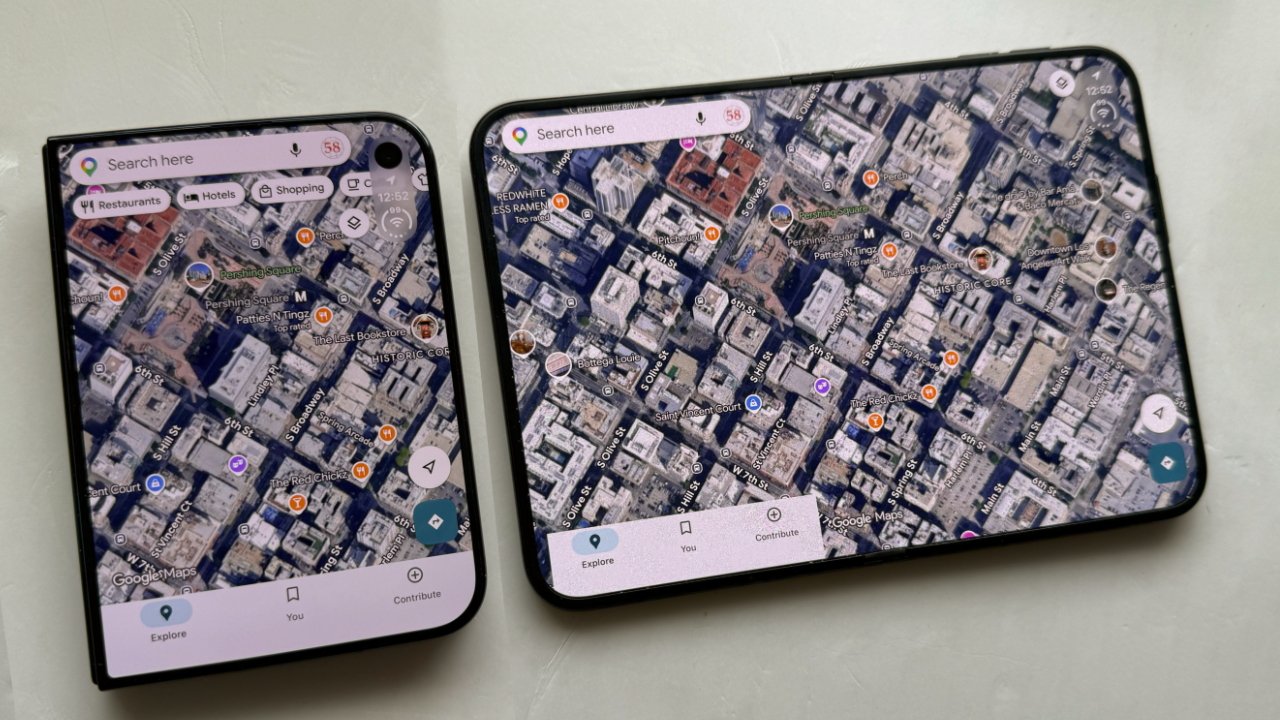
According to reports, it is still a short time before the iPhone Duo is launched. Many iOS applications have not yet been optimized for the new device, and the display effect of some software on this folding device is even cramped. However, development teams that failed to complete the adaptation at launch are gradually rolling out updates, and Google Maps has become the latest mainstream application to support iPhone Duo features.
The updated Google Maps for iPhone version number is 26.44.4. Although Google still only briefly mentions "fixing bugs" in the App Store update instructions and does not publicly emphasize new features, in actual use, iPhone Duo users can clearly feel the interface changes.
In previous versions, the Google Maps interface on external screens was shifted slightly to the left to make room for the bottom Dock bar in the new version of iOS. When the device is unfolded to use the internal large screen, what the user sees is basically the traditional iPhone version application interface. Although the window can be moved left and right, most of the screen is idle.
After completing the adaptation, Google Maps can be displayed in full screen on both the inner and outer screens of iPhone Duo. For the external screen, the change is not huge, but the overall layout is more regular and the visual effect is improved.
The really noticeable improvement comes in the unfolded internal display. The new version of Google Maps makes full use of the wider horizontal space. Functional areas such as menus and search boxes are arranged on the left side, while maps or satellite images can extend from the edge of the screen to the other side, greatly increasing the visual area and making the overall experience closer to the iPad version of Google Maps.
Street View mode also benefits from a wider display area. By default, the system places the street view image on the left half of the screen, while the right side displays the map content completely, allowing users to view street view and location overview at the same time.
However, there appear to be some limitations with the current version. Users are currently unable to swap the positions of Street View and map left and right, nor can they expand the Street View screen to the entire internal screen for full-screen browsing like the "Look Around" function in Apple Maps.
In addition, when the user closes iPhone Duo in Street View mode, the Street View image will automatically be transferred to the external display to continue displaying. If you want to return to the normal map interface, you can exit Street View mode through the close button on the screen.
With the completion of Google Maps adaptation, the application ecosystem of iPhone Duo is gradually improving. Although there are still many applications that have not been optimized for the folding screen form, more and more developers have begun to take advantage of the extra display space brought by dual-screen devices to provide users with a richer and more efficient experience. Google Maps is now available for free download in the App Store.
Comments