
Abstract:
Microsoft announced that it is creating a large-scale search function revamp for Windows 11. The new version of Windows Search adopts a new architecture and interface design, which not only improves search speed and accuracy, but also transforms from a traditional "find tool" into an intelligent portal that can directly perform tasks.
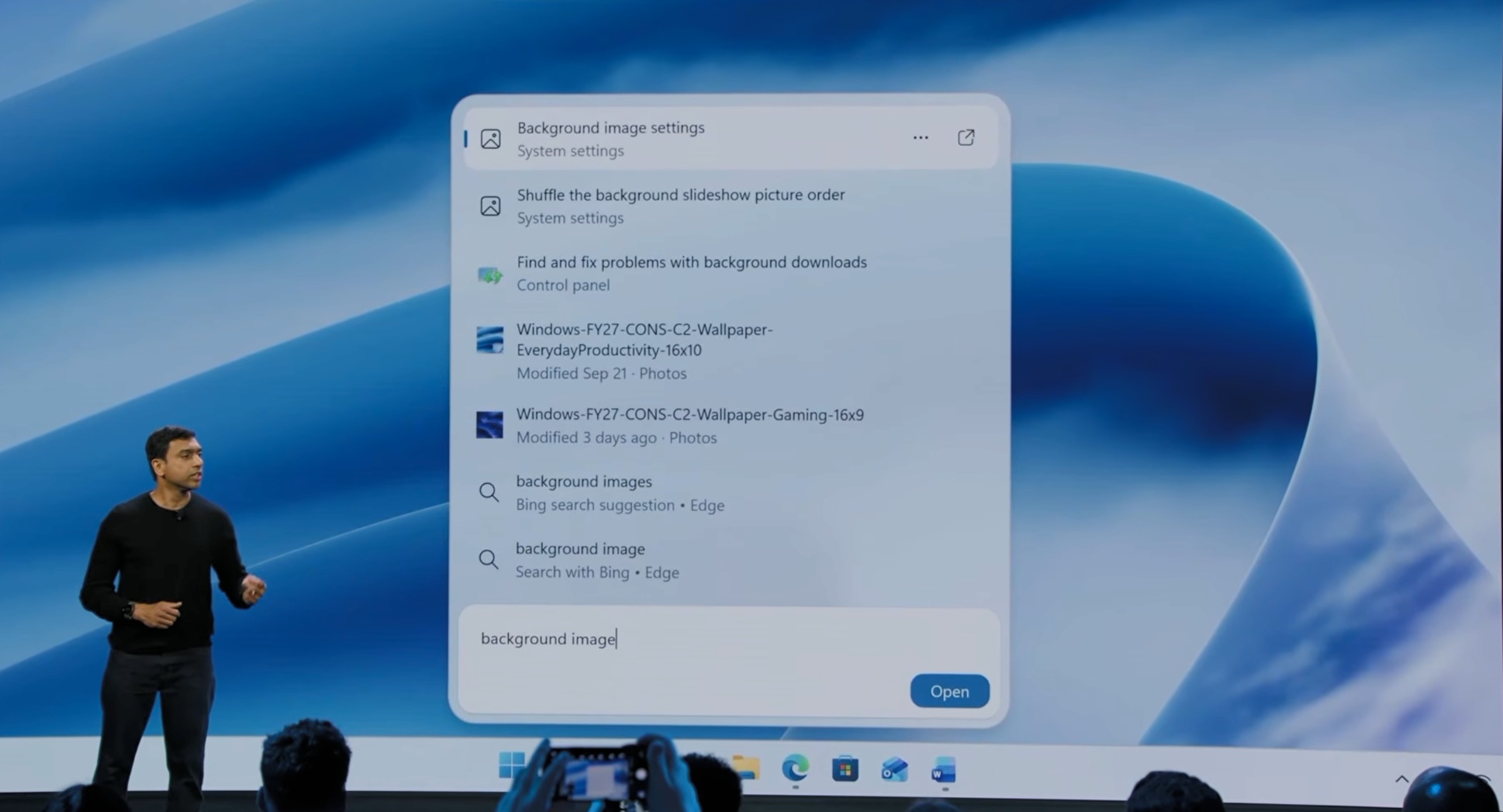
According to Microsoft, the new Windows Search is rebuilt based on WinUI 3, focusing on improving performance, resource usage and response speed. The new interface abandons the large preview area in the existing search experience and adopts a simpler single-column results layout. The search box is located at the bottom of the window, and the search results are displayed in a vertical list above, allowing users to browse and locate the required content faster.
In the actual demonstration, after searching for "background image", the search results will give priority to the corresponding system settings page, and the relevant slide settings, control panel troubleshooting tools, and local image files will also be listed below. Each result is tagged with a source category, such as "System Settings," "Control Panel," or "Photos," to help users quickly determine the type of content.
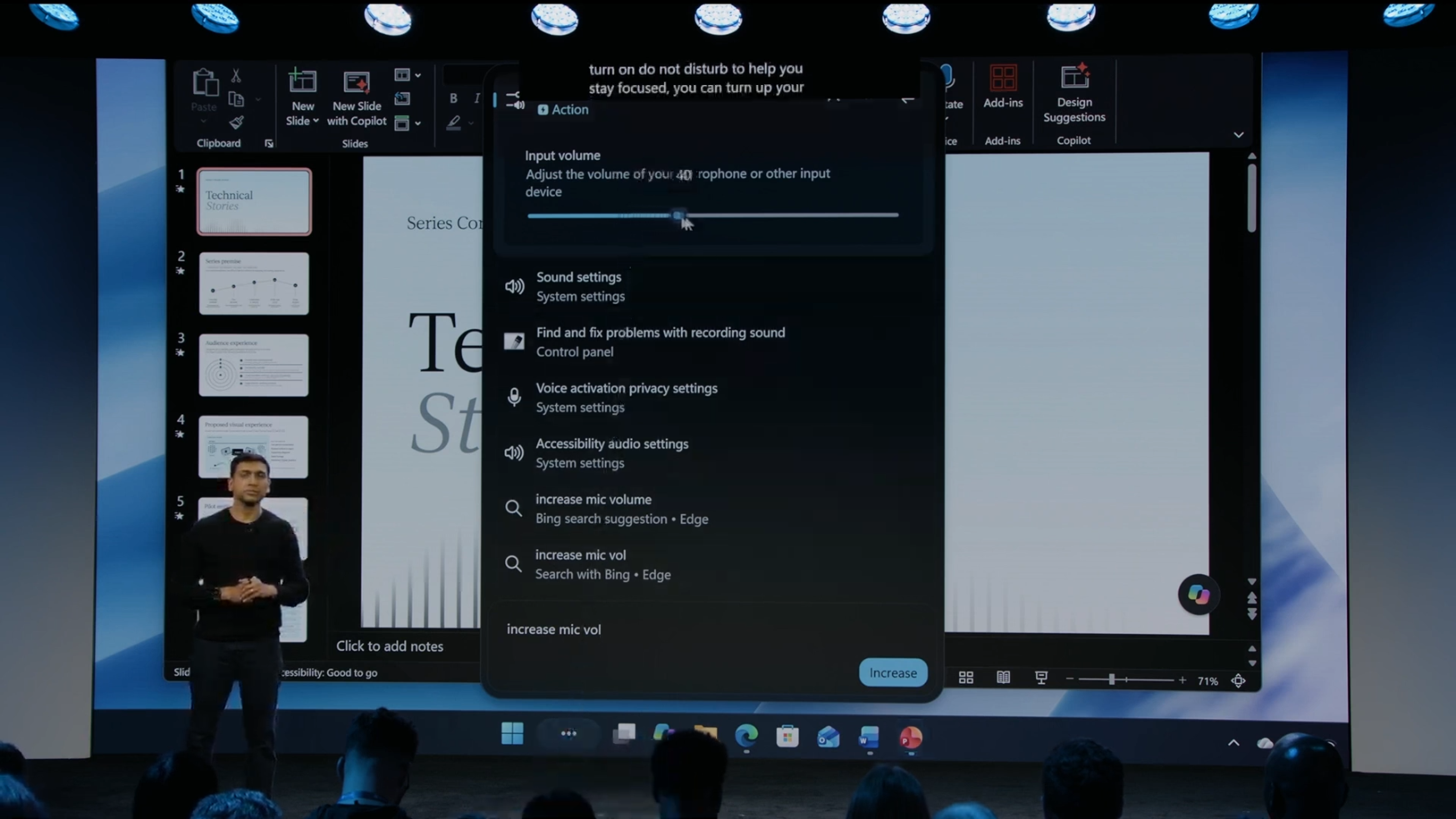
Microsoft said that the new version of search is not only responsible for finding content, but also can directly perform operations. One of the most notable changes is the "Inline Actions" feature. Users can adjust system options directly in the search results without opening the settings page.
In the official demo, after typing "increase mic vol (increase microphone volume)", a microphone volume slider immediately appears at the top of the search panel. Users can complete the adjustment directly on the search interface without entering the sound settings menu. Related sound options and settings entries will also be displayed simultaneously in the results list.
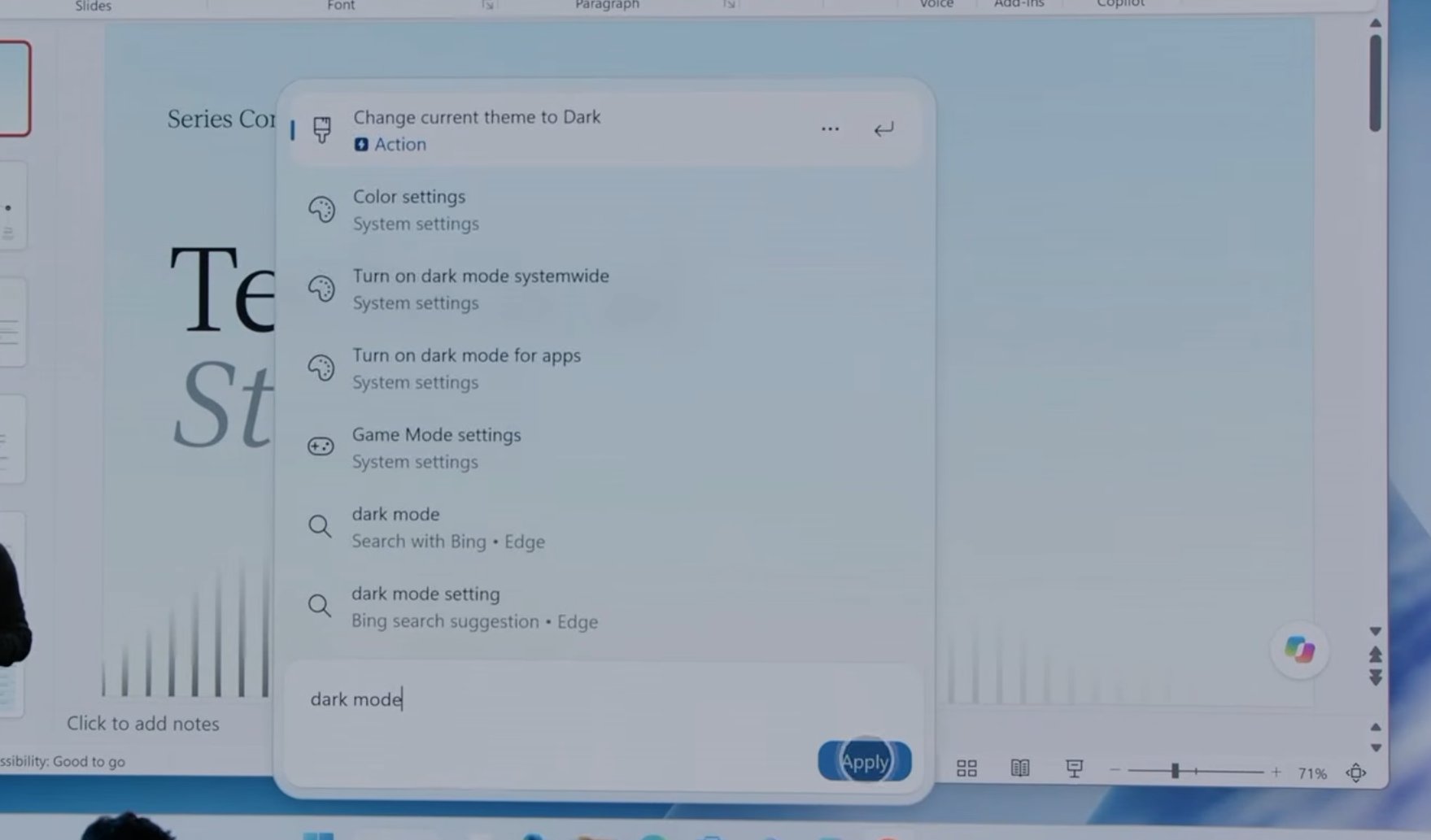
Microsoft said that in the future, users can also directly search for common functions such as "Do Not Disturb" and switch to dark mode. For ordinary users who cannot remember the setting location, they only need to enter their requirements to complete the adjustment.
In addition to system settings, the new version of Windows Search will also support more shortcut operations. Microsoft revealed that in the future, users will be able to take screenshots, organize window layouts and other operations directly from the taskbar search interface, compressing some tasks that originally required multiple steps into a single interface.
What’s even more surprising is that Microsoft also plans to let the search function take on the communication work. During the demonstration, a text message content of "running 5 mins late" was directly displayed in the search panel. Pavan Davuluri, head of Windows at Microsoft, said that in the future, users will be able to send text message notifications to friends or colleagues directly through the Windows search interface without taking out their mobile phones.
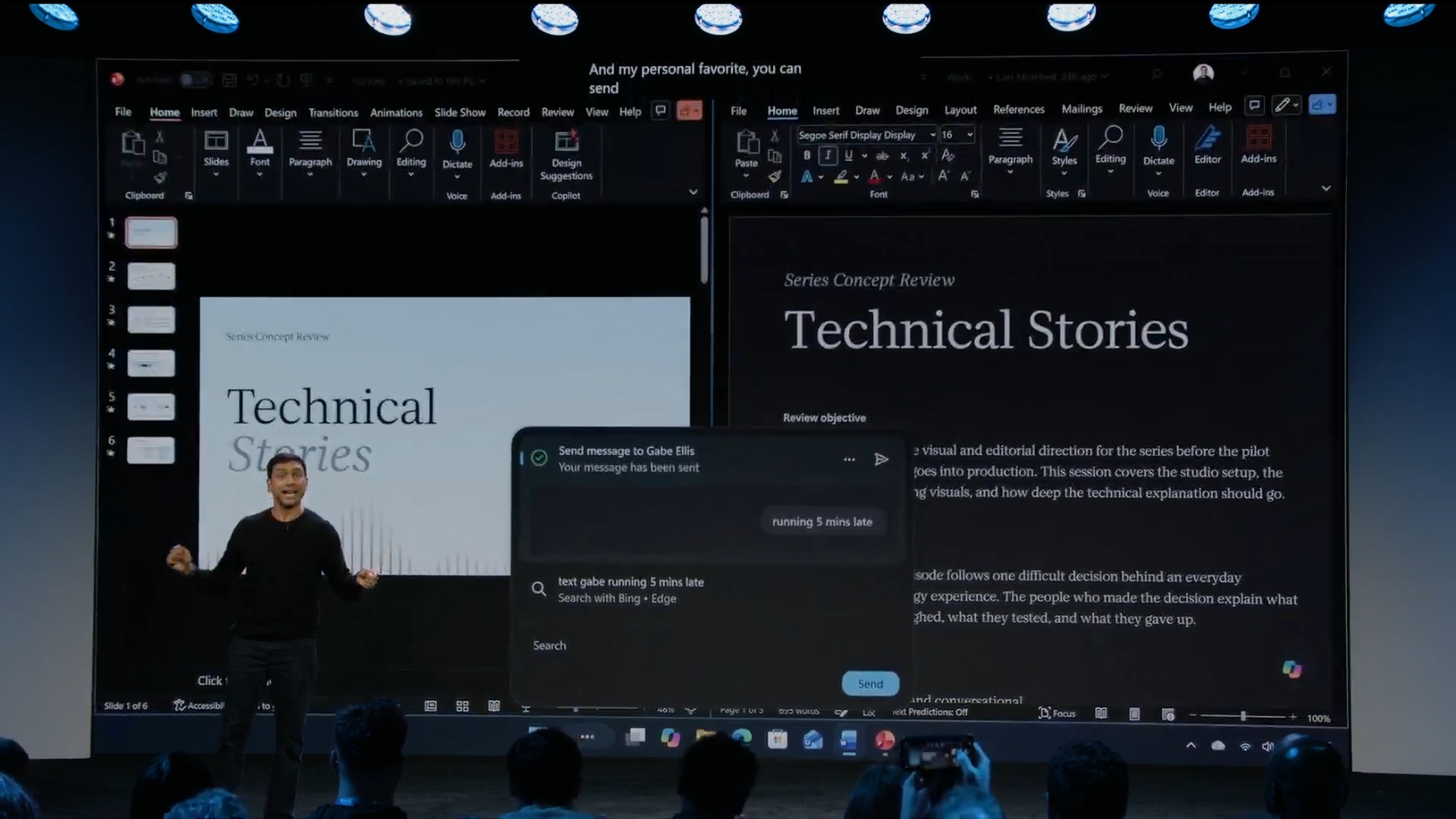
Microsoft believes that search should not only help users find content, but also help users complete their work. Therefore, the new version of Windows Search is changing from "Searching" to "Doing".
At the same time, Microsoft has also optimized search accuracy. The new version of the system has improved understanding of spelling errors, synonyms, and vague expressions. Even if the user inputs incomplete or incorrectly entered keywords, it is more likely to obtain correct matching results.
It is worth noting that the Bing web search function will still be retained in the new interface. After displaying results for local files, applications, and settings, the search list will still provide the option to search online through Bing.
Microsoft has begun pushing the new search experience to Windows Insider test users, and plans to open it to more Windows 11 devices later this year. With the arrival of this update, the Windows search bar will no longer be just a portal to find files and applications, but is expected to evolve into a unified interaction center integrating search, settings control, system operation and communication capabilities.
Comments