
Abstract:
Earlier, AMD graphics card drivers were found to have a glitch that caused the driver to continue writing to disk in the background when the device was idle. High-speed writing will continue to consume the life of the solid-state drive, so after receiving feedback, AMD quickly released a new version of the graphics driver to fix the problem.
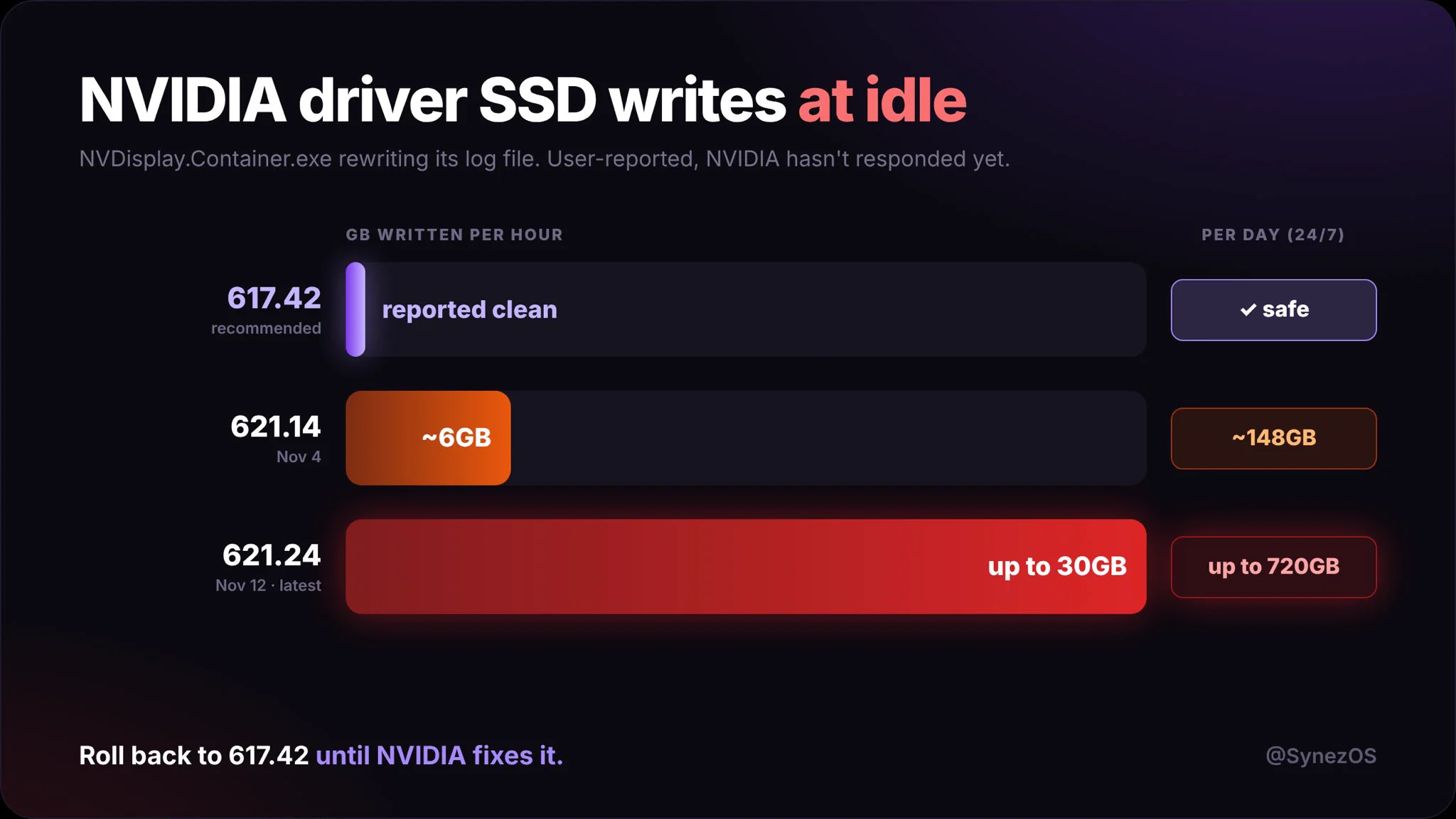
Unexpectedly, similar problems have been discovered in the NVIDIA graphics driver. Some users have discovered that the NVIDIA 621.14/621.24 graphics driver has a log fault that causes repeated reading and writing of logs. In extreme cases, the NVIDIA driver may write 30GB of data per hour.
The log was repeatedly overwritten instead of being appended normally:
Some netizens found through Resource Monitor that the NVDisplay.Container.exe process would continuously open and overwrite log files. The log does not just append a small amount of new content, but starts writing from scratch every time; when the file becomes larger, the amount of writes generated by each operation also increases sharply.
Log writing target: C:ProgramDataNVIDIA Corporationnvtoppsnctnvlog.nvlgstg In the NVIDIA official forum, a user posted his own test results: less than 2MB was written when the 621.01 driver was idle for 5 minutes. After updating to the 621.14 version of the driver, 515MB was written after being idle for 5 minutes.
Driver users of versions 621.14 and 621.24 have reported similar problems:
It is currently confirmed that this disk writing problem was introduced in version 621.14. NVIDIA has not discovered this problem, so the same problem also exists in the subsequent version 621.24. Some users suspected that this was caused by Nvidia's telemetry service, but after testing and turning off all telemetry, they still continued to write disks crazily.
Users using the above version of the driver can open the resource monitor that comes with the system to enter the disk page, sort the processes according to writing speed, and check whether the NVDisplay.Container.exe process is continuously writing log data.
If it is confirmed to be affected after testing, it is recommended that users temporarily return to driver version 621.01. There is no problem with this version of the driver. After NVIDIA fixes the problem, users will then upgrade the driver to the repaired version.
Comments