Microsoft launched Windows 11 Beta 26120.5722 and Dev Build 26200.5722 last night. This update brings a practical new feature: displaying image search results based on local index results.
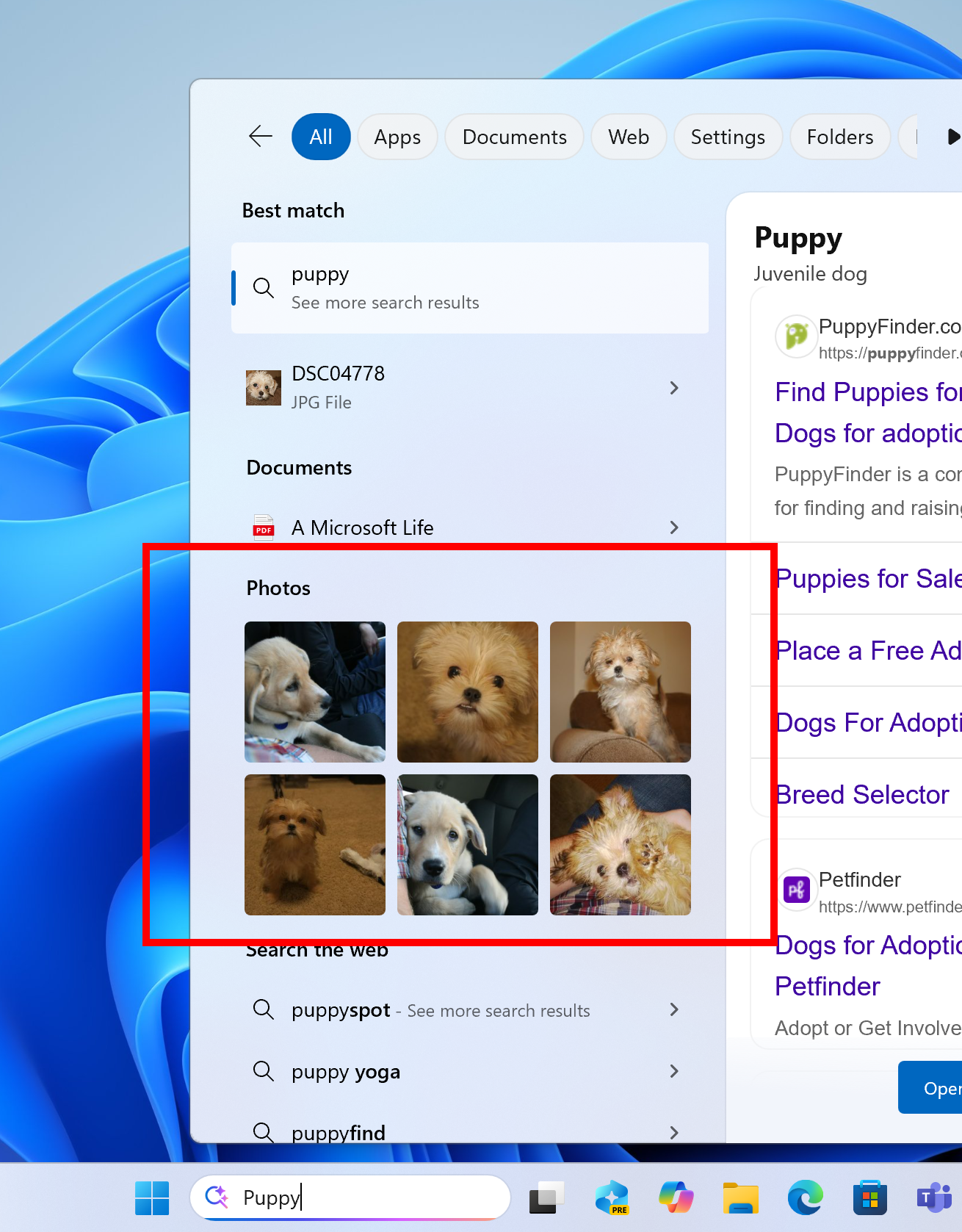
For example, when the user searches for the keyword Puppy, there will be a special image partition in the search box, where the currently matching images will be displayed based on the keywords the user searches for. Below, you can call Bing Search to jump to Bing Search to continue searching for this keyword.
Images will also be responded to when searching for keywords in the current version of Windows 11, but currently only text matching results are displayed without previews, so this time the image pane is added to allow users to perform searches more intuitively.
It should be emphasized that this function does not identify image content. At least Microsoft did not mention the instructions for identifying image content in the blog, so the search results should still be based on the matching of folder/file names, not AI search.
In the future, Microsoft may add an AI-based image search function, that is, Copilot AI locally identifies the image content and gives a keyword index, so that users can directly match the image content instead of matching the file name when searching.
Of course, this function is just our guess, because it also involves privacy-related things, and it is not expected to be launched in the short term. However, it should not be difficult for Copilot+PC with an NPU unit to use AI to recognize pictures.