Solid-state drives have long become the mainstream of system disks and game disks. Once you get used to the pleasure brought by solid-state drives, you will no longer look down on mechanical hard drives. However, there is another disadvantage of SSD, that is, there is a very small probability that the disk will be lost and cannot be recognized, and sometimes it will slow down. At this time, you need to resurrect the SSD in place by opening a card.
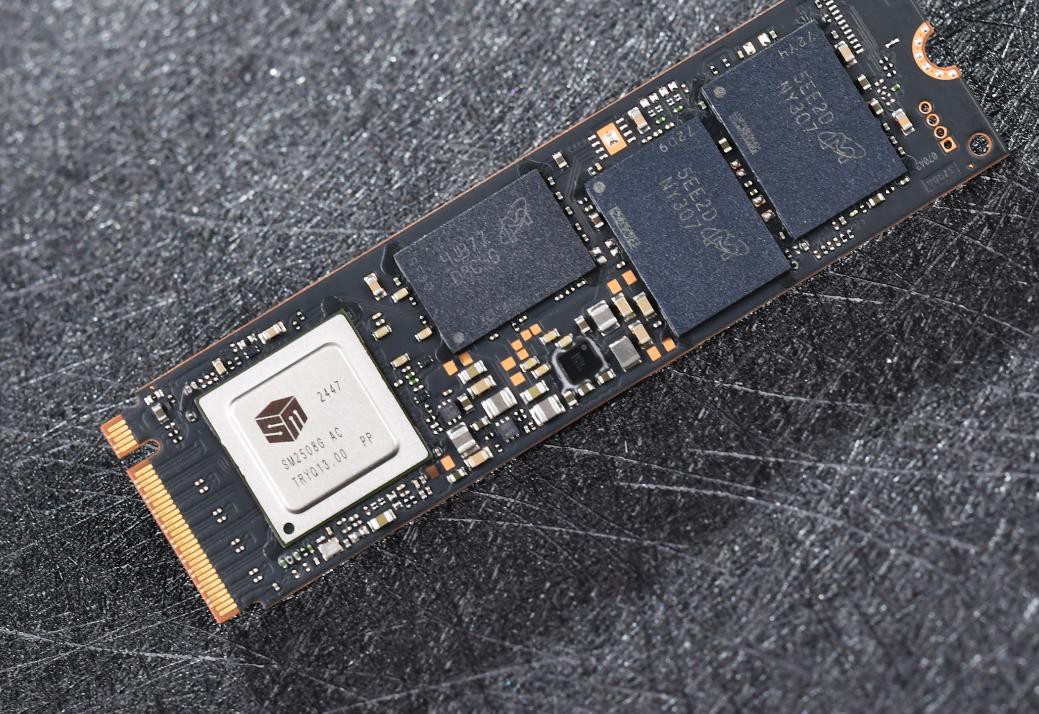
Unlike traditional mechanical hard drives, SSDs have a main controller and multiple flash memory chips inside. The main controller is equivalent to the brain of the SSD, managing how data is written, read, and erased. If it is used for a long time, or there is an abnormal power outage, this "brain" may make an error, causing the hard disk to not be recognized normally.
Card activation refers to the firmware reset and reconstruction of the solid-state drive, which is equivalent to "reinstalling the system" on the solid-state drive and returning the hard drive to its factory state. The card opening process uses special tools to bypass the original firmware system of the hard disk, communicate directly with the main controller, re-establish the mapping relationship between the flash memory chip and the controller, and restore the basic functions of the hard disk.
The most common situation that requires opening a card is when the solid-state drive becomes "bricked" - the computer cannot recognize the device at all. This is usually caused by a firmware crash or a corrupted flash map table. In addition, when the SSD has abnormal capacity and extremely slow writing speed, conventional formatting operations cannot repair it, and the card needs to be opened.
Different from ordinary formatting, formatting only cleans the data on the existing system, while opening a card involves rebuilding the entire management system.
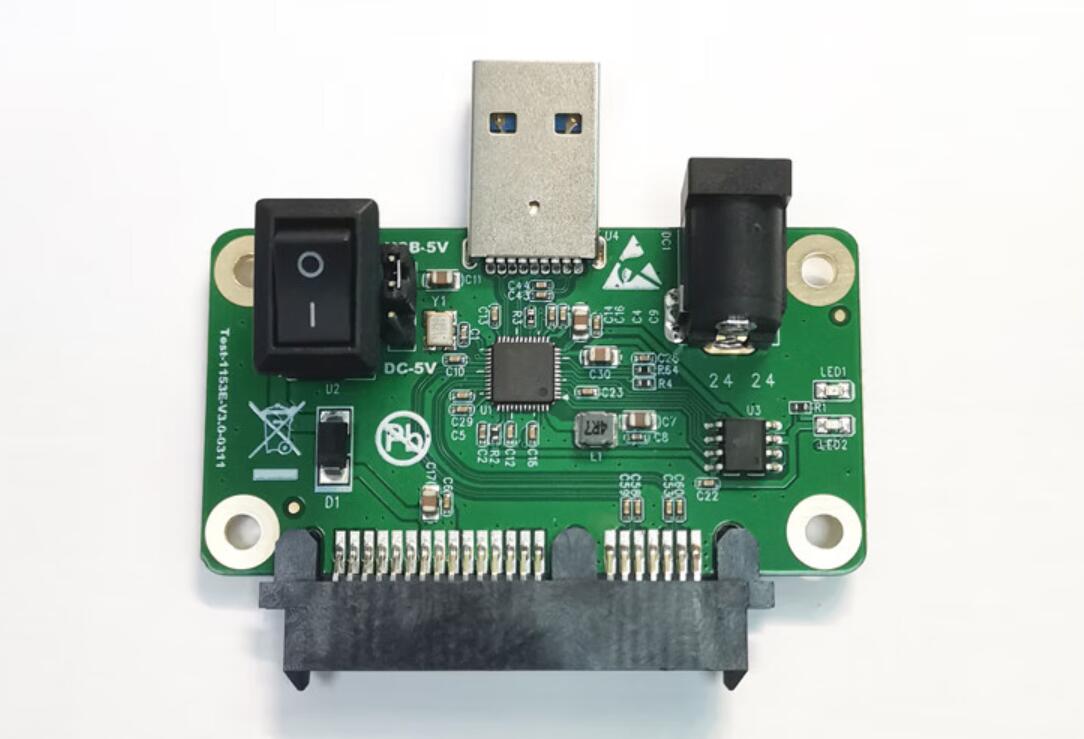
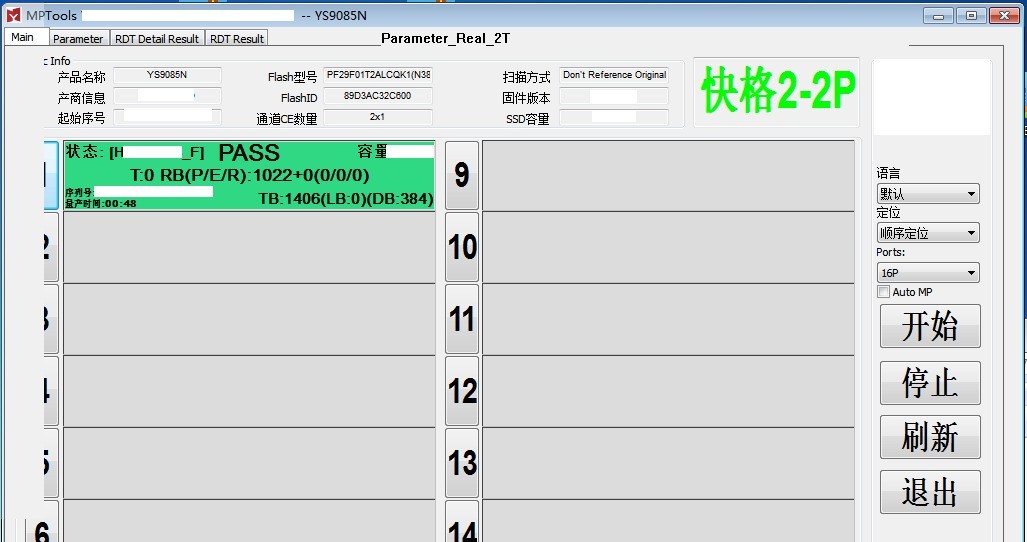
The card opening operation is actually very simple. First, identify the main control model and flash memory chip specifications of the SSD, find the corresponding card opening tool, and then connect the SSD to the computer through a special adapter card or card opening tool. Set a series of parameters in the card opening software: flash memory type, channel number, CE number, frequency, etc., and finally execute the card opening. Wait for ten minutes to an hour before the card opening is completed.
It’s important to note that while opening a card sounds magical, it doesn’t work in every situation and comes with significant risks. The card opening process will completely erase all data on the hard drive and is irrecoverable. For users who need to retain data, opening a card is the last option.
In addition, solid-state drives of different brands and different controllers require different card opening tools and software. There are many major brands on the market, such as Phison, Huirong, Samsung, Continental, etc. Each brand has multiple series, so it is not easy to find a completely matching card opening tool.
Even if the card is successfully opened, the performance and stability of the hard drive may not be as good as new ones. Especially for hard drives that have been severely worn, opening a card may only temporarily restore functionality.
For ordinary players, it is important to back up important data. Whether it is formatting or opening a card, it will cause data loss. Therefore, multiple protections for important data are very necessary. Do not open the card easily unless absolutely necessary.