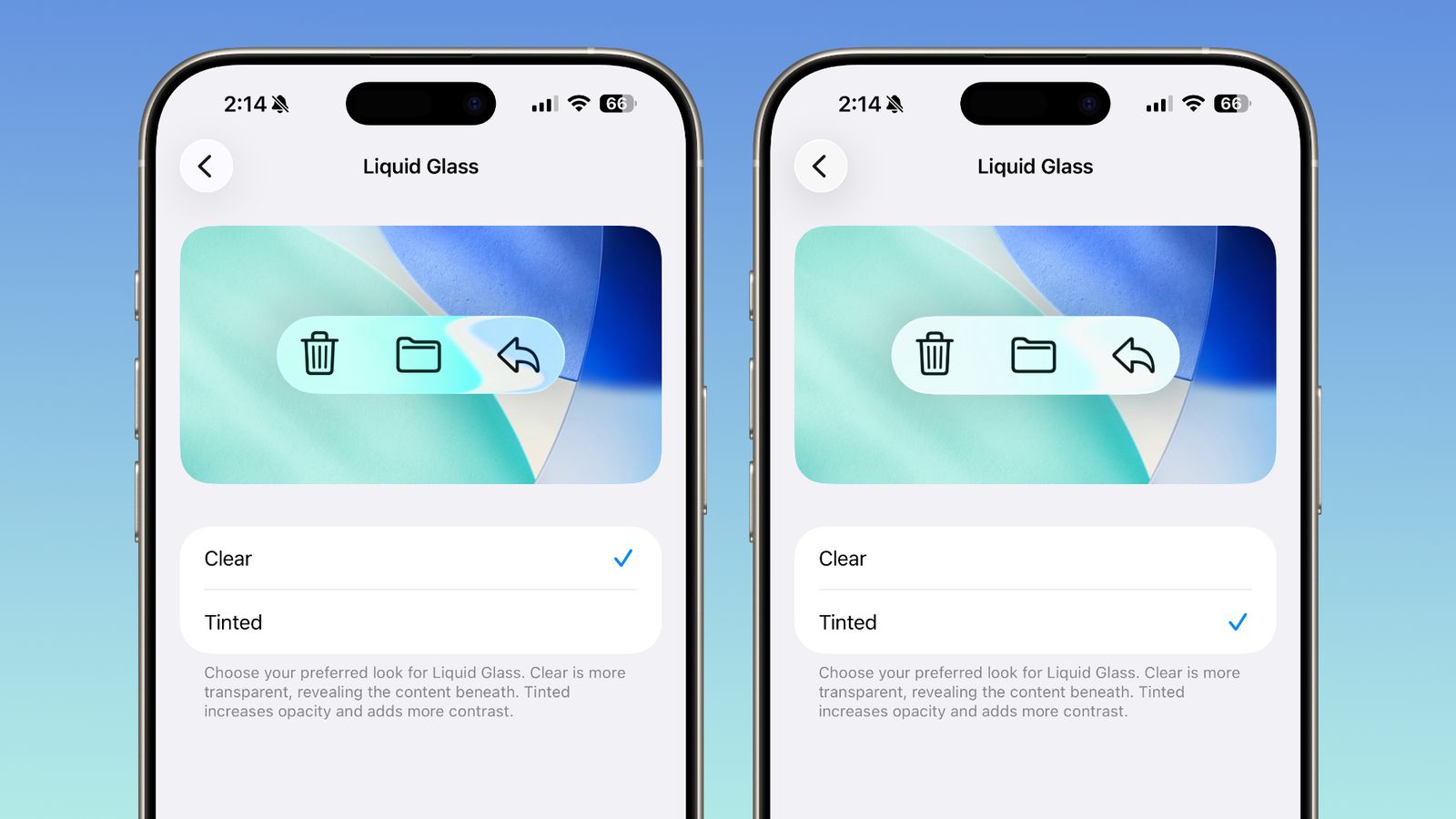
In the latest fourth beta version of iOS 26.1, iPadOS 26.1 and macOS 26.1, Apple has brought a number of high-profile new features for a personalized system experience. First, a "Liquid Glass transparency adjustment" switch has been added to the system settings. Users can find and customize Liquid Glass effects in Settings - Display & Brightness on iPhone or iPad and System Settings - Appearance on Mac.
The toggle allows you to choose the more transparent "Clear" style to experience the original design, or enable the higher-contrast "Dark" style with more obvious occlusions to make system elements such as buttons and menus stand out more. The adjustment content covers all parts of the operating system, including in-app and lock screen notifications, further improving visual consistency and directly helping to emphasize legibility and aesthetics.
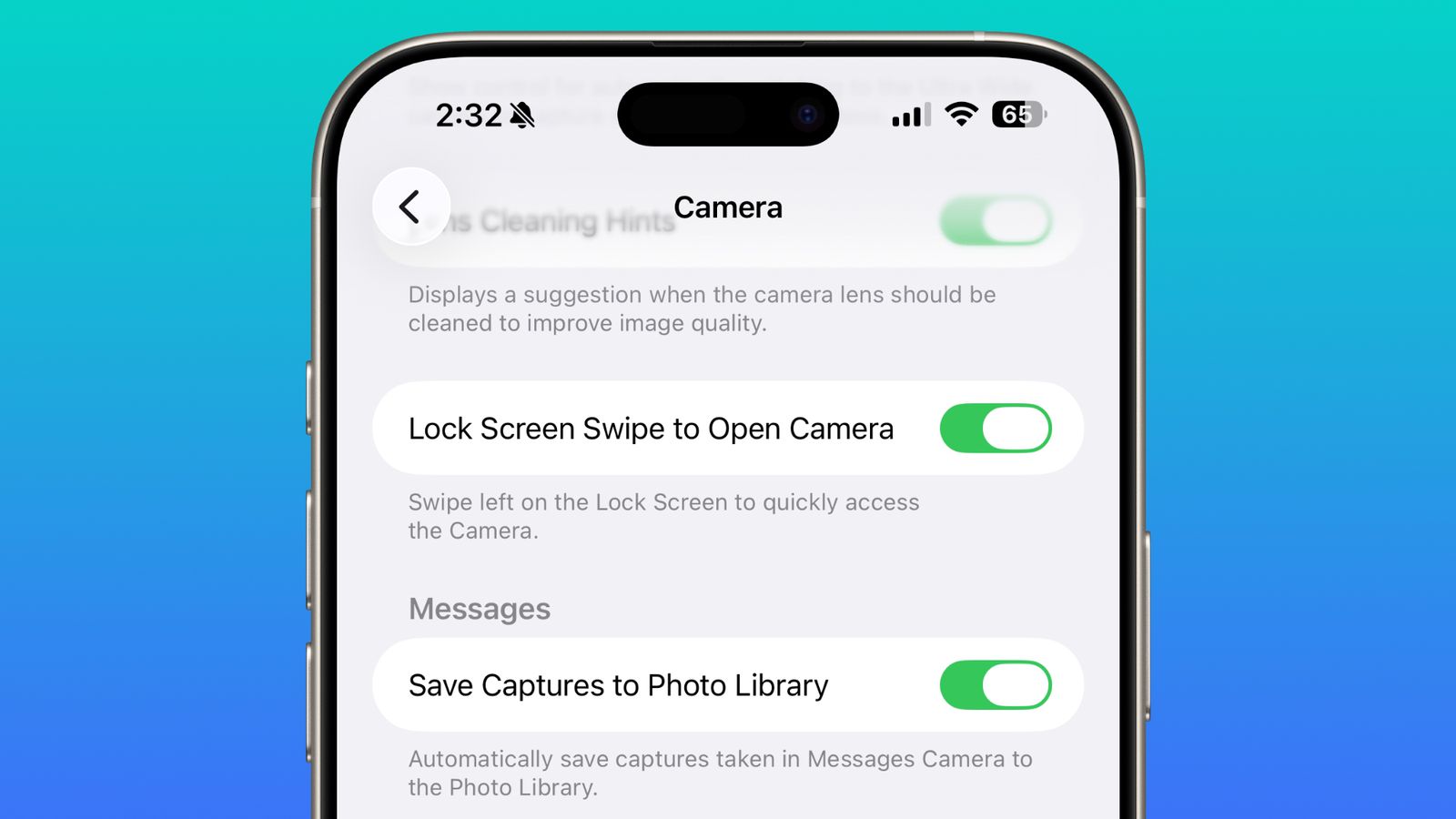
In addition, Apple also responded to the calls of users and allowed for the first time to turn off the "swipe left on the lock screen to activate the camera" function. In the "Settings-Camera" section of iOS 26.1 Beta 4, a new "Lock screen slide to open camera" switch is added. After closing, you can completely disable the camera that is called up by swiping left on the lock screen to avoid taking photos randomly due to misoperation or when the phone is taken by others, taking into account personal privacy and security. This feature could not be turned off individually before and could only be achieved by completely disabling the camera application. Now it is easier to use and more user-friendly.
In addition to the above highlights, this beta version also adds many detailed changes such as multi-language Apple Intelligence assistant, new "sliding stop" mechanism for alarm clocks and timers, new Apple TV application icons, and optimization of the Settings application interface.