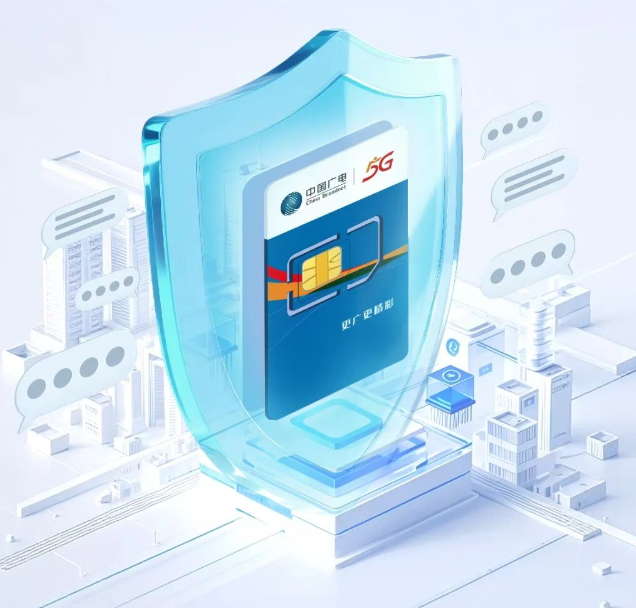
Today, China Radio and Television announced,China Radio and Television’s SMS Do Not Disturb function for segment 192 has been officially launched, allowing you to intercept harassing SMS messages after simple settings.It is understood that there are three main entrances to setting up the SMS Do Not Disturb function:
China Radio and Television APP: After entering the APP, find the "SMS Do Not Disturb" entrance in the "Processing" section.
China Radio and Television Business Office Mini Program: In the "Processing" column of the mini program, click "SMS Do Not Disturb".
Official account of China Radio and Television Business Office: Find "Service Center" and click "SMS Do Not Disturb".
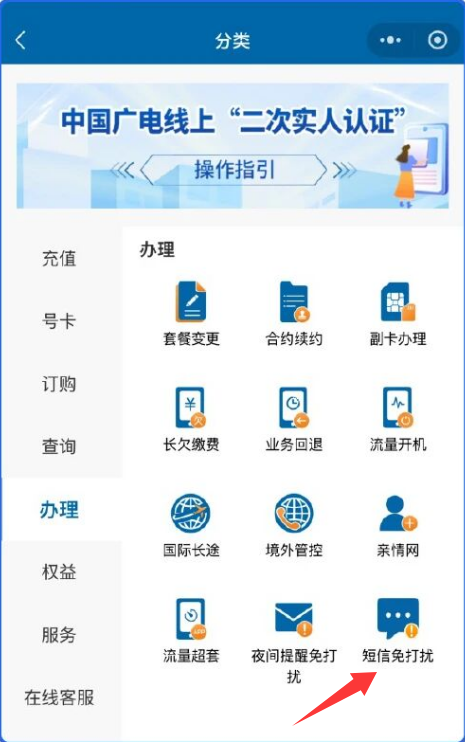
After entering the Do Not Disturb function setting page,Click "+" to add a new number, enter the complete mobile phone number, confirm the risk warning, and click "Confirm to add".
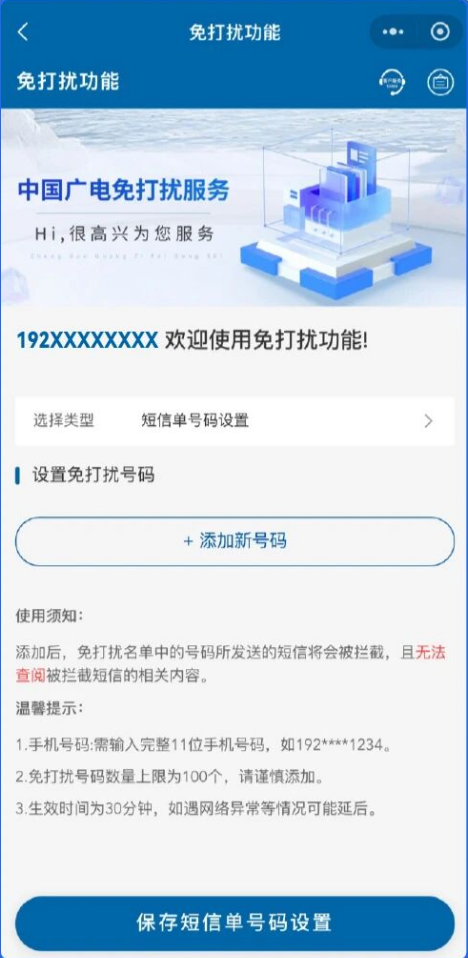
According to reports, a single user can add up to 100 DND numbers, which will take effect about 30 minutes after the setting is completed. There may be a slight delay when the network is abnormal.
What needs to be reminded is thatIntercepted text messages cannot be viewed, please add them with caution.
If you want to cancel the interruption by a certain number, you can find the target number in the DND number list and click "Delete".