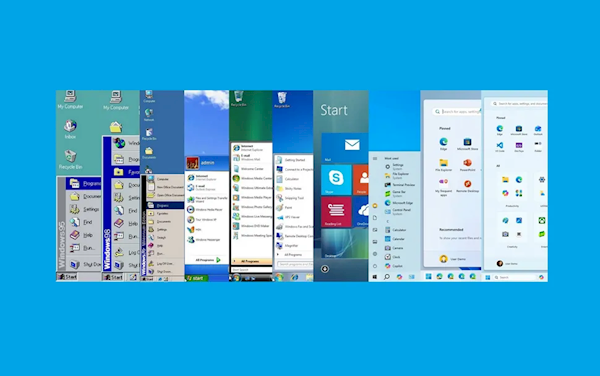
Windows 1.0 was first released on November 20, 1985, marking the beginning of the Windows era and reshaping the way personal computing was done.Recently, Microsoft celebrated the 40th anniversary of the operating system and used this milestone to review Windows' most enduring iconic feature - the "Start" menu.
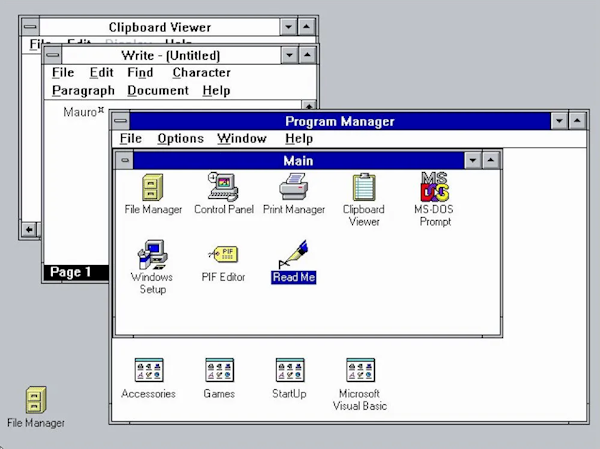
Windows 3.1 uses the Program Manager
Since the release of Windows 95 in 1999, the Start menu has quickly become an integral part of the Windows interface.. Prior to this, Windows 3.1 also used the Program Manager.
In each subsequent version update, Microsoft has continued to improve the way applications launch, access settings and other entrances. But in the process, some people like it and some people complain about it.
windowscentral believes that,Windows 10’s Start menu is arguably the best yet (not Windows 7), which combines modern ideas with classic elements and offers the best customization options.
The most controversial one is Windows 8.This version abandoned the "Start" menu and replaced it with a "Start" screen that covered the entire desktop and canceled the "Start" button, which was criticized by many users.
So the question is, which generation is your favorite?
Windows 95: The birth of the Start menu
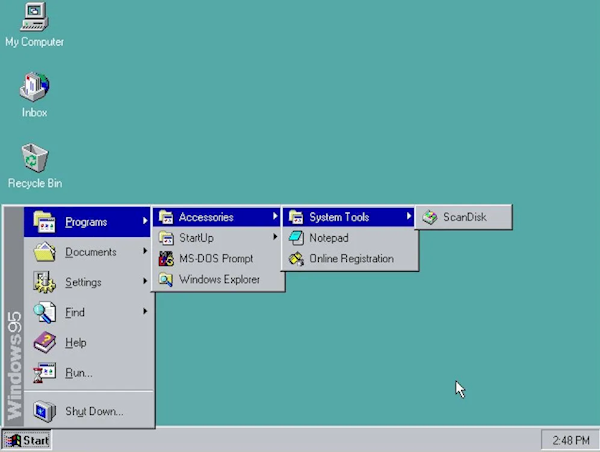
Microsoft first introduced the Start menu when it released Windows 95 on August 24, 1995, as a central hub for accessing programs, documents, and system settings. This innovation replaces the Program Manager and provides a more intuitive and organized user experience.
Windows 98: Improvements and Extensions
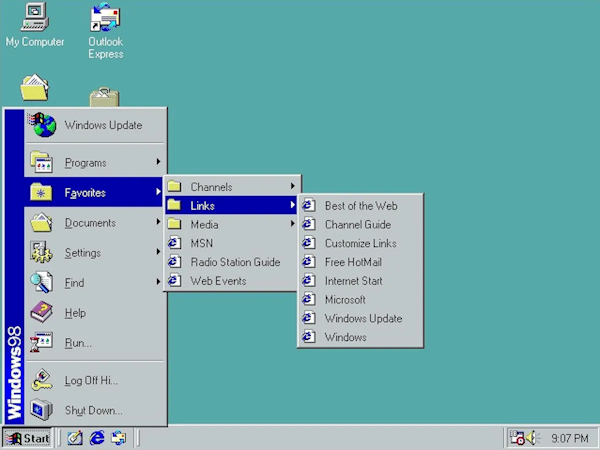
While the Windows 98 Start menu didn't look much different from the original 95 design, the menu added a new "log off" option for new multi-user functionality.
In addition, Microsoft has added an option to allow users to access the "Windows Update" service through Internet Explorer to scan and download available system updates, and introduced a "Favorites" submenu.
Windows Me: some small tweaks
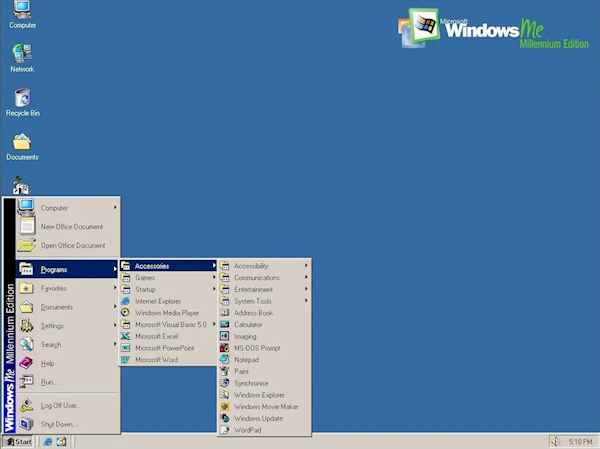
Microsoft launched Windows Millennium Edition (ME) in 2000, but the design of the Start menu did not undergo any major changes. The only difference between it and 98 is the operating system name on the side.
Windows XP: A new era
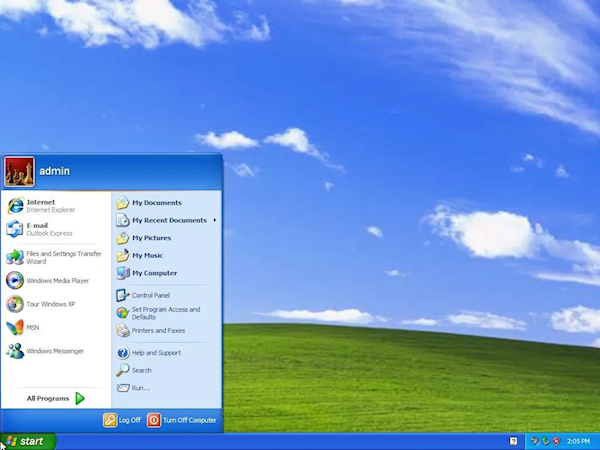
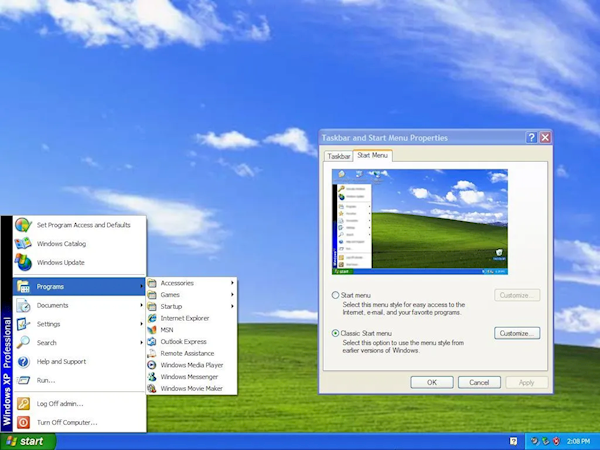
Windows XP, released in 2001, featured a redesigned Start menu with a two-column layout. The left column displays pinned and recently used apps, while the right column provides access to user-specific folders (My Documents, My Pictures, My Computer, and Control Panel) and system features.
Windows Vista: Enhanced search capabilities
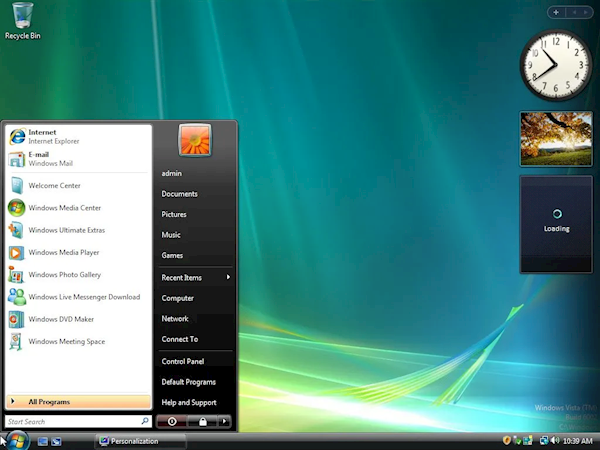
In 2007, Microsoft launched Windows Vista, providing a new version of the Start menu with a search function, allowing users to quickly find files and programs without jumping to other interfaces.
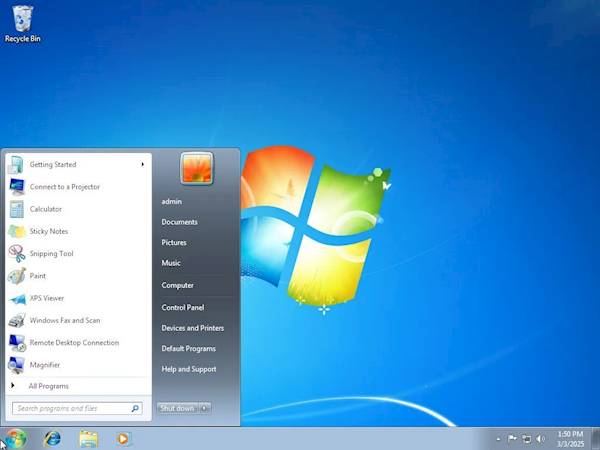
Windows 7: A few tweaks
In 2009, Windows 7 was released, and its Start menu was basically the same as in Vista. However, it adds a Jump List feature that allows users to quickly access recently used documents and tasks directly from the Start menu.
Additionally, the Lock option has been removed from the power options and added to the Shutdown menu. In Windows 7, users can change the function of the power button, but Vista does not support this.
Windows 8 and 8.1: A bold change (the most criticized generation)
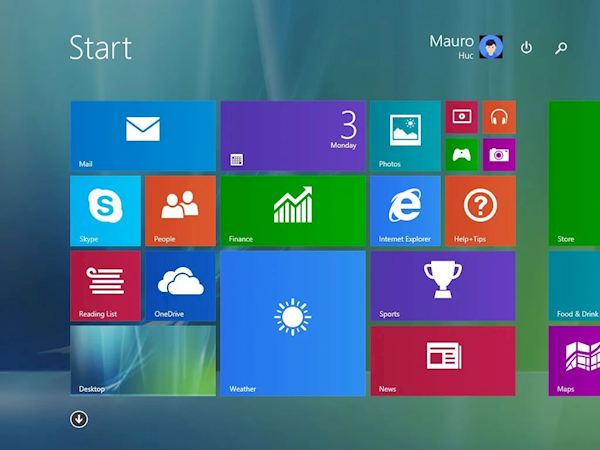
In 2012, Microsoft released Windows 8, which for the first time abandoned the "Start" menu, replaced it with a "Start" screen that covered the entire desktop, and canceled the "Start" button. While Microsoft's idea was to create a unified experience for touch devices and PCs, it received mixed feedback.
Arguably, this is one of the biggest mistakes Microsoft has made with operating systems.
In a sense, the Windows 8 Start screen represents a radical change in the user interface, with a greater emphasis on touch interaction and real-time information. While its goal was to modernize the user experience, it also attracted a lot of criticism for its departure from traditional desktop elements.
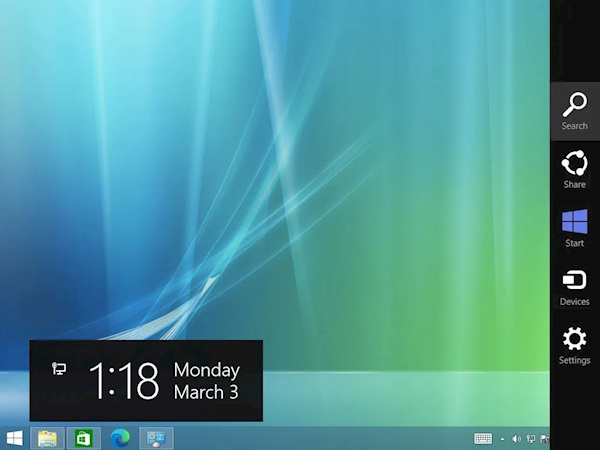
Then, in 2013, Windows 8.1 was released, and Microsoft did not restore the Start menu. However, the Start button reappears, and users can click it to return to the Start screen.
Windows 10: blending traditional and modern design
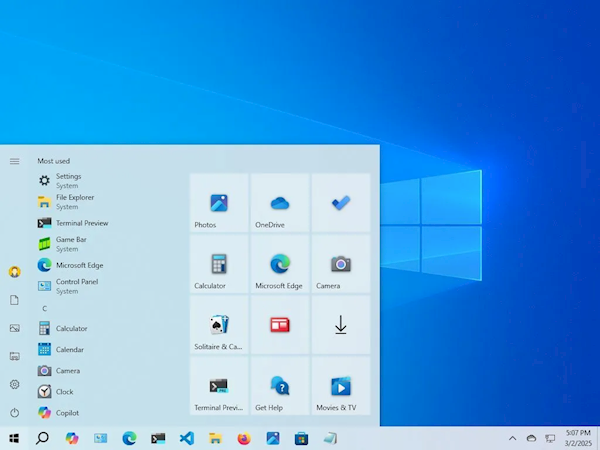
Released in 2015, Windows 10 reintroduced the Start menu, combining the classic menu with modern live tiles in a customizable dual-pane design similar to the menus in Windows 7 and Vista.
Windows 10 addresses widespread criticism of Windows 8 by bringing back the familiar Start menu, with a hybrid design that balances traditional navigation with modern tile-style access.
Windows 11: Center-focused and simpler
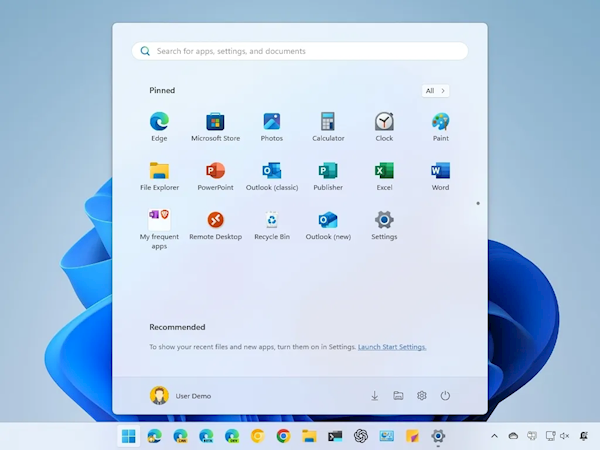
In 2021, Microsoft launched Windows 11, which also introduced a centered taskbar and a redesigned Start menu, bringing significant visual changes to the menu and making Windows 11 look more modern and concise.
Some people take issue with this layout because it deviates from the traditional left-aligned Start button. Therefore, changing the alignment to left is often one of the first configurations users make in a new setup.
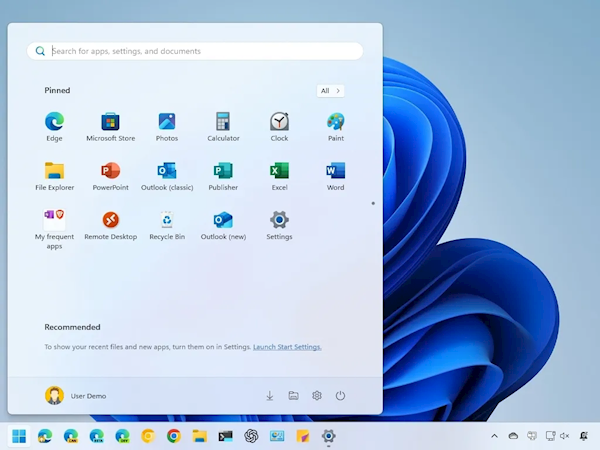
In November 2025, Microsoft launched a new version of the Start menu that follows the original menu on Windows 11 but with some additional changes.
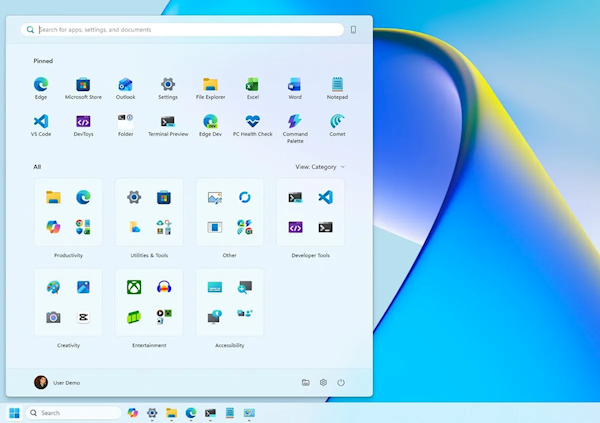
First, the new Start menu offers a larger layout that adapts to your screen resolution, but you don't have the option to resize it.
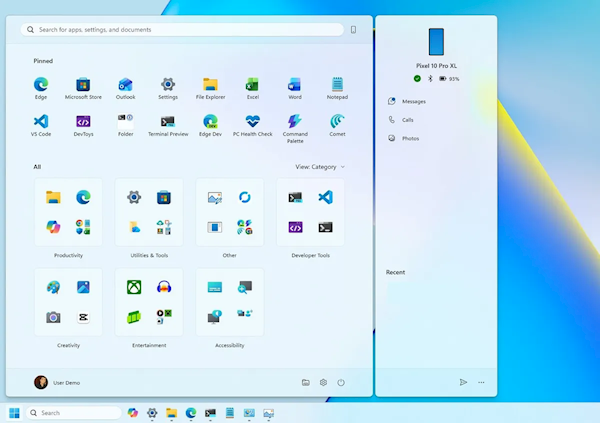
Additionally, if you use a phone connection to connect your mobile device to your computer, the Start menu also displays a secondary mobile sidebar, which can be turned on or off using the options in the upper right corner.

The default view is now Categories, which groups similar apps into different folders. The process is automatic and the system must detect at least three apps from the same category to create a new group. Otherwise, these apps will appear in the "Other" group.