
Abstract:
Anthropic announced that the Artifacts function of its Claude platform has received an important upgrade. Users can now convert the Artifacts they create into desktop applications that can run on Mac and Windows. This feature is currently being rolled out gradually in beta form to all Mac and Windows users of the Claude package. It is designed to allow the designs, presentations, documents, data dashboards and interactive tools created by users to be run and shared on the computer in the form of independent applications.
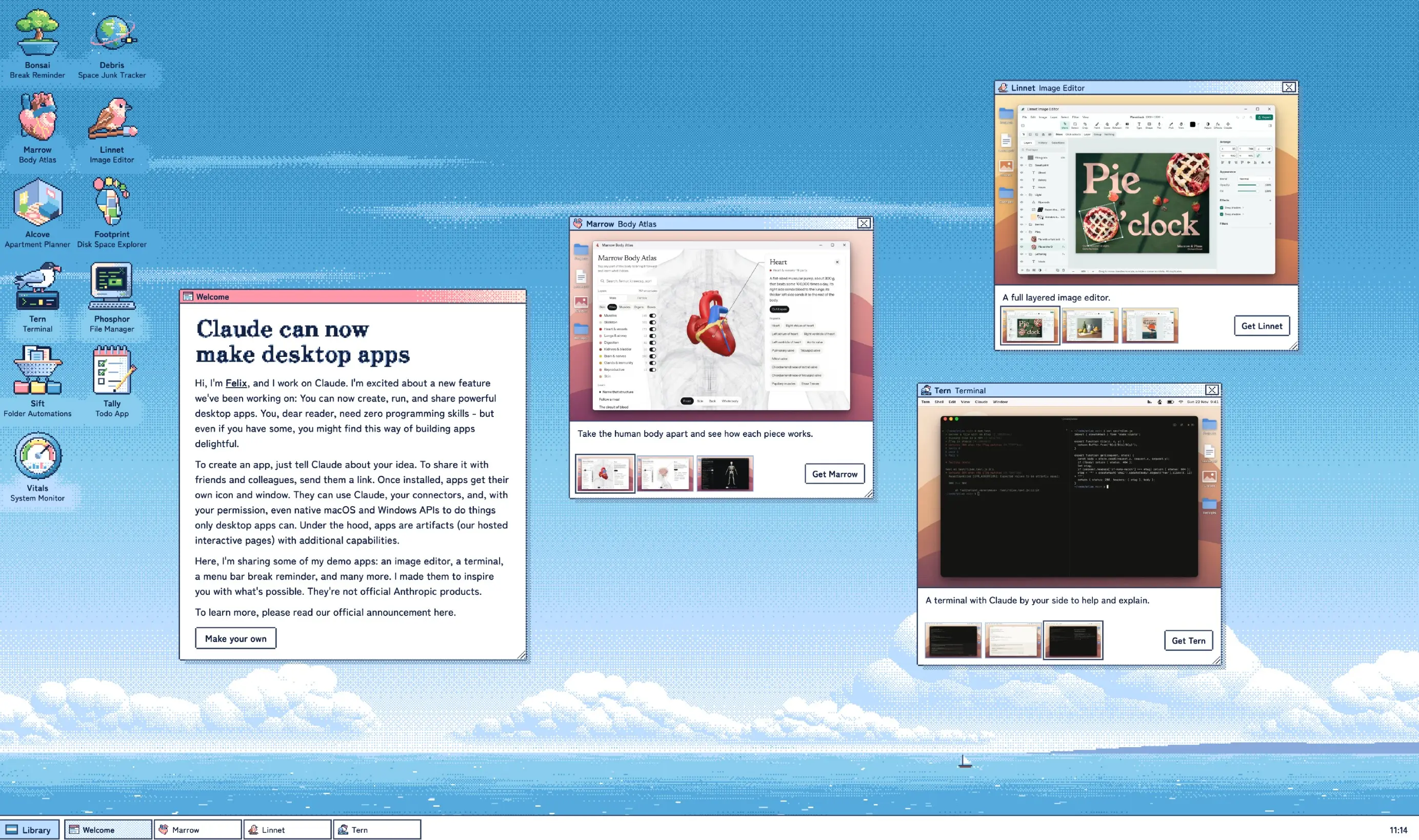
Artifacts is a content creation function in the Claude platform that allows users to generate design works, presentations, documents, data dashboards, and even interactive tools, and view, edit, and share them at any time. Anthropic has previously expanded Artifacts' capabilities to include spreadsheets, whiteboards and animated content. This new feature further breaks through the usage scenarios in the browser, allowing these contents to become real desktop applications.
When a user installs an Artifact as a Windows or Mac application, the application will get an independent icon and open in a separate window, instead of being embedded in the Claude desktop application. Users can also share these applications with other Claude users without the need for traditional application publishing processes such as packaging or signing.
These applications are not limited to displaying information. With appropriate permissions, they can send desktop notifications, register global keyboard shortcuts, and add icons to the Windows system tray or Mac menu bar. In addition, apps can interact with local files and even run other programs on the computer, enabling richer desktop functionality.
Because such applications may access sensitive information on the user's computer, Anthropic has set up three levels of permission management. With default permissions, an app can only use functions typically available in a web browser; app permissions allow it to request desktop-specific capabilities, including notifications, global shortcuts, and always-on windows; and full computer access allows the app to execute programs and read, modify, or delete local files without requiring individual approval for each operation.
Anthropic said the company will not review these apps before installation. Therefore, users can only grant full computer access to apps they create; for Team and Enterprise customers, this can only be granted to apps created by members of their organization. This arrangement is intended to reduce the risk of third-party applications abusing system permissions.
New Artifact applications can also leverage Claude and existing connector functionality where supported. When the underlying Artifact is edited, the installed applications will be automatically updated, but Claude will ask the user to reconfirm the relevant permissions after each update. It should be noted that requests made by the application to Claude will be counted in the usage quota of the user's existing plan.
To use the Claude Artifact application, users need to maintain an Internet connection and log in to their Claude account. Not all types of artifacts support installation as applications. For example, document-type artifacts such as Claude Docs, Slides, and Sheets cannot be converted temporarily. For Claude Team users, this feature is enabled by default; Enterprise users need to be enabled by the administrator.
Comments