
Abstract:
Early this morning, Apple pushed the official version of iOS 27.2. According to many people’s actual tests, the shake-to-disable function of the previous Beta version has been retained, and it is exclusive to the Bank of China.
In the system settings of Bank of China users, a new "Restrict Movement Data" switch has been added.Entrance: Settings → Privacy and Security → Sports and Fitness → Limit Action Data → Edit (Customized Add App).
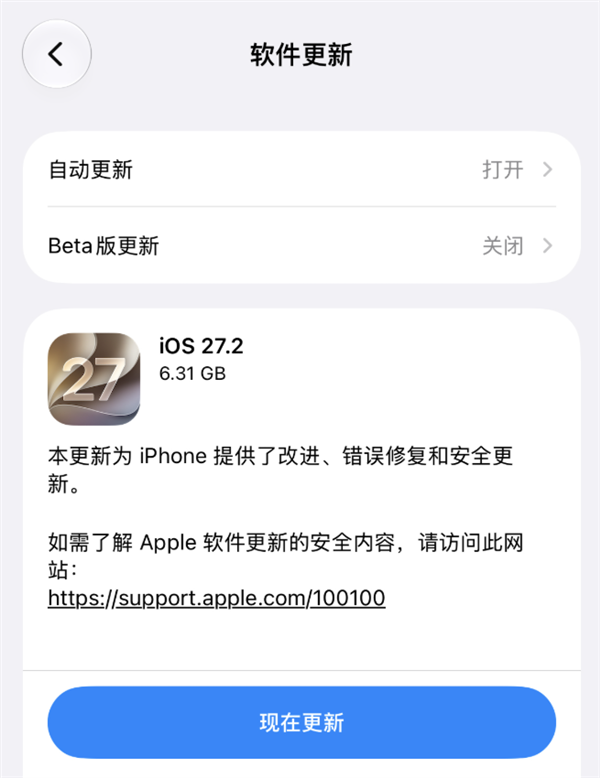
Users can manually add designated apps to the restricted list. Apps that are included will not be able to access motion data, thus cutting off their ability to read signals from accelerometers, gyroscopes, etc. to determine shaking and automatically redirect ads.
The principle of shaking to jump to ads is that the app continuously reads the acceleration sensor and gyroscope data during the opening stage, and the algorithm determines whether the rotation angle and acceleration reach the trigger threshold. Once the target is reached, the corresponding page for the advertisement will be directly evoked. Some apps set the sensitivity at the critical value or even increase it. Natural shaking while walking or bumpy driving may be misjudged as active shaking.
After being added to the restricted list, the opening screen advertisement screen will still be displayed, but the App will lose motion data support, and random shaking will no longer trigger a jump.
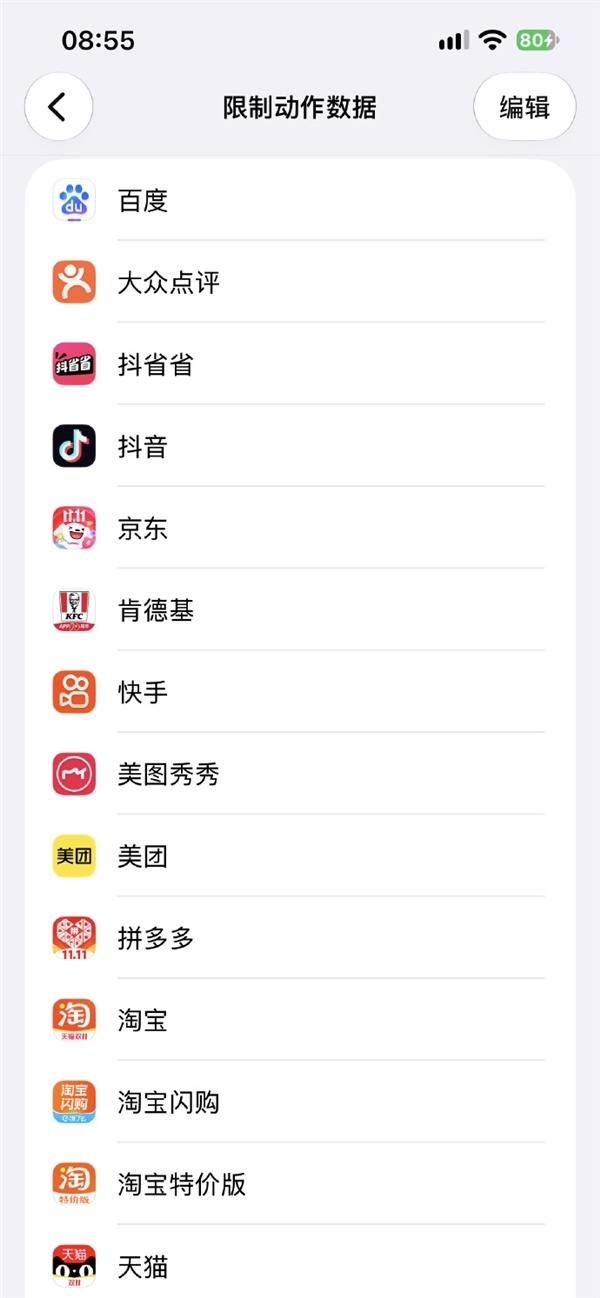
This function follows the Apple ID region rather than the device itself. Previous testing found that this entry will only appear in the settings when logging in to an account in China, and the option will be hidden after switching to an account in other regions.
The Apple Developer Agreement originally stipulates that Motion & Fitness APIs and information obtained through these APIs may not be used for purposes other than health, sports, and fitness services, such as advertising.
Comments