
Abstract:
Google officially announced that it will introduce the Gemini artificial intelligence assistant to Apple's CarPlay car platform, allowing iPhone users to use Gemini Live for natural voice communication directly through the car's central control screen. This update will be launched globally on November 11, 2026, which means that Gemini finally has an independent CarPlay application entrance and is no longer limited to the limited functions previously provided through Google Maps.
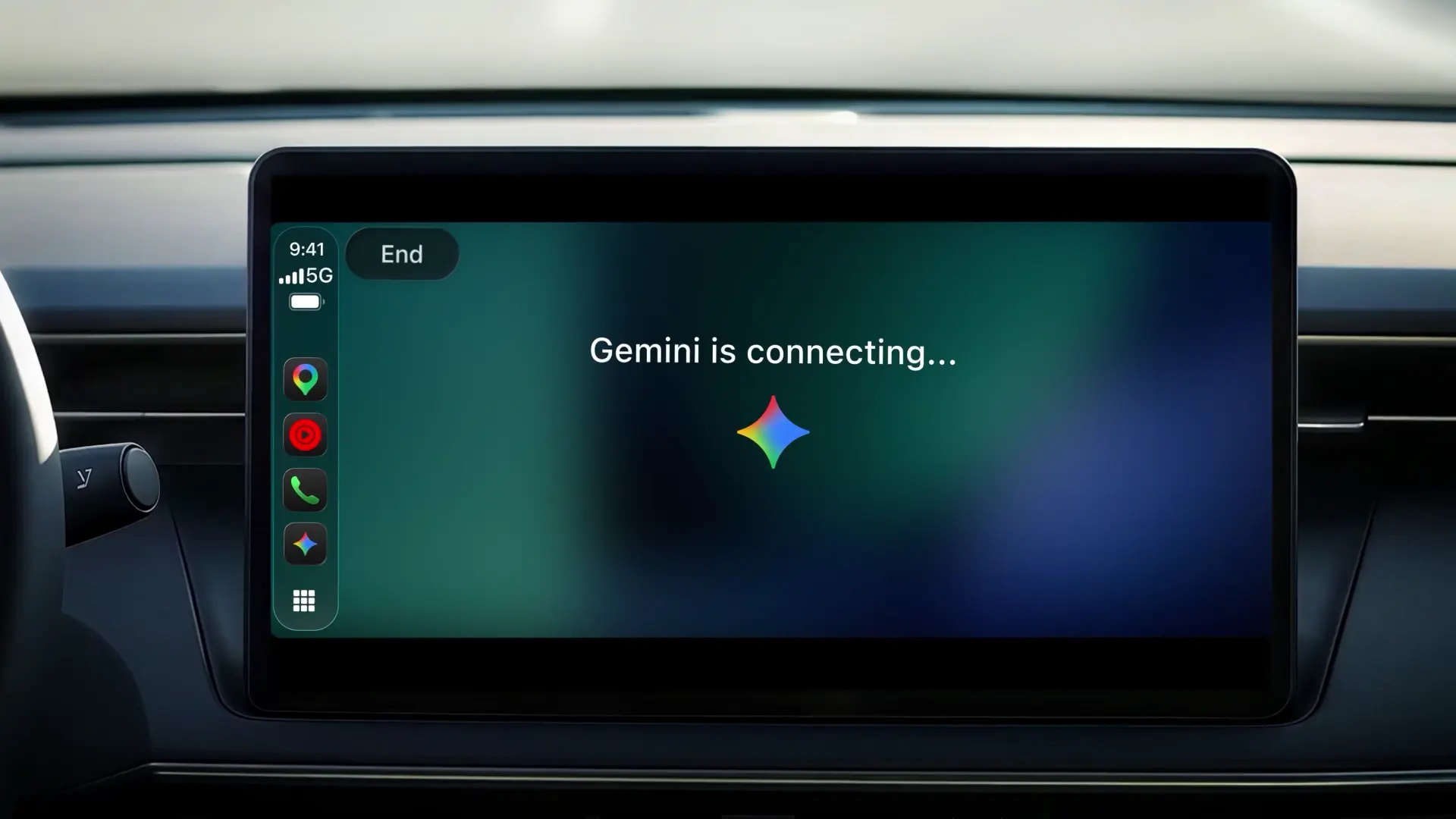
Previously, CarPlay has been able to use some AI assistants, including ChatGPT, Claude, Copilot, Perplexity and Grok, but Gemini has not launched a complete independent car application. Although Google has previously integrated some of Gemini's conversational navigation functions into Google Maps, users cannot directly conduct open and continuous voice communication through Gemini Live like they can on their mobile phones.
The biggest change in this update is that Gemini Live is fully brought to the car screen. The driver can click the Gemini icon in the CarPlay interface to directly start a new conversation, or continue a previous chat on the phone. The entire process does not require picking up the iPhone to operate, and is mainly completed through voice.
Gemini Live supports continuous conversations. Users can interrupt the AI's answers at any time, add information, ask questions, and even suddenly switch topics during the conversation without having to restart a session. This interaction method is significantly different from traditional car voice assistants, which usually can only recognize relatively fixed commands, such as making calls, playing music, or querying navigation.
Google hopes to make Gemini an intelligent conversation partner while driving. For example, users can ask about the day's schedule while commuting, ask AI to introduce upcoming meetings, or help them prepare meeting content in advance. If you need to deal with work emails, you can also ask Gemini to summarize the unread emails in your Gmail inbox, extract the highlights of longer email exchanges, and discuss how to reply via voice.
With the connection capabilities of Google Workspace services, Gemini can also read Gmail and Google Calendar information that users have authorized access to. Drivers can directly ask when the next meeting will start, what are the plans for the day, and even ask the system to generate a schedule briefing for the day. It should be noted that some personalization features require Daily Brief to be enabled in advance, and Google has made it clear that this feature is currently not open to users in the European Economic Area and Nigeria.
In addition to work and schedule management, Gemini can also help drivers find restaurants along the way, learn about the history of nearby landmarks, or discuss science, technology and other topics while driving long distances. Users can also use voice communication to practice speeches, simulate business negotiations, or conduct in-depth discussions on complex issues.
Another great feature is cross-device synchronization. Conversations users have on CarPlay are automatically synced to the Gemini app on iPhone. After arriving at your destination and parking the car, you can re-view previous chat records, summaries, and discussions on your mobile phone without worrying about the in-car conversation being independent of the mobile phone.
Enabling this feature isn't complicated. Users first need to update the Gemini app on their iPhone to the latest version and allow the app to use the microphone. Subsequently, you need to complete at least one voice conversation using Gemini Live on your iPhone. After completing these preparations, connect your phone to a car that supports CarPlay, and the Gemini application icon will appear on the car screen. Click to start or continue the conversation.
This update is open to Gemini users on iOS around the world, covering all languages that support Gemini Live. However, Google adopts a phased push method, so some users may need to wait for app updates and car icons to gradually appear.
It is worth noting that Gemini’s entry into CarPlay does not mean that it has gained full control over the car or other in-car applications. It is mainly responsible for voice dialogue and information assistance tasks, and cannot directly control air conditioning, vehicle settings or other CarPlay applications. For navigation and route planning, users can still use Google Maps, which has previously integrated Gemini functions.
Judging from Google’s current layout, cars are becoming an important entry point for generative AI assistants. Unlike mobile phones and tablets, the driving environment has higher requirements for hands-free operation and continuous voice interaction, and Gemini Live can use natural language dialogue to complete tasks that used to require multiple independent commands. As ChatGPT, Claude, Grok and other products have successively entered CarPlay, Apple's car platform is gradually evolving from a traditional application projection interface to an intelligent interactive environment in which multiple AI assistants participate.
Comments