
Abstract:
Microsoft is adjusting the network speed test feature of Windows 11. In the latest Insider Experimental preview version, users can test network speed directly in the system's "Quick Settings" interface, no longer needing to open the default browser and jump to the Bing page. This change improves the user experience of the function and also draws attention once again to whether Microsoft has used system tools to divert traffic to its own search engines.
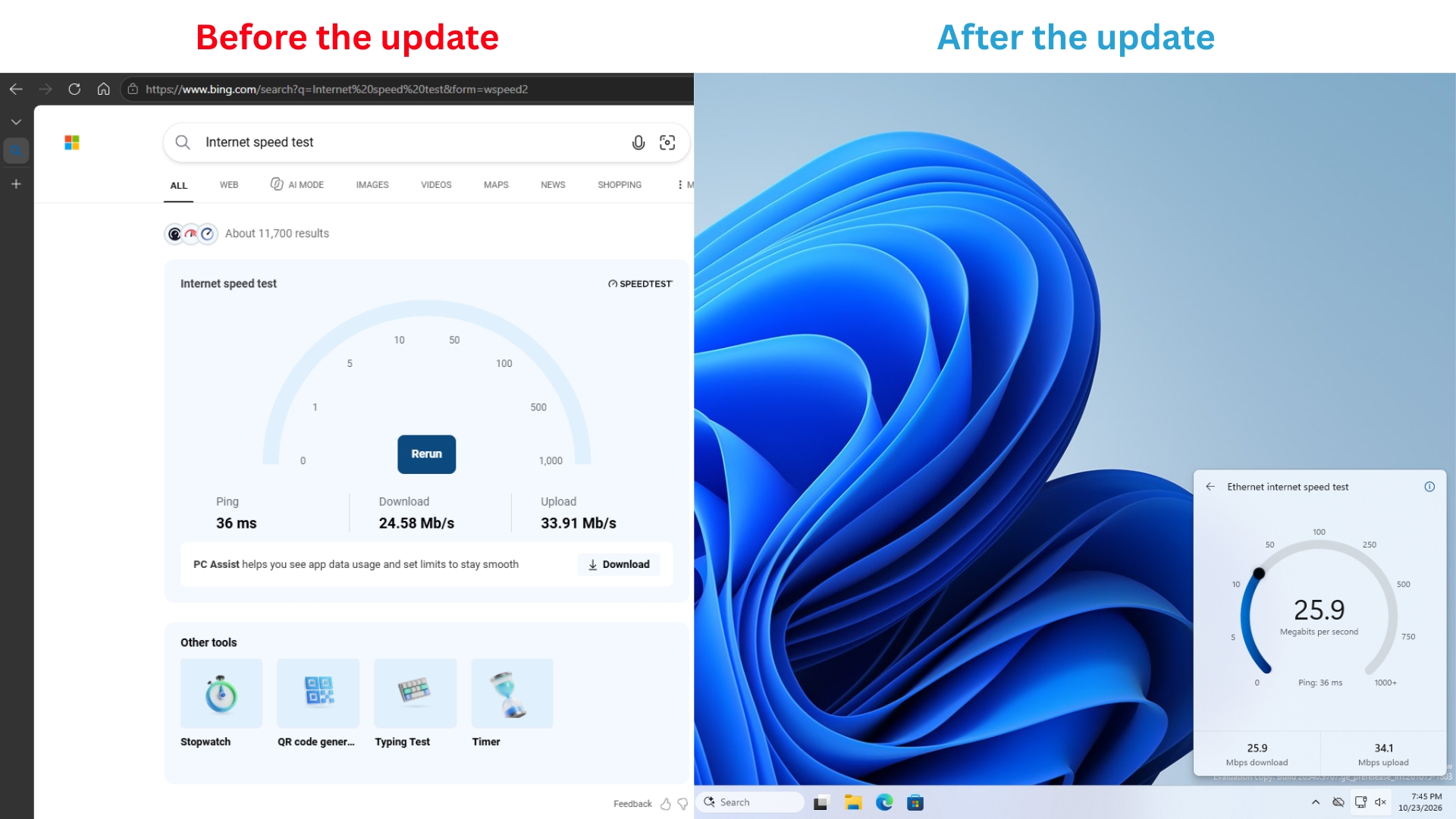
When Windows 11 first added a quick entry to the Internet speed test, its functional performance was far from what many users expected. Users can find the speed test option in the right-click menu of the network icon on the taskbar, or they can start the test from the network settings panel. However, after clicking, the system will not directly measure the network speed. Instead, it will open the default browser and enter the Bing search page, and then the user will continue to use the web page speed test tool.
This feature first appeared in the preview version of Windows 11 in September 2025, and then gradually entered the official system. By early 2026, more users will be able to use this quick entry through the network menu, but its core operation is still to jump to Bing. For users who just want to quickly check the status of their network connection, this design doesn't really save many steps.
In the latest Windows 11 Insider Experimental Build 26340.9767, Microsoft has finally changed this design. The new version of the function has been renamed "Test internet speed". The testing process is completed directly in the system's "Quick Settings" panel, and the browser is no longer forced to open.
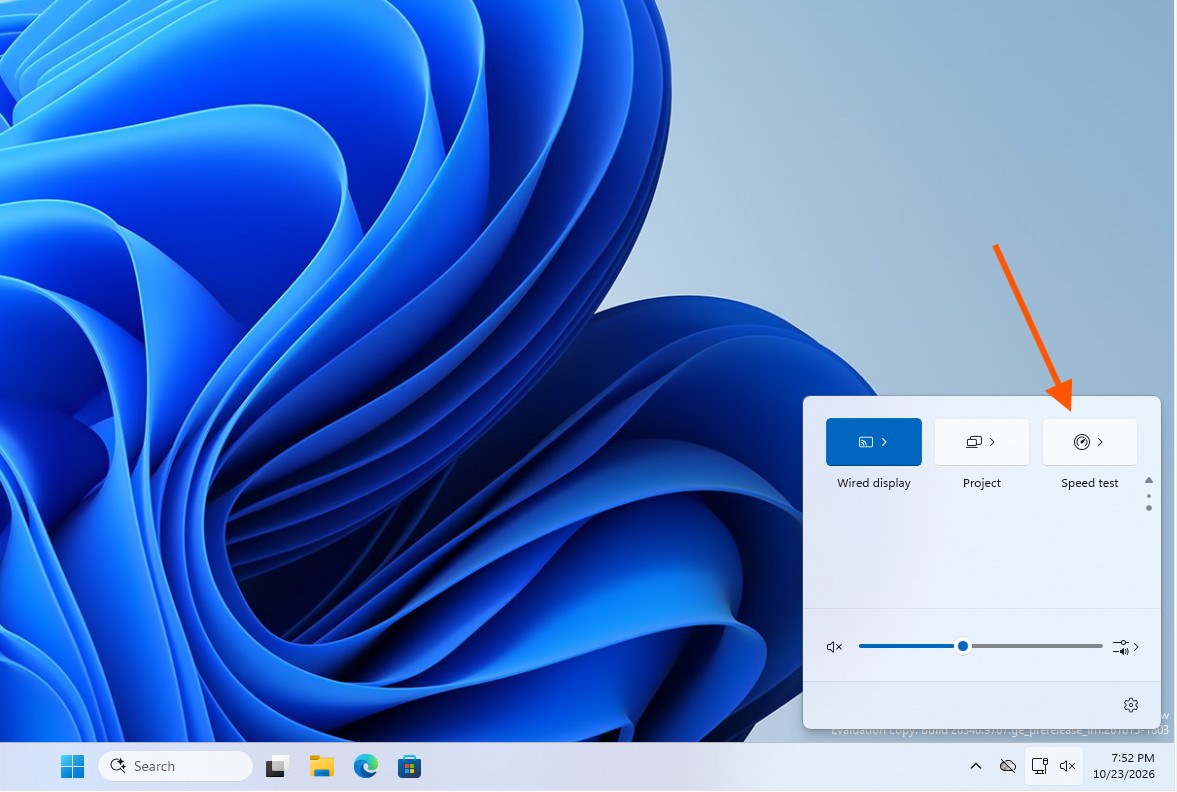
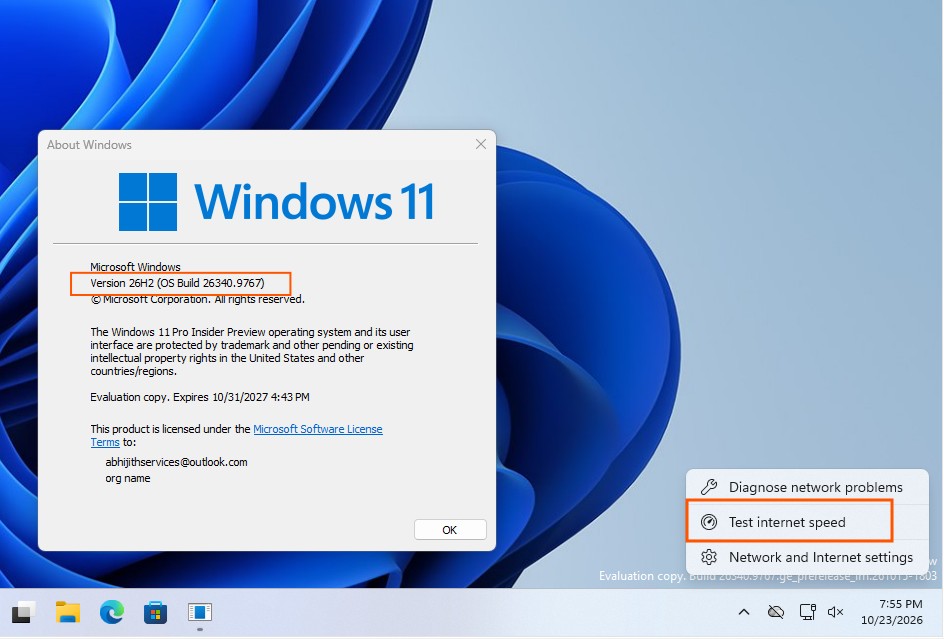
Users can now initiate a speed test in three ways: by clicking the new speed test tile in Quick Settings, by launching it from the Wi-Fi or Cellular panels, or by right-clicking the taskbar network icon and selecting "Test Network Speed." After the test starts, the system will sequentially search for the speed test server, measure the network delay, then detect the download speed and upload speed, and finally display the results in a pop-up interface.
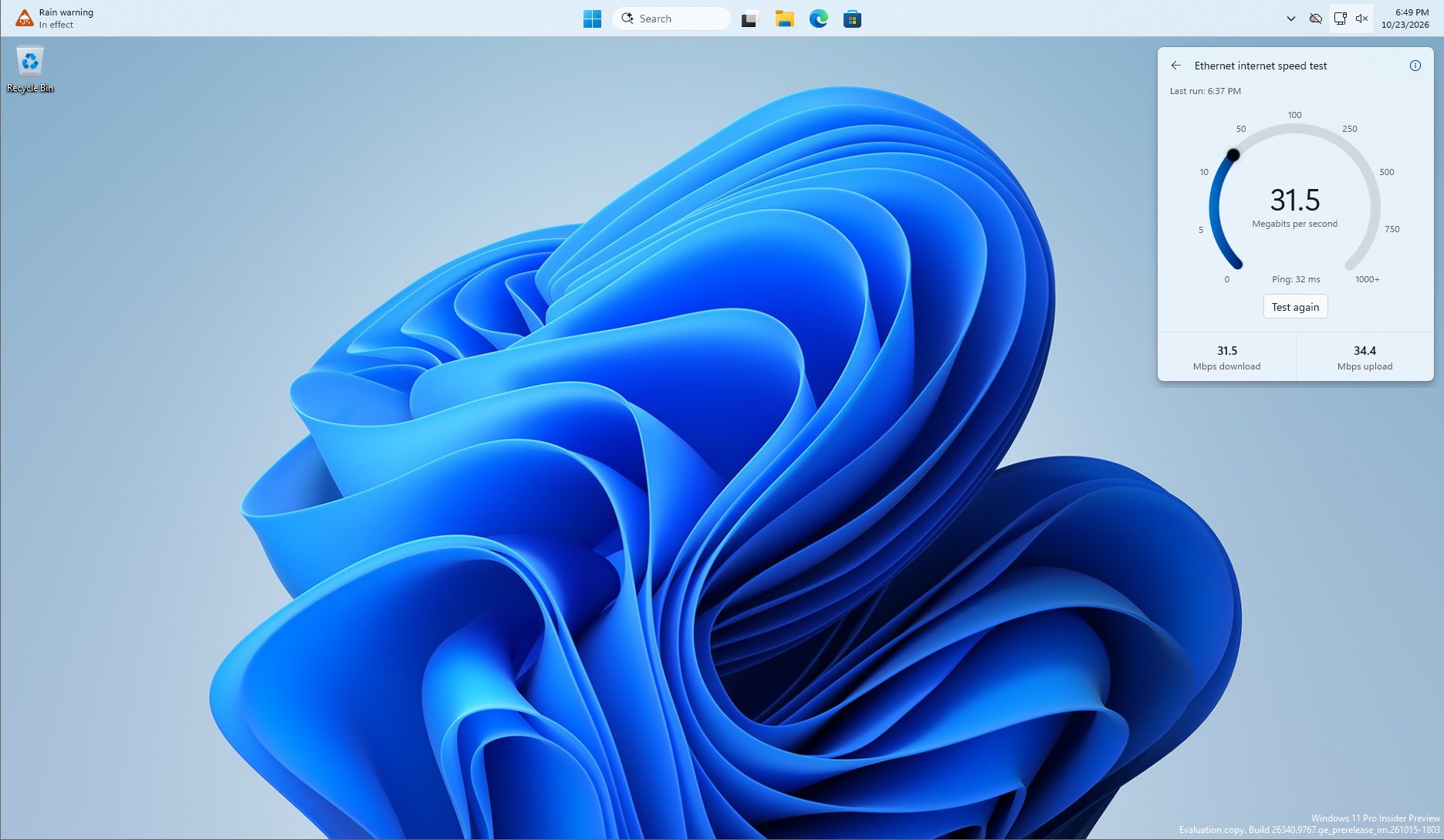
According to the actual test of Windows Latest, the new interface can display download speed, upload speed and Ping delay. The whole process is usually completed within 30 seconds. The test interface is consistent with the system design of Windows 11 and is compatible with light and dark themes. Functionality remains available even if the user moves the taskbar to the top or side of the screen.
It is worth noting that Microsoft has not completely replaced the underlying speed testing service. According to the information button in the upper right corner of the test interface, the new feature is still powered by Ookla's Speedtest. The speed testing service previously used by Bing pages was also related to Ookla, so this change is mainly reflected in the interaction method and system integration level, rather than a complete replacement of the speed testing engine.
Microsoft said that this feature tests the network connection currently used by the computer, so it can help users quickly understand the connection status before participating in video conferences, downloading large files, or performing other network activities. However, the speed test results can only reflect the network performance at that time, and it is impossible to directly determine whether the slowdown in network speed is caused by weak Wi-Fi signals, congestion in the home network, problems with the Internet service provider, or routing and other network failures. If further troubleshooting is required, users still need to use system network diagnostic tools or command line tools.
At this time, this improvement is not available to all Windows 11 users. Users need to install Windows 11 Insider Experimental Preview Build 26340.9767 or newer. Even if you have installed a preview version that meets the requirements, you may not be able to see the new features immediately because Microsoft uses a controlled feature release mechanism to push it to some devices in stages.
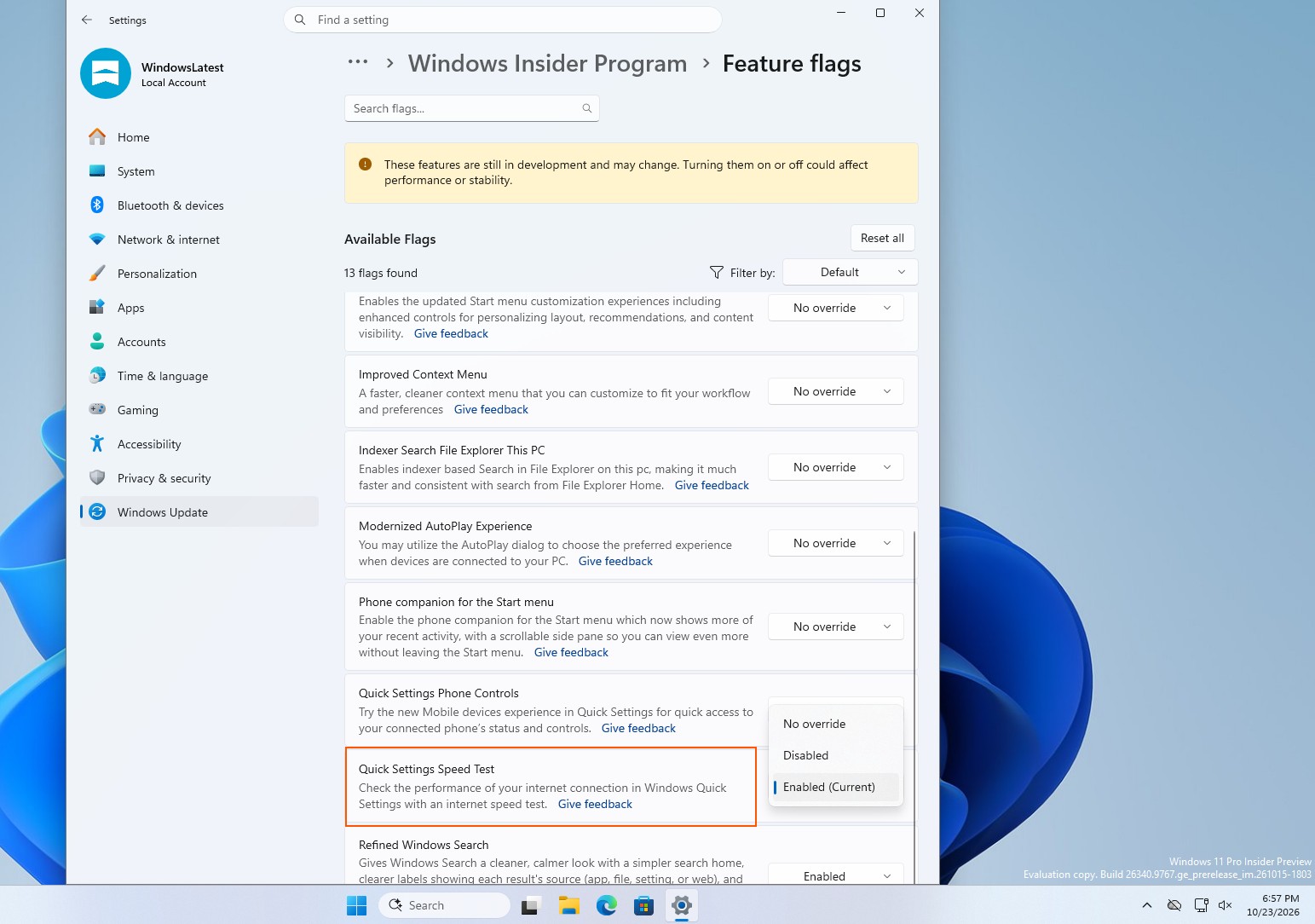
If you meet the version requirements but do not see the speed test entrance, you can try to enter "Settings" > "Windows Update" > "Windows Insider Program" > "Feature Flags", find and enable "Quick Settings Speed Test". However, this method of operation comes from actual testing by the media and is not a universal enablement step clearly listed in Microsoft's public release notes. Microsoft has not yet announced when this feature will enter the official version for ordinary users.
This change has attracted attention because the previous design has been controversial. Windows' built-in network speed test entrance is supposed to be a convenient tool, but older versions actually just take users to a Bing page. Since users can open the browser search speed test service by themselves, this quick entry has limited practical value, and it is easy for people to think that it is more to increase Bing's traffic than to truly improve the Windows experience.
Microsoft has not publicly explained why it is redesigning this feature, so it cannot be assumed that the company has officially changed its overall strategy for promoting Bing. However, this isn't the only recent tweak to Windows 11 to make Bing less involved. Previously, Microsoft had provided an option to turn off web results in system searches, allowing users to reduce the interference of web content on local searches.
From the perspective of actual use, the new version of the speed test tool at least solves one clear problem: users no longer need to leave the current desktop environment to complete the most basic network performance check. For operating system built-in tools, this direct and coherent interaction method is obviously more in line with user expectations. As for whether this feature will eventually cover all Windows 11 devices, and whether Microsoft will continue to integrate more online services into truly native system features, the answer remains to be given in subsequent updates.
Comments