
Abstract:
In Windows 11, there is a design that has long confused users: on a 64-bit system, C:WindowsSystem32 actually stores 64-bit system files, while the C:WindowsSysWOW64 directory with "64" in the name stores 32-bit files instead. To users who don't know the history of Windows, this naming scheme may seem completely reversed.
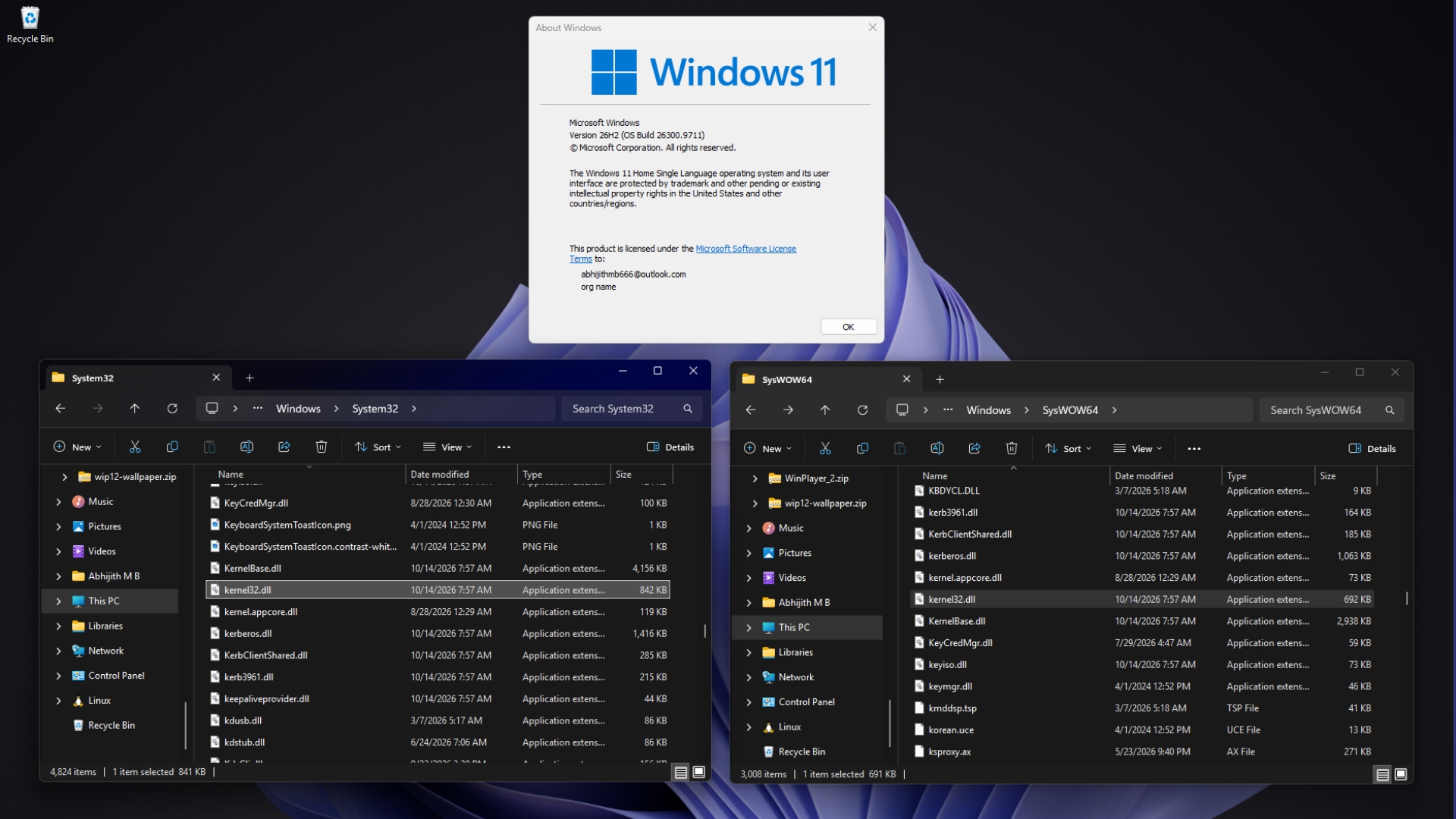
Microsoft engineers recently explained the reasons behind this design again. The answer is not that Microsoft simply reversed the directory names, but rather to avoid breaking a lot of software that relied on the old paths. When Windows migrated from a 32-bit architecture to a 64-bit architecture, it chose to retain the already widely used System32 directory name, and then used the file system redirection mechanism to allow 32-bit programs to automatically access another set of system files.
Windows Latest published an article on October 20, 2026, which introduced this problem and explained the relevant mechanism in conjunction with Microsoft’s official technical documents. The report pointed out that this design fully reflects Windows' long-term insistence on software compatibility: Even if the old naming method is no longer intuitive, as long as rash modifications may cause a large number of programs to be unable to run, Microsoft tends to retain the original structure and solve the problem through the compatibility layer.
To understand this design, you need to go back to the early days of Windows.
In the 16-bit Windows era, system files were mainly stored in the C:WindowsSystem directory. When Microsoft launched 32-bit Windows, the system needed a new directory to accommodate 32-bit system files, so C:WindowsSystem32 was used. The "32" is indeed related to the 32-bit system architecture at that time.
But when 64-bit Windows came out, things got complicated. A large number of software have programmed System32 into the program code and directly use this path to access system files instead of dynamically obtaining the correct system directory through the system interface provided by Windows.
If Microsoft directly renames System32 to System64 when launching 64-bit Windows, then many old programs, installers, and batch scripts may not be able to find the system files they need. Even if developers recompile the software, they may not be able to fix all hard-coded paths in time.
What’s even more troublesome is that some software still reads corresponding system components from System32 by default after being upgraded to a 64-bit version. If Microsoft changes System32 to only store 32-bit files, these 64-bit programs will be unable to load the required dynamic link libraries normally.
Therefore, Microsoft finally decided to retain the historical name System32 and let it store files that match the native architecture of the operating system in 64-bit Windows. For the mainstream x64 version of Windows 11, this means that System32 stores the 64-bit version of system components, while the 32-bit version is placed in another directory.
This directory is SysWOW64.
WOW64 is the abbreviation of "Windows 32-bit on Windows 64-bit", which is a compatibility mechanism for running 32-bit Windows applications on 64-bit Windows. The "64" in SysWOW64 refers to the 64-bit Windows environment it is in, not that the file itself is 64-bit. In other words, the name describes the platform the compatibility mechanism is targeting, not the number of bits in the binary in the directory.
Microsoft senior engineer Raymond Chen once explained in a technical article that the "32" in System32 has gradually become a historical legacy name, just like some brand names, even if they no longer fully reflect the original meaning, will still be retained due to long-term use.
If the entire system can be redesigned, he believes that a more ideal directory name may be something like SysExec, which is used to store executable files that match the current system architecture. But Windows has been around for decades, and System32 has long been a fixed path that countless programs rely on, so the potential risks of changing the name far outweigh the benefits of naming.
In addition to directory naming, 64-bit Windows also needs to solve a more practical problem: 32-bit programs cannot directly load 64-bit dynamic link libraries, and 64-bit programs cannot directly load 32-bit dynamic link libraries.
For example, kernel32.dll is an important system component of Windows. Files with the same name can be found in System32 and SysWOW64, but they are compiled for different architectures and cannot be simply interchanged. When Windows Latest checked these two directories in the Windows 11 26H2 system, it also found differences in the size of the corresponding files.
If a 32-bit program directly loads the 64-bit version in System32, it may not be able to run due to incompatible binary architecture. To avoid this situation, Windows introduced the WOW64 file system redirector.
On 64-bit Windows, when a 32-bit program tries to access C:WindowsSystem32, the system usually automatically redirects the access request to C:WindowsSysWOW64. This process is basically transparent to the program itself, it still thinks it is accessing System32, and the operating system finds the correct 32-bit file for it behind the scenes.
Microsoft official documentation clearly states that the System32 directory in 64-bit Windows is reserved for 64-bit applications, and WOW64 is responsible for redirecting 32-bit programs' access to some system paths to the corresponding 32-bit directories.
This mechanism not only involves the system dynamic link library, but also affects some system tools. For example, when a 32-bit program accesses certain tools in the Windows directory, it may be redirected to the corresponding version in SysWOW64. This prevents 32-bit programs from misusing 64-bit tools or performing incorrect operations if the operating system architecture does not match.
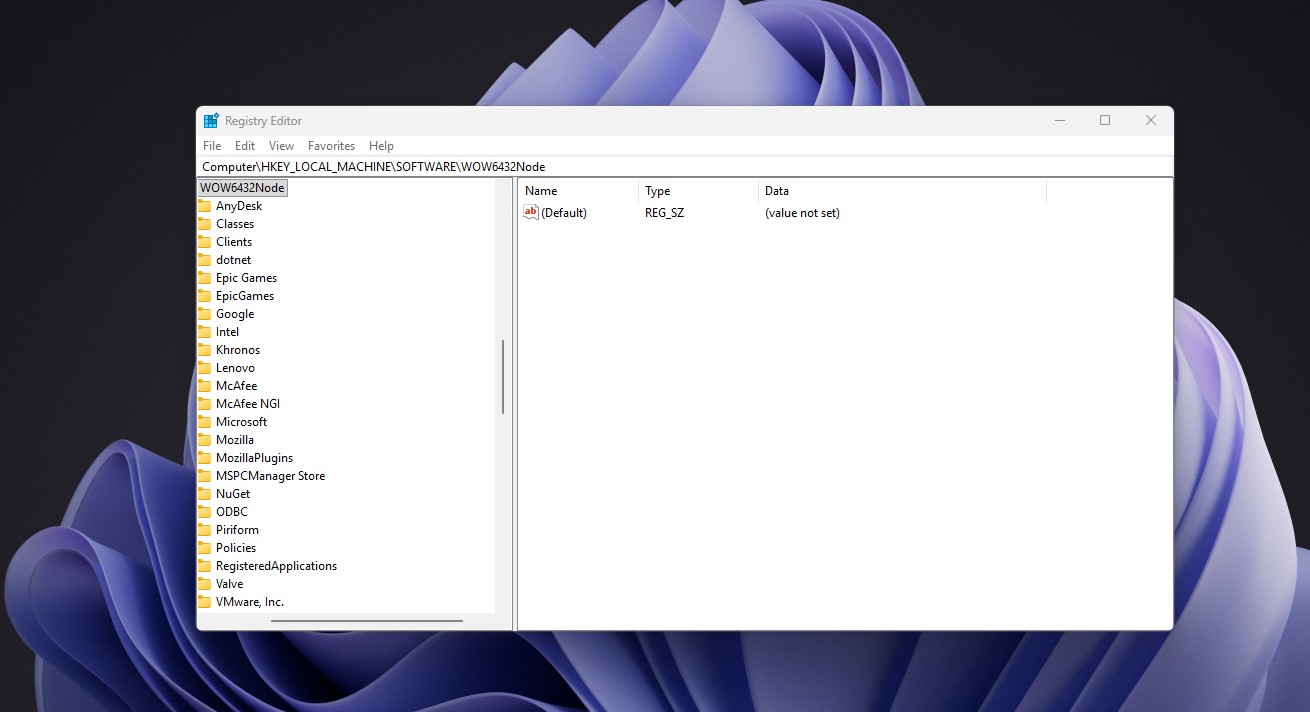
WOW64 also handles compatibility issues such as registry access and program installation paths. For 32-bit applications, Windows can provide a separate registry view, a typical location is HKEY_LOCAL_MACHINESoftwareWow6432Node. The system also usually points the Program Files path of 32-bit programs to C:Program Files (x86), so that software of different architectures can be managed separately as much as possible.
Together, these mechanisms form part of the Windows compatibility system, allowing a large number of software written for early 32-bit Windows to still run on 64-bit Windows 11, without developers having to rewrite all the code for each old program.
However, file system redirection can also bring about some situations that can easily confuse developers.
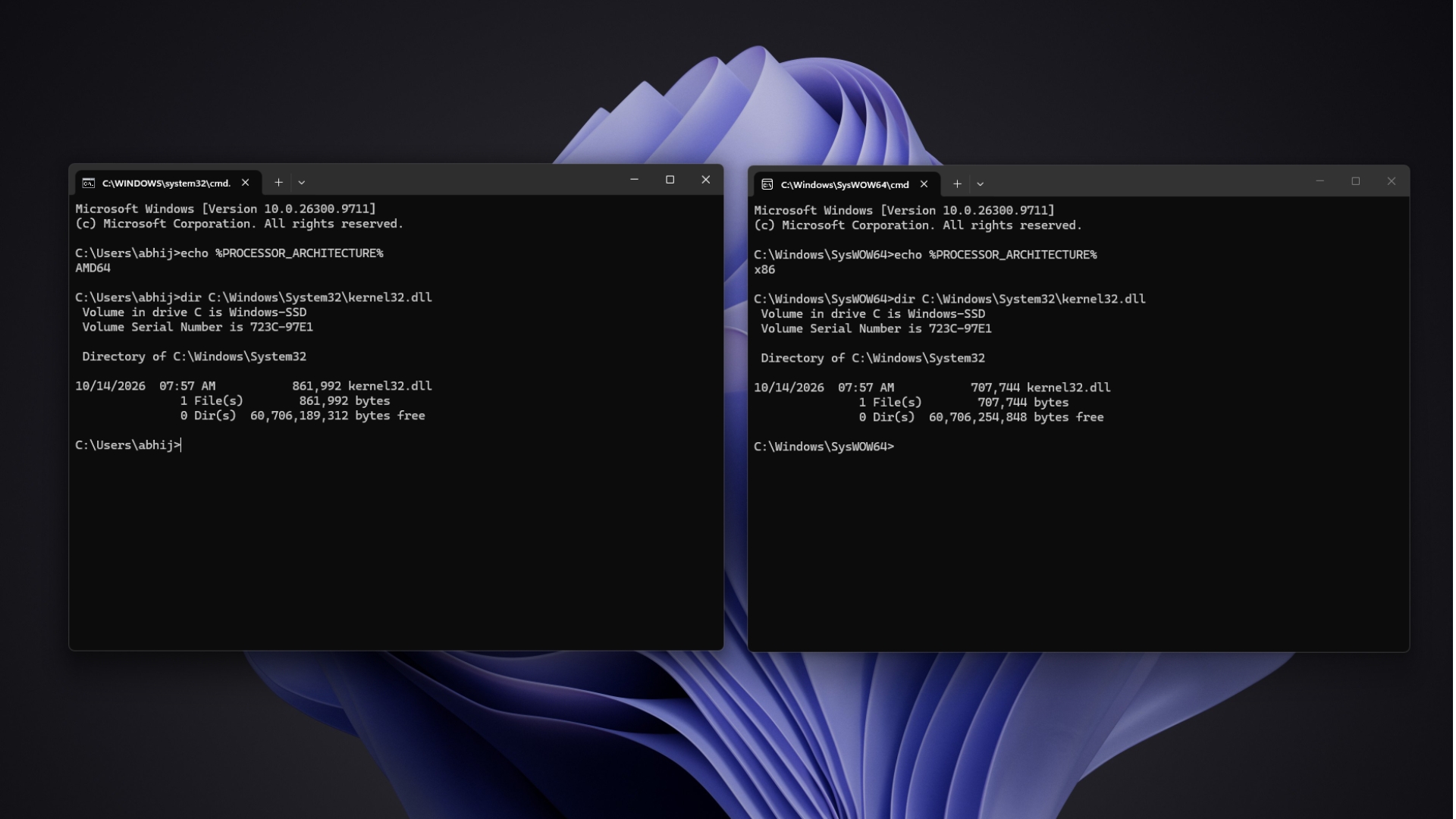
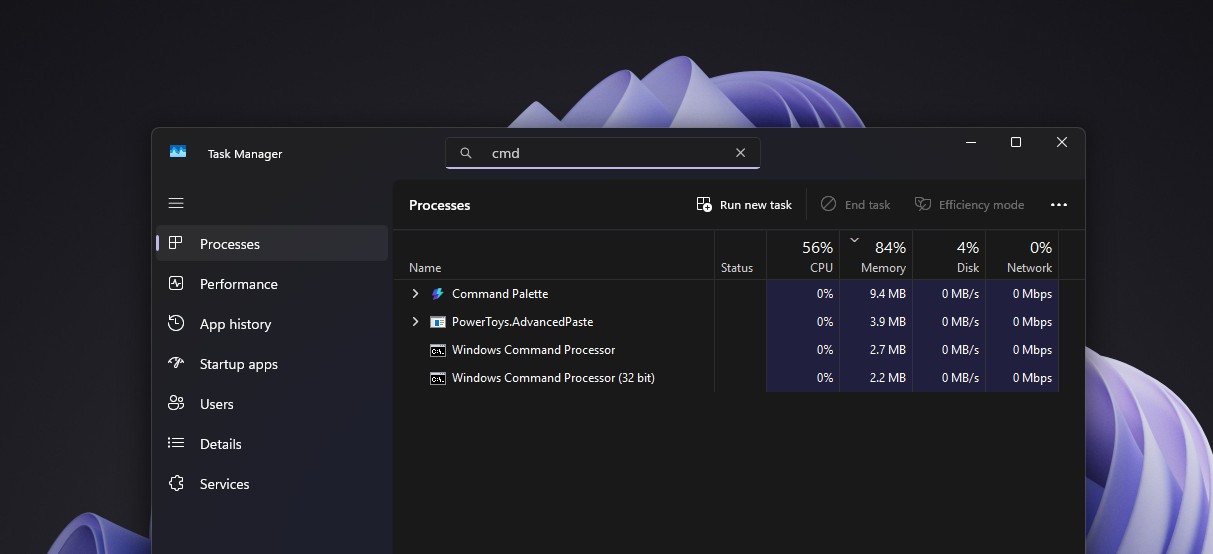
For example, a 32-bit command prompt and a 64-bit command prompt, even if they use the seemingly identical path to access C:WindowsSystem32kernel32.dll, the actual files obtained may be different. The former is usually redirected to SysWOW64, while the latter accesses System32 directly.
Matt Pitrek, a former member of the Microsoft Visual Studio team, mentioned in a technical article that he also spent time troubleshooting the problem because he got confusing results when the 32-bit command prompt listed files with the same name in two directories. This shows that although file system redirection can maintain software compatibility, it also makes system debugging and development work more complicated.
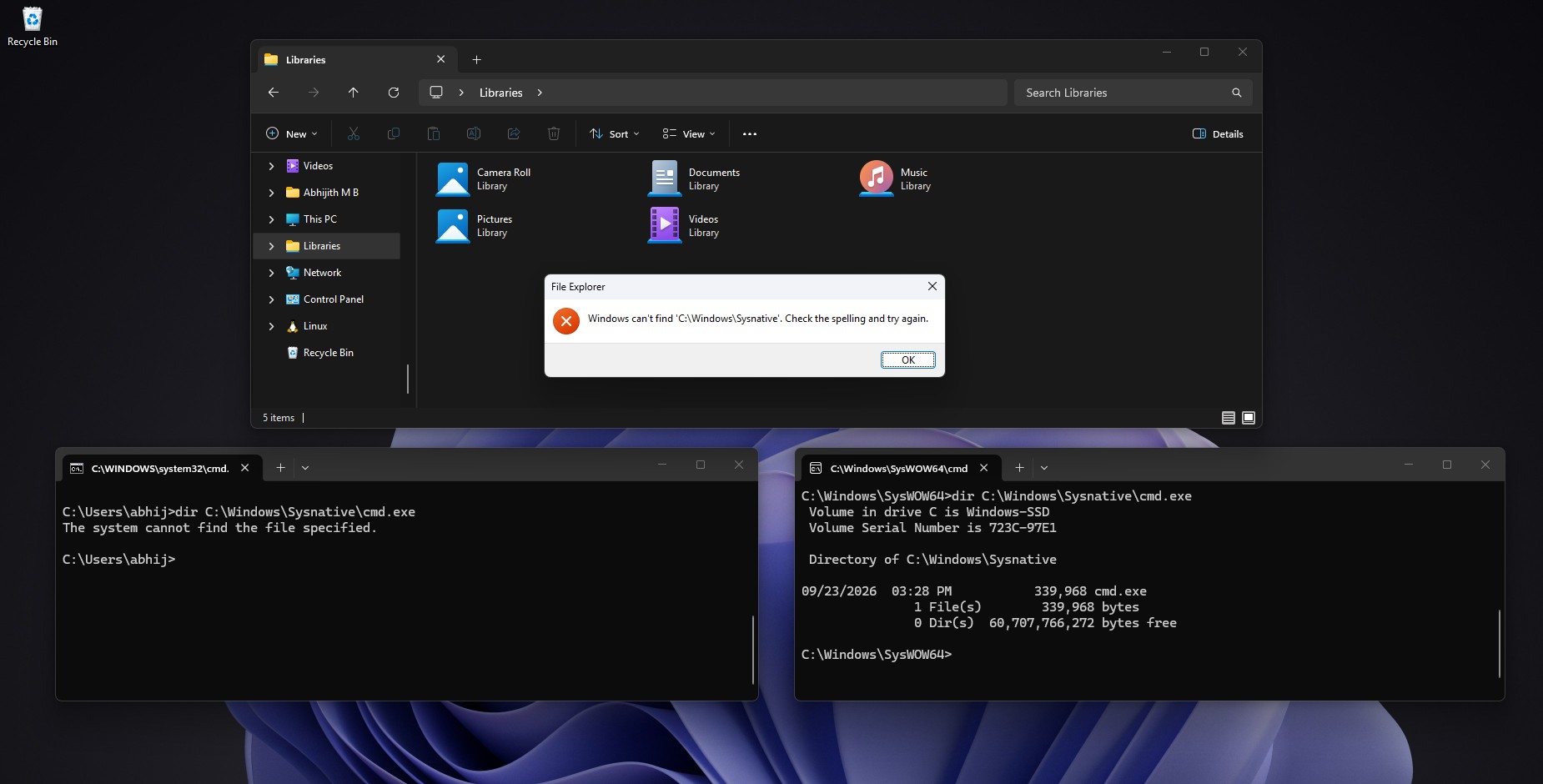
To solve some special situations, Microsoft also provides a virtual path called Sysnative. If a 32-bit program really needs to access the native System32 directory of 64-bit Windows, it can use C:WindowsSysnative to bypass the usual file system redirection.
It should be noted that Sysnative is not a real folder on the disk, but a path alias specially provided by Windows. 64-bit applications cannot use this alias like 32-bit programs, so when users look for Sysnative directly in File Explorer, they may find that the system prompts that the path does not exist.
Microsoft also lists a number of System32 subdirectories that are not affected by regular file system redirection, including:
C:WindowsSystem32catroot
C:WindowsSystem32catroot2
C:WindowsSystem32driverstore
C:WindowsSystem32driversetc
C:WindowsSystem32logfiles
C:WindowsSystem32spool
These directories involve functions such as system component directories, driver storage, network configuration files, logging and printing. Microsoft documentation clearly lists these exception paths, but does not provide a unified explanation of the specific design reasons for each exception. Windows Latest believes that some of these directories may contain data that needs to be jointly accessed by programs with different architectures, such as the hosts file in driversetc.
In addition to the x64 platform, Windows’ compatibility mechanism on the Arm architecture has also seen a similar multi-directory design.
In some early Windows on Arm systems, 32-bit x86 programs use SysWOW64, while 32-bit Arm programs can access corresponding system components through SysArm32. Since the Arm platform needs to deal with compatibility issues between different instruction set architectures, Windows also uses corresponding simulation and conversion mechanisms.
However, Microsoft's latest Arm development documentation has stated that Windows on Arm will no longer support 32-bit Arm applications, and related system binaries will also be removed from the SysArm32 directory. At the same time, ordinary x86 applications can still run through the compatibility mechanism, and some x86 programs are supported by Prism emulation technology.
This also shows that the Windows compatibility system is not completely static. As hardware platforms and software ecosystems change, Microsoft will still phase out support for some old architectures, but for applications that are still widely used, the company will try to maintain compatibility as much as possible.
From a technical point of view, the naming of System32 and SysWOW64 is indeed not intuitive enough. For ordinary users, it is a natural understanding to think that 64-bit files are stored in the directory when they see "64". But in Windows, directory names reflect history rather than a set of rules designed from the ground up to follow intuition.
The core reason why Microsoft did not simply rename the two directories was compatibility. Windows needs to run a lot of historical software, and these programs may rely on fixed paths, legacy system interfaces, and specific binary file layouts. Recklessly modifying these infrastructures may cause software installation failures, system tool abnormalities, and even affect business processes that rely on old components.
Therefore, Microsoft chose to solve the problem through mechanisms such as file system redirection, registry redirection, and virtual paths, rather than completely reconstructing the directory naming system.
This design is not perfect, but it reflects an important difference in the development path of Windows and other operating systems: Windows always needs to find a balance between continuous modernization and compatibility with decades-old software. The seemingly inverted naming of System32 and SysWOW64 is a typical trace left by this long-term compatibility strategy.
Comments