
Abstract:
Microsoft is developing a new application startup acceleration mechanism for Windows 11, which allows applications to respond to user operations faster by canceling unnecessary temporary processes during the startup process. Microsoft Edge browser has already taken the lead in adopting this technology. When the browser is still running in the background, and the user clicks the taskbar icon, Start menu shortcut, or web link again, Windows can directly send the request to the already running Edge instance without having to start a temporary process and then forward the request to the process.
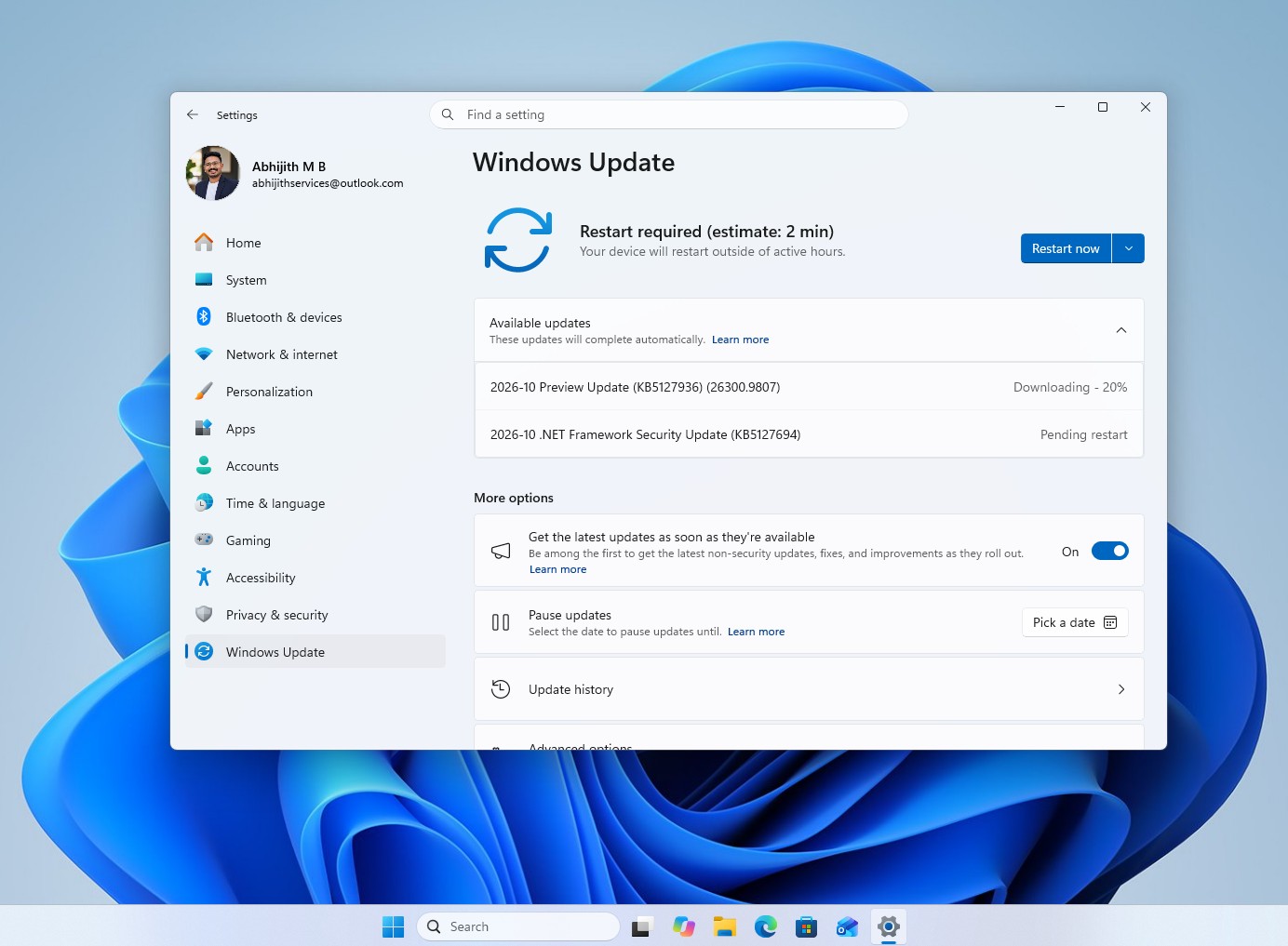
Windows Latest reported on October 17, 2026 that this change has appeared in the latest Release Preview preview update released by Microsoft for Windows Insiders. Microsoft views this as the first step in a broader Windows platform capability. In the future, other applications can use similar mechanisms to shorten the startup path.
This improvement is included in the KB5127936 update that Microsoft released to the Release Preview channel on October 16. After installing the update, the system version number of Windows 11 25H2 rose to 26200.9807, and that of 26H2 rose to 26300.9807. However, this feature is rolled out in stages, and even if the update is installed, it does not mean that all users can experience it immediately.
Why does Windows start an extra process when an application starts?
To understand the significance of this optimization, you need to first understand the instance running mechanism of Windows applications.
Many Windows apps allow multiple independent instances to be opened simultaneously. For example, users can launch multiple Notepad windows at the same time, and each window can run independently. But other applications adopt a single-instance design, which means that even if the user clicks the application icon repeatedly, usually only the already running window will be activated instead of creating a second complete instance.
Edge browser is a typical example of this type of application. When Edge is already running, and the user clicks the browser icon again, the system should usually directly activate the existing window; if the click is a web link, the link should be handed over to the already running browser for processing.
The problem is that traditional startup processes don't always do this directly.
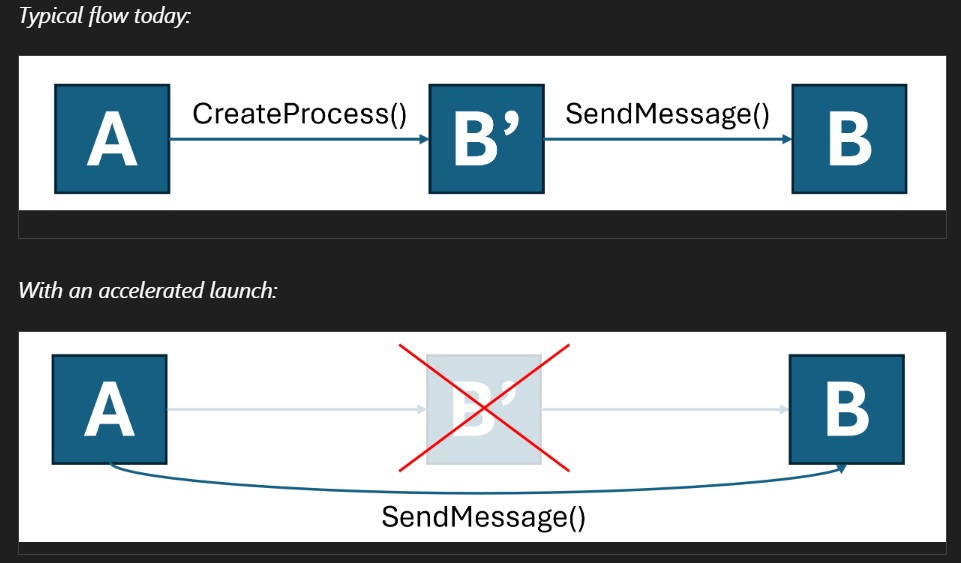
When the user starts the single-instance application again, Windows may first create a new temporary process. This process checks to see if the application is already running, then forwards the launch request to an existing instance, and finally exits itself.
From a functional point of view, this temporary process only acts as a middleman and does not really undertake the main work of the application. But creating a process, executing initialization code, checking running status, and delivering requests still consume processor time and system resources.
On computers with higher configurations and lower system loads, these additional overheads may not be noticeable. However, when the computer is running multiple programs at the same time, handles a large number of background tasks, or uses a weak processor, the extra startup steps may increase the response delay.
The core of Microsoft's optimization is to enable Windows to bypass this intermediate link and directly send startup requests to already running applications.
Edge is the first to adopt the new mechanism, and the background startup scenario benefits the most
According to the update notes released by Microsoft, when Edge is already running in the background, Windows can now send new startup requests directly to the existing browser instance without having to start an additional temporary process first.
Microsoft said that removing this intermediate step can shorten the startup path and make Edge more responsive to user operations, especially when the computer is running multiple programs at the same time and the system load is high.
However, this optimization is mainly aimed at restarting the application when it is already running, which is the so-called "hot start".
Edge has a feature called Startup Boost, which allows some core processes to continue running in the background after the user closes the browser window, so that it can enter a usable state faster the next time it is started. Therefore, when users open Edge again, they often do not need to load the entire application from scratch.
The new mechanism further reduces the additional overhead in this scenario.
If the user has just restarted the computer and Edge is not running in the background, the normal initialization and loading process will still need to be performed on the first startup. This update does not eliminate all overhead on first launch, so it cannot be simply understood that Edge will be equally speeded up in all cases.
Microsoft has not announced how many milliseconds this optimization can save, and it is temporarily unable to quantify its actual benefits under different processors, storage devices and system loads.
Microsoft hopes to extend acceleration capabilities to more Windows applications
Edge is just the first application case of this technology. Microsoft's longer-term goal is to enable other Windows applications that use a single-instance design to use the same startup acceleration mechanism.
Microsoft has previously introduced related functions in the Microsoft Learn developer documentation. The document is titled "Register your application for accelerated warm launches", which means registering accelerated warm launch capabilities for applications. The document was released in October 2025, indicating that this technology was not developed recently.
According to the relevant design, the application can register a window with Windows for receiving startup requests. When a user launches an app from the Start menu, taskbar, or a specific link, the system can send the request directly to an already running instance, eliminating the need for additional intermediate processes.
The key to this method is to let the operating system know in advance which application instance should hand over the new startup request, without having to wait until a new process is started and then let it check whether the application is already running.
However, developers cannot simply assume that this capability is automatically available upon installation.
Microsoft currently lists the relevant interfaces as restricted access functions, and developers need to apply for unlocking tokens from Microsoft. Applications must also be registered through the experimental interface IExperimentalAPIInvoker to support the corresponding start menu and link startup scenarios.
In addition, link-initiated acceleration only applies to protocols for which the application is set as the default handler. For example, only if an application is responsible for handling the corresponding type of connection, Windows can send requests directly to it according to this mechanism.
Microsoft also reminds developers that applications still need to retain their own single-instance processing logic, because this feature does not cover all startup sources, all application calling methods, and all Windows versions.
This means that even if Microsoft has allowed Edge to take the lead in using the new mechanism, it cannot be assumed that Spotify, Discord or other common software will immediately obtain the same startup acceleration effect. Relevant applications need to meet technical conditions and be adapted by developers.
If Microsoft expands the scope of interface opening in the future, more single-instance applications will have the opportunity to reduce startup overhead through this mechanism. However, the final speed of promotion still depends on Microsoft's open policy and actual adoption by software developers.
Unlike background preloading, the new technology does not require additional resident processes
Windows has used a variety of methods to speed up application startup. One common approach is to let the application load some components in advance, and even keep related processes running when the user does not open the window.
Edge's Startup Boost belongs to this type of mechanism. Microsoft explained that it will continue to keep some core processes in the background after the browser is closed so that users can get into work faster when they start again.
Microsoft Office has also adopted similar ideas. Microsoft once set up a startup acceleration task for Office, allowing Word to load in advance on qualified computers and wait for the user to call it in a suspended state. The relevant programs are aimed at computers with at least 8GB of memory.
File Explorer also used a preloading mechanism. Previous tests by Windows Latest found that even if Windows 11's File Explorer is preloaded, the opening speed is still not as fast as the related experience of Windows 10, and the preloading process takes up about 35MB of additional memory.
The advantage of preloading is that part of the initialization work can be completed in advance, but the cost is that it continues to occupy a certain amount of memory and system resources. For computers with limited memory capacity, if multiple applications use similar methods, the number of background resident processes may continue to increase.
This accelerated startup mechanism adopts a different approach: it does not require the system to run more components in advance, but tries to avoid performing unnecessary work during the startup process.
From a design perspective, this optimization is especially suitable for single-instance applications that are already running in the background, because the existing process itself already has the ability to handle requests, and the operating system does not need to create an additional process to complete simple forwarding tasks.
Of course, this does not mean that Microsoft will cancel background preloading for all applications. Different applications have different operating mechanisms. Some applications can indeed benefit from preloading, but the new mechanism mainly targets specific startup processes, and the problems they solve are not exactly the same.
Windows 11 is undergoing broader performance optimizations
This update is also part of Microsoft’s recent continued efforts to improve the responsiveness of Windows 11.
Microsoft has continuously adjusted the way the Start menu, search, file explorer and other system interfaces operate in recent years, hoping to reduce operational delays and memory usage. Some improvements are achieved by reducing the number of background processes, while others are achieved by adjusting processor scheduling strategies to allow the system to complete necessary computing tasks faster while the user performs operations.
One of the mechanisms, called Low Latency Profile, attempts to improve the response speed of application startup and system interface. It will increase the operating frequency of the processor for a short period of time when the user triggers an operation, allowing related work to be completed faster, and then return the processor to a low-power state.
This is obviously different from the optimization of canceling temporary processes this time: the former mainly shortens the task execution time by adjusting the processor response mode, while the latter directly reduces the extra work in the startup process.
If the two technologies are used together in appropriate scenarios, it is possible for users to experience faster application response, while avoiding the need to simply increase the number of background resident processes in exchange for speed.
However, the specific effect still depends on the application's own startup logic, system load and hardware conditions. For software whose startup speed is primarily affected by disk reads, network connections, or large data loads, killing a temporary process won't necessarily result in a significant improvement.
When will it be officially popularized?
Currently, Microsoft has not announced that this feature is available to all Windows 11 users. According to Windows Latest's judgment, if Microsoft follows the regular update rhythm, this optimization may first enter the optional update in October, and then be gradually promoted with the Patch Tuesday update on November 10, 2026.
However, since the feature is pushed in stages, even if users have installed the corresponding update, they may need to wait for further activation by Microsoft. Microsoft has not yet announced an exact release date for all devices.
For ordinary users, there is no need to modify system settings or try to force enable this feature at this stage. The "cannot be forced to enable" mentioned in the title of the article mainly refers to the fact that there is currently no public method for ordinary users to reliably manually turn on this new mechanism.
If the user has installed the latest Release Preview update, they can observe the response of opening Edge again while running in the background. However, since Microsoft does not publish unified performance test data, it is difficult to accurately measure the extent of improvement based on subjective feelings alone.
Overall, the value of this change is not that all apps start instantly, but that Microsoft begins to remove some long-standing steps from Windows' own startup process that are not always necessary. For applications that are already running in the background, it is more reasonable to pass the request directly than to create a temporary process and then forward the request.
If Microsoft opens relevant interfaces to more developers in the future, single-instance applications will have the opportunity to accelerate startup with minor changes. Compared with continuously increasing background preloading tasks, this idea of reducing unnecessary work is also more in line with the direction of reducing system resource overhead.
The next thing worth paying attention to is when Microsoft will expand the scope of this feature, and in addition to Edge, which other commonly used Windows applications will be the first to adopt this mechanism.
Comments