
Abstract:
Microsoft recently pushed a critical update for Windows Defender, the built-in security software of its operating system, and successfully fixed a serious system error that has been plaguing users for many days. Previously, a large number of users reported that their systems frequently issued false alarms, with constant pop-up prompts saying "anti-virus software has been disabled" or "protection function has been turned off", leading users to panic that system security may be breached by hidden threats.
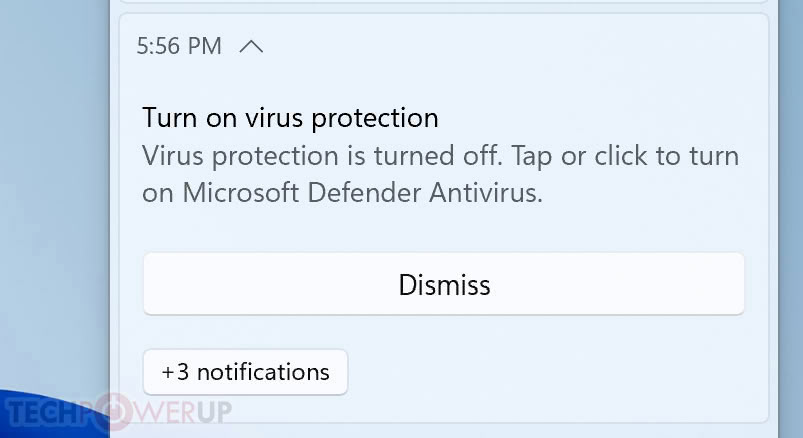
According to user feedback and discussion records on technical forums, this vulnerability mainly affects devices running the latest Windows 10 and Windows 11 systems. On the affected computers, even though Windows Defender's real-time protection and firewall services are running normally and activated in the background, the System Security Center will repeatedly pop up notification alerts warning that the current system lacks effective antivirus software protection. For some devices with third-party security protection software installed, this flaw will also cause inconsistent display of system security status, further exacerbating users' troubles.
After receiving multiple investigation requests, the Microsoft security engineering team quickly confirmed that the problem was not caused by a malware attack, but rather caused by a state synchronization logic error between the system security center service and the underlying security interface. After a specific system service is restarted or upgraded, the Security Center is unable to accurately read the real running status of Windows Defender in a timely manner, thus triggering erroneous alert logic and pushing false system risk prompts to users.
To completely eliminate this false alarm, Microsoft has now released a special fix patch through regular security updates and Defender engine updates. Microsoft officially recommends that all affected users immediately open system settings and enter the Windows Update interface to check and download the latest definition library and security updates. After the update is completed, the system security center will restore the correct status detection logic and no longer falsely report anti-virus software shutdown prompts, ensuring that users can obtain true and reliable system security protection feedback.
Comments