
Abstract:
Windows 11 already has a modern user interface, advanced security mechanisms, and increasing artificial intelligence capabilities, but deep inside the operating system, Microsoft still retains some code from the Windows 95 era. Surprisingly, these codes are not just left in the system as historical legacy files, but can still run under certain conditions, providing compatibility support for some applications that rely on old memory management behavior.
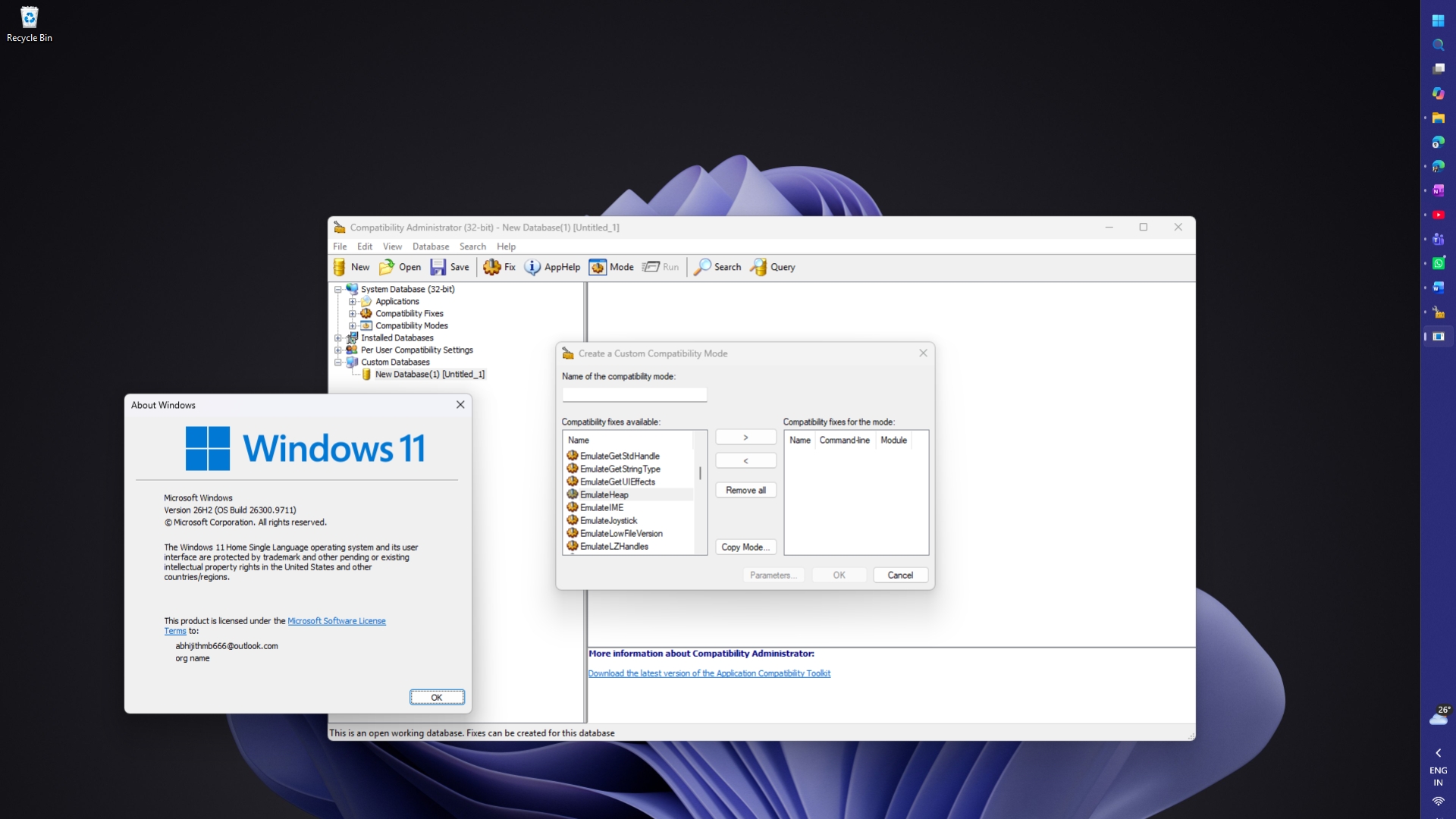
In Windows 11 26H2, Microsoft still retains an application compatibility repair mechanism called EmulateHeap. It allows certain old programs to use code modeled after the Windows 95 memory manager to prevent these programs from crashing due to changes in the way modern Windows manages memory.
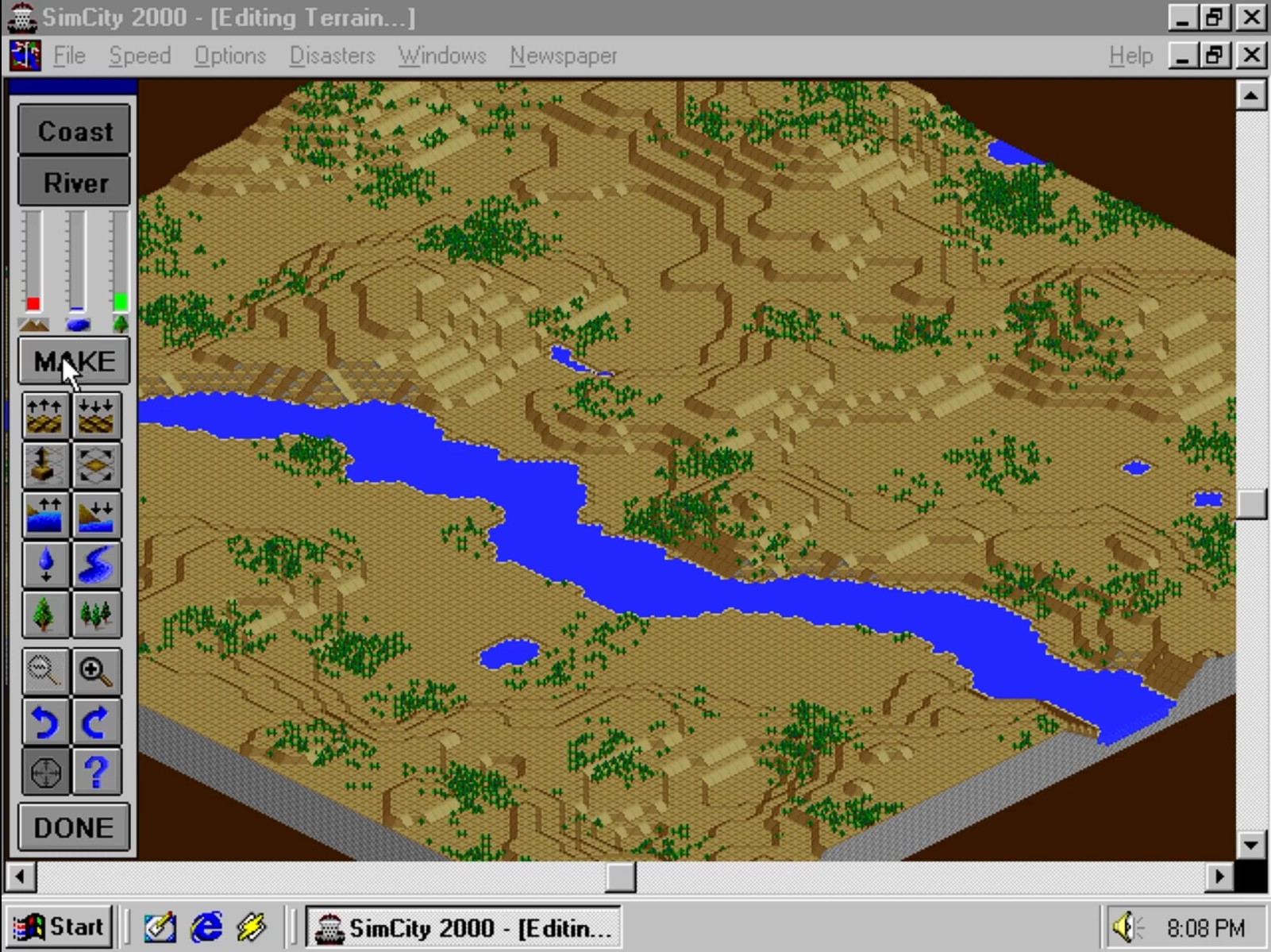
The history of this mechanism can be traced back to the 1990s. At that time, a program error was exposed in a classic game called "SimCity". Instead of simply asking developers to fix the game, Microsoft directly modified the behavior of Windows 95 so that the game could continue to run. Since then, Microsoft has used a more systematic compatibility mechanism to help other old software with similar problems continue to work in new versions of Windows.
This history also reveals an important design principle of Windows for a long time: For an operating system with a huge software ecosystem, keeping old programs running normally is sometimes more important than completely cleaning up the historical code.
Memory error in "SimCity" prompts Microsoft to modify operating system
To understand why EmulateHeap exists, you need to first understand a common programming error: continuing to read after releasing memory.
When the application is running, it needs to apply for memory from the operating system to save data. When the data is no longer needed, the program should release the corresponding memory so that the system can reallocate it to other uses.
If a program frees a block of memory but continues to read data from it, a so-called "use-after-free" error occurs. This is a typical programming flaw that can cause a program to read invalid data, crash, and even cause security issues in some cases.
Some programs in early Windows environments unexpectedly relied on this erroneous behavior.
According to an article published in 2000 by Stack Overflow co-founder and former Microsoft engineer Joel Spolsky, early Windows versions of "SimCity" had similar problems. Jon Ross, the developer of this version, later admitted that he had accidentally left a bug: the game would continue to read the data originally stored there after freeing the memory.
The reason why this problem was not immediately exposed is related to the memory management method of Windows 3.x at that time. Under certain circumstances, after the program releases the memory, the relevant data is not immediately overwritten by other uses, so when the game continues to read, it is still possible to obtain the original content.
In other words, there is a bug in the game itself, it's just the behavior of the old operating system that happens to mask the issue.
When Microsoft developed Windows 95, things changed. The new system adopted a different memory management mechanism, and "SimCity" began to malfunction in the Windows 95 beta version.
Microsoft was faced with two choices: ask game developers to fix the program, or let the operating system continue to tolerate the bug.
In the end, Microsoft chose the latter.
Engineers added a piece of compatibility code specifically for "SimCity" to Windows 95. When the system detects that the game is running, it switches to a special memory allocation mode that does not release the associated memory immediately.
This way, even if the game continues to read the original data after freeing the memory, it is more likely to get the expected results and avoid crashes.
From a modern software engineering perspective, this approach is quite unique. Typically, operating system developers do not wish to change system behavior to cover up programming errors in third-party software. But Microsoft's goal at the time was to ensure that the new system could run existing software, rather than forcing users to abandon their original programs in order to upgrade the operating system.
This decision has also become a typical case in the history of Windows compatibility.
From "SimCity" to EmulateHeap: the compatibility mechanism is gradually expanding
Special treatment for SimCity is just the beginning.
As Windows gradually evolved, Microsoft discovered that not only this game, but also other applications relied on some special behaviors in the memory management mechanism of older versions of Windows.
Microsoft engineer Raymond Chen explained this problem in a Windows technology column published in 2010. Some older programs will continue to read data from memory after it is freed, assuming that the original values still exist.
When these programs are run in subsequent Windows versions, due to changes in memory allocation and recycling methods, they may read content that has been overwritten by other data, and then crash.
If Microsoft writes a special piece of code for each program with such problems, not only will the maintenance cost be high, but it will also be difficult to cope with the increasing number of old software.
As a result, Microsoft launched a compatibility fix mechanism called EmulateHeap.
Unlike code specific to SimCity, EmulateHeap provides a more general approach. It intercepts application calls to memory management-related interfaces and forwards these calls to an alternative implementation that emulates Windows 95 behavior.
This involves a series of interfaces related to heap memory management, including HeapCreate, LocalLock and GlobalReAlloc. By adding a compatibility layer between applications and the underlying memory management mechanisms, the system can allow certain legacy programs to continue to work in the way they are familiar.
What’s even more surprising is that Microsoft adopted a fairly straightforward implementation.
According to Raymond Chen's explanation, Microsoft engineers directly copied the source code of the Windows 95 heap memory manager, recompiled it, and added it to the Windows Application Compatibility Framework.
This means that a very important Windows 95 memory management code is indeed retained in the modern Windows compatibility infrastructure.
However, this does not mean that Windows 11 has been running the Windows 95 memory manager.
EmulateHeap is a compatibility mechanism enabled on demand. Only when a specific application is configured to use this fix will the corresponding legacy code be loaded. For ordinary programs that do not enable this feature, Windows will not automatically switch to the Windows 95 memory management method because of this compatibility mechanism.
In addition, EmulateHeap is not the same function as the compatibility code written specifically for "SimCity" by Microsoft. Both reflect Microsoft's design philosophy of trying to keep old software running normally, but their methods of solving problems and their scope of application are different.
How to find EmulateHeap in Windows 11?
For users who want to understand the internal compatibility mechanism of Windows, Microsoft provides a tool called Compatibility Administrator to view application compatibility fixes supported by the system.
This tool is included in the Windows Assessment and Deployment Kit (Windows ADK) and is primarily intended for system administrators and IT professionals. The relevant tool version released by Microsoft in September 2026 supports Windows 11 26H2.
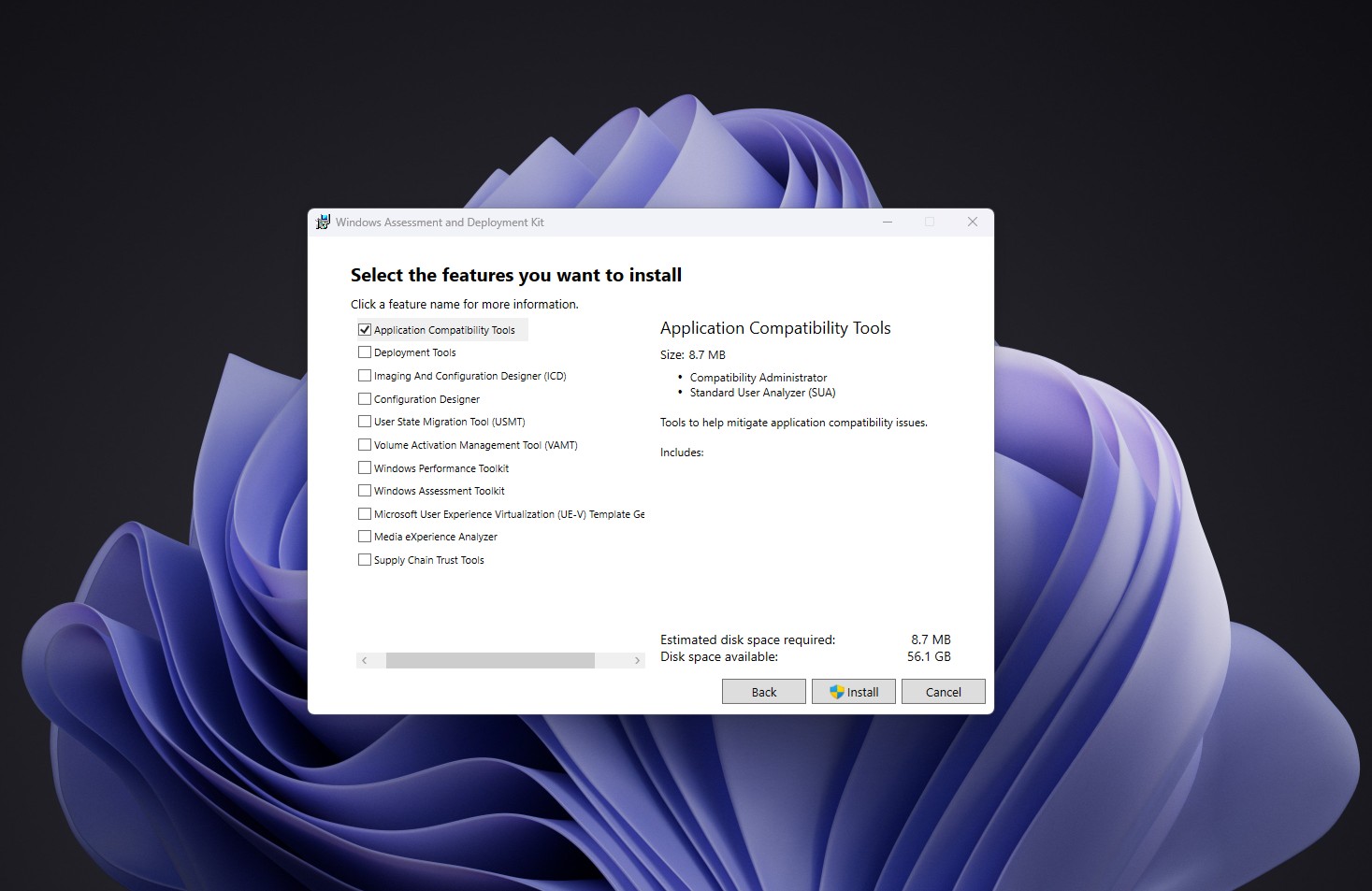
Windows Latest reported that the author found EmulateHeap on his Windows 11 26H2 computer. The specific steps are as follows:
First, download Windows ADK from Microsoft's official website and start the installation program. In the function selection interface, just select Application Compatibility Tools, which is the application compatibility tool, and then complete the installation.
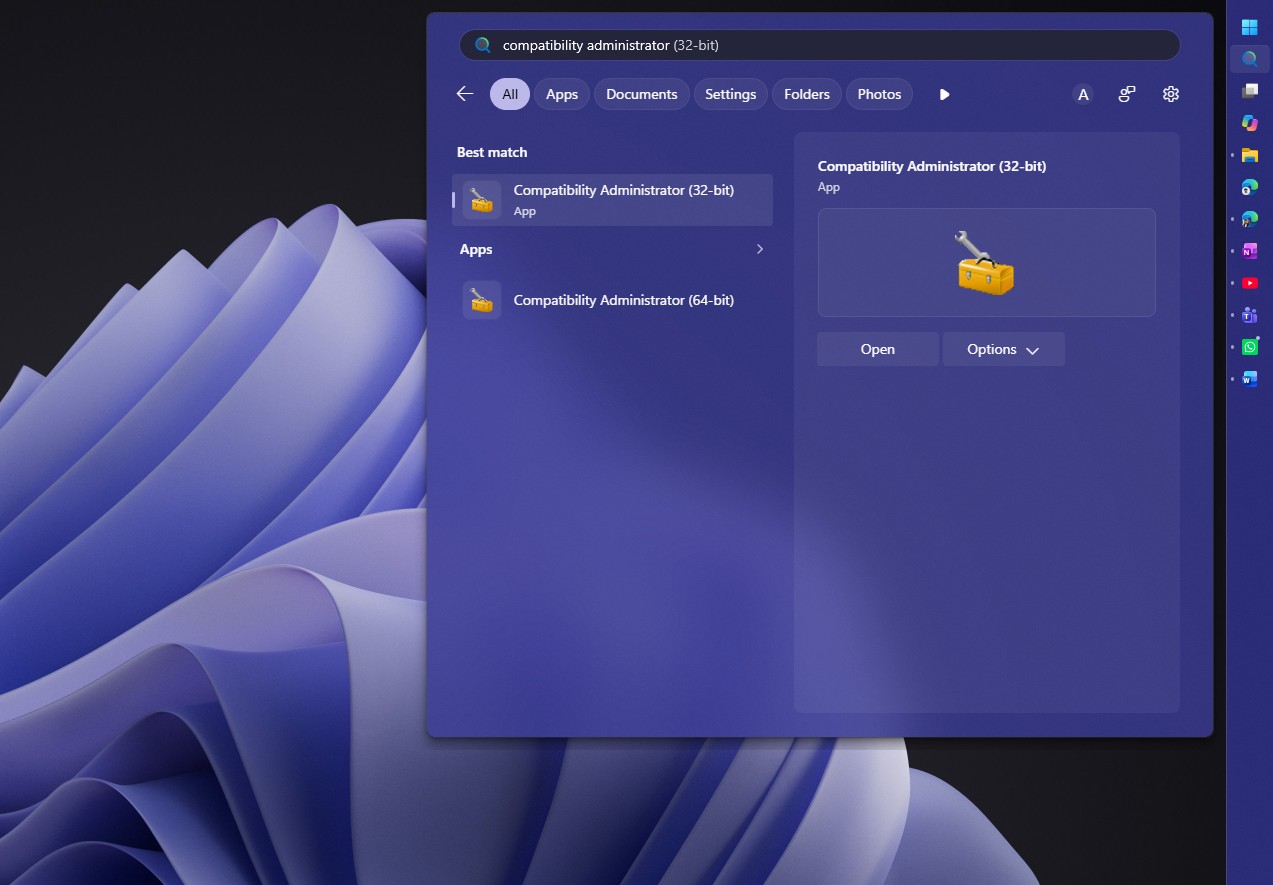
After the installation is complete, search for Compatibility Administrator in the Start menu and open the 32-bit version. Since a large number of old programs from the Windows 95 era use 32-bit architecture, the 32-bit version is a tool worth using first when checking such compatibility mechanisms.
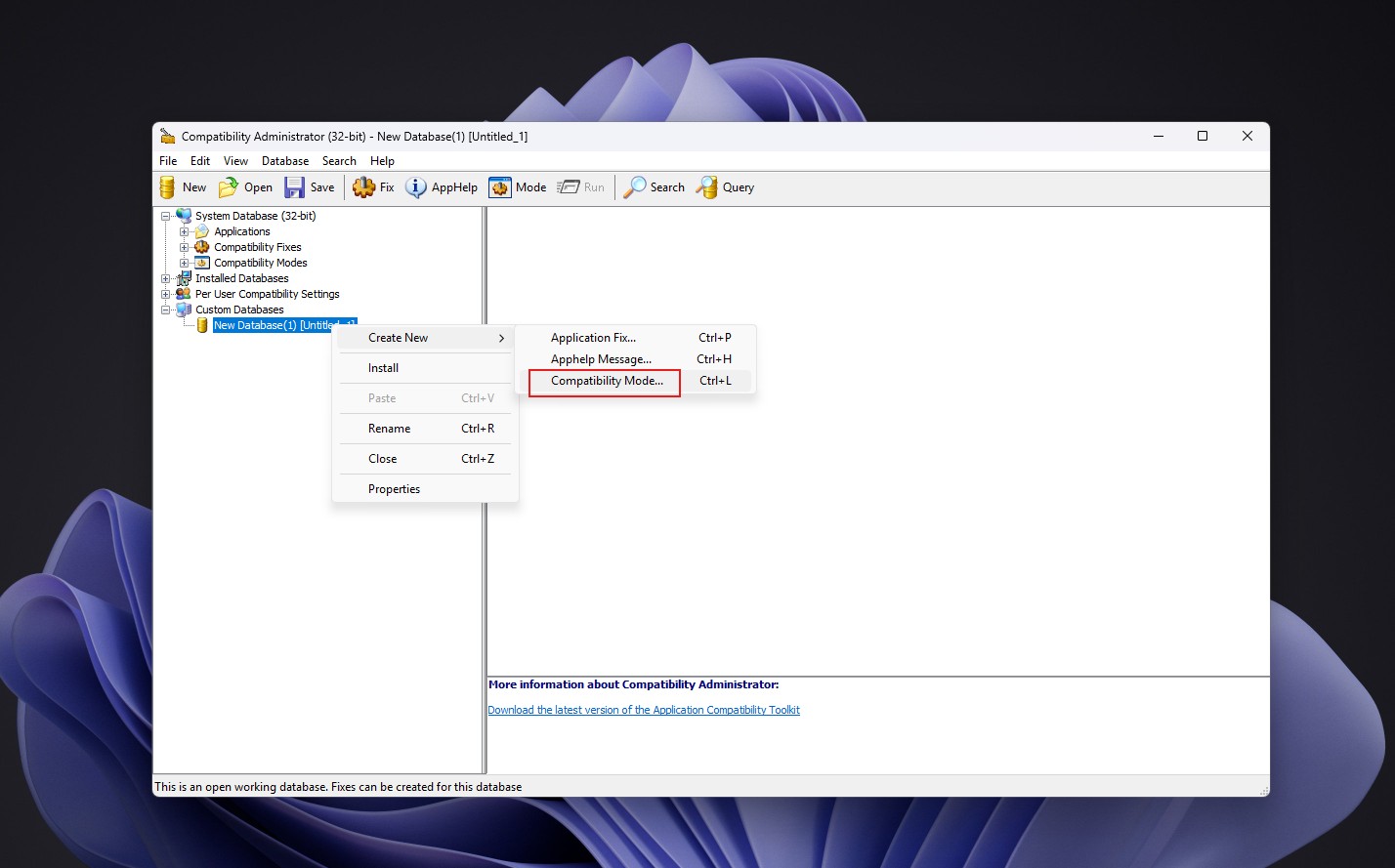
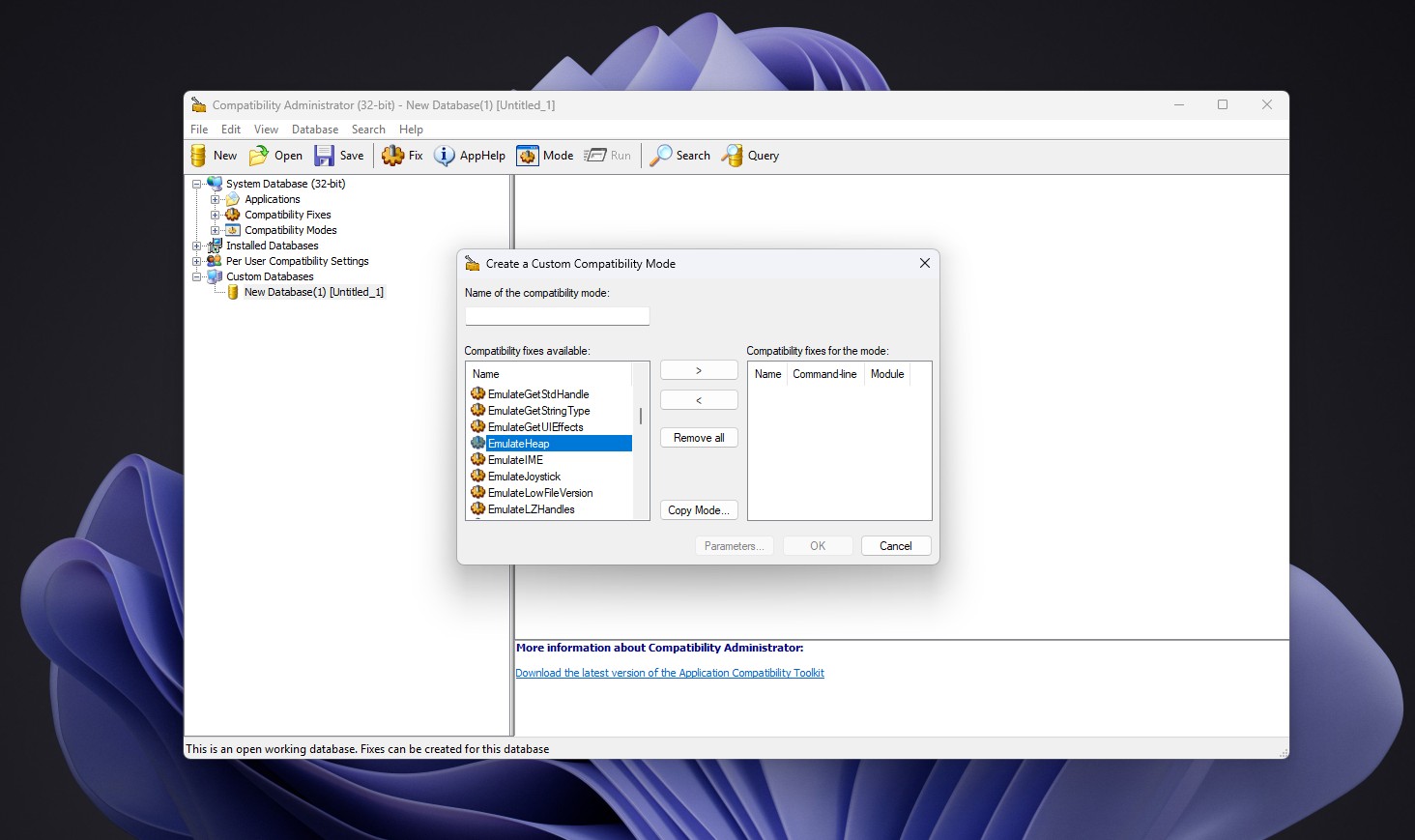
After opening the program, right-click New Database in the Custom Databases area, select Create New, and then enter Compatibility Mode. Then, look for EmulateHeap in the list of available compatibility fixes to see this feature.
It is important to note that finding a compatibility fix on the list does not mean it will make all older programs run correctly.
Microsoft has encountered similar problems before. After the Windows 11 22H2 update, some users reported that the game "Grand Theft Auto: Vice City" experienced sound loss issues and "Need for Speed: Most Wanted" crashed after enabling certain compatibility fixes.
This means that the compatibility fix itself may also cause conflicts with other system components or game code. Even if a certain mechanism can solve a type of historical problems, it does not mean that it is suitable for all programs.
Therefore, there is no need for ordinary users to enable EmulateHeap just to try to run an old game. If you do encounter an issue with older software not running, it's more prudent to look for specific compatibility recommendations for that program before deciding whether to apply the fix.
Why doesn't Windows just clean up this old code?
From Windows 95 to Windows 11, Microsoft has made a lot of changes to the operating system. Whether it's memory management, graphics systems, security mechanisms, or the driver and application running environment, modern Windows is vastly different from the systems of the 1990s.
But the operating system is not a product that can be torn down and rebuilt at any time, regardless of old software.
Over decades of development, millions of applications have relied on the interfaces and behaviors provided by Windows. Some of these programs are developed strictly in accordance with the official documentation, while others unknowingly rely on the behavior of certain versions of the system.
As long as these programs are still used, Microsoft needs to consider the possible impact of modifying the underlying mechanisms.
For ordinary software, compatibility issues after operating system upgrades may only cause certain inconveniences. But for enterprise software, professional tools, and legacy programs that still perform real business tasks, compatibility breaks can cause even greater damage.
As a result, Microsoft has long maintained a large application compatibility framework. Its function is not only to tell the old program which version of Windows it is running on, but also to intercept some system calls, adjust specific behaviors, or enable specialized compatibility fixes based on the specific program.
These measures are usually transparent to users. When an old program starts, the system will apply corresponding fixes in the background, and users may not be aware that the operating system has changed some behavior for the program.
EmulateHeap is an example of this system.
Its existence does not mean that Microsoft thinks Windows 95 has better memory management than modern systems, but it does mean that some older programs have relied on past behavior. To avoid breaking these programs, Microsoft chose to keep a set of legacy implementations in the compatibility framework rather than force all software to be rewritten according to the rules of modern systems.
This approach has both advantages and costs. It can extend the service life of old software and reduce obstacles for users to upgrade the system, but it will also increase the maintenance complexity of the operating system, causing some historical code to exist in modern systems for a long time.
Not all classic software receives equal treatment
Microsoft's willingness to retain special compatibility codes for some old programs does not mean that all classic software can continue to run in modern Windows.
A typical example is 3D Pinball, which was once built into Windows, which is a three-dimensional pinball game. One of the reasons the game was no longer available with a 64-bit version of Windows was that it had 64-bit compatibility issues that required additional work, and Microsoft didn't devote the resources to completely fixing them.
This is in contrast to the situation with EmulateHeap.
For some software that is widely used, has important commercial value, or can continue to run with relatively limited modifications, Microsoft may be willing to invest resources in maintaining compatibility. For other programs, Microsoft may choose to no longer provide support if the cost of repair is too high or user demand has significantly declined.
Thus, Windows compatibility is not a boundless commitment. It requires constant trade-offs between maintenance costs, user needs, security risks, and technical complexity.
It is worth noting that Microsoft has continued to modernize the Windows interface in recent years. For example, the company is gradually replacing some of the properties dialog boxes left over from the Windows 95 era with new interfaces based on WinUI 3.
But interface modernization and underlying compatibility maintenance can be carried out at the same time. The window seen by the user may have adopted new design technology, but some old code is still retained inside the system to ensure that historical applications will not lose compatibility due to updates to the interface or system architecture.
This is also one of the important differences between Windows and many relatively young software platforms: Windows not only needs to support modern applications, but also needs to accommodate as much as possible the huge software ecosystem that has been formed over decades.
The tradition of compatibility that continues from Windows 95 to Windows 11
The story of EmulateHeap may seem like just a technical anecdote about old games and memory managers, but it actually reflects a long-standing core strategy of Windows.
When "SimCity" had problems in the Windows 95 beta version, Microsoft chose to modify the operating system to tolerate the bug in the game. Since then, as more old programs have been exposed to dependence on historical system behavior, Microsoft has gradually established a more complete compatibility repair mechanism.
Today, Windows 11 still retains code that can simulate the memory management behavior of Windows 95, and users can find it through the management tools provided by Microsoft.
This does not mean that modern Windows still relies on the core architecture of Windows 95, nor does it mean that ordinary computers are running an old operating system in the background. What has really been carried over is some of the compatibility code and Microsoft's design ideas to avoid breaking old software as much as possible.
For a decades-old operating system, this approach is both a technical burden and a competitive advantage. When users upgrade to a new version of Windows, they often want to continue using the software they have purchased, the tools they are familiar with, and the workflows they have accumulated over the years. By retaining some old code, Microsoft has reduced the compatibility risks caused by upgrading the operating system.
From this perspective, the Windows 95 memory manager hidden in Windows 11 is not a simple historical relic, but a concrete manifestation of Microsoft's long-term commitment to software compatibility. Even as operating system interfaces continue to change and hardware platforms continue to upgrade, some decades-old code may continue to work simply because it allows an old game or program to continue to run on today's computers.
Comments