
Abstract:
For a long time, there has been a seemingly reasonable explanation for why 32-bit Windows can only use 4GB of memory: because 32-bit addresses can only represent 2^32 addresses, which is a maximum of 4GB of memory. But Microsoft senior engineer Raymond Chen recently re-explained this historical issue and pointed out that this statement is incomplete. In fact, 32-bit x86 processors and Windows have long had the ability to access more than 4GB of physical memory. The key reason why Microsoft finally chose to limit the ordinary consumer version of Windows to 4GB was the serious compatibility risk in the huge and complex hardware driver ecosystem at that time.

From a pure hardware capability perspective, 32-bit processors do not only have access to 4GB of physical memory. Intel introduced Physical Address Extension, also known as PAE (Physical Address Extension) technology, as early as the Pentium Pro era, enabling 32-bit x86 processors to use 36-bit physical addresses. In this way, the theoretical addressable physical memory is expanded from 4GB to 64GB.
PAE does not change the virtual address space of the 32-bit application itself. For an ordinary 32-bit program, it still only sees a 4GB virtual address space, and the operating system needs to be responsible for managing and mapping between this limited virtual address space and the larger physical memory. In other words, PAE solves the problem of how the operating system manages more than 4GB of physical memory, rather than allowing a single 32-bit program to suddenly obtain more than 4GB of contiguous address space.
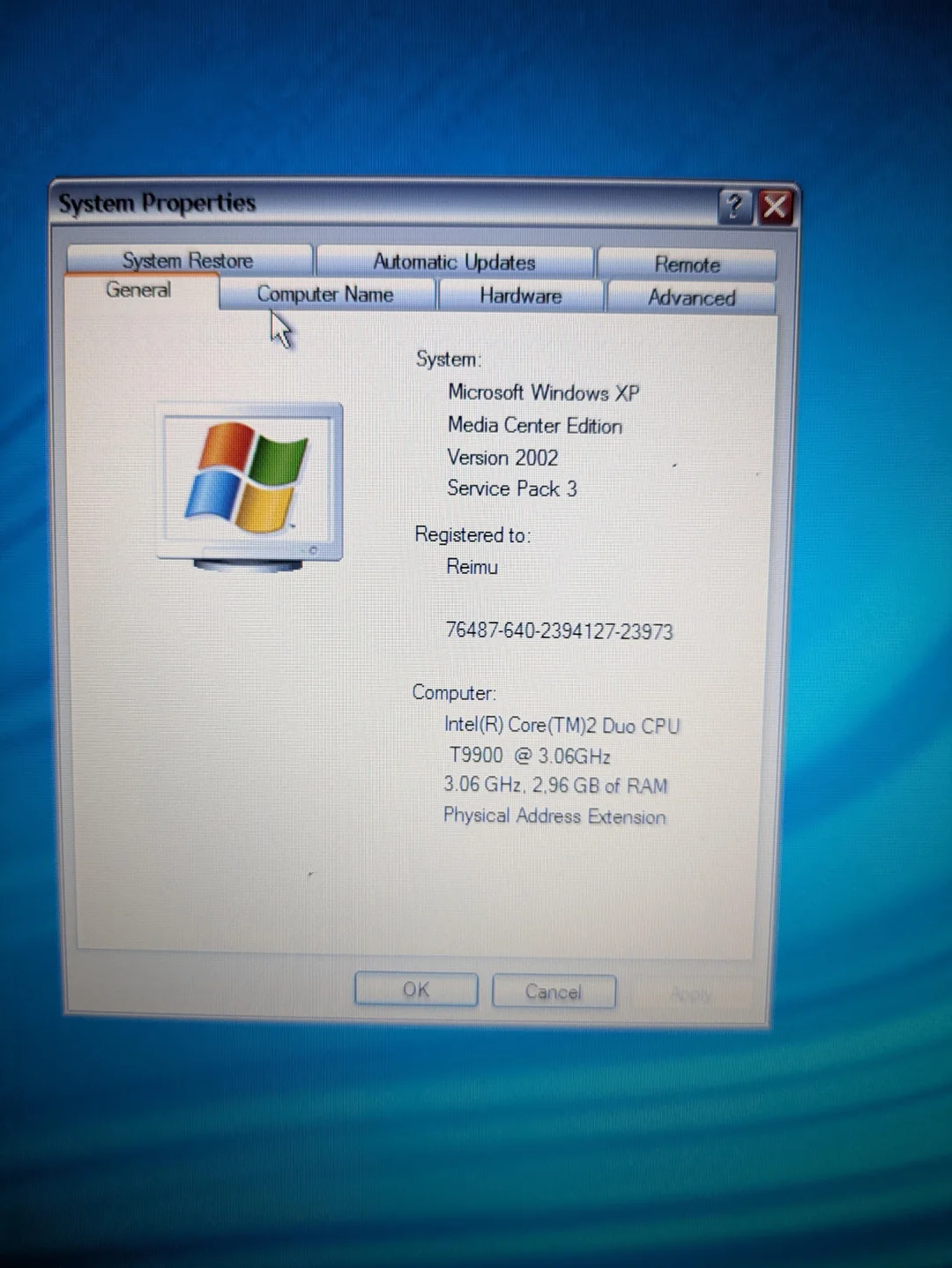
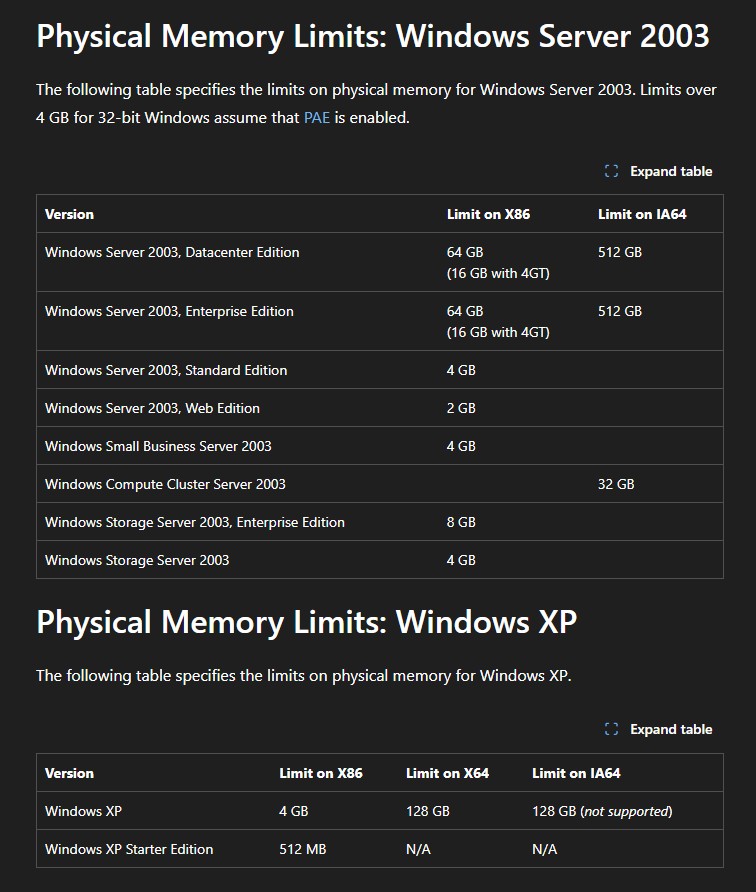
Microsoft has actually taken advantage of this capability for a long time. Some server versions of Windows Server 2003 can use far more than 4GB of memory through PAE, with the Enterprise Edition supporting up to 64GB, and the Datacenter Edition even supporting up to 128GB. This proves that "32-bit Windows can technically only use 4GB" is not accurate.
The real problem lies with the driver.
When PAE is enabled, the system may provide physical addresses beyond the 32-bit range to the hardware driver. For those drivers written according to the traditional 32-bit environment, this will bring about a very dangerous problem: some drivers default to the belief that the physical address will never exceed 32 bits, so they will directly truncate the high bits of the address.
For example, Windows might tell the driver that a certain piece of data should be written to a physical memory location beyond the 4GB address range, but if the driver mistakenly discards the high bits, it might end up writing the data to a completely different area of memory. This may not only cause the program to run abnormally, but may also overwrite other data, eventually causing memory damage, system crash, or even failure to start.
Microsoft's previous technical documentation also pointed out that after enabling PAE, the driver usually needs to make some seemingly small but very critical modifications. The problem was that driver developers had to ensure that their code did not assume that physical addresses were in the same range as 32-bit virtual addresses, which was the case for a large number of hardware drivers at the time.
This is especially dangerous on regular consumer computers. The hardware environment of the server is usually very fixed. System administrators will choose proven server hardware and try to use the standard drivers that come with Windows. Ordinary PCs are completely different. Users may install a variety of printers, scanners, sound cards, TV cards, cameras, network cards and other expansion devices. Behind each device may be drivers written by different manufacturers and different generations.
Microsoft was unable to guarantee that all of these large numbers of third-party drivers could correctly handle physical addresses exceeding 4GB.
What’s even more troublesome is that some problems are not exposed in a normal memory environment of less than 4GB. A driver might work fine for years, until one day the system hands it over 4GB of physical addresses, and bugs hidden in the code suddenly appear. If the driver truncates this address, the result may be that data is written to the wrong memory location, causing random crashes and data corruption that are extremely difficult to troubleshoot.
Therefore, Microsoft finally chose a solution that seemed very conservative but was safer for ordinary consumers: actively limiting the physical address space in the 32-bit Windows client version and preventing the system from using more than 4GB of physical memory.
Windows XP and Windows Server 2003 SP1 are important nodes of this policy. Microsoft has modified the hardware abstraction layer of both to limit the physical address space to 4GB in the corresponding client version. The purpose is not because the processor cannot access higher addresses, but to prevent PAE from exposing incompatible third-party drivers.
This also explains why Windows Server can use more than 4GB of memory, but Windows for ordinary users cannot.
Server administrators usually do not plug an old USB scanner purchased for more than ten dollars into a production server, let alone install a third-party driver from more than ten years ago in order to use an ordinary consumer electronics device. Server environments are typically highly screened, the hardware and drivers used are more fixed, and Microsoft is able to fully test the drivers provided with the system.
Raymond Chen explained this difference in a very straightforward way: server administrators will not just install a driver for a cheap device like ordinary consumers, and the drivers used on servers have usually been verified for high physical address environments.
Ordinary users are exactly the opposite. Consumer computers may have drivers installed for dozens of different devices, some of which are from hardware that is more than a decade old. For Microsoft, the risk of making all these drivers PAE-compatible is far greater than the penalty of limiting memory.
In fact, even if 4GB of memory is installed in 32-bit Windows, users may not actually be able to see the full 4GB. The reason is that the physical address space below 4GB must not only be used for system memory, but also must map the device memory of graphics cards, network cards, sound cards, and other hardware. If the hardware occupies part of the address space, then part of the RAM must be allocated above the 4GB address boundary.
As a result, on many 32-bit Windows computers with 4GB of RAM installed, the system may end up using only about 3GB or less of RAM. This is also one of the fundamental reasons why a large number of Windows XP computers had the phenomenon of "4GB installed but the system can only use about 3GB".
Microsoft also specifically denied a long-standing conspiracy theory that Microsoft deliberately limited memory in 32-bit Windows in order to force consumers to buy expensive Windows Server. Although Windows Server can indeed use more memory, Microsoft believes that the markets and hardware environments for the two are completely different, and the 4GB limit on the client version is mainly to avoid driver compatibility issues.
Moreover, if Microsoft really wanted ordinary users to buy Windows Server to solve memory limitations, the price of this solution was obviously ridiculous. The lowest version of Windows Server 2003 that could support more than 4GB of memory was the Enterprise Edition, priced as high as $3,999, which had no practical significance for ordinary consumers.
With the gradual popularization of 64-bit processors and 64-bit operating systems, this issue eventually lost its practical significance. 64-bit Windows has much more than 4GB of address space, allowing it to use large amounts of physical memory while maintaining compatibility. As computers gradually enter the era of multi-GB or even tens of GB or hundreds of GB of memory, the 32-bit architecture eventually withdraws from the mainstream market.
Microsoft will gradually stop promoting new systems using 32-bit processors starting in 2020, and will eventually completely cancel the 32-bit version in the Windows 11 era. Microsoft's current official support document also clearly states that Windows 11 and higher only provide 64-bit versions.
This history also reflects an interesting problem: the more abundant hardware resources, the easier it is for software to become "obese". If PCs were always limited by 4GB of memory, software developers might have to pay more attention to memory usage; and as computer memory rapidly increases from 4GB to 8GB, 16GB and even 64GB, many applications gradually become accustomed to consuming more resources.
Nowadays, it is not uncommon for some applications to easily occupy hundreds of MB or even GB of memory. Microsoft is now working hard to keep Windows 11 running well on computers with 8GB of memory, and the huge demand for memory resources by artificial intelligence applications has once again made the entire industry aware of the importance of memory efficiency.
Therefore, although the 4GB limit of 32-bit Windows has finally become history, the reason behind it is not as simple as "32-bit processors can only handle 4GB of memory." The real answer is that Microsoft was faced with a huge ecosystem consisting of thousands of third-party hardware drivers of varying quality. It is technically possible to exceed 4GB, but if the breakthrough causes a large number of consumer computers to randomly crash, then this ability may become a burden for the client operating system.
From this perspective, the 4GB limit of Windows is not simply a technical bottleneck, but an engineering choice proactively made for stability and compatibility. 32-bit Windows actually had a way to break through 4GB for a long time. However, faced with the uncontrollable driver ecosystem at the time, Microsoft finally chose to sacrifice some hardware capabilities in order for ordinary users to use computers more stably.
Comments