
Abstract:
Previously, a developer discovered a very outrageous problem with the Windows 11 OOBE interface. For a long time, Microsoft has required users to log in to a Microsoft online account when installing the system. However, developer BobPony found that just clicking the Read More button in the text description at the bottom of the login account will automatically jump to the create local account interface.
Obviously this is some kind of mistake by Microsoft. Microsoft engineers estimated that they did not click on the link to test it themselves. However, the OOBE interface itself is controlled by the Internet, so it is very simple for Microsoft to fix it. It only needs to adjust the server back-end settings.
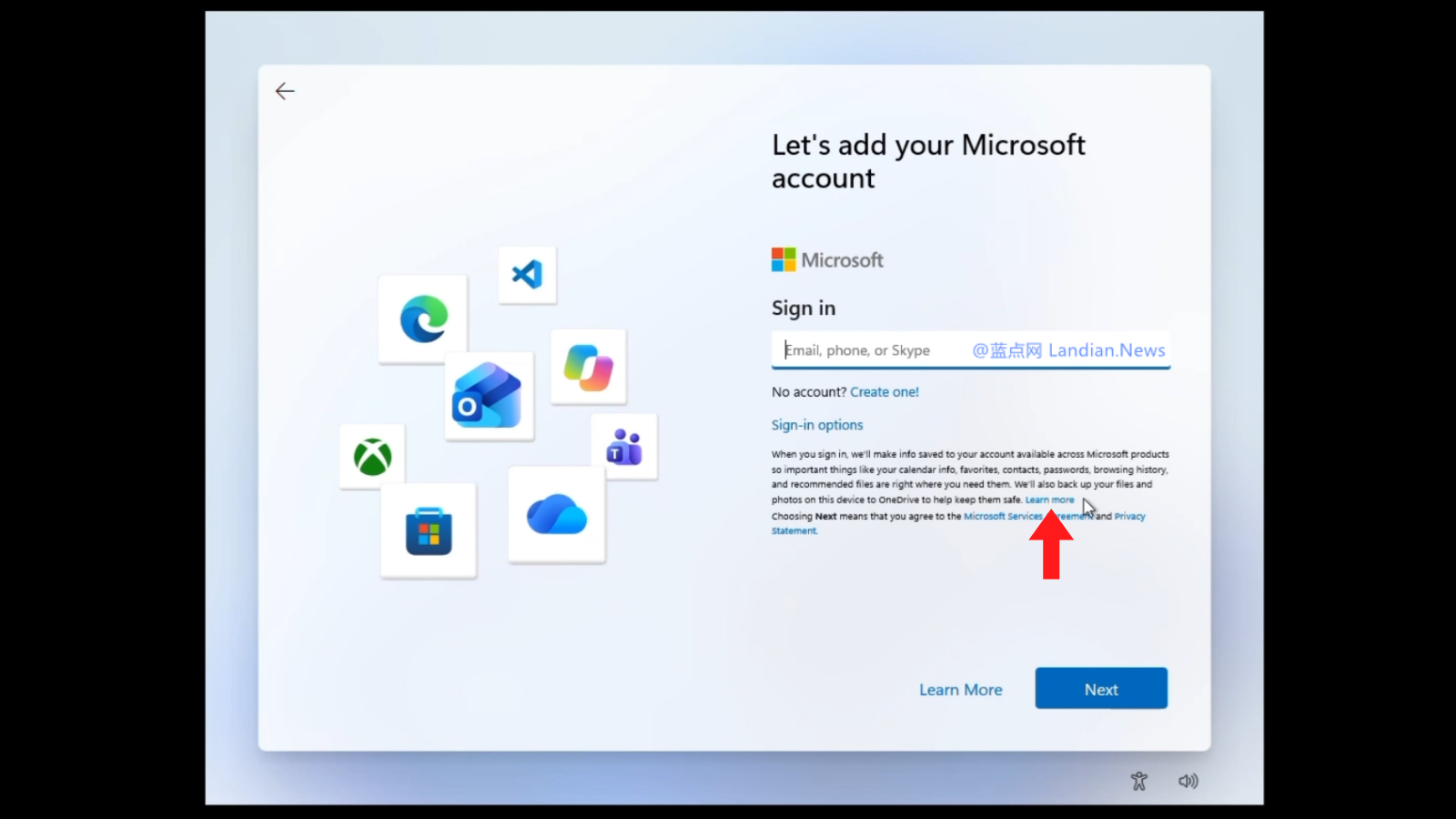
Now this vulnerability has been fixed by Microsoft:
After testing, Microsoft has fixed this vulnerability by adjusting the server backend settings. Now click the Read More button to jump out of Microsoft's instructions normally, and will no longer jump to the local account creation interface. Microsoft has never issued a statement on this matter. Of course, it has not issued any announcement now that the problem has been fixed. No one knows when Microsoft adjusted the server settings.
For users who still want to create a local account, you only need to use Rufus when installing from a USB flash drive. This tool can choose to skip the requirement to log in to an online account when creating a USB flash drive image. When using this preprocessed image to install, the default is to create a local account.
Comments