
Abstract:
Well-known enthusiast BobPony recently discovered that there is a new method to bypass account login in Windows 11 Home Edition. This method is very simple and effective. When subsequent users install the system and encounter a forced login to a Microsoft account on the OOBE interface, they can use this method to quickly create a local account.
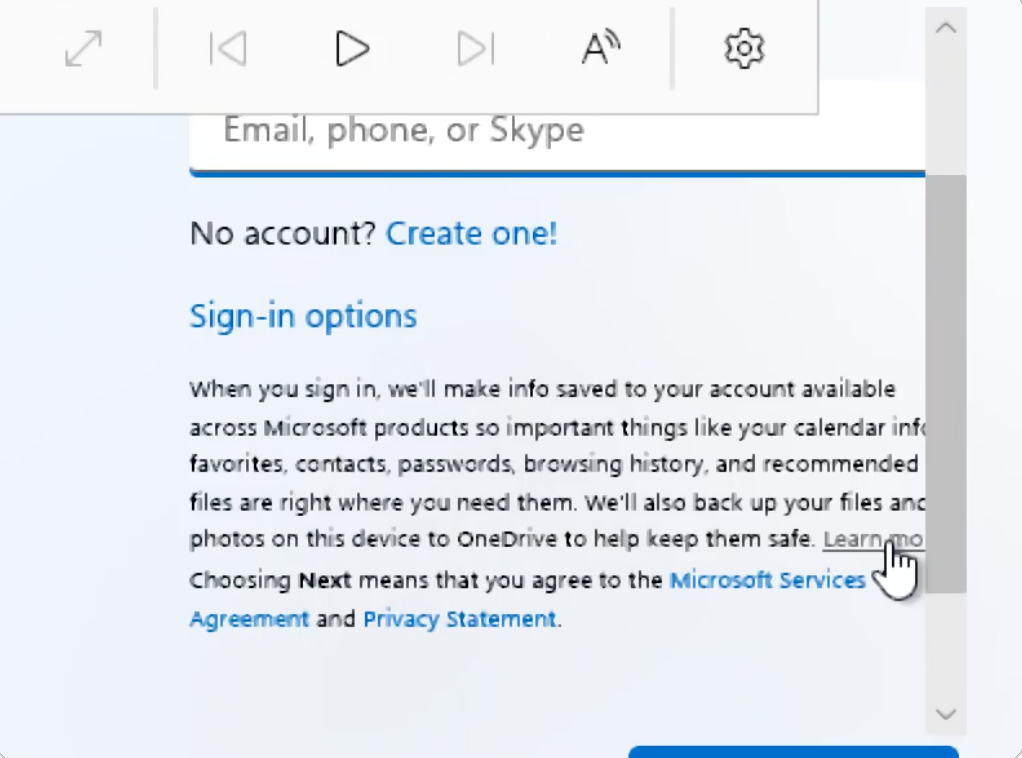
At this stage, you must log in to your account for routine procedures:
Currently, Windows 11 Home Edition requires registering and logging in to a Microsoft account. The methods originally used to skip account login include OOBEBYPASSNRO, modifying the registry, or using start ms-cxh:localhost, etc., have been successively deleted by Microsoft, resulting in users being unable to create local accounts normally.
And through fake accounts such as
[email protected]
Trying to bypass the login is also invalid. Of course, these are the bypass methods that Microsoft has gradually deleted in version updates, so it is relatively troublesome for users to bypass the account login.The new bypass method is very simple:
On the login interface, where you enter your account number, there is a long text introduction set by Microsoft, and there is a learn more hyperlink (Learn More). Users only need to click the link to load the details and automatically jump to the page to create a local account.
It seems that this should be some kind of error. Under normal circumstances, OOBE itself is connected to the Internet to obtain content. The learn more hyperlink should provide a return button after displaying more content, but the actual situation is that it will jump directly to the create local account page, so this should be some kind of error.
The bad news is that if Microsoft intends to block this method, it is very simple. It only needs to continue to adjust the OOBE back-end server to quickly block the link jump error, so that users can only log in to their Microsoft account again but cannot create a local account.
Comments