
Abstract:
Microsoft recently announced a series of major upgrades to Copilot Notebooks to further enhance its capabilities in content creation, task execution, and automated office work. As new features are launched one after another, this product is evolving from a simple information research tool to an AI workspace that can assist users in completing practical work, competing more directly with Google's NotebookLM.
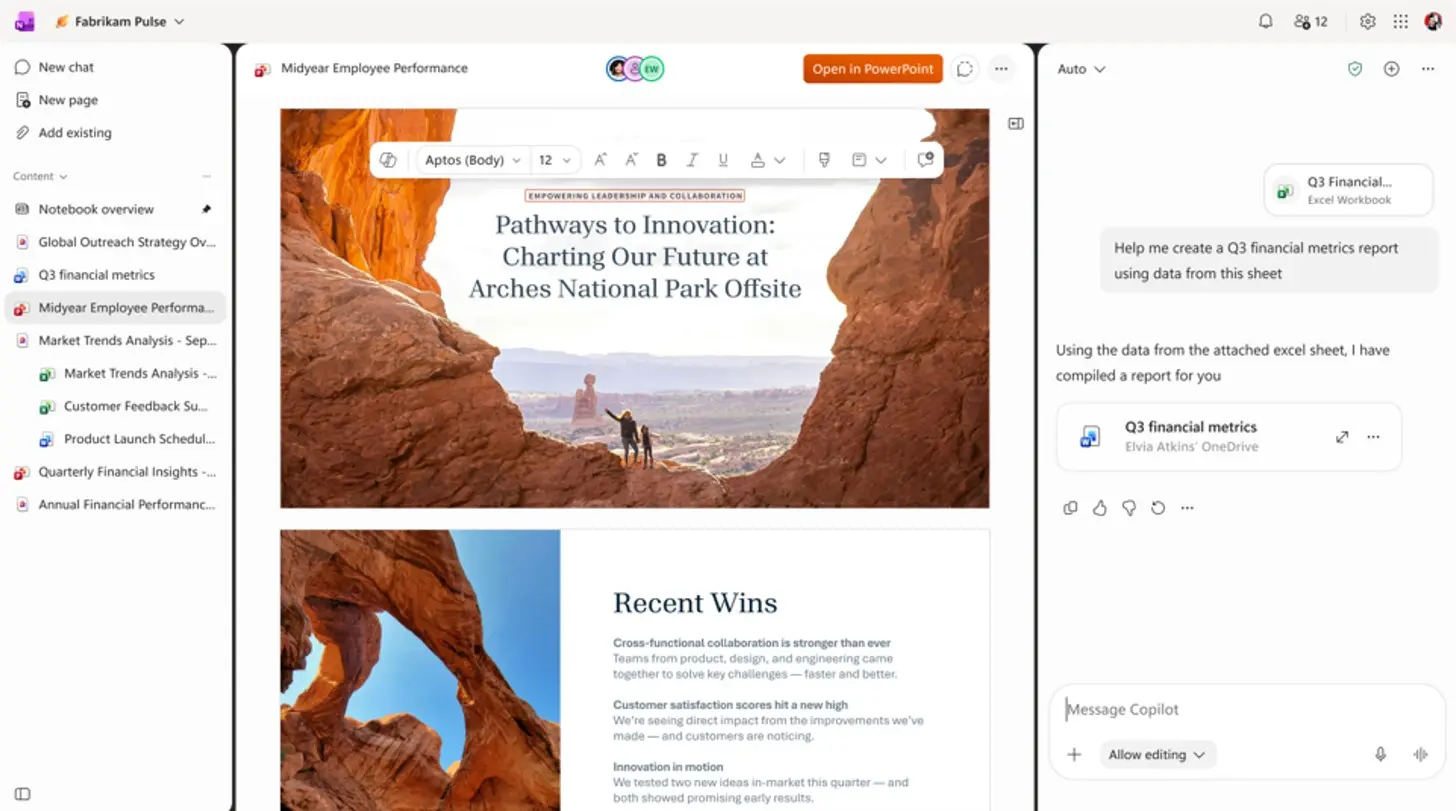
In recent years, Google NotebookLM has gained widespread attention for its document analysis, research assistance, and AI summary generation capabilities. Microsoft has launched Copilot Notebooks with similar positioning, which allows users to integrate documents, emails, meeting notes and other content into a unified workspace. Copilot can answer questions based on these materials, generate audio overviews, create study guides, and create Word documents and PowerPoint presentations.
In fact, Microsoft has previously added features such as mind mapping, flashcards, quizzes, and podcast-style audio summaries to Copilot Notebooks to compete with the core experience of NotebookLM. But Microsoft's current goal is obviously not just to help users understand information, but to build Notebooks into a comprehensive platform that can create, edit and automate work.
According to the latest information disclosed by Microsoft, Copilot Notebooks will add a number of new capabilities, including delegating tasks to Copilot, editing Office files directly in Notebooks, and generating interactive reports.
In the new version, users are no longer limited to asking Copilot for the contents of their notebooks, but can directly ask Copilot to perform specific tasks on their behalf. At the same time, Microsoft has also introduced periodic automation features, allowing users to set up recurring workflows such as daily briefings and weekly status updates. For example, project managers can use notebooks containing project documents and meeting minutes to automatically generate periodic project progress reports without having to manually organize the information each time.
The file editing experience has also been significantly improved. Previously, although Copilot Notebooks could generate Word documents and PowerPoint presentations based on existing data, if the content needed to be modified, users still had to jump to the corresponding Office application. After the upgrade, users will be able to open and edit Word, Excel, and PowerPoint files directly within Copilot Notebooks while using the native editing capabilities of these Office applications.
Microsoft also introduced interactive reporting capabilities to the product this time. Unlike traditional static text reports, the new version of Copilot can generate dynamic reports that include data visualization, filters, and interactive elements, allowing users to explore and analyze underlying information in a more intuitive way.
In terms of audio content, Microsoft has further enhanced the control capabilities of the audio overview function. The new version will support more Microsoft 365 data sources, including Teams conversations and Outlook messages. At the same time, two audio formats, "Critique (Critical Analysis)" and "Debate (Debate)", have been added, allowing users to understand the contents of the notebook from different viewpoints and angles.
Like Microsoft's other Copilot products, users will also be able to freely choose different AI models when using Copilot Notebooks, including models provided by OpenAI and Anthropic, to meet the needs of different scenarios.
Additionally, Copilot Notebooks can now further increase productivity by proactively recommending what content users can create based on existing data, such as documents, presentations, and other types of output.
Microsoft said the new features will be available to users in phases through its Frontier preview program. As these capabilities are gradually implemented, Copilot Notebooks is developing from an information organization and research tool to a comprehensive AI work platform integrating analysis, creation, collaboration and automation.
Comments