
Abstract:
Mozilla recently officially released the Firefox 157 browser update, which brings many new features to users. The most eye-catching change is the new interface revision code-named “Nova”. This is also one of Firefox’s largest visual updates in recent years. It redesigns many core interface elements such as tabs, menus, toolbars, and settings pages, and introduces a gradient-style tab design to make the overall appearance of the browser more modern.
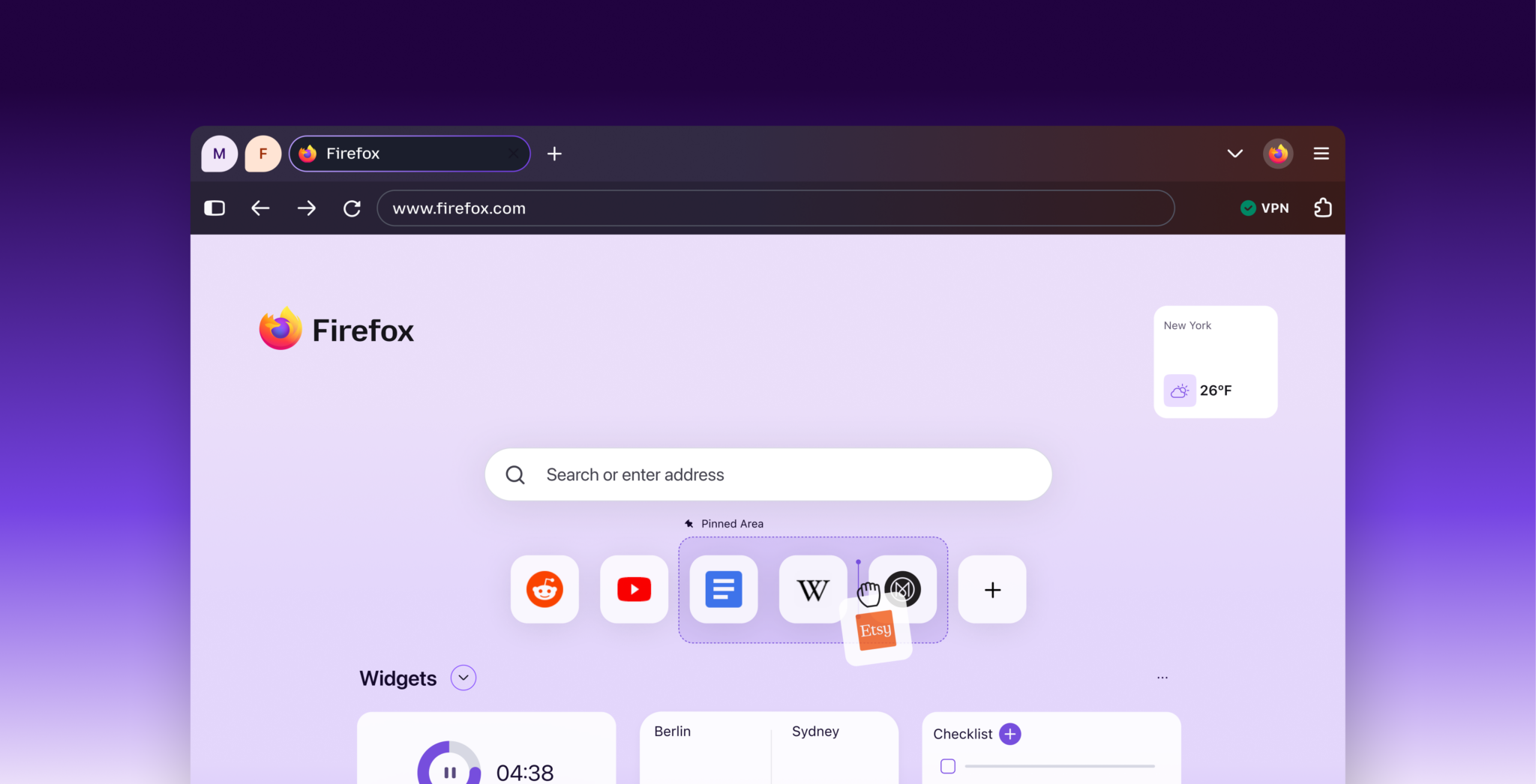
However, although the new design improves visual performance and modernity, there are still many long-term users who prefer the previous more classic interface style. The good news is that Mozilla has not completely removed the old design yet. In Firefox 157, the development team has retained a hidden configuration that allows users to close the Nova interface and revert to the pre-revision style.
Users who want to restore the old interface can follow the steps below:
First open the Firefox browser, enter "about:config" in the address bar and press Enter.
If the browser pops up a security warning page, select "Accept the risk and continue."
Then search for the configuration item "browser.nova.enabled" and change its current "true" value to "false".
Users can directly double-click the item or use the switch button on the right to complete the modification.
If the interface does not restore immediately, you will need to restart the browser.
After completing the above settings, Firefox will fall back to the user interface used before Nova was revised. According to reports, after actual testing, this configuration can work normally in the current version and successfully restore the appearance of the old version.
If users find that they prefer the new Nova interface after experiencing it, they can return to the about:config page at any time and change "browser.nova.enabled" back to "true" to enable the new design again.
However, this recovery method also has certain limitations. Since "browser.nova.enabled" is a hidden advanced configuration rather than an officially provided general setting option, Mozilla has not promised to retain this feature for a long time. As Nova gradually becomes the only interface solution supported by Firefox, this switch may be completely removed in a future version.
In addition, Mozilla also reminds users that modifying advanced configuration items may cause abnormal browser behavior and even affect normal operation. Although no obvious problems were found during the test, different users have different usage environments and extended configurations, so modifying relevant settings is still at your own risk.
Overall, although Firefox 157 fully introduces the new Nova interface, it still leaves a relatively simple fallback path for users who don’t like the new design. For users who are accustomed to the layout and operation logic of the old version, it only takes about a minute to restore a familiar interface experience. However, it is still unknown whether this option will continue to be retained in future versions.
Comments