
Abstract:
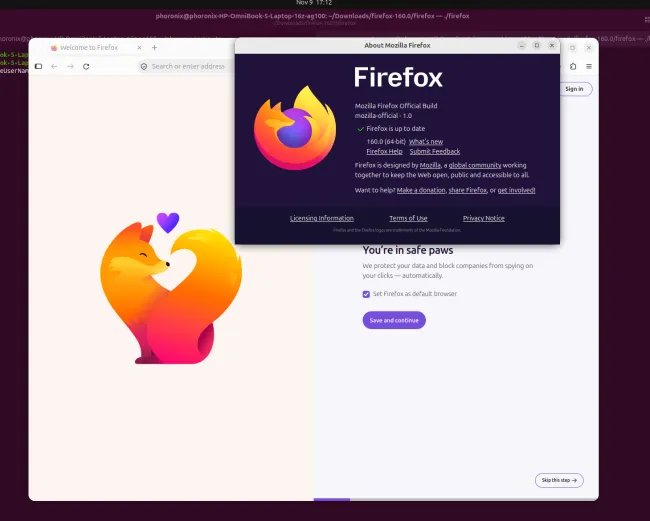
The official version of Mozilla Firefox 160.0 is released. This is the latest stable version of the browser being rolled out on a bi-weekly update cadence. This update brings a number of practical features, the most noteworthy of which is the new real-time speech recognition capability on the device and the expansion of the audio format support range of the Matroska (MKV) video container.
Firefox 160 can now play MKV video files containing FLAC, MP3 and PCM audio. Previously, Firefox's support for different audio encodings within MKV containers was incomplete. Mozilla discussed whether to add MP3 audio support in MKV a year ago, but at that time it was not included in the development plan due to low usage of related features. However, in the end, the development team decided to add support for MP3, FLAC and PCM audio formats at the same time.
This improvement is especially useful for users who frequently play local video files. MKV is a container format widely used for high-definition videos, movies, and multi-track content, capable of encapsulating different video and audio encodings. This update means that Firefox has better compatibility when handling such media files, and users no longer have to encounter the problem of not being able to play properly because a specific audio format is used inside the container.
Another important change is that Firefox has officially added the speech recognition function in the Web Speech API to support real-time speech-to-text processing locally on the device. This feature currently covers 40 different languages and allows web pages to invoke speech recognition capabilities through the browser to convert the content spoken by the user into text.
Compared with solutions that rely entirely on cloud servers for voice processing, device-side recognition can reduce the need to transmit voice data to remote servers, improve response speed to a certain extent, and provide more room for privacy protection. However, the specific user experience still depends on device performance, language support, and the implementation of relevant interfaces on the web page itself.
Firefox 160 also improves the Picture-in-Picture player and adds a voice playback speed control option that supports adjustment from 0.25x to 2.0x speed. This means that when watching videos, users can slow down or speed up the playback speed as needed, which is especially suitable for watching lectures, interviews and other video content that contains a lot of voice information.
In addition, Mozilla has also made detailed adjustments to the browser address bar, enhancing the visual contrast between the domain name in the URL and the rest of the address, making it easier for users to identify the real domain name of the website they are currently visiting. Although this change is not a major functional upgrade, it will help users identify web addresses and reduce the risk of visiting the wrong website due to domain name confusion.
The official version of Firefox 160 is now available for download:
https://ftp.mozilla.org/pub/firefox/releases/160.0/
This update does not carry out a large-scale interface transformation, but focuses on improving media compatibility, speech recognition and video playback experience. For users who frequently use the browser to play local media, perform voice input, or watch long videos, these changes have relatively direct practical value.
Comments