
Abstract:
The open source RGB lighting effect control software OpenRGB has officially released version 1.0 recently. This is the first time that the project has entered a new main version stage since the launch of version 0.9 in 2023. The entire 1.0 version has undergone nearly three years of development, and at the same time, a large-scale underlying reconstruction was carried out before the final official version was released. The new version not only adds a lot of hardware support, but also redesigns the configuration file system, introduces a background service mode, and fully migrates from Qt 5 to Qt 6.
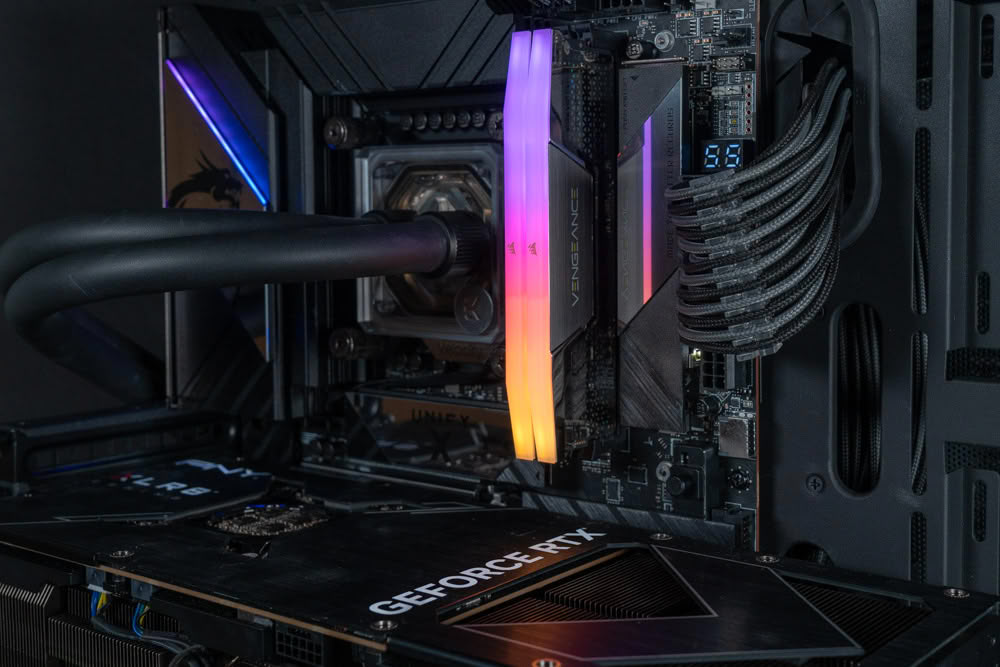
The main goal of OpenRGB is to replace multiple sets of RGB control software from different hardware manufacturers in computers with an open source, cross-platform application. For a computer that has different brands of motherboards, memory, graphics cards, keyboards, mice, fans and other RGB devices, the traditional method often requires the installation of their own control software from ASUS, MSI, Gigabyte, Corsair, Razer and other manufacturers. Not only do these programs not synchronize well with each other, they may also stay in the background for a long time and occupy system resources.
OpenRGB attempts to directly control these devices through a unified hardware abstraction layer, so that users do not need to install independent software for each brand. The project is completely open source and released under the GNU GPL v2 license. Developers can view and modify the source code, and can also add support for new RGB devices through the OpenRGB hardware support framework.
This version 1.0 first brings large-scale hardware compatibility expansion. In the development cycle of the past nearly three years, a large number of new motherboards, memory, graphics cards, monitors, laptops, keyboards, mice and other RGB devices have been added to the project, and are finally available in the official version 1.0.
For PC users with an increasing number of RGB hardware, this means that the actual coverage of OpenRGB is further expanded. Users can manage RGB devices from different manufacturers in the same interface, and achieve unified control of lighting effect systems that were originally independent of each other.
OpenRGB 1.0 also completely redesigned the configuration file system. The new version of the configuration file uses a JSON structure, which no longer only saves the simple RGB controller state, but can record more information related to the plug-in and the entire application state.
The new configuration file system allows plug-ins to participate in saving and loading configurations, and users can more granularly decide what information needs to be saved. Configuration files can also be associated with events such as OpenRGB startup, shutdown, system hang and recovery, thereby achieving more complex automated lighting effect switching.
For example, users can set the computer to automatically load a certain lighting effect configuration when it starts, switch to another state after entering sleep mode, and automatically restore the original lighting effects after the system resumes operation. This further transforms OpenRGB from a simple lighting effect adjustment tool into an RGB management platform that can automatically run based on system status.
Background operation capability is also an important upgrade in version 1.0. The new version can run more cleanly as a background service without having to keep the full OpenRGB graphical interface open all the time. This can not only reduce program interference on the desktop, but also allow the RGB controller to continue to maintain the lighting effects set by the user.
Linux users in particular will benefit from this change. OpenRGB 1.0 provides systemd service support. Users can start OpenRGB as a system service and use the configuration provided by the project to initialize the relevant operating environment. In this way, there is no need to manually turn on OpenRGB after the system is started, and the RGB device can work according to the preset configuration.
The new version also adds HID hot swap support. In the past, OpenRGB usually assumed that connected RGB devices would not change after startup, but version 1.0 can detect supported HID device connection and removal events. When users plug in or unplug compatible RGB devices while the system is running, OpenRGB can identify device status changes in a more timely manner.
The internal SDK of OpenRGB has also been upgraded, and the new version adopts SDK protocol 6. Controllers now use independent 32-bit IDs for identification, rather than simply relying on the device's position in the list. The new version of the protocol also adds server names and other communication improvements, which will help third-party software interact with OpenRGB more stably.
OpenRGB's SDK itself adopts a network design, so other software can control RGB lighting through it. This means that games, music players, or other applications can use OpenRGB to achieve lighting linkage. For example, the game can change the color of the light according to the game state, the RGB device can be turned into an audio visualization effect when music is playing, and the monitor screen can even be used to generate ambient light.
The officially provided effect plug-in includes complete audio visualization functions, which can make RGB devices such as keyboards change with the rhythm of music. In addition, the Ambient Light ambient light effect can analyze the screen image and cause the RGB light to produce corresponding color changes according to the current display content, thereby achieving an effect similar to the TV backlight ambient light.
The plug-in system has also been upgraded. OpenRGB 1.0 uses Plugin API 5, and plug-ins can further participate in the new configuration file system and synchronize their own status when saving and restoring configurations. In this way, plug-ins no longer simply add functionality to the main program, but can be more deeply integrated into the overall OpenRGB workflow.
The underlying graphical interface framework has also undergone important changes. OpenRGB 1.0 is fully migrated from Qt 5 to Qt 6, with the Windows installer, Linux AppImage, Debian and Fedora packages, and macOS versions all using the new Qt 6 base.
This migration may not be immediately obvious as an obvious new feature to ordinary users, but it is very important to developers. Qt 6 provides a more modern development environment and allows OpenRGB to continue to use newer system and graphical interface technologies in the future, laying the foundation for the development of subsequent versions.
The Windows version also adds PawnIO support to implement the underlying hardware access required by some devices. For some RGB memory, older motherboards, and other devices that require low-level hardware access, OpenRGB requires this component to communicate with the hardware.
On Windows systems, if users need to allow OpenRGB to access memory, older motherboards, and some special devices, they need to install PawnIO and run OpenRGB with administrator privileges, or install it in background service mode to obtain the corresponding hardware access capabilities.
The Linux version has also undergone underlying adjustments. Users using Debian or Fedora packages need to install the corresponding hidapi-hotplug component, as OpenRGB 1.0 has switched to using this modified HID API implementation to support the new hotplug functionality.
In addition, Flatpak officially became one of the officially supported Linux distribution methods in OpenRGB 1.0. The project also provides Linux versions for x86-64, ARM64, x86 32-bit and ARM 32-bit platforms, which means that in addition to traditional PCs, some ARM devices can also run OpenRGB.
For macOS, OpenRGB 1.0 provides both Intel Mac and Apple Silicon Mac versions. Windows provides a standard installer and a portable version, while Linux users can choose from different installation methods such as AppImage, Flatpak, Debian or Fedora.
OpenRGB 1.0 also continues to maintain its lightweight positioning. Compared with the RGB software provided by many hardware manufacturers, OpenRGB's interface is simpler, does not require a lot of background services, and does not consume a lot of system resources to display various complex animations and manufacturer brand elements. For players who have installed multiple RGB control software, using OpenRGB has the opportunity to significantly reduce the number of resident programs in the background.
From the perspective of the development cycle, version 1.0 is actually a quite thorough technical reconstruction. The project spent nearly three years after version 0.9 to continuously add hardware support, and completed a large number of core code rewrites before the final version was released. In addition to the functions that users can directly see, background services, configuration files, SDKs, plug-in systems, HID hot-plugging, Qt 6, and Windows underlying hardware access methods have all changed.
OpenRGB 1.0 is currently available for download as the official version, which will be released on September 11, 2026:
https://codeberg.org/OpenRGB/OpenRGB/releases
For users who have been using version 0.x, this upgrade means that OpenRGB has further developed from a mature open source RGB control tool to a comprehensive RGB control platform with complete plug-ins, SDK, background services and cross-platform support system.
As PC hardware manufacturers continue to add RGB lighting effect devices, the problem OpenRGB is trying to solve has become more and more realistic: users should not be forced to install several incompatible RGB control programs at the same time just because they purchased different brands of hardware. Through a unified software and open hardware support system, OpenRGB hopes to enable motherboards, memory, graphics cards and various peripherals to eventually work together on the same platform, and version 1.0 marks a new stage in this goal.
Comments