
Abstract:
In 2021, Microsoft launched Windows Subsystem for Android (WSA) as a major selling point of Windows 11, allowing users to run Android applications without relying on third-party emulators. However, like many of Microsoft's features, the actual experience isn't perfect, and the limited Amazon App Store integration didn't convince many users to give it a try. In March 2024, Microsoft announced that it would stop developing WSA, and official support would officially end in March 2025. Since then, users who want to continue running Android apps on Windows can only turn to unofficial projects.
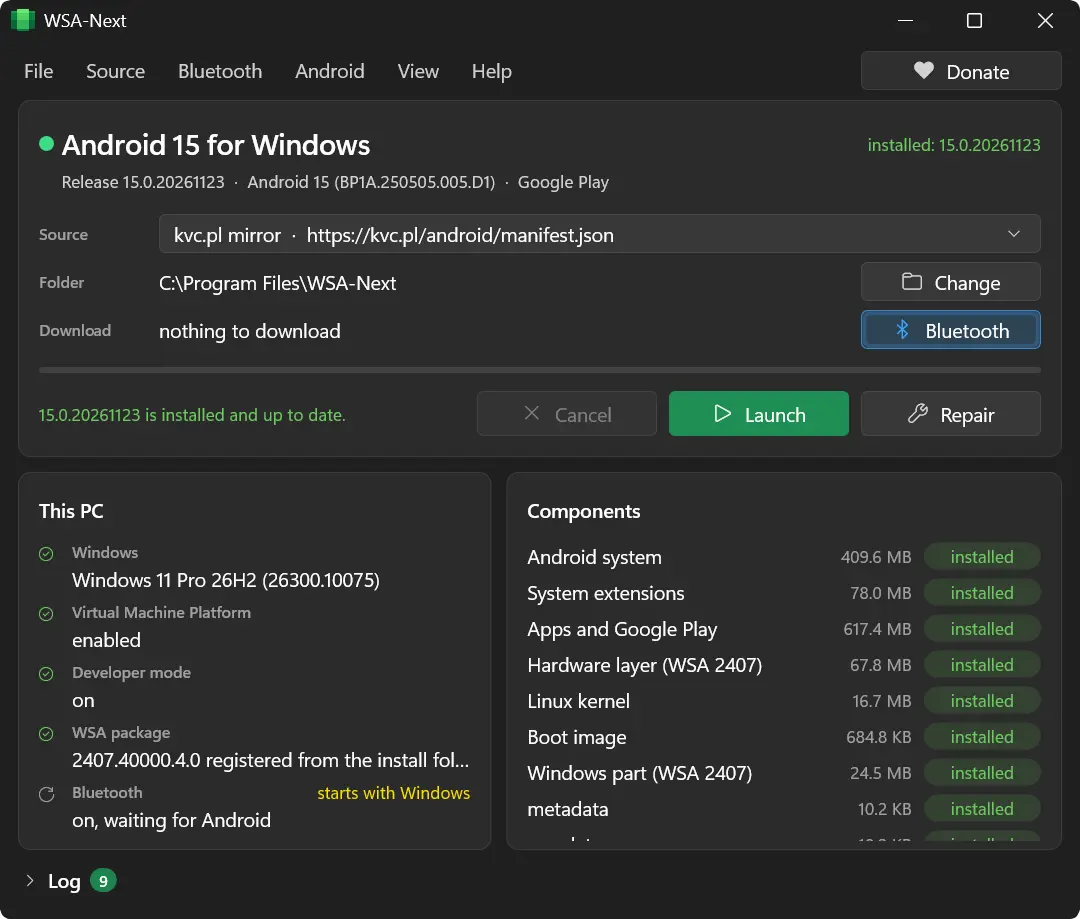
Now, a new tool called WSA-Next is trying to significantly lower the technical barriers to this process. It brings Android 15 to Windows 11, including Windows 11 26H2 build, which is now being automatically rolled out to more users.
Unlike traditional Android emulators, WSA-Next is built on Microsoft's original Windows Subsystem for Android, retaining Hyper-V virtual machine and Windows system integration, while replacing key Android system parts with newer components. The project is based on Android 15 AOSP (Android Open Source Project) and uses the Linux 6.18.64.1 LTS kernel.
Feature-wise, WSA-Next supports Google Play, Bluetooth Low Energy and GATT connectivity, Windows Hello biometric integration, and root access without Magisk. It also supports SIM cards, SMS and MMS via a computer modem, although this feature is still in preview. Developers have also added ARM64 application compatibility through ndk_translation, Google's native binary translation layer that allows Android applications that only support ARM64 to run in an x86 environment.
As the name suggests, one of the biggest selling points of this tool is the installation process. Users only need to download the MSI installation package of WSA-Next, complete the installation, start the program and click the "Install" button, and the tool will automatically download the required Android components and configure the subsystem. A portable ZIP archive is also available. Installers and portable versions of WSA-Next are available on its official project page or GitHub repository. Since this tool is very new and has not been extensively tested, it is recommended to only try it in a virtual machine.
It's worth mentioning that WSA-Next is not the same as the long-standing favorite WSABuilds. The latter mainly provides pre-built WSA packages for Windows 10 and Windows 11, and comes with different Google applications and root configurations; WSA-Next is a newer Android 15 ported version with its own installer and updater. In short, WSABuilds focuses on providing ready-made WSA builds, while WSA-Next attempts to simplify the installation process while modernizing the underlying Android version.
However, it should be noted that the author of WSABuilds warned that Windows 11 versions released after June 2025 may have crash issues. This is especially worth keeping in mind if you rely on Google Play features.
Learn more:
https://github.com/wesmar/wsa-next/releases/tag/latest
Comments