
Abstract:
WeChat Mac version has been quietly revised. An important change is to strengthen the "built-in browser". When I click on the official account or hyperlink in WeChat Mac version, the content is no longer displayed in a separate window as in the past, but is displayed in the built-in browser on the right side.

The window on the right can be expanded to more than half the screen size, and like Chrome and other browsers we use every day, it supports multi-tab display, web page translation, search, full-screen display, sharing, collection, etc. It can be called the prototype of a "WeChat browser".

It is particularly worth mentioning that the display of "mini programs", one of the most important content forms in the WeChat ecosystem, is still in the form of independent panes, and the official built-in browser has not yet been called.
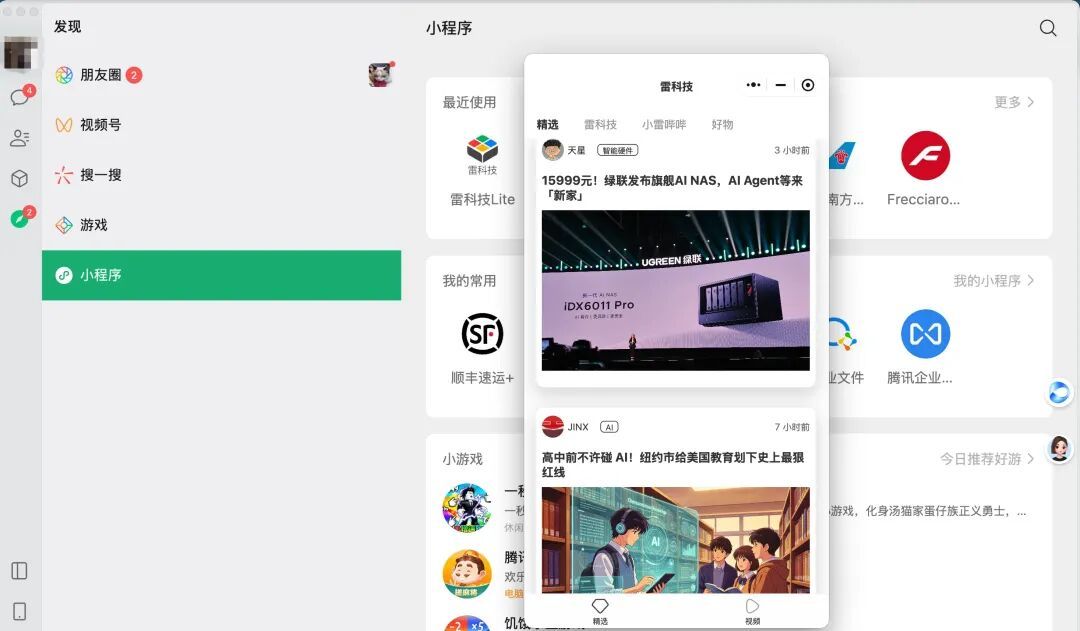
This is a small change, you might say. In the past many years, clicking on links on WeChat would also call WeChat's own browser for display. For Tencent, not to mention that it had layouts such as QQ browser very early, and later acquired Sogou, the browser technology is a piece of cake. But Lei Technology believes that what really deserves attention is: Why does WeChat adopt this column display mode? Lei Technology believes that its essence is to further build the browser into WeChat.
Why should we change this? The answer is probably: Agent. The browser is the key form of Agent control and interaction, and AI has a built-in browser. WeChat is an inseparable platform for users’ lives and work. In the future, it will accelerate its integration with Agent and become Tencent’s super AI entrance. This small change paves the way for Agentization.
If you continue to pay attention to the dynamics of AI and Agent, you will find that the browser, which seems to be the oldest application form, has long become something that AI giants cannot avoid.
01
OpenAI’s AI browser exploration:
From independence to integration
When OpenAI released ChatGPT Atlas in October 2025, Sam Altman described it as an opportunity to rethink the browser.
However, a while ago, OpenAI announced that it would stop serving this browser and reminded users to export bookmarks and save web pages. The statement it gives is that Atlas’ browser agent capabilities will be transferred to ChatGPT and Codex.
An AI browser that had high hopes just disappeared.
To be honest, this result is not too surprising. When Atlas was released, Lei Technology once believed that
the browser was the most suitable product form to host Agent.
The browser has the web pages opened by the user, login status, history and private information. The Agent not only knows what the person is looking at, but can also directly click, enter and submit.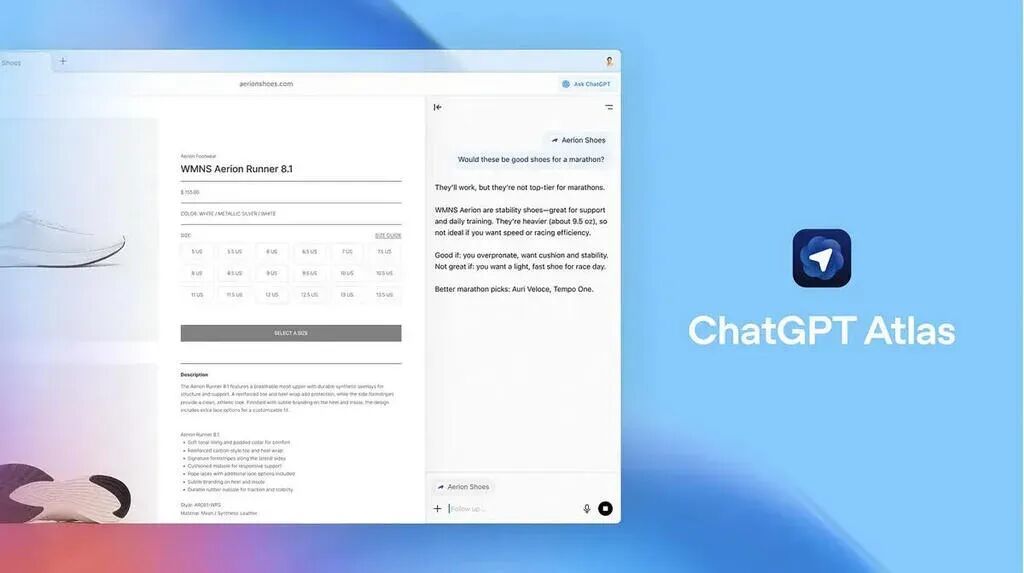
Image source: OpenAI
The problem is that general agent products evolve faster than browsers.
OpenAI closed Atlas, but Codex integrated the browser early and was also merged into the new ChatGPT desktop. The browser still exists, but a separate client is no longer needed.So, what about other AI browsers?
02
AI targets browsers,
Until Agents that can surf the Internet by themselves break out
If you turn the time back three years ago, the AI browser was just an extra sidebar next to the browser.
In 2023, Microsoft will put Copilot into Edge, Opera launches Aria, and Arc also uses generative AI to organize tabs, rename files, and generate summaries. They do save some copying, pasting, and switching windows, but most of the functionality can be replaced by a plug-in. A browser is still a browser, AI is more like a question and answer assistant living in the sidebar.
By 2025, Dia and Comet (under Perplexity) appeared one after another, and the industry began to seriously talk about native AI browsers. AI not only reads the current page, but also understands multiple tabs, browsing history and user accounts, and then organizes the information around a task. For the first time, the browser has the opportunity to break away from the role of web browsing and become a personal workstation with complete context.
After that, Atlas, Opera Neon and Gemini in Chrome continued to add fuel to the fire. Opera still defines Neon as "built to act", while Google lets Gemini handle ordering, reservations and shopping.
The selling point of the AI browser is no longer to help people browse web pages, but to operate web pages and do things for them.
The country soon followed suit. Tabbit, launched by Meituan’s Lightyear Beyond team, directly defines itself as an AI-native browser that can reference tabs, screenshots, and local files, and also allows Agents to autonomously read pages, fill out forms, and perform tasks across websites. These changes are transforming the browser into the Agent's workspace.
There is nothing wrong with this logic.
The browser is equipped with a highly compatible Internet, and almost all online services (with the exception of domestic Internet giant platforms) can be opened here. More importantly, the AI browser also retains the tabs, address bar and windows that users are familiar with. Users can watch the Agent work step by step, taking over before paying, sending and submitting.But the browser is also a heavy user habit. Data from StatCounter shows that Chrome still accounted for 69.65% of the global browser market in June this year. For most people, switching from Chrome or Safari means re-migrating bookmarks, passwords, plug-ins, and login status. An AI browser must prove that it is worth much more than a plug-in before it can convince users to move.
The Agent platform is a game changer.
What the user needs to complete is to find information, book a hotel, organize documents or submit a form, and does not care which new browser is opened for this purpose. It doesn't matter where you launch the browser as long as the agent can deliver results in ChatGPT, Codex, or the operating system. If you can call the API, call the API. If the website provides standard interfaces such as MCP, call the tool directly. If there is really no machine channel, then open the web page recognition interface and simulate clicks.
Before Atlas was shut down, the Codex desktop version already had a built-in browser. Agent can open web pages, operate across tabs, download files when the task requires, and can also call Chrome where the user is already logged in. Later, Codex and ChatGPT were merged into a new desktop application, and the browser continued to exist as a shared task capability between Work and Codex.
This sequence is very telling.
The most natural position of the browser is within the Agent platform, appearing on demand, rather than wrapping the Agent with a whole browser.
In China, Tencent WorkBuddy, Byte Doubao Work, and Alibaba Qianwen Office all put the delivery of documents, forms, PPT, web pages, or project results in the foreground, while searching the network, reading files, and calling tools are hidden in the execution process. Doubao Work and Qianwen Office can also directly operate web pages.
For users, the important thing is to get the results, not how many web pages they open with it. The AI browser reduces the labor of browsing the web, and the Agent begins to reduce the "browsing the web" itself.
03
Stand-alone browsers will not disappear,
But it is "retreating to the second line"
Cloudflare released a report in July stating that non-human traffic exceeded 50% of Internet traffic for the first time. But this figure cannot be directly understood as AI Agent has created half of the Internet traffic, which also includes training crawlers, search crawlers and other automated programs. But Cloudflare also disclosed that as of June, AI training had accounted for 52% of the crawler requests it identified, and crawlers with mixed search, agent and training purposes accounted for more than 36%.
A more radical judgment came from Cloudflare CFO Thomas Seifert. He predicts that machine traffic could reach 1,000 times human traffic in the next five years. This is of course just a prediction, and Seifert admits his judgment may be biased. But it points to a trend that is already emerging: The Internet is welcoming more and more frequent machine visitors.
Musk also very much agrees with this change.
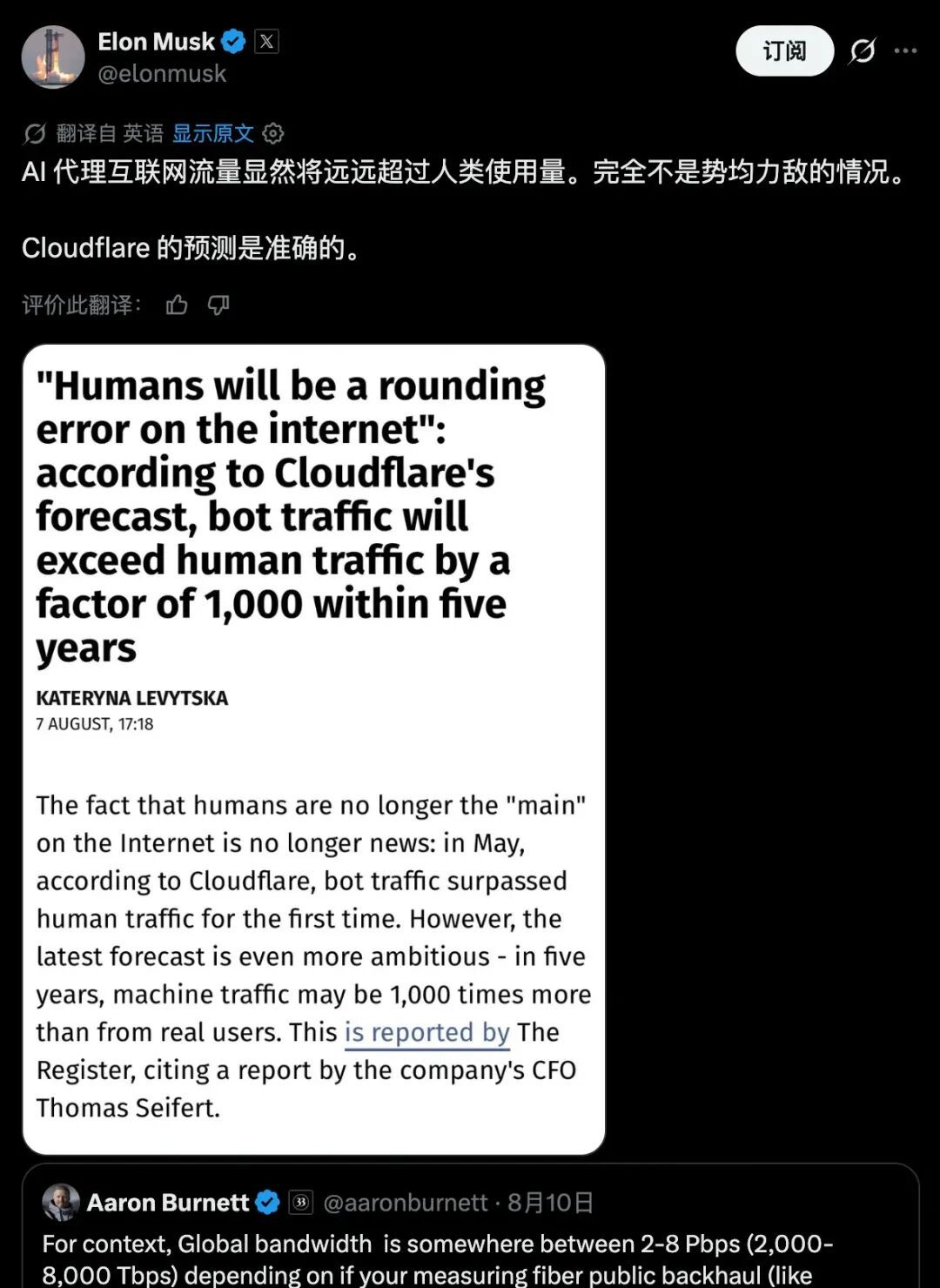
Image source: X
But when human-oriented AI browsers began to recede, agent-oriented browsers appeared instead.
Cloudflare has renamed Browser Rendering to Browser Run - a cloud browser for Agents that can launch headless Chrome in the cloud, allowing Agents to operate web pages, capture content, generate screenshots, and support recording, playback, and manual takeover.This browser does not require human-oriented GUI design. It is destroyed after a task is completed, but can be awakened thousands of times in the cloud.
The reason is that today’s Internet is still designed for people. A large number of websites have no API, let alone MCP, and rely on graphical interfaces for login, verification codes, dynamic pages and payment processes. If Agent wants to operate this part of the old Internet, it still needs a compatibility layer that can fully run web pages.
But web page clicks are not the most ideal machine interface. Buttons will change positions, pages will be revised, and pop-ups and verification codes may interrupt the task at any time. Cloudflare adds WebMCP to Browser Run, which allows the website to directly expose structured tools to the Agent, replacing the "see screenshot-find button-click" interaction loop.
Essentially, this is the beginning of the Internet being transformed for AI Agents.
In the past, the default visitors of websites were people, so services were organized with pages, buttons and forms. Next, more and more websites will provide machine-readable content, identities, permissions, and transaction interfaces, allowing Agents to search, compare, and place orders without having to imitate mouse clicks. The web page will not disappear immediately, but there will be an additional entrance for machines.On the other hand, browsers start to go into the background.
In the past, users searched, opened ten web pages, compared information, and filled out forms on their own. Now the user only needs to report the goal to the Agent, and web browsing and interaction are moved to the background. The Agent may start multiple browser instances continuously, or it may switch to API or MCP, and the user will only see the web page briefly when the result or key confirmation appears.For example, Doubao Work is integrated into the browser in the interactive interface and is directly used for content presentation and user interaction:

(Picture source: Doubao Work, generated by Lei Technology)
The more users use the Agent, the less necessary they are to open the browser themselves. The browser is still responsible for compatibility with old web pages without machine interfaces, but it has retreated from the window through which humans enter the Internet to the operating environment where Agents operate the Internet.
04
The browser will not die,
But fewer and fewer users will open it
At least for now, we cannot leave the browser for many desktop tasks.
In addition to the Agent's capabilities and experience that still need to be improved, security is also a limitation. Google calls indirect hint injection the top new threat facing all agent browsers, and OpenAI has continued to strengthen similar defenses during the existence of Atlas. However, permission isolation, identity authorization, key operation confirmation and task auditing will continue to mature, and today's risks indicate that the current Agent is not reliable enough.
But technology is advancing, especially the speed of advancement of AI technology, which has exceeded many people's expectations time and time again.
Every time the Agent takes over a part of the web page operation, humans will have one less search, jump, comparison and fill-in. This process will not be completed suddenly one day, but more likely to happen in an imperceptible way: first, I will no longer browse ten web pages in person, then I will actively open the website, and finally it will only appear occasionally when checking the results.
Looking at it now, it may be difficult for AI browsers to become an independent product category in the long term.
For a small number of research, development, and professional users, a browser that understands all tabs and allows agents to be monitored at any time will still be a good AI workbench.But for most ordinary users, the use value of the browser will be gradually reduced. Maybe it will not disappear from the computer, but it will be more built into AI applications and Agent platforms, and users will have fewer and fewer hands-on opening frequency, stay time and tasks.
Browser manufacturers can also continue to transform into Agent platforms, taking over tasks, connecting tools, managing identities and permissions, and retaining takeover windows for users. But once it has developed to that point, it's hard to say whether it should still be called a "browser".
Comments