Microsoft has previously announced that it will provide an API in Windows 11 to allow password manager software to be integrated, so that users who use password managers can directly call the password manager to add or use existing pass keys without having to register a separate pass key for the system itself.
Originally, the pass key was designed to be one key per device. When users log in, they can directly call the pass key stored in the device to replace the password or multi-factor authentication. However, the password manager already has the pass key synchronization function and can be directly reused on multiple platforms.
Windows 11 has integrated APIs after installing the November 2025 update. The first batch of password managers that support taking over system pass keys include 1Password and Bitwarden. Users can directly call the keys in the password manager after installing the update.
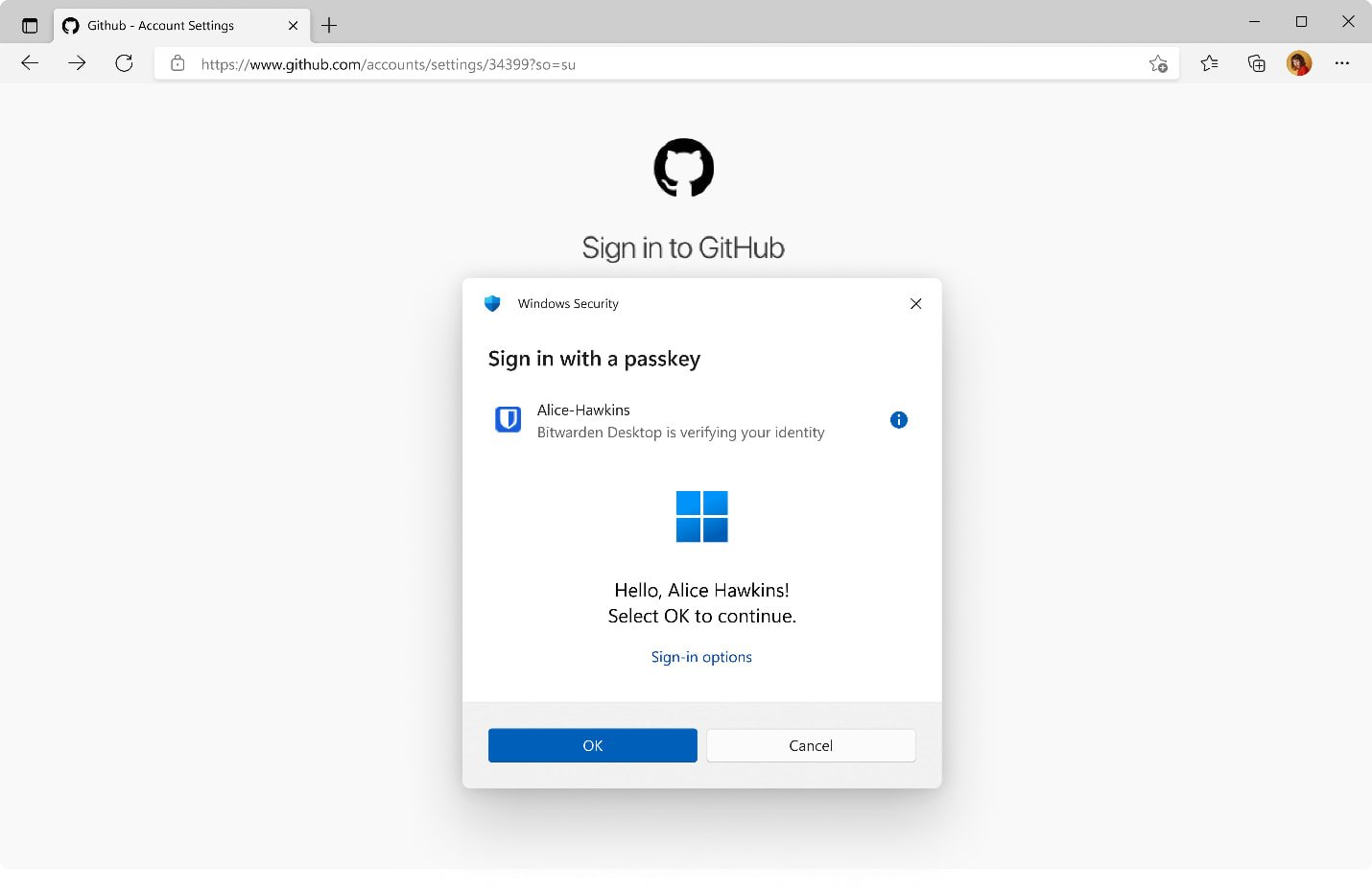
What effects can be achieved:
In the old version, users need to register the pass key of the website for Windows 11 itself. When trying to log in, the system will initiate authentication such as PIN or facial recognition. After successfully passing the authentication, you can log in; if the user registers the pass key in the password manager, he needs to call the password manager through the browser extension to initiate the login.
After installing a supported password manager in the new version, the password manager will replace the pass key function of the Windows 11 system itself, so the Windows Hello authentication pop-up window will still appear when initiating login, but this time you will be prompted to use the password manager to perform verification.
The advantage of this is that users do not need to register additional pass keys for the system. They only need to register the pass key in the password manager and then reuse it on various platforms. It is more convenient for users to synchronize and manage through the password manager.
Currently still in beta stage:
It should be reminded that this new feature is still in the testing stage, so there may be some unexpected problems, such as sometimes the call may not be successfully initiated or the authentication may fail. These problems also require Microsoft to work with password manager developers to optimize.
via Microsoft