
Abstract:
Apple is further integrating artificial intelligence into its office and creative software, adding new AI assistants to Pages word processing software, Keynote presentation tool and Numbers spreadsheet application. Users can use natural language instructions to let AI understand context, draft and modify text, create slides, generate formulas, and organize data based on existing documents. This update marks Apple’s attempt to extend AI from system-level functions to daily office processes.
This feature, called Intelligent Assistant, is powered by artificial intelligence models from Apple and OpenAI. It is not only responsible for answering questions, but can perform tasks in conjunction with the document or table currently being edited by the user, helping users directly complete content creation and modification.
In Pages, the intelligent assistant can draft articles according to user requirements, reorganize paragraphs, adjust writing tone, and edit and polish existing content. Users can also ask it to write specific chapters, generate pictures or graphic elements, or query the latest information on a topic, and then integrate related content into the document.
For users unfamiliar with Pages' advanced features, the Assistant can also provide guidance, explain how to use specific tools, and suggest improvements based on current documentation. Compared with simply asking AI in a separate chat window, working directly in the document environment is expected to reduce copy-paste and repeated application switching operations.
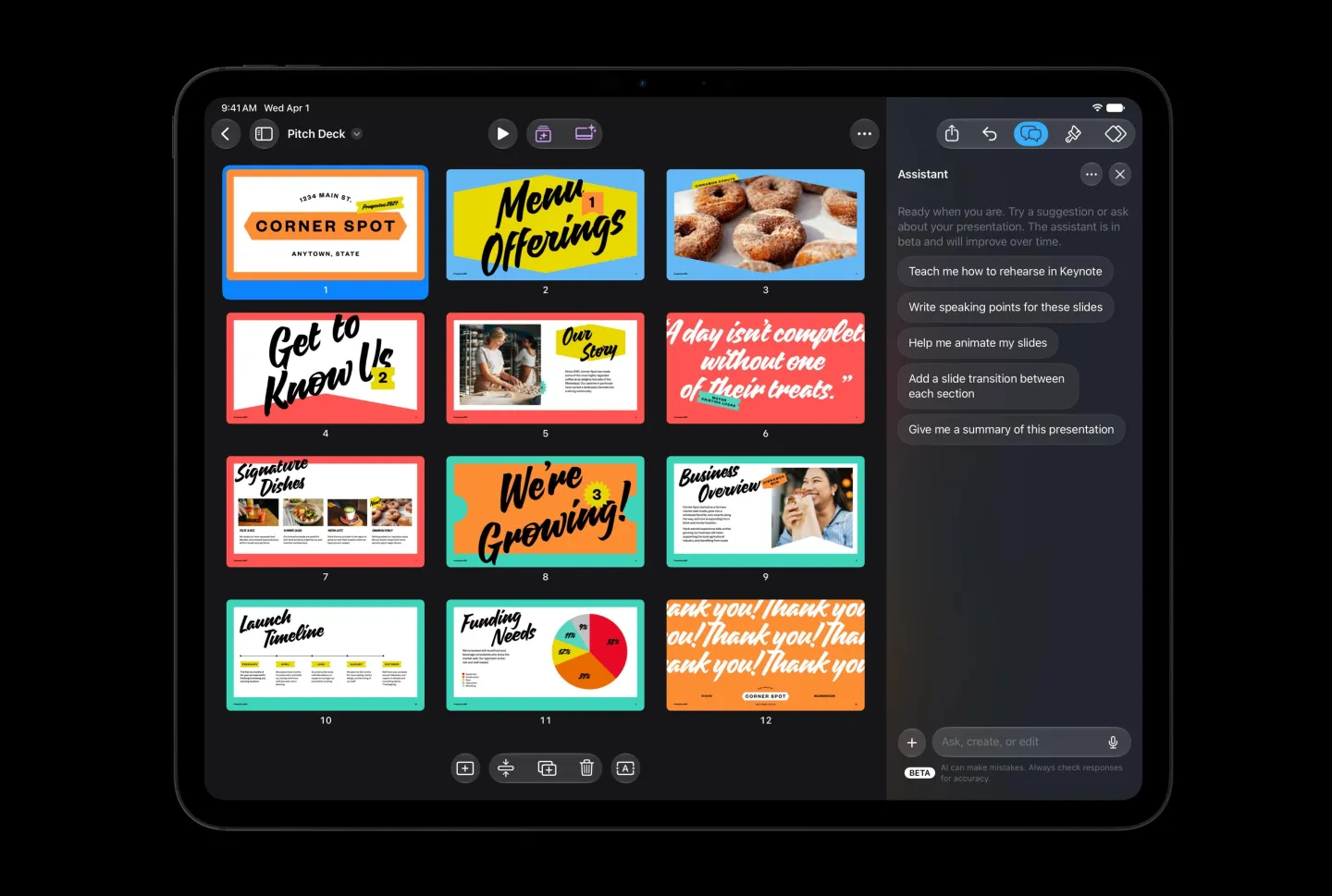
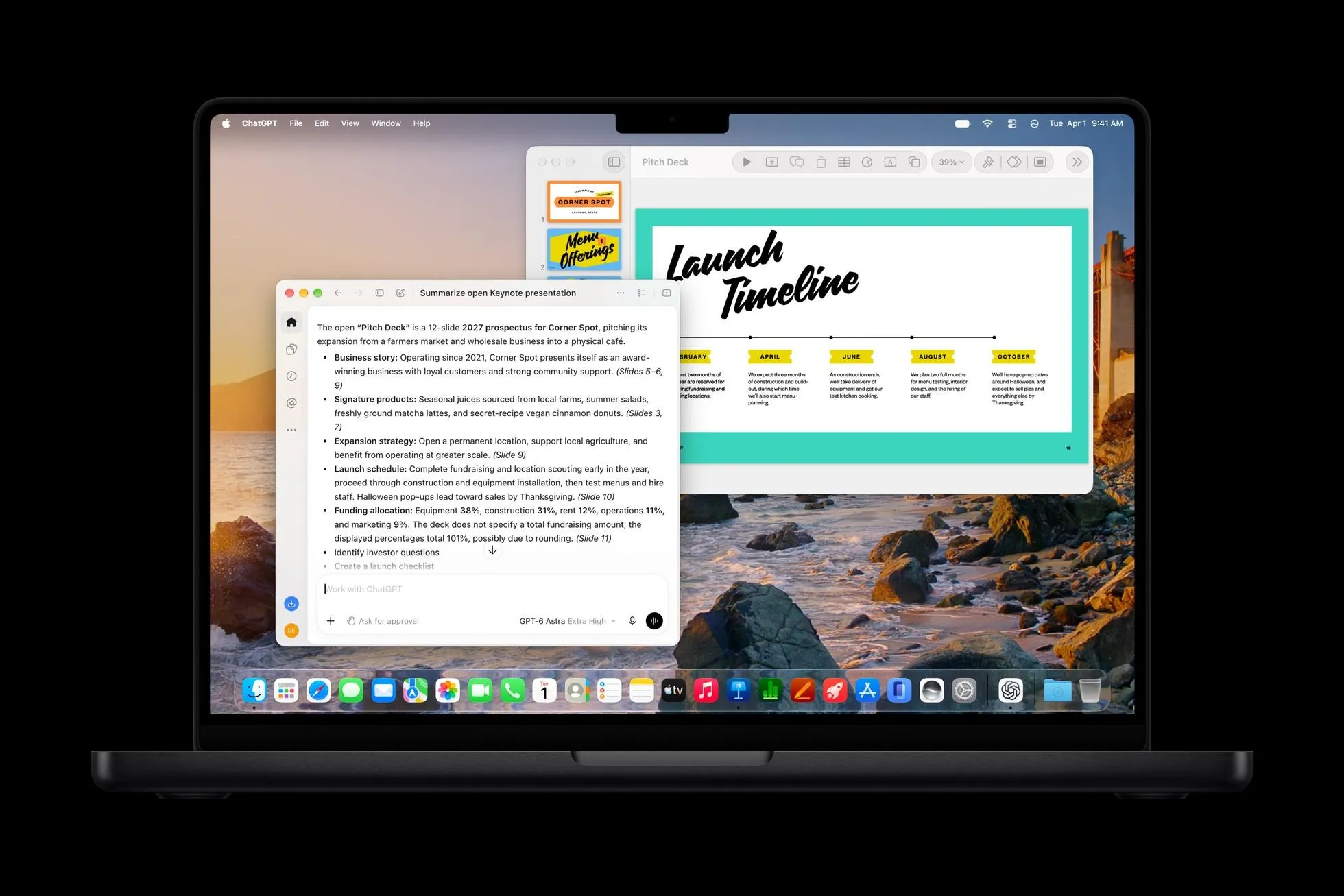
Keynote’s intelligent assistant is mainly aimed at presentation production. Users can ask AI to build presentation content based on topics, generate slides, write speaker notes, add animations, and adjust and improve existing pages. The assistant can also generate images and graphic elements to help users quickly establish the visual structure of the presentation.
This feature may be particularly useful for users who need to frequently produce business reports, teaching courseware, and project reports. Traditional presentation production involves not only organizing information, but also page layout, visual design, and narrative structure. The AI assistant attempts to integrate these steps into the same workflow, allowing users to express their goals through text descriptions, and then the software assists in completing specific operations.
In Numbers, the intelligent assistant can find data patterns, generate complex formulas, create custom tables based on table contents, and recommend suitable data visualization charts. Users can describe computational needs using natural language without having to rely entirely on familiarity with spreadsheet functions.
For example, users can ask the software to analyze trends in a certain set of data, create summary tables, or generate formulas that can complete specific calculations. For users who need to process large amounts of data but do not have professional data analysis skills, this type of function is expected to lower the barrier to use. However, the formulas and analysis results generated by AI still need to be checked, especially in scenarios with high accuracy requirements such as financial calculations and business decisions.
There is also an important change in this update: Apple has begun to allow third-party AI agents to access its office applications. Pages, Keynote, and Numbers support the Model Context Protocol (MCP) in macOS 27 and later, allowing qualified third-party AI agents to interact with these applications.
MCP is an open protocol for connecting AI models to external tools, data sources and applications. It allows AI to no longer be limited to generating text, but to access corresponding tools based on authorization and perform more specific workflows. For office software, this means that in the future users may operate documents, presentations and spreadsheets through different AI assistants, without having to rely entirely on Apple's built-in smart assistant.
The Intelligent Assistant is currently launched in beta form and is available for devices that support Apple Intelligence and require running iOS 27, iPadOS 27 or macOS 27 and newer versions. The availability of related functions is also limited by language and subscription conditions. At this stage, not all users can directly use the complete functions.
In addition to office software, Apple has also brought artificial intelligence upgrades to other creative applications. Pixelmator Pro has a new "Generate Fill" function, which allows users to modify specific areas of the image through text description. The system attempts to match the lighting, perspective, and texture of the surrounding environment so that the modified content blends more naturally into the original image.
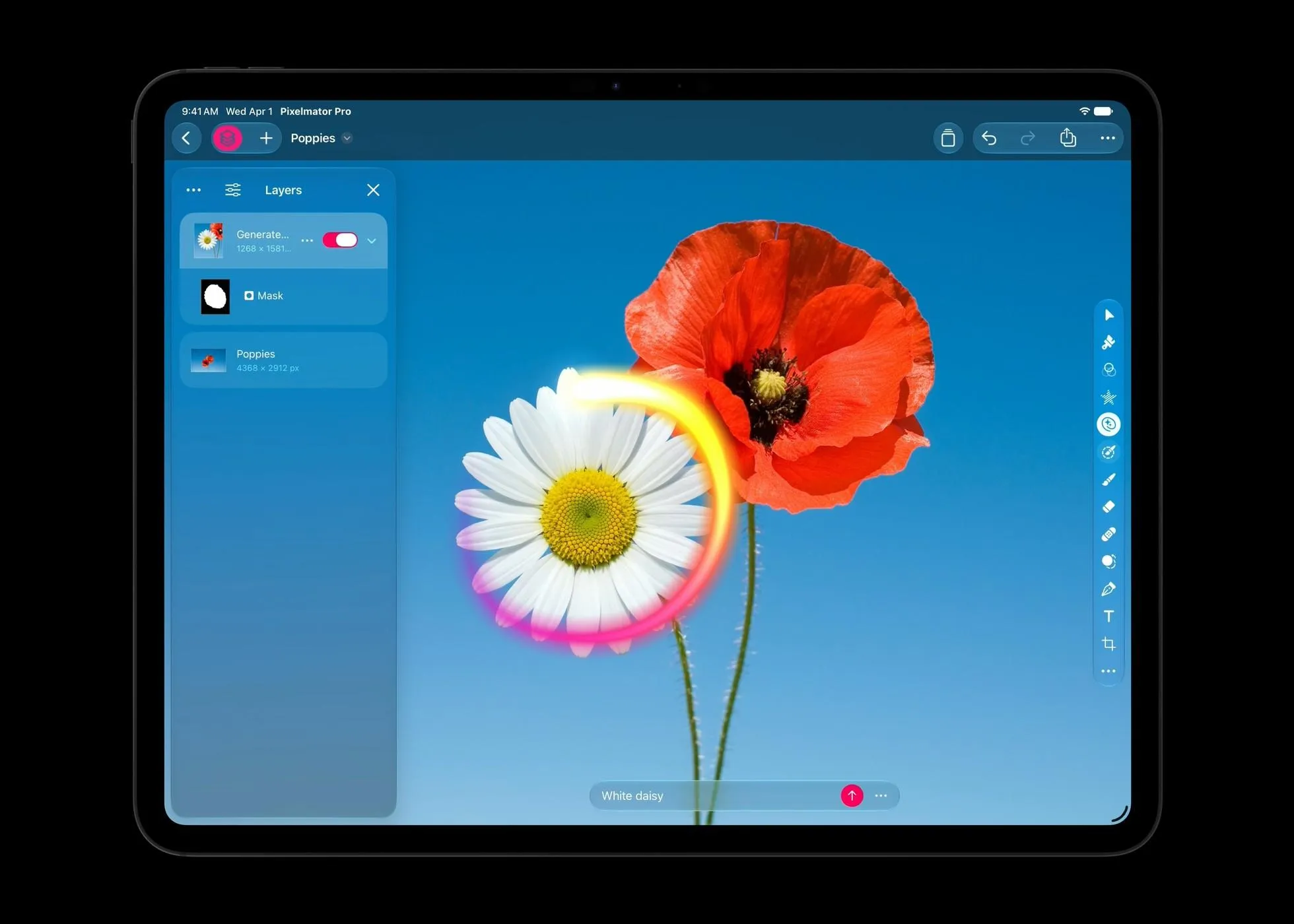
This feature promises to simplify operations that previously required complex selections, layers, and retouching tools. Users can describe the content they wish to add, delete or change, and AI will generate corresponding results. However, the performance still depends on the image content, prompt words, and how well the model understands the scene.
Logic Pro for Mac and iPad will also receive interface adjustments using the Liquid Glass visual style and the addition of AI assistants. Apple said users can create the basic settings for a vocal recording track with a single prompt, or ask the assistant to help modify existing music projects. Logic Pro for Mac will also redesign the browser and leverage on-device artificial intelligence to automatically analyze, classify and tag imported sound material.
For music producers, organizing materials often takes a lot of time. Automatically identifying sound types and adding tags is expected to allow users to find suitable sound effects and recording clips faster, while AI-assisted track settings may reduce the operational complexity of part of the production process.
Apple also plans to update the Final Cut Pro video editing software to integrate the templates, graphics, titles and transition effects provided by MotionVFX directly into the application. Final Cut Pro will also have a built-in Content Hub, providing a library of materials available to creators, including stock videos, photos, backgrounds and more.
Apple said that the above-mentioned creative application updates will be provided for free to existing Creator Studio subscribers in November.
Looking at the overall direction, Apple is trying to transform artificial intelligence from a separate chat interface into an embedded productivity tool. Whether it is revising articles, making presentations, analyzing tables, or organizing music materials, AI is beginning to directly participate in the work that users are doing, instead of just providing text suggestions.
However, whether AI assistants can truly improve work efficiency still depends on the accuracy of generated content, the user's ability to control the results, and the degree of collaboration between different applications. Especially in complex documents, financial data and professional creative tasks, artificial intelligence may still produce errors or unexpected results, and users still need to check and adjust.
For Apple, this round of updates not only adds new features to existing software, but also responds to the trend of competitors such as Microsoft and Google continuing to integrate AI into office products. As natural language operations and third-party AI agents gradually enter productivity software, the competitive focus of future office applications may shift from simply providing editing tools to being able to understand user intentions and assist in completing complete tasks.
Comments