
Abstract:
Google has added native support for Markdown files to Drive and Docs. Users can now preview formatted Markdown documents in Drive, and open, edit, comment and collaborate directly in Docs without converting to Google Docs first. The function supports .md and .markdown extensions, and the edited file still retains the original Markdown format.
On Google In Drive, Markdown files no longer only display original text code. The system can render supported elements such as titles, tables, lists, and clickable links into document previews; users can also switch between source code and formatted previews. When opening Docs for editing, a .md tag will appear next to the file title. Google says users can continue to use Docs’ real-time collaboration and commenting features, reducing formatting changes and loss of comments that may have occurred when converting files in the past.
This feature is open to all Google Workspace customers and personal Google account users, and does not require administrators or users to manually enable it. Google will start rolling out the feature in batches on October 5, and it may take up to 15 days for all users to see the feature.
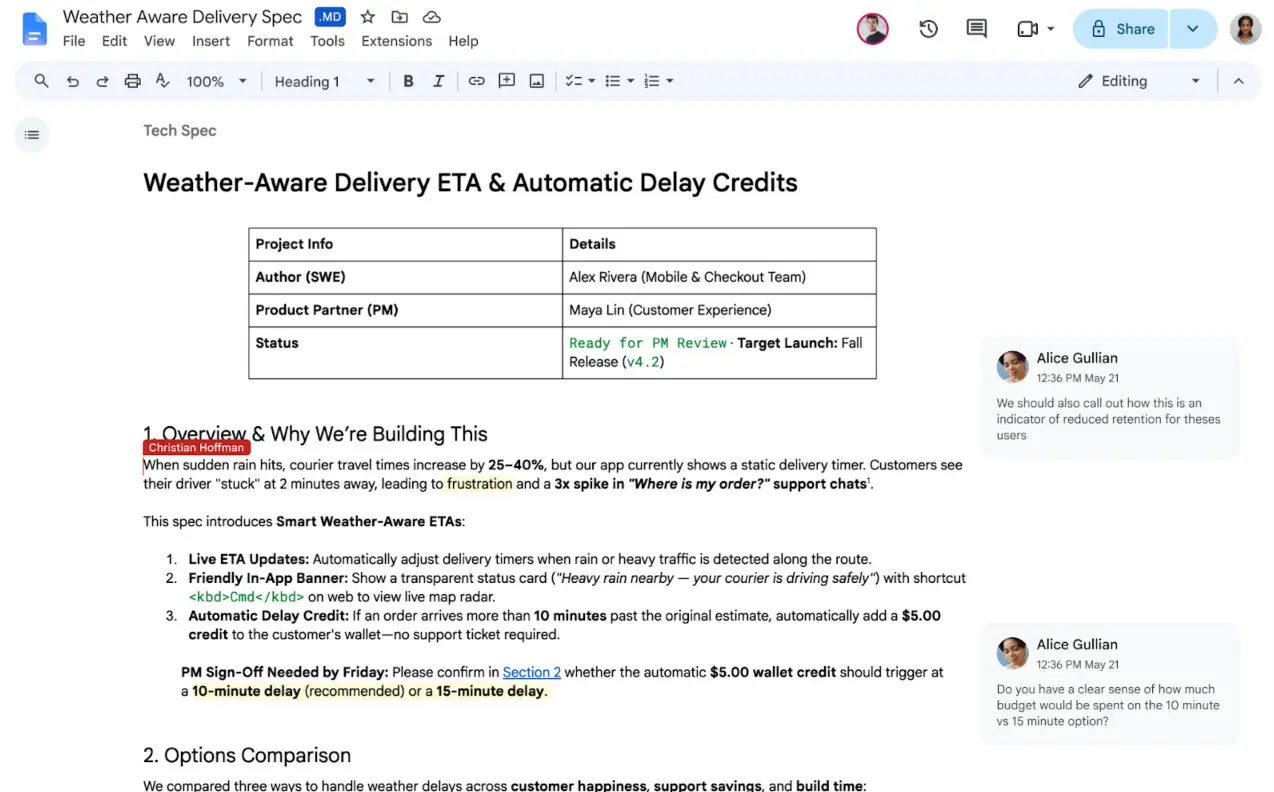
However, Markdown does not support all the formatting functions of Docs. Google reminds that the smart chip may be turned into ordinary text or links, and the HTML format will be turned into plain text; font color, fluorescent marks and text alignment will not be retained.
Comments