
Abstract:
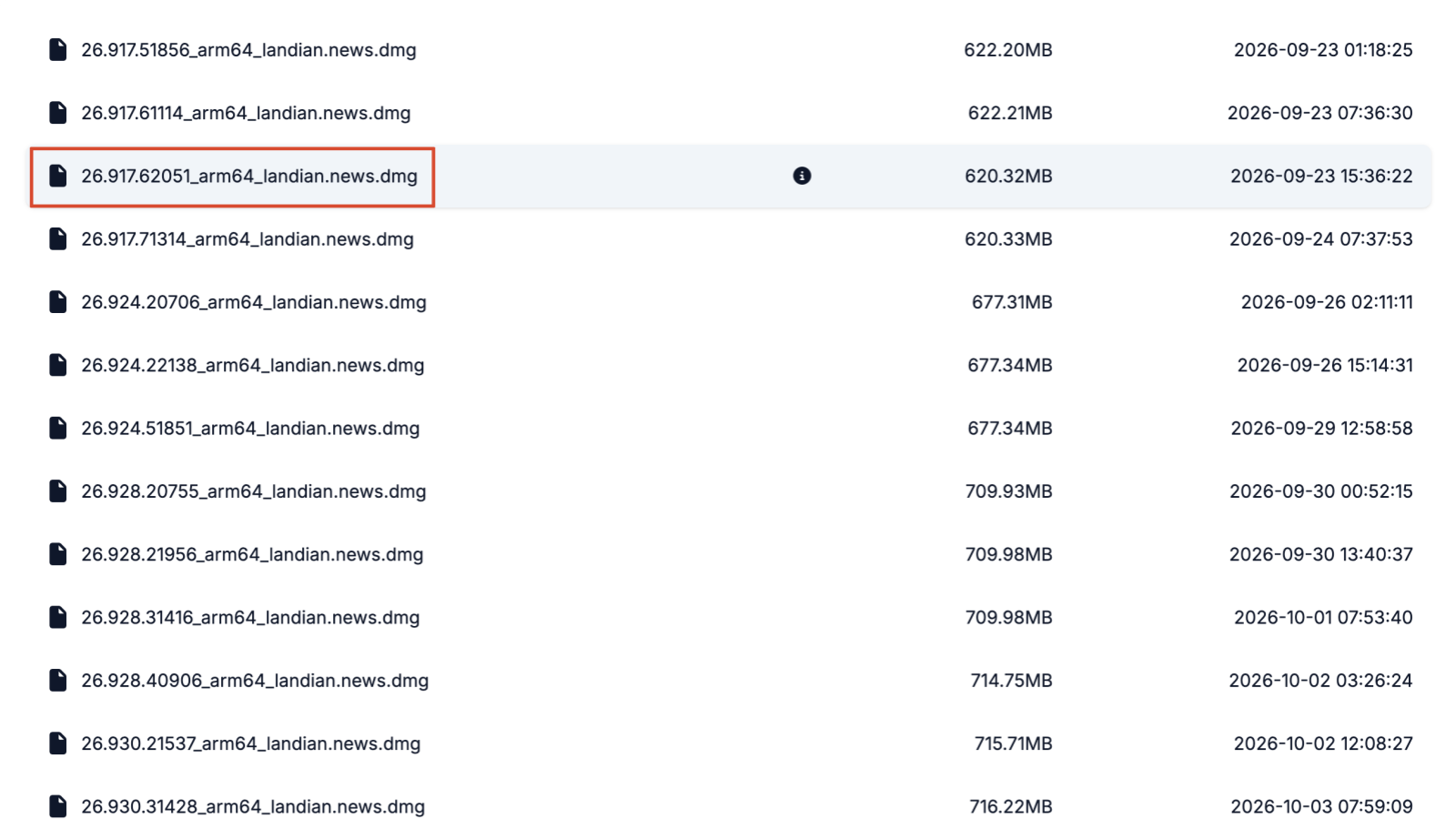
The recent versions of ChatGPT for macOS seem to have some performance issues. After startup, even if there is no work, it will occupy a high CPU, which causes the Mac temperature to be too high and the fan to continue to run at medium to high speed. This situation often occurred in previous versions. The solution is to roll back the old version. For several recent new versions, we tried rolling back the versions on October 1, September 26, and September 24, but it did not return to normal. However, it returned to normal after rolling back to version 26.917.62051 released on September 23.
Comparison before and after rollback:
Bluedot.com uses MacBook Pro M1 Pro 10 core version. Before the rollback, the ChatGPT CPU usage was around 150%. At this time, the CPU temperature continued to be 78 degrees Celsius, and the fan automatically ran at medium-high speed.
After rolling back the old version, the ChatGPT CPU usage is around 30%, the CPU temperature drops to 60 degrees Celsius, and the fan automatically stops. In addition, the test shows that the CPU usage of ChatGPT does not continue to increase regardless of whether it is working or not. After ChatGPT releases a new version, upgrade and observe the situation. If there is no problem, upgrade.
Download historical versions:
Bluedot.com's file server regularly transfers the new version of ChatGPT every day. Users in need can save bookmarks and roll back directly to the old version when encountering problems. macOS, Windows, and Linux versions are available (all desktop versions).
Download address:
https://dl.landian.news/?dir=soft/openai/codex/desktop/macos/
Recommended version: 26.917.62051 (After downloading, open the installation normally and select replacement)
Comments