
Abstract:
Microsoft has disabled the text prediction function of Microsoft Word and Microsoft Outlook through software updates. Although the text prediction function was designed with good intentions, many users reported that they did not like the suggested content generated by the machine. In the end, Microsoft decided to disable it by default. Users who need it can actively turn it on.
What is text prediction function:
Text prediction refers to the suggested text displayed on the screen when users enter content. The function itself is automatically generated by the machine based on the context. Users can use it if they think the content is okay, without having to manually enter it or think about what to write next.
Microsoft has received a lot of feedback from users that they prefer to enter text manually, and sometimes the text prediction function interferes with the normal input experience. These feedbacks eventually led Microsoft to disable this function by default, but users can manually enable it in the settings.
Text prediction is disabled in the following versions:
Word for Windows 20430.20000+
Word for iOS 2.112 Build 26080127
Word for Android 16.0.20326.20000+
Outlook Classic for Windows 20329.20000+
Outlook for Mac 16.113 Build 26080119+
How to manually enable or disable text prediction:
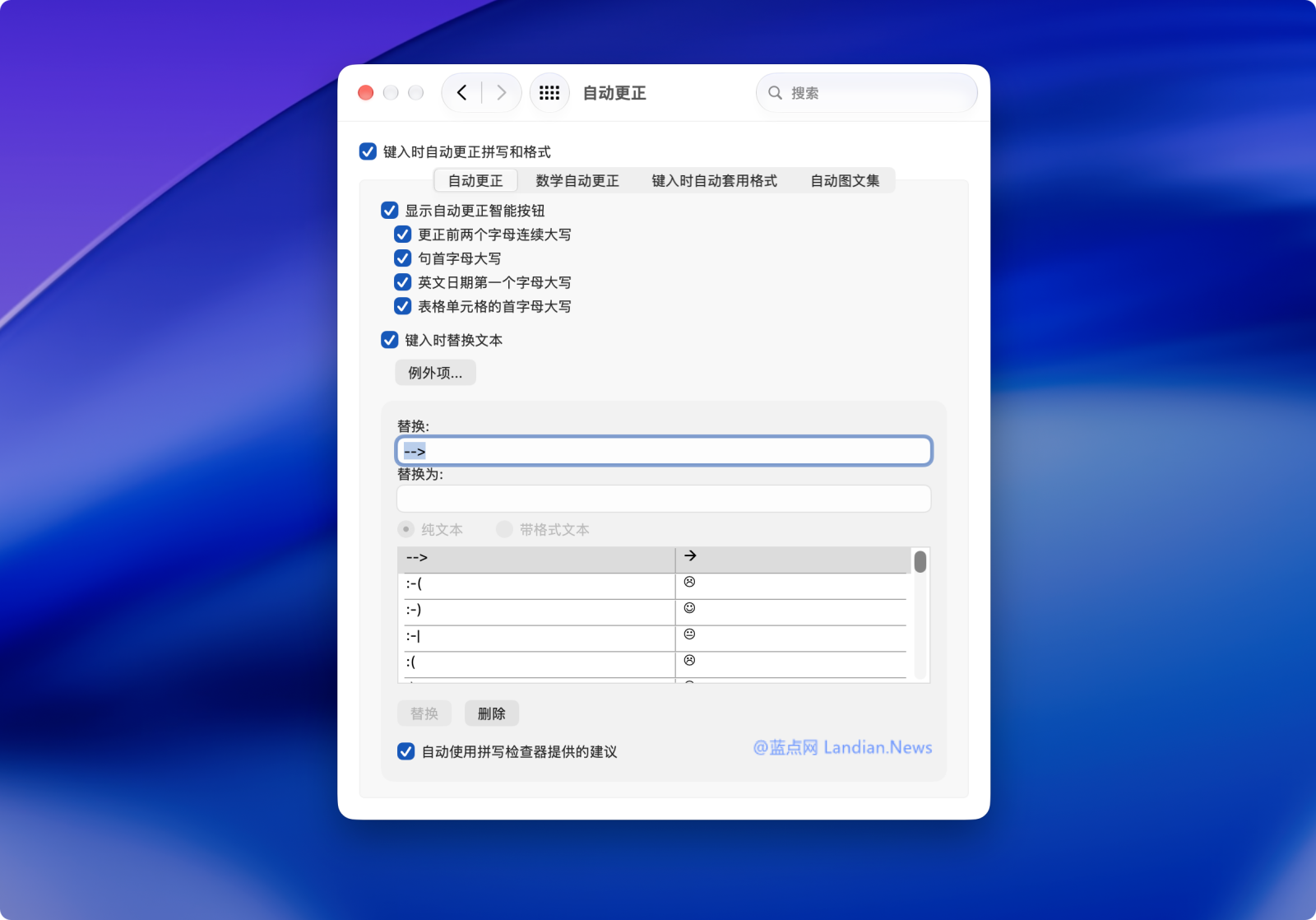
Take Word for Mac as an example: Open Word, enter Preferences, click AutoCorrect, and uncheck Automatically use suggestions provided by the spelling checker at the bottom. The settings for Outlook for Mac are the same.
On Windows 10/11, you can also enter the Word or Outlook settings options, find the options related to automatic correction and cancel the suggestion. Such functions will be disabled by default in the future. If the user wants to enable it, they can manually check it.
Comments