
Abstract:
Microsoft is trying to modernize one of the oldest system tools in Windows, the Registry Editor. A new registry editor developed based on WinUI 3 has appeared in Microsoft's open source project. It can not only directly read and modify the real Windows registry, but also adopts the modern interface design of Windows 11. In comparison, regedit.exe, which has followed the traditional layout for nearly 30 years, looks quite old.
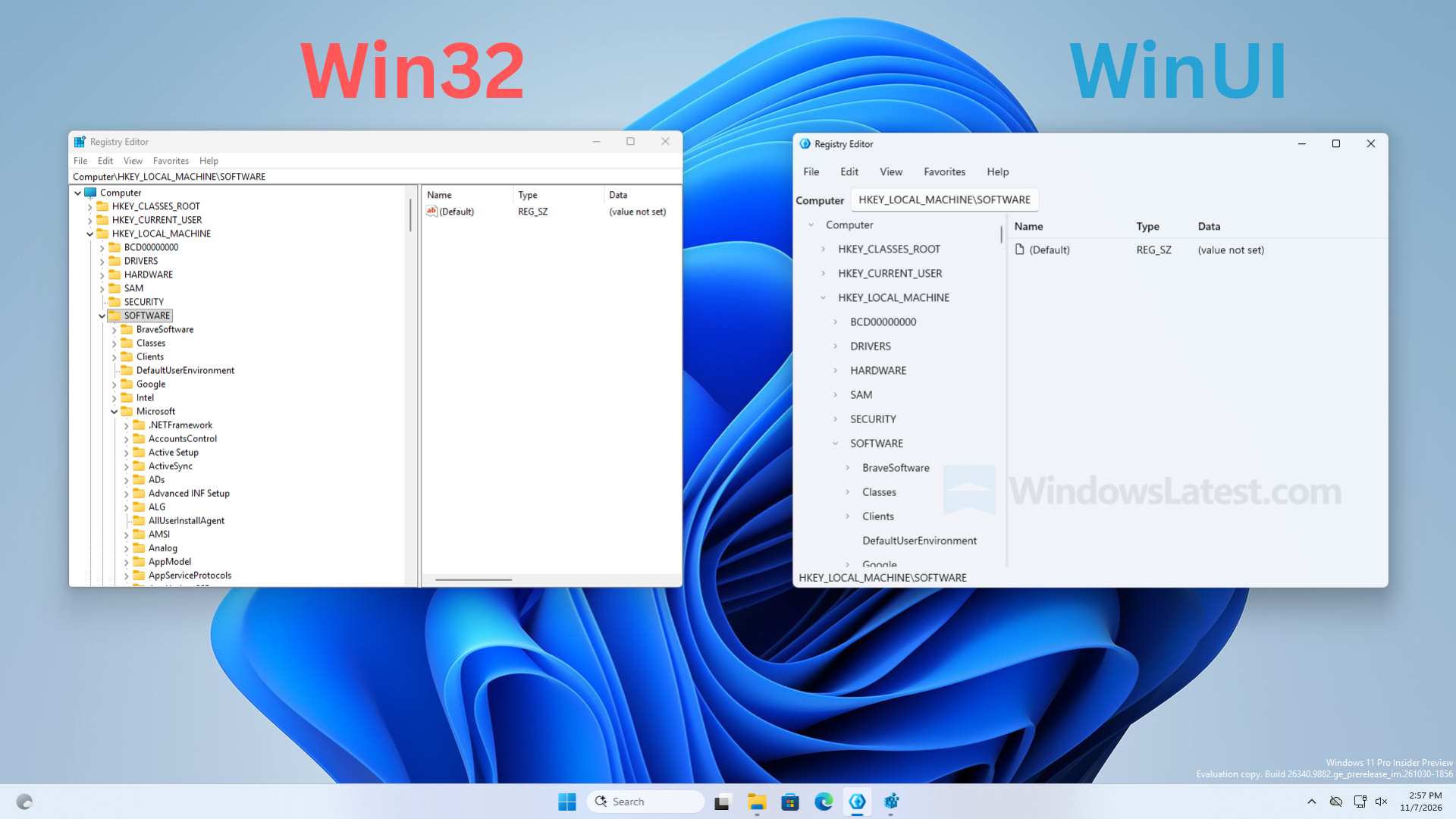
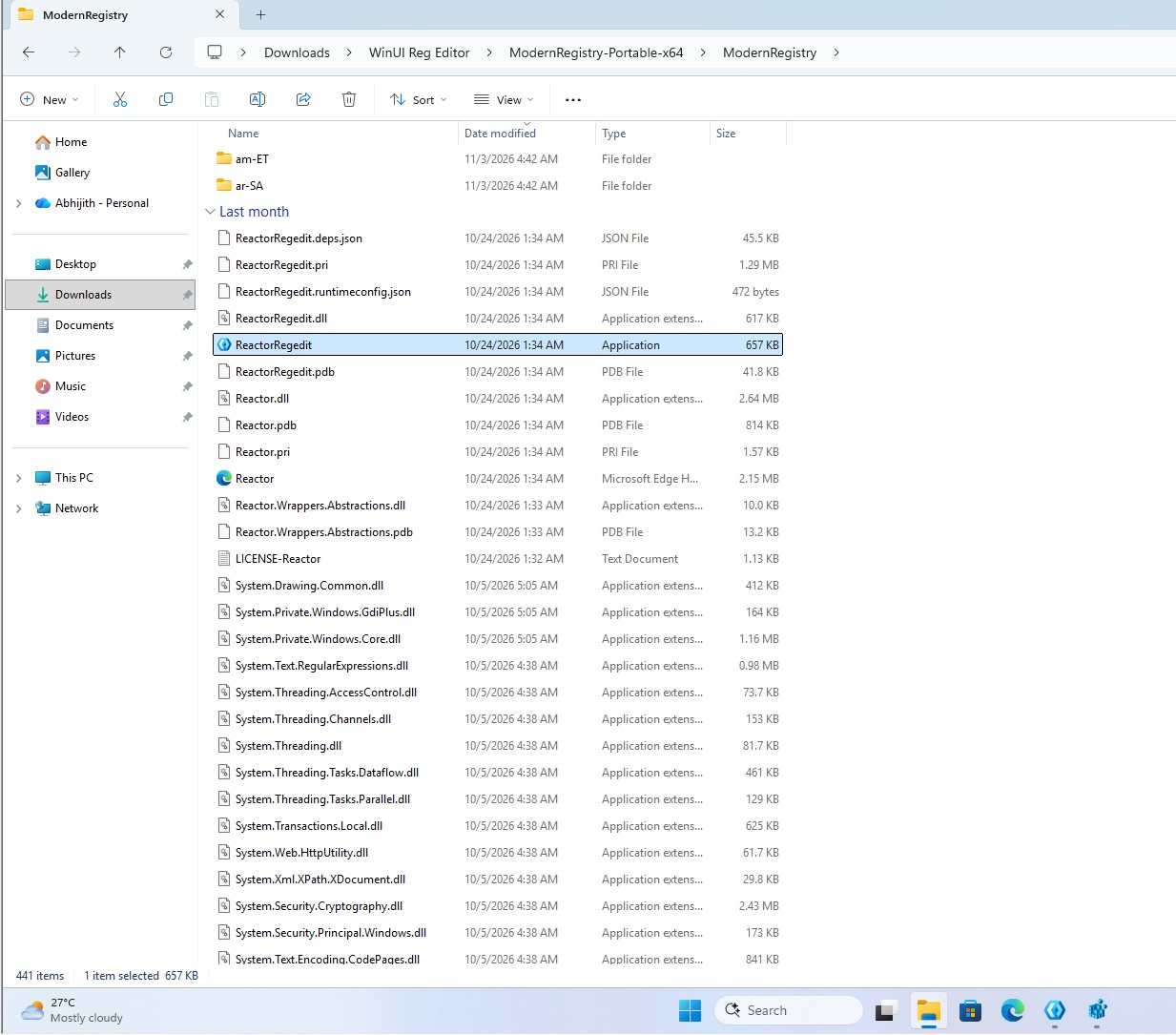
The new tool is included in Microsoft's open source Microsoft.UI.Reactor code base. The media downloaded the source code and compiled it themselves, then tested it on a Windows 11 computer. The test results show that it is not a simple interface demonstration, but a native application that can normally access the system registry.
The basic layout of Microsoft's traditional registry editor has hardly changed since the Windows 95 era. The left side displays the tree structure of the registry keys, and the right side displays the corresponding key values. Although Windows 10 Creators Update added an address bar to it, elements such as yellow folder icons, compact menus, and smaller fonts have remained until now.
The new version still uses the left and right double column layout that users are familiar with, and does not completely change the operation logic in pursuit of modernization. However, the menu spacing is looser, the interface elements adopt the design language of Windows 11, and the address bar has been changed to a native WinUI text box. A status bar is also added at the bottom of the window to display the current registry path.
In actual testing, the new version of the Registry Editor ran on the Windows 11 Build 26340.9882 system. The application starts quickly and the overall response is similar to traditional regedit. When expanding HKEY_CLASSES_ROOT, the program will briefly display the "Loading..." prompt, and then list registry keys including .386, .3gp, and .7z normally. Under the HKEY_LOCAL_MACHINESOFTWARE path, the key values displayed are also consistent with the traditional registry editor.
The menu uses WinUI's smooth animation effect when opening, and it also behaves quite smoothly when resizing the window. Through the About page in the Help menu, you can see that the program is clearly marked as "Registry Editor Reactor WinUI 3 Edition", which further proves that this is a truly independent application that runs, rather than a visual wrapper around the old version of the Registry Editor.
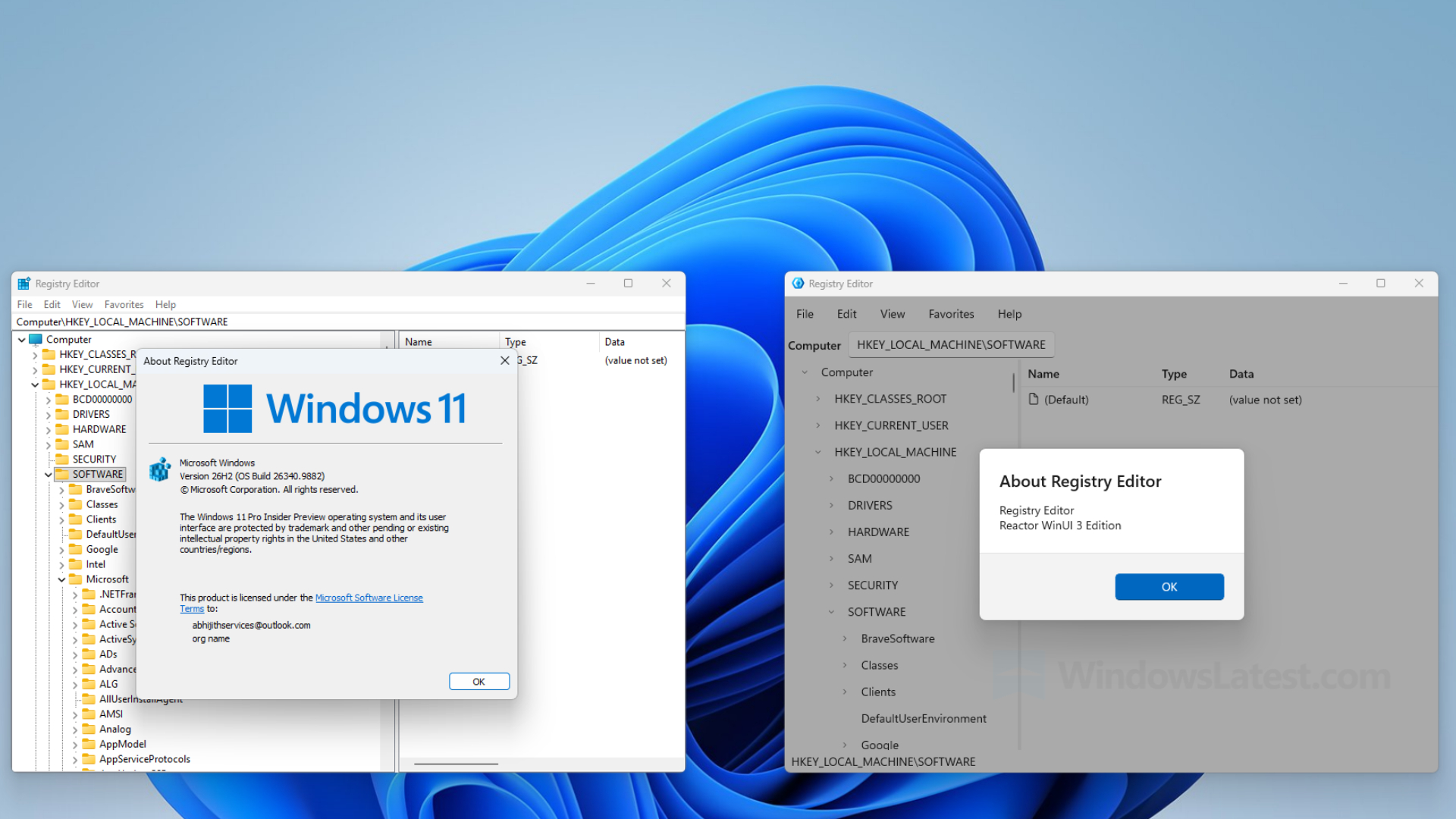
The technical foundation behind this tool is the Reactor framework that Microsoft is experimenting with. Microsoft describes it as an experimental C# framework for WinUI desktop applications, aiming to introduce the MVU (Model-View-Update, Model-View-Update) architecture into Windows native application development.
Compared with traditional WinUI applications, Reactor adopts a component-based development method similar to React. Programmers can use mechanisms such as UseState and UseEffect to manage interface status. However, it is not JavaScript React, but written entirely in C#. Rather than requiring traditional XAML pages, code-behind files, or ViewModels, developers describe the interface through components and update only the affected controls when their state changes.
Microsoft emphasizes that Reactor is not a new UI platform. The menus, tree views, and dialog boxes in the new Registry Editor are all real WinUI controls, not wrapped in HTML, Electron, or WebView2. This means that it can directly adopt Windows native interface technology while avoiding the additional operating overhead caused by some cross-platform frameworks.
Judging from the source code, Microsoft has also specially written an independent RegistryService class to read and write the system registry through the Microsoft.Win32 API provided by .NET. When the program encounters insufficient permissions or protected registry keys, the corresponding error will be caught to prevent the entire application from crashing directly. The window background uses the Mica material effect of Windows 11.
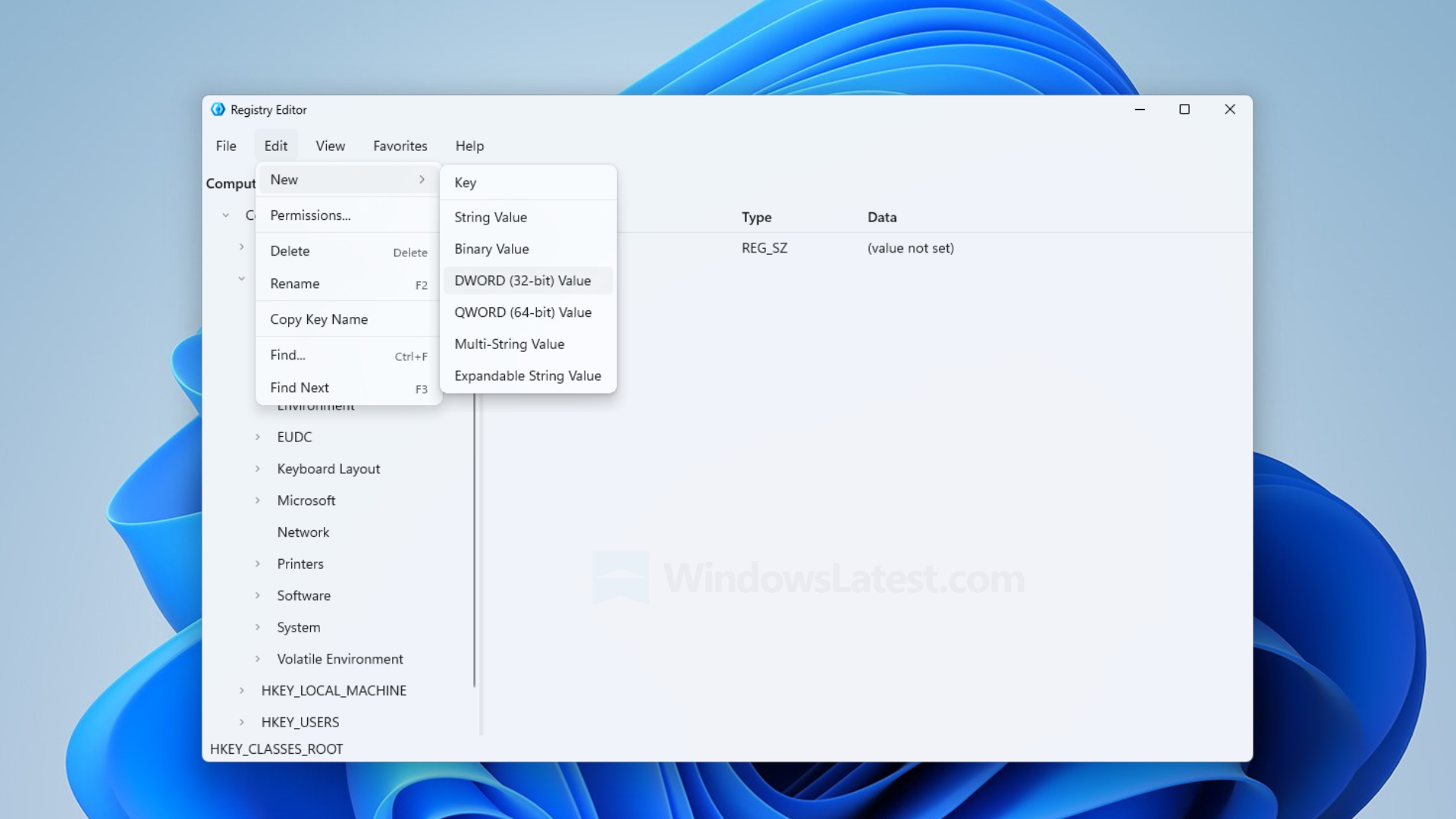
At present, this new version of the registry editor already has quite complete basic operation capabilities. Users can create, rename, and delete registry keys, as well as add common types of key values such as string, binary, DWORD, QWORD, multi-string, and extensible string. In addition, it also supports searching the registry contents through the Ctrl+F shortcut key.
However, there are still many features that have not been completed at this stage. For example, the contents of favorites will not be saved after closing the program; the import and export functions can currently only be operated through the clipboard, and direct selection of .reg files is not yet supported; the function of exporting the entire registry only covers HKEY_LOCAL_MACHINE. The rights management menu currently has no practical effect, the functions of loading and unloading registry hives are still just placeholder entries, and the network registry and printing functions have also not yet been implemented.
It is worth noting that Microsoft has not yet announced that it will use this new tool to replace the existing regedit.exe in Windows 11. It is still a developer sample project and is not a system component that has entered the official Windows release plan. Microsoft mentioned the Registry Editor sample in a developer blog in October and said it would introduce related sample applications next month, but it has not yet officially announced a replacement plan.
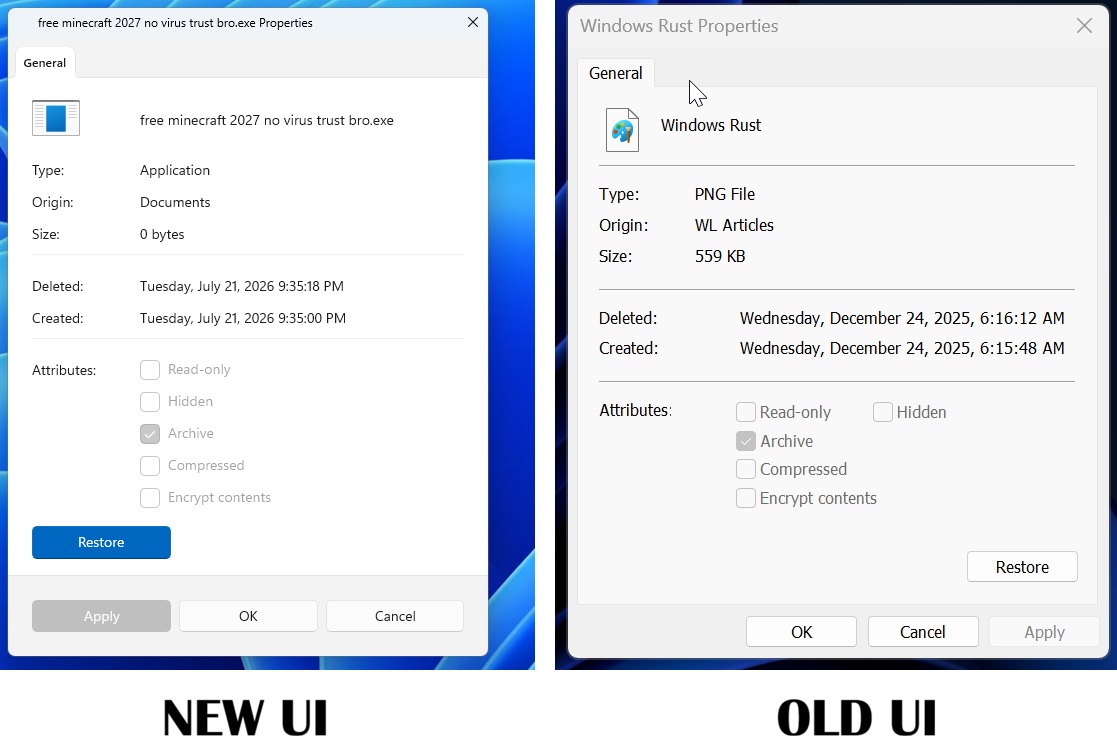
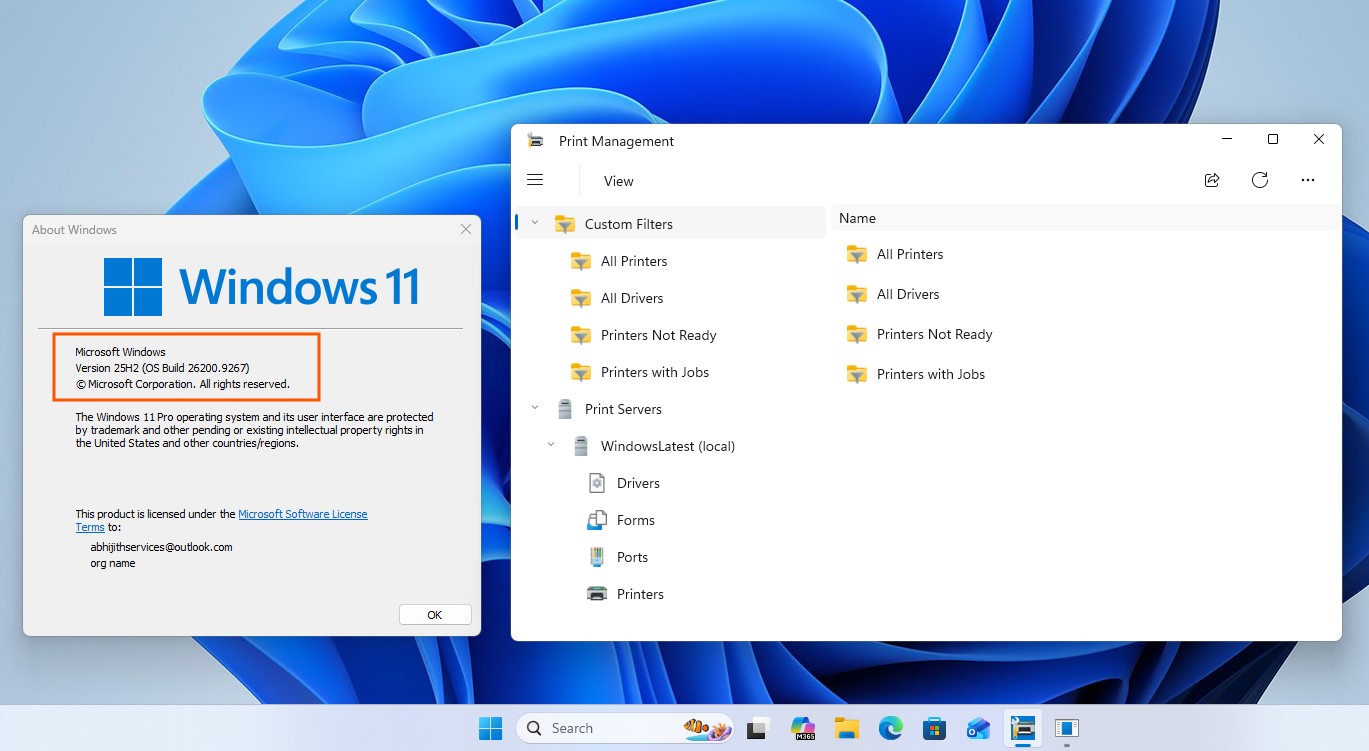
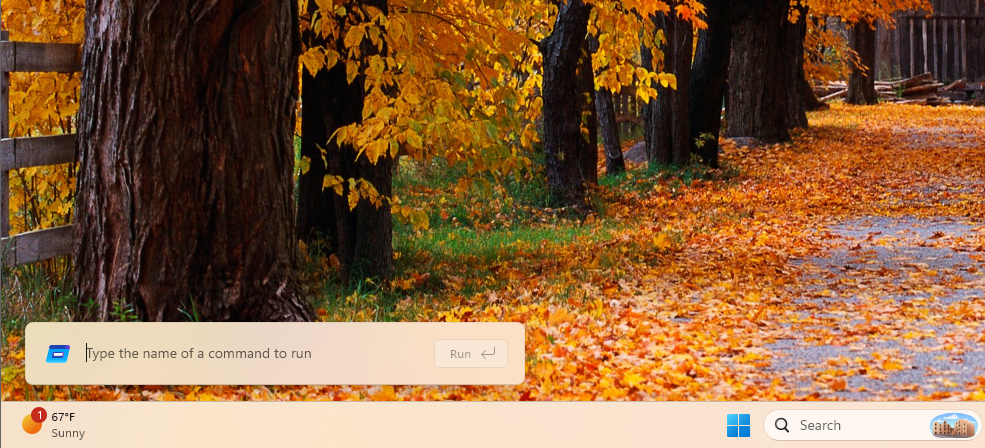
In fact, Microsoft has been gradually updating system tools in Windows that have long used the old interface in recent years. The file explorer's properties dialog box is developing the WinUI 3 version and adding a dark mode; a new version of the print management tool based on WinUI 3 has appeared to replace the traditional MMC console; the new version of the run dialog box has also begun testing. Microsoft even said that older components such as disk defragmentation tools are also in the modernization plan.
Marcus Ash, head of Microsoft's Windows design and research department, previously revealed that the company has begun studying how traditional system tools, including the Registry Editor, can be modernized. This shows that the Reactor Registry Editor is not a completely isolated experiment, but part of Microsoft's re-examination of the historical legacy interface of Windows.
However, Microsoft still needs to solve the compatibility, functional integrity and resource usage issues between old and new system tools. For advanced management tools such as the Registry Editor, users not only need a modern appearance, but also value operational reliability, functional integrity, and long-term compatibility.
If this WinUI version can officially enter Windows 11 in the future, it may become Microsoft's most important interface update to the Registry Editor in recent decades. But until Microsoft officially announces its product plans, it's still just an experimental development project worthy of attention.
Comments