
Abstract:
Microsoft gradually rolled out the native WinUI 3 search experience to ordinary Windows 11 computers in the optional update KB5132057 in November. The new search adopts a more compact interface design, getting rid of the old version of search based on WebView2. In the test, it only occupied about 26.3MB of memory, and the overall experience was significantly lighter and more modern.
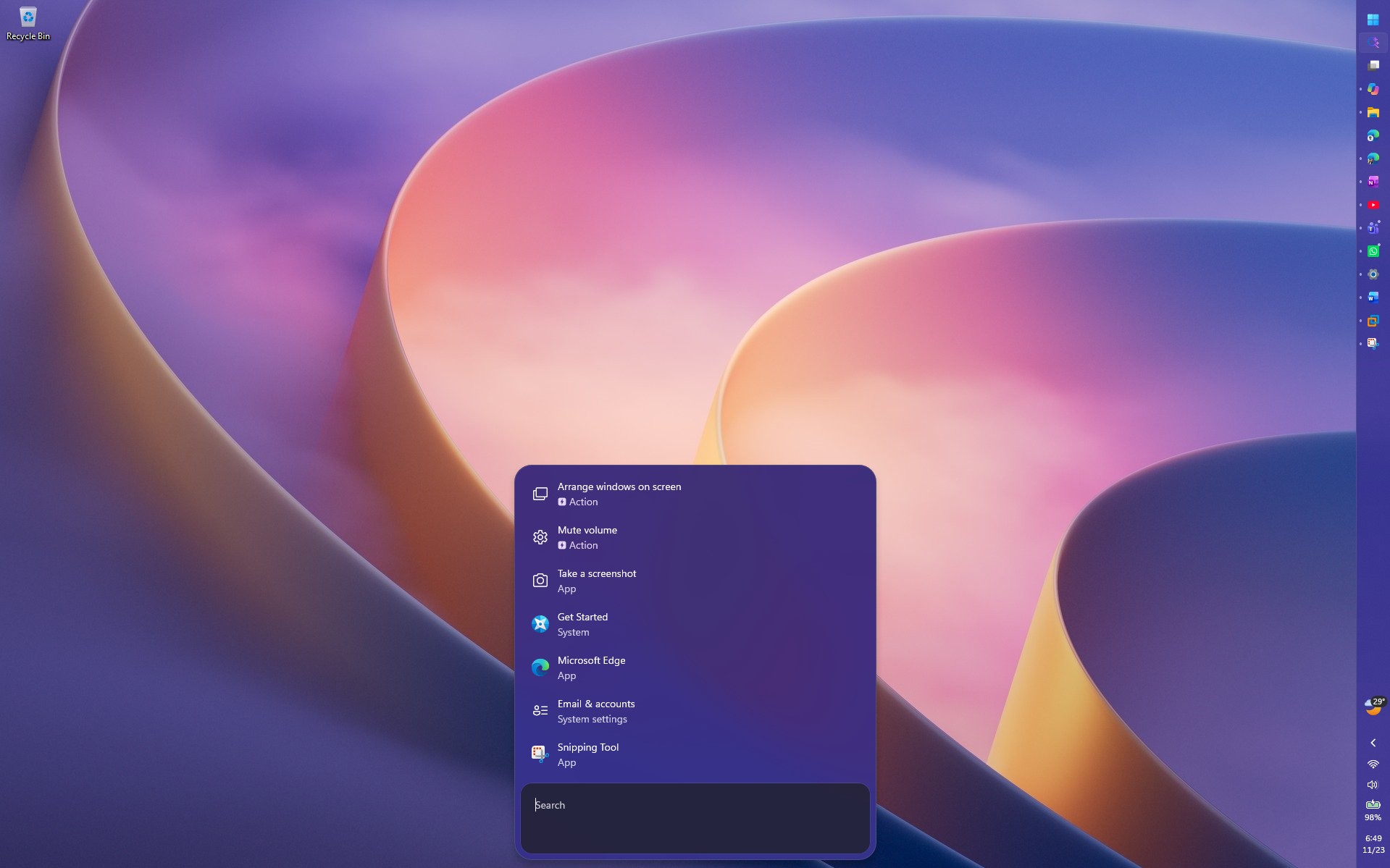
However, this improvement does not fully take care of users who customize the taskbar position. When the taskbar is moved to the right, left, or top of the screen, a new search window will still pop up from the bottom center of the screen, as if the taskbar is still stuck at the bottom position originally set in Windows 11. In contrast, legacy search follows the taskbar location and opens near the search icon.
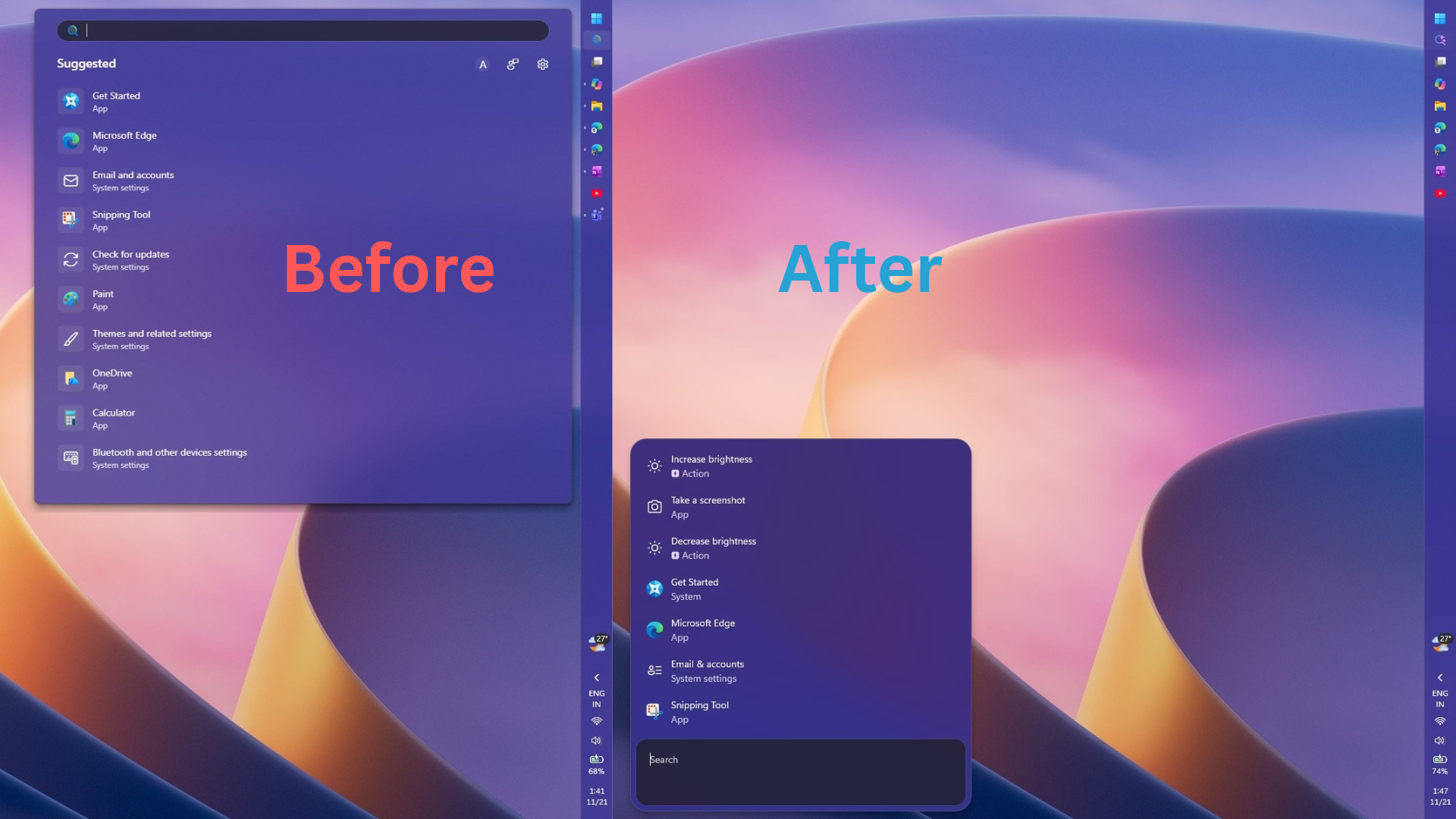
This problem is particularly noticeable for vertical taskbar users. It took Microsoft five years to restore the removable taskbar function and officially launched it in September this year. At the time, both the Start menu and legacy searches were able to adjust as the taskbar moved, but the new search had yet to implement this behavior.
On November 21, Windows design leaders Marcus Ash and Jen Gentleman were asked on the social platform X whether the new search would adapt to the vertical and top taskbars. Marcus Ash then asked Diego Baca, vice president of product design at Microsoft, to respond. Diego Baca said: "Yes, we are dealing with it, please continue to pay attention."
In fact, Microsoft mentioned in its search feature announcement for Windows Insiders as early as October 7 that it is advancing work to adapt the new search to different taskbar positions and Windows configurations. However, no clear timetable was given at that time. More than a month has passed and users are still waiting for the implementation of this adaptation function.
This layout frees up more vertical screen space for users who place the taskbar on the right. Combined with vertical tabs in the browser, users can get a more spacious working area when reading and writing. Some users also place the taskbar at the top for a similar experience.
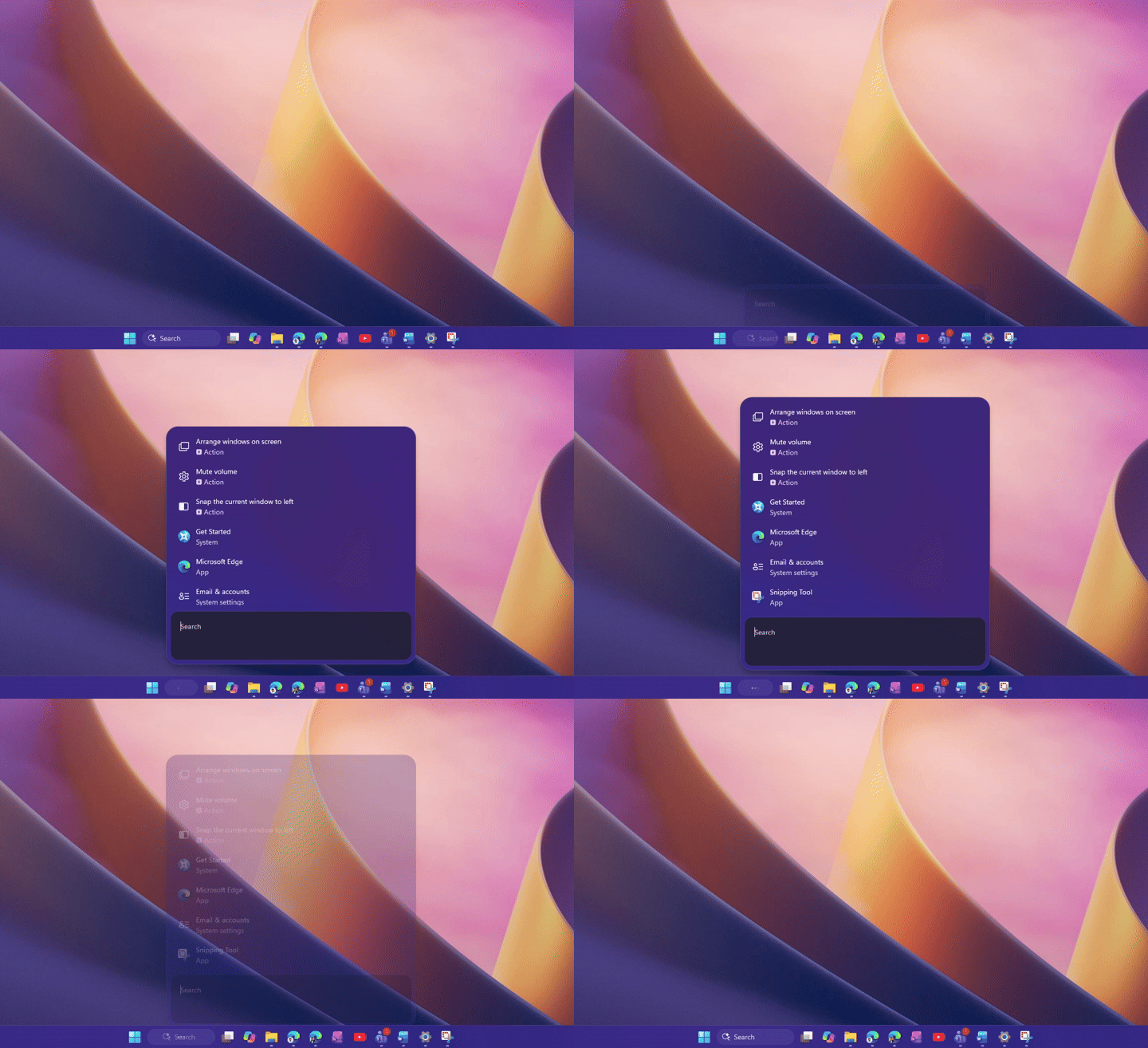
According to Microsoft's current update pace, users may have to wait for a while. The new search will be gradually pushed to all computers on "Patch Tuesday" on December 8; due to Western holidays, optional preview updates will not be released in late December; normal monthly service updates will resume in January next year. Microsoft said the new search will be adapted to different taskbar locations next year, but did not provide a specific date.
Even if the fix function first enters the Windows Insider test channel in January next year, ordinary users may have to wait longer. Due to Microsoft's gradual push strategy, the actual coverage of all devices may be further delayed. Prior to this, users who were accustomed to using vertical or top taskbars could only continue to tolerate this search window with a beautiful interface but always fixed at the bottom.
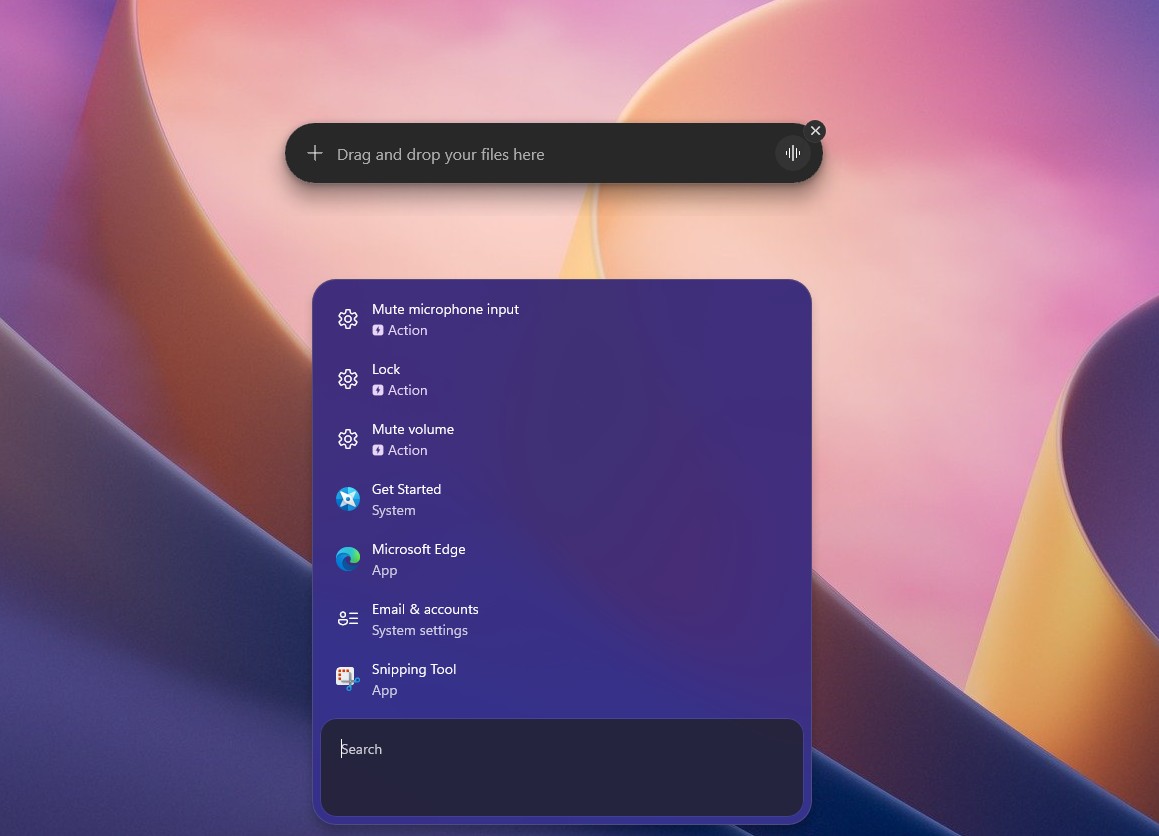
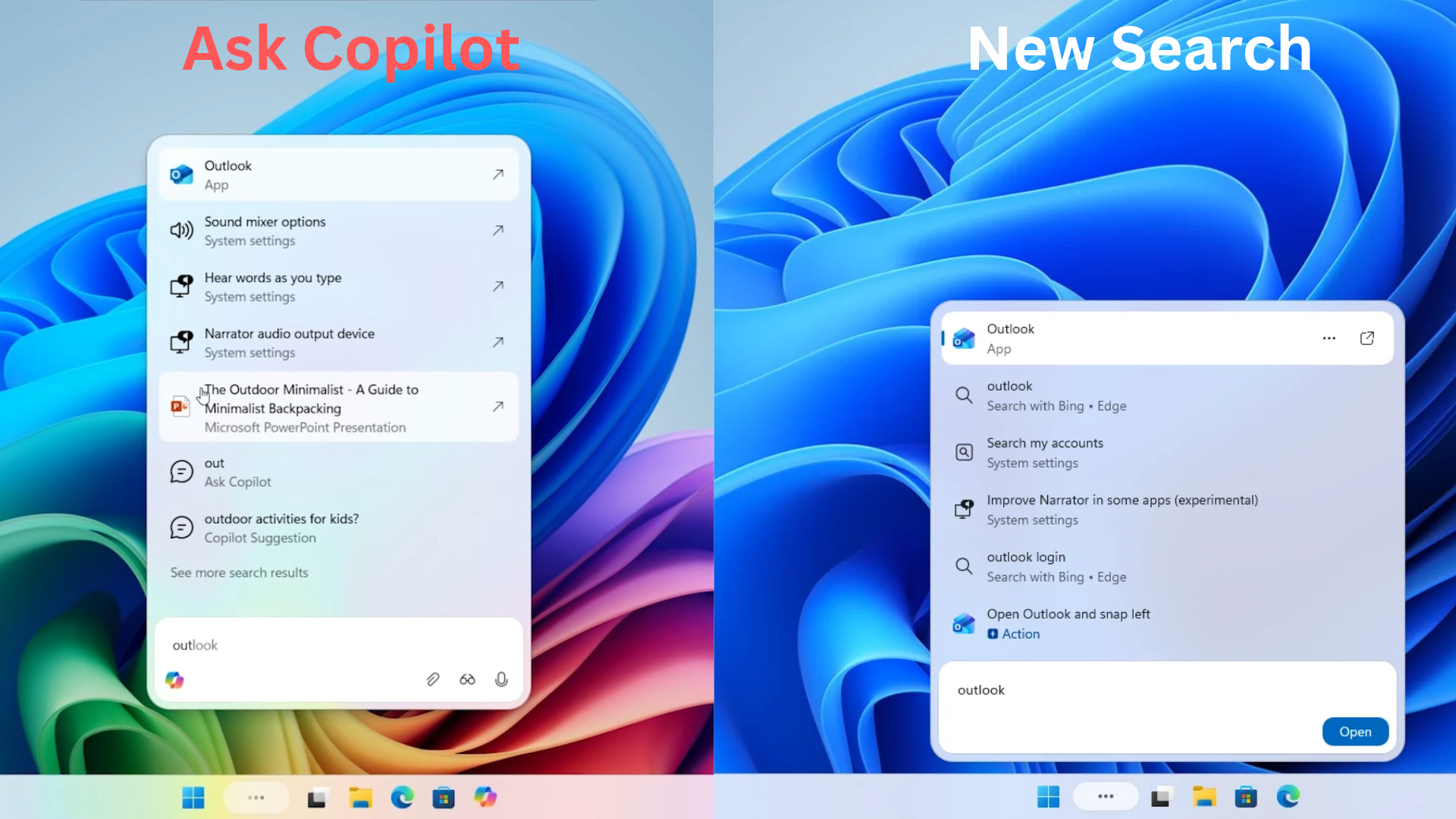
Microsoft also plans to bring a new search experience to the Start menu, which is also not expected to be launched until next year. In addition, the company hopes to incorporate "thoughtful integration" into experiences like Copilot. Microsoft had previously tested a floating search box called Ask Copilot, which looked quite similar to New Search, but the project was later suspended in order to be redesigned based on user feedback.
However, the report pointed out that users may not want to see the conspicuous Copilot logo in the search interface. If AI functionality is indeed added in the future, Microsoft should try to exercise restraint and prioritize transforming Copilot applications into native WinUI applications, accessed through the Win plus C shortcut key or the dedicated Copilot key.
The author also hopes that the new search will support voice input. Currently, inline operations in search can already change settings and arrange windows. If commands such as "arrange windows on the screen" can be spoken through voice, it will be more efficient than manual input, especially with the support of a small language model on the device side.
In terms of design, the new search uses the Fluent design language, and the overall look and feel is excellent, but there is still a slight pixelation problem on the rounded edges. Although this is a detail-level nitpick, the author believes that Microsoft still has room for further polishing. Overall, the performance of the new search has far exceeded that of the old version. If Microsoft can make it follow the taskbar position and integrate it into the "Start" menu next year, the search experience of Windows 11 will be truly commendable.
Comments