
Abstract:
HP officially launched the second-generation keyboard computer EliteBoard G2a, which integrates a complete Windows computer into a standard-sized keyboard. The new product is equipped with AMD Ryzen AI PRO 400 series processors, supports up to 64GB DDR5 memory and 2TB solid-state drives, and is equipped with a neural network processor (NPU) specially used for artificial intelligence computing.
However, what attracts most attention about this product is not only its compact design, but also its rather high price: the entry-level model in the US market starts at US$3,028, and the high-end version costs more than US$4,000.
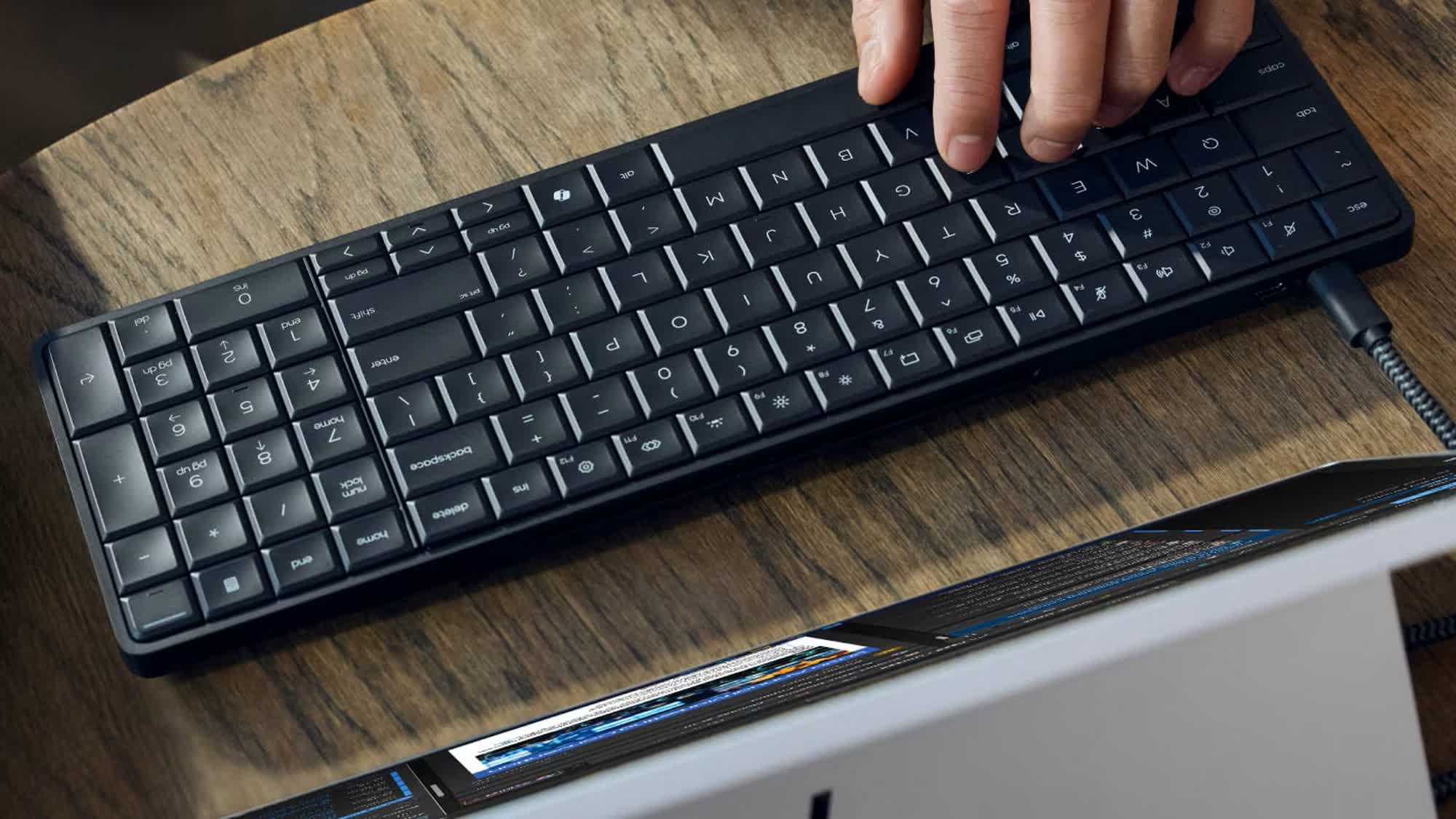
The EliteBoard series was initially unveiled at the International Consumer Electronics Show (CES) in January 2026. At that time, HP launched the first-generation EliteBoard G1a, which attempted to cram all the core hardware of a traditional desktop computer into a keyboard. Users only need to connect the keyboard to a compatible monitor and then plug in the necessary peripherals to get a complete computer system without the need for an additional mini host or traditional desktop case.
The EliteBoard G2a launched this time continues this design idea, but upgrades the processor platform from the previous generation AMD Ryzen AI 300 series to the newer Ryzen AI PRO 400 series. The new platform uses a processor architecture code-named Gorgon Point, focusing on improving office computing capabilities and local artificial intelligence processing capabilities.
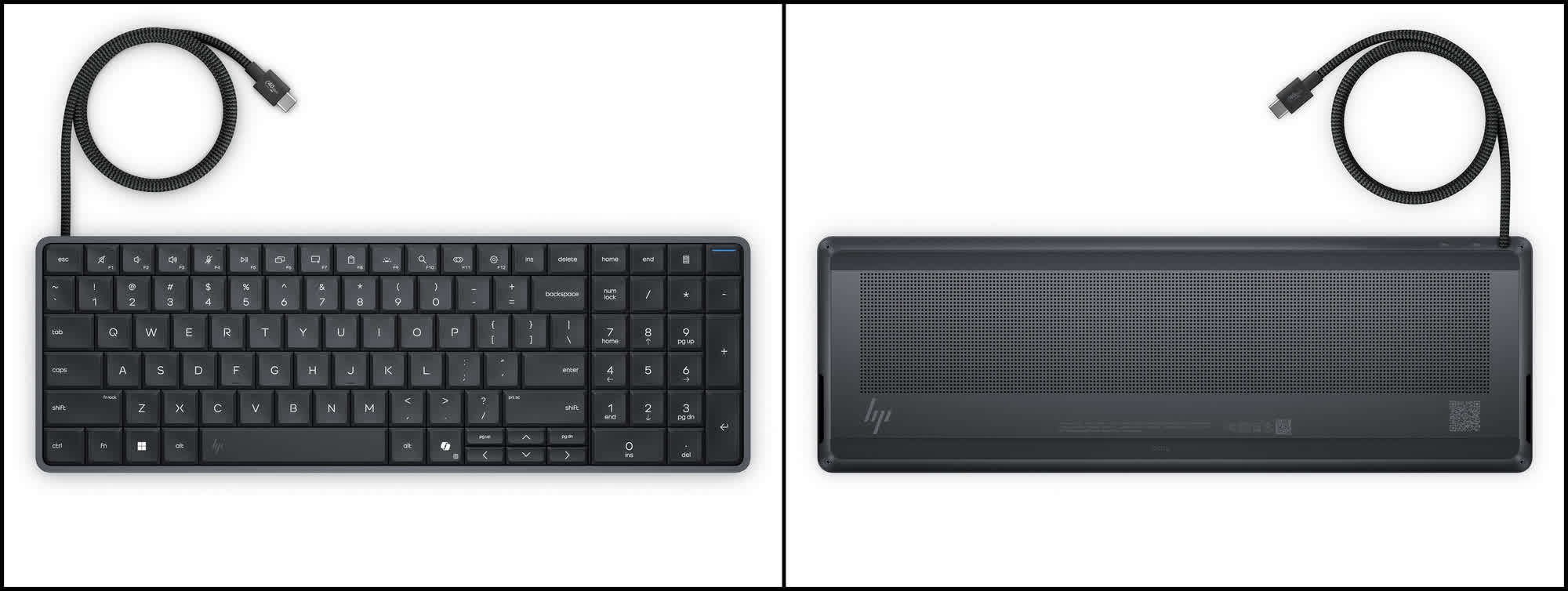
From the appearance, EliteBoard G2a is very similar to an ordinary office keyboard. The overall size of the machine is approximately 358.1 mm × 118.7 mm × 17.9 mm, and the weight is approximately 670 grams. The body adopts a compact and flat structure, integrating the motherboard, processor, memory, solid-state drive and cooling system inside the keyboard. The keyboard is also equipped with backlit keys, a built-in microphone and stereo speakers to meet the basic needs of daily office work and video conferencing.
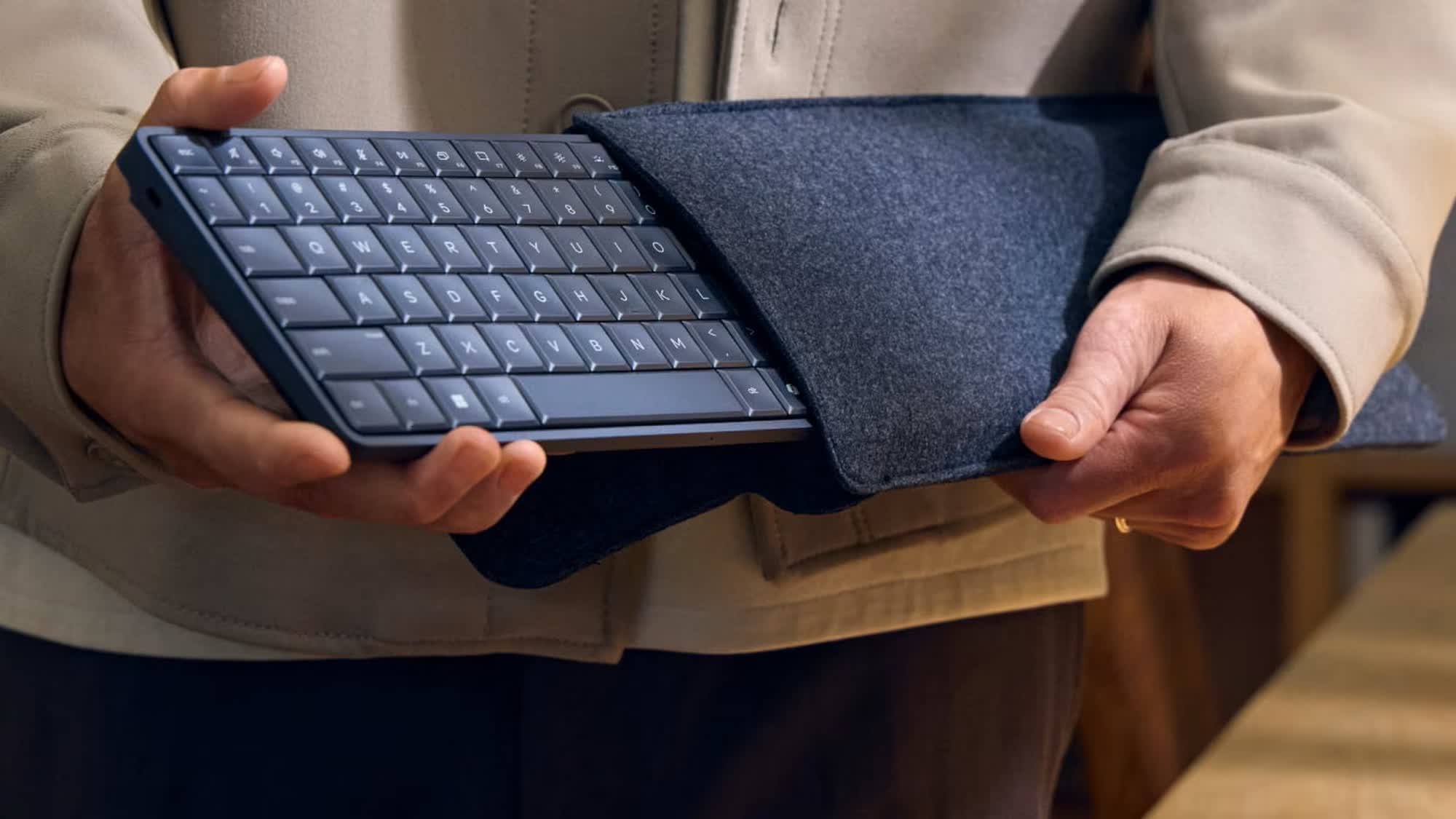
The main advantage of this design is portability. For corporate employees who use shared desks, flexible workstations, or frequently move between office locations, carrying a keyboard is often more convenient than transporting a complete desktop computer. As long as the office location has compatible monitors and power supplies, users can quickly restore their work environment.
In terms of processor configuration, EliteBoard G2a is available in two main versions.
The entry-level model is equipped with AMD Ryzen AI 5 PRO 435, using a 6-core 12-thread design, including two Zen 5 cores and four Zen 5c cores, and integrated Radeon 840M graphics processor. This configuration is mainly suitable for daily office work, multitasking, enterprise applications, and lightweight artificial intelligence workloads.
The high-end model uses AMD Ryzen AI 7 PRO 450, which has 8 cores and 16 threads, including four Zen 5 cores and four Zen 5c cores, and integrates Radeon 860M graphics processor. Compared with the entry-level model, the high-end version can provide stronger multi-threaded computing power and graphics performance, and is more suitable for running multiple applications at the same time, processing more complex data tasks, and performing some graphics calculations.
Both processors are equipped with dedicated NPUs that can provide up to 50 TOPS of computing power. TOPS stands for trillions of operations per second and is a common indicator for measuring the theoretical computing capabilities of artificial intelligence processors. NPU can undertake some machine learning tasks, such as local artificial intelligence reasoning, image processing and some system-level AI functions, thereby reducing the burden on the CPU and GPU.
Due to its NPU configuration that meets the relevant requirements of Copilot+ PC, EliteBoard G2a also uses local artificial intelligence capabilities as one of its product selling points. However, 50 TOPS does not mean that all AI tasks can achieve the same processing speed. Actual performance also depends on model size, software optimization, memory capacity, and specific task types.
In terms of memory, EliteBoard G2a supports two DDR5-5600 SO-DIMM memory slots, and can install up to two 32GB memories, with a total capacity of 64GB. This design is different from some ultra-thin notebooks that use welded memory. Users can upgrade the memory capacity according to needs to a certain extent.
In terms of storage, the new machine supports up to 2TB M.2 NVMe solid-state drives and uses PCIe 4.0 x4 interface. For users who need to save a large number of office files, development tools and local AI models, upgradeable memory and storage configurations can help extend the service life of the device.
In terms of interfaces, EliteBoard G2a provides a USB4 interface with a maximum rate of 40Gbps and a USB-C interface with a maximum rate of 10Gbps, and supports Wi-Fi 7 and Bluetooth 6.0 wireless connections. Users can connect compatible monitors and other devices through the USB4 interface, but the number of interfaces is significantly less than that of traditional desktop computers, and the expansion capabilities are therefore limited.
In terms of power supply, the product comes standard with a 65W USB-C power adapter. Additionally, HP offers an optional 32Wh built-in battery. After installing the battery, users can use this keyboard computer for a short period of time without directly connecting to the wall power supply, further enhancing the flexibility of mobile office. However, the 32Wh battery capacity is relatively limited, and the actual battery life will be affected by factors such as processor load, screen power supply method, and wireless connection. Therefore, it cannot be regarded as a traditional laptop that can be used without power for a long time.
EliteBoard G2a is also available in fixed and detachable USB-C cable versions. The detachable design facilitates equipment transportation, storage, and cable replacement, but the prices of different versions vary. Since the entire computer relies on an external monitor to provide complete visual output, users also need to confirm whether the existing monitor supports the corresponding USB-C or USB4 connection method before purchasing.
What really makes EliteBoard G2a spark discussion is its significantly increased price compared to the previous generation.
According to information released by TechSpot, the entry-level model in the U.S. market starts at $3,028 and is configured with a Ryzen AI 5 PRO 435 processor, 16GB of memory, and a 512GB solid-state drive. The high-end model is equipped with a Ryzen AI 7 PRO 450 processor, 32GB of memory, and a 512GB solid-state drive, with a starting price of approximately US$4,167. Different cable configurations may also bring additional price differences.
This price is significantly higher than ordinary mini computers, and is even enough to buy a high-performance laptop with pretty good configurations, or assemble a desktop with stronger expansion capabilities.
In comparison, the first-generation EliteBoard G1a was initially priced at a much lower price. TechSpot pointed out that the starting price of the new generation of products is nearly twice the initial price of the previous generation. This increase is difficult to explain solely by processor updates, and it also makes EliteBoard G2a face a real question: How much premium are users willing to pay for a design that integrates keyboard and computer?
For the average consumer, traditional minicomputers often offer similar computing performance at a lower cost, and users can freely choose keyboards, monitors and other peripherals. If you need stronger graphics performance, you can also choose a desktop or laptop computer with a discrete graphics card. The EliteBoard G2a's compact design, while attractive, means that when the device is damaged, both the keyboard and computer hardware can be affected.
However, HP obviously does not position the EliteBoard G2a mainly as a cheap computer for ordinary home users. It places more emphasis on convenience in the corporate office environment, including scenarios such as shared workstations, flexible working, and rapid deployment. For enterprises that need to configure office equipment on a large scale, integrating the computer into the keyboard can reduce the desktop space occupied and simplify the equipment relocation and management process.
From an enterprise procurement perspective, equipment price is only a part of the overall cost. If an all-in-one design reduces deployment time, simplifies device management, and makes it easier for employees to switch between workstations, some companies may be willing to pay a premium for it. However, whether these advantages can offset the higher procurement costs still depends on the specific office scenario and corporate budget.
Heat dissipation and maintenance are also issues that need to be considered for this type of product. Integrating a complete computer into a keyboard that is less than 18 mm thick places high requirements on the design of the cooling system. Although AMD's mobile processors can provide good computing performance with relatively limited power consumption, the device still needs to reasonably control temperature and fan noise when running under high load for a long time.
Additionally, the keyboard itself is a peripheral that is susceptible to spills, dust, and everyday wear and tear. If coffee or other liquid gets inside, it could damage not just the keyboard keys, but also the internal motherboard, storage devices, and other computing components. For traditional desktop computers, a damaged keyboard usually only requires replacement of peripherals; for a product like the EliteBoard, the cost and complexity of repair can be higher.
Of course, this does not mean that there is no market for keyboard computers. The idea of integrating a computer into a keyboard has been around for decades, with early home computers and modern minicomputers employing similar ideas. As processor energy efficiency improves, integrated graphics performance increases, and artificial intelligence computing gradually becomes an important function of personal computers, this form has once again gained opportunities for development.
The EliteBoard G2a embodies this trend: computers do not necessarily have to be in the form of a traditional case, laptop or all-in-one computer. Computers can also be integrated into other common devices as long as they meet computing performance, cooling, connectivity and usage requirements.
However, high pricing may limit its market size. For individual users who need portable office equipment, a traditional laptop is usually more flexible; for businesses pursuing cost-effectiveness, a mini computer paired with a regular keyboard may also be more economical. Scenarios where EliteBoard G2a can really bring its advantages may be concentrated in organizations that have special requirements for workstation space, equipment deployment and unified enterprise management.
Overall, HP EliteBoard G2a is a keyboard computer with unique design ideas and strong hardware configuration. It integrates AMD Ryzen AI PRO 400 series processors, up to 64GB of memory, 2TB solid state drives, and 50 TOPS NPU into a device that weighs only about 670 grams, demonstrating the possibility of further diversification of computer forms.
But the price starting at US$3,028 also makes it difficult to become a cost-effective product for the mass market. For most consumers, a traditional laptop or mini PC still offers a better balance of price and features. The success of the EliteBoard G2a ultimately depends on whether enterprise customers are willing to pay such a high premium for its all-in-one design and ease of office deployment.
Comments