
Abstract:
Recently, a large number of users using Synology NAS have posted that their devices have been attacked by ransomware. All data on the attacked devices has been encrypted by the ransomware using modern encryption algorithms. It is impossible to break the encryption algorithm, so users can only restore their data through other backup channels.
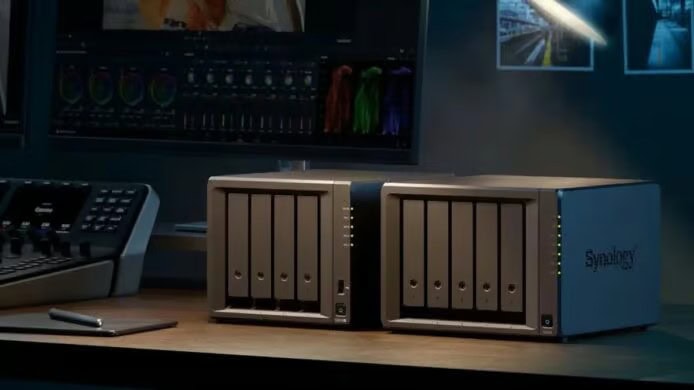
In user discussions, some users claim to be using the latest version of DSM, but more users are using older versions of DSM and exposing their devices to the public network. This incident also attracted the attention of Synology officials. After analysis, Synology’s security team found that the hacker used a security vulnerability that Synology had fixed in December 2024.
Attack using December 2024 vulnerability:
Synology said in its latest announcement that attackers are launching attacks against outdated versions of the DSM system with the goal of encrypting data in the device and extorting victims. The company recommends users to refer to the Synology-SA-24:20 security advisory and check the system version.
This security bulletin involves multiple security vulnerabilities, the most serious of which is CVE-2024-10441, a remote code execution vulnerability with a score of 9.8. Synology says an attacker could exploit an output encoding issue in the DSM system plug-in service to remotely execute arbitrary code.
The 360 team believes that the attacker used a vulnerability patched in September:
The 360 anti-ransomware team has recently dealt with a number of ransomware attacks involving Synology NAS, but the 360 team said the hackers used the CVE-2026-13639/13684 vulnerability that Synology fixed in September. The above vulnerability is located in the Synology-SA-26:13 announcement, and the new version will be released on September 18, 2026.
No matter which vulnerability is used by hackers, users should immediately upgrade to the latest version of DSM. There is currently no evidence that Synology’s DSM system has zero-day vulnerabilities (that is, vulnerabilities that have not been fixed but have been exploited by hackers), so as long as users update to the latest version, they should be safe (strong passwords and multi-factor authentication must also be used).
The relevant repair versions are as follows:
DSM 7.4 branch version: needs to be upgraded to 7.4-90075 or higher
DSM 7.3 branch version: needs to be upgraded to 7.3.2-86009-4 or higher
DSM 7.2.2 branch version: needs to be upgraded to 7.2.2-72806-9 or higher
DSM 7.2.1 branch version: needs to be upgraded to 7.2.1-69057.12 or higher
There is no repair version for the DSM 6.x series, please be sure to upgrade to a version that is still supported
The following are BlueDot.com security recommendations:
Black Qunhui users:
Please check whether the developer that provides the DSM system has provided a new adapted version. If there is an adapted version, it is recommended to upgrade immediately to seal the vulnerability. If there is no adapted version, you should immediately disconnect the NAS from the public network, do not use QC or DDNS to expose the NAS to the public network, and do not open SSH port 22.
Bai Qunhui user:
Make sure DSM has turned on the automatic update function. It is recommended to turn on automatic update and automatic installation, so that Synology can automatically upgrade immediately after releasing a new version. Do not expose the NAS to the public network unless necessary, and do not use QC or DDNS mapping. If you must connect to the public network, please use a strong user password + MFA multi-factor authentication. It is best to use an encrypted networking tool like WireGuard.
Make sure the NAS has offline backup:
Whether it is a Synology NAS or another brand of NAS, there is a risk of being hacked, so data cannot be stored only on the NAS. For important files, it is recommended to regularly back up to the cloud or other offline directories. For example, the Synology Cloud Sync suite can connect to major network disks, and you can set up automatic synchronization of important directories with the network disk, and back up files to the network disk for storage (but you need to ensure that the network disk has an anti-ransomware attack or version recovery mechanism. OneDrive has such functions).
Comments