
Abstract:
Many laptop and desktop users have experienced inexplicable wireless network disconnections. Windows 10 and Windows 11 actually have a set of built-in diagnostic tools, eliminating the need to install third-party network software. Microsoft has added a diagnostic command to the system that can compile detailed wireless activities over the past three days into an interactive report that can be viewed in the browser, but this feature requires users to manually turn it on.
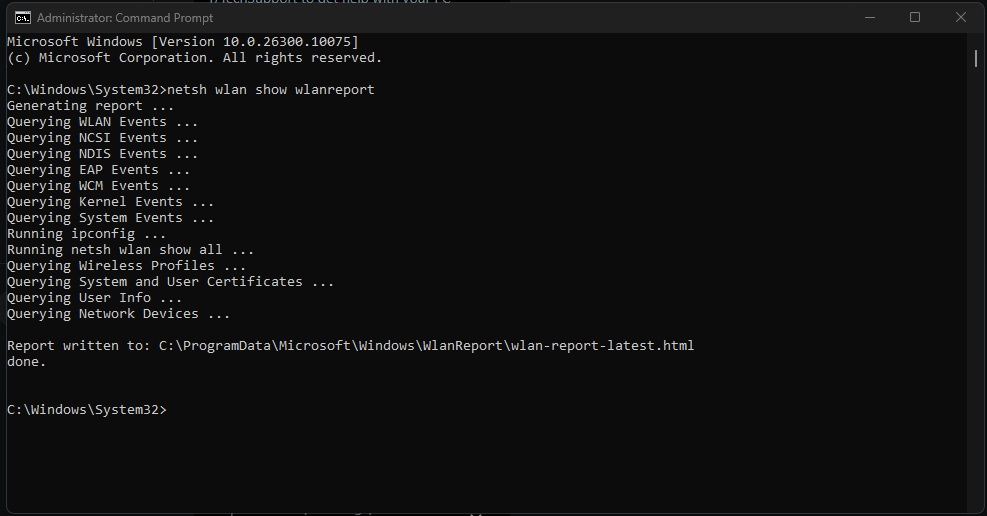
According to the operation method shared by Reddit user "u/letstalkgizmo", users first need to open the command prompt as an administrator and then run the "netsh wlan show wlanreport" command. After the command is executed, Windows will collect WLAN, NCSI, NDIS, EAP, WCM, kernel and system events, and summarize ipconfig /all data, wireless configuration files, certificates and network adapter information.
The tool will save the results directly to "C:ProgramDataMicrosoftWindowsWlanReportwlan-report-latest.html", and users can open and view it with any browser. Microsoft officially introduced this feature in the "Analyzing Wireless Network Report" document and confirmed that it supports both Windows 10 and Windows 11, so users who are still using older versions of the system will not be excluded.
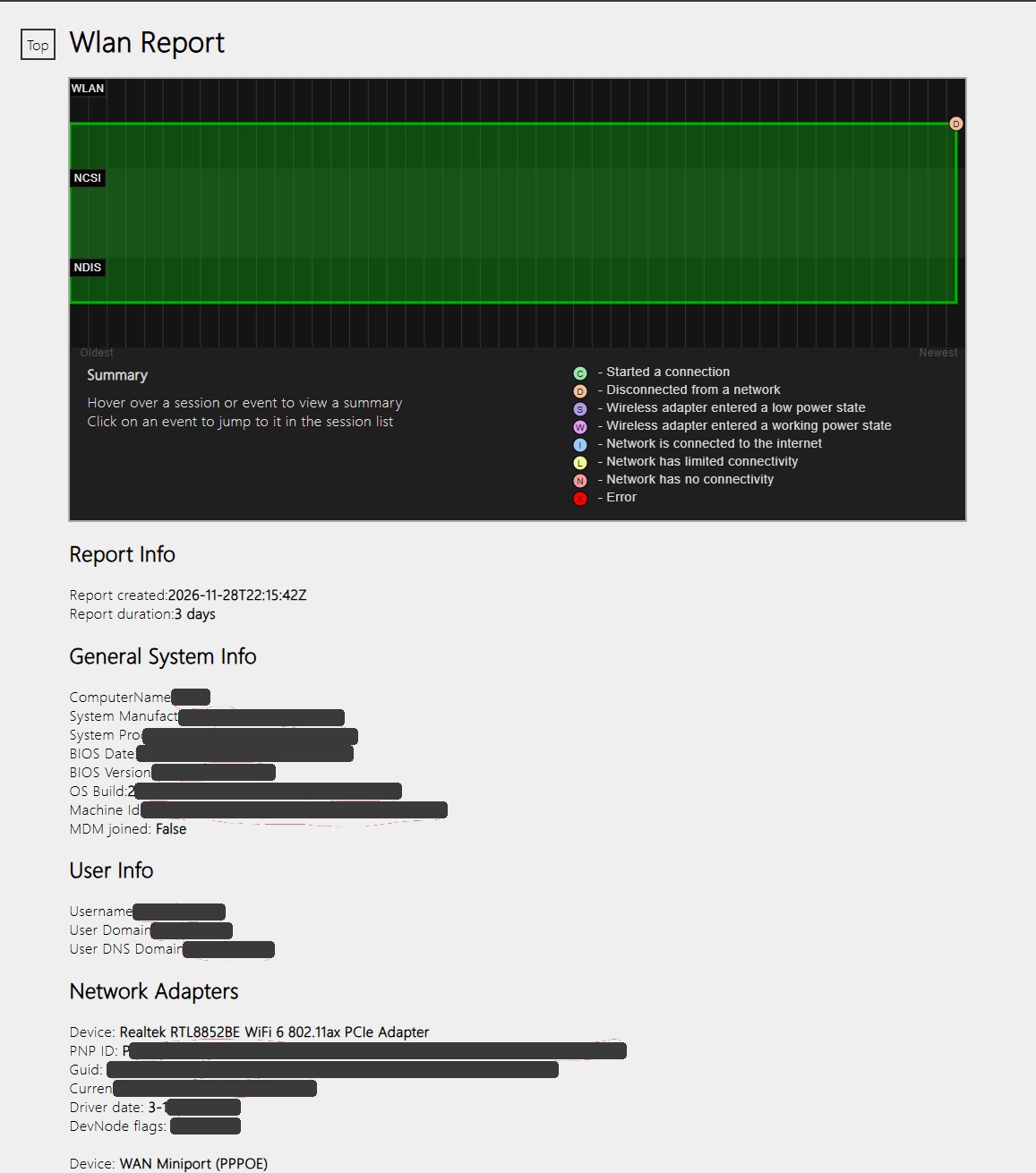
At the top of the report is an interactive timeline that charts the past three days of wireless activity, including connection starts, power state transitions, connection state changes, and errors, distinguished by colored icons and red circles. Click on any event icon and the page will jump to the corresponding time point in the detailed session log above.
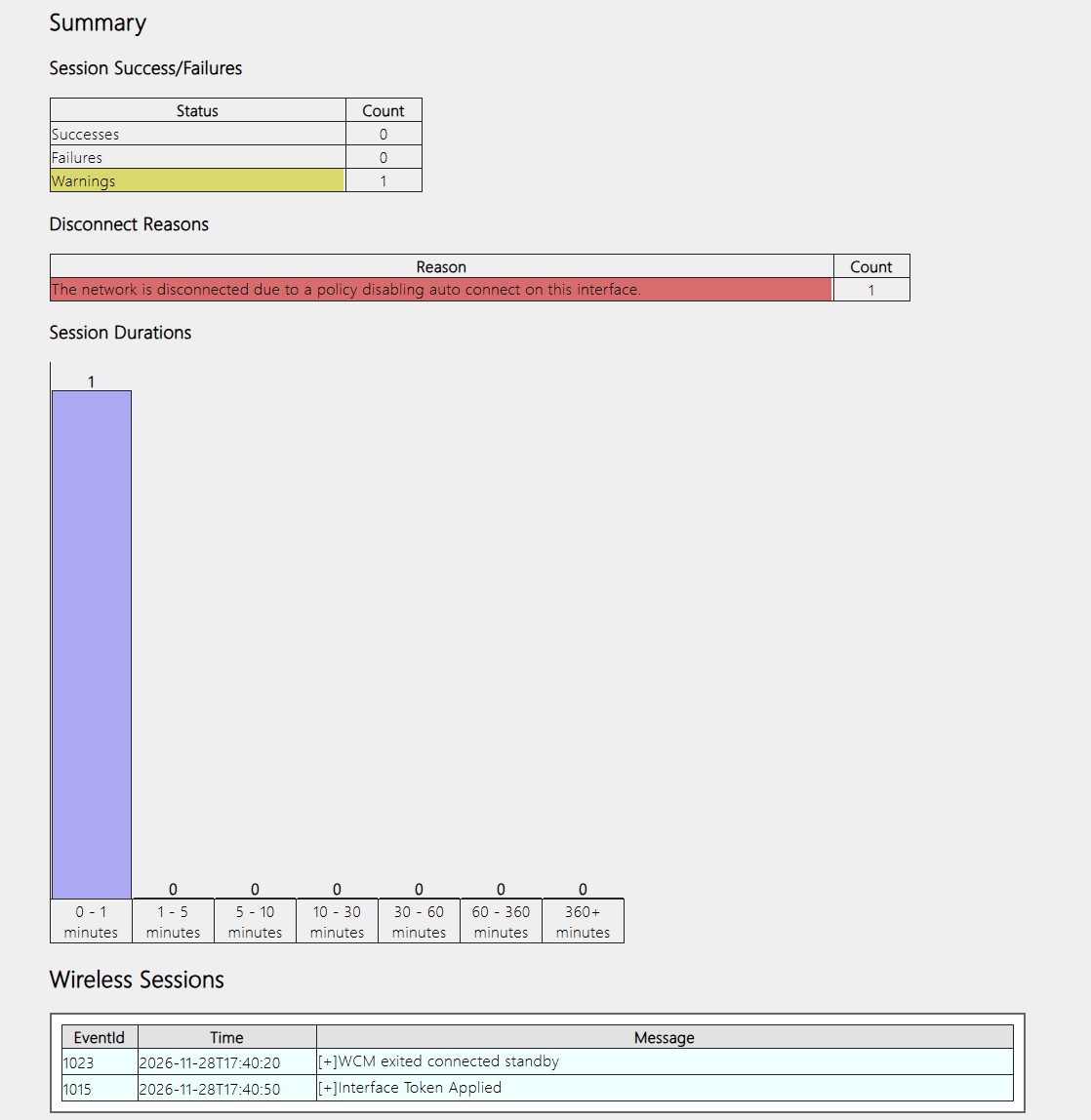
The report also classifies session successes, failures, and warnings, and gives detailed disconnection reasons. It also displays session duration charts and complete hardware and driver information for the installed wireless adapter. Wi-Fi profiles saved on the system are also listed for reference, but network passwords are not included in the report for security reasons.
It should be noted that this command is only responsible for diagnosis and will not automatically fix any problems. However, it can help users determine whether the disconnection is related to sleep wake-up, driver reset or router. For users who have been troubled by random disconnections for a long time, this is still a practical feature provided by Microsoft, and it also saves the trouble of downloading and installing third-party programs.
Comments