
Abstract:
Windows 11 sometimes deliberately delays programs that start automatically after logging in to prevent multiple applications from competing for processor and disk resources at the same time, causing the system to freeze when the desktop is just loaded. Microsoft documentation explains that the system does not guarantee that programs in the "Run" registry key will start immediately, and can delay the execution of programs in the "Run" key and the startup folder. Microsoft engineers have also previously explained that starting a large number of applications in a centralized manner may slow down the computer and even prevent users from opening the Start menu for a while.
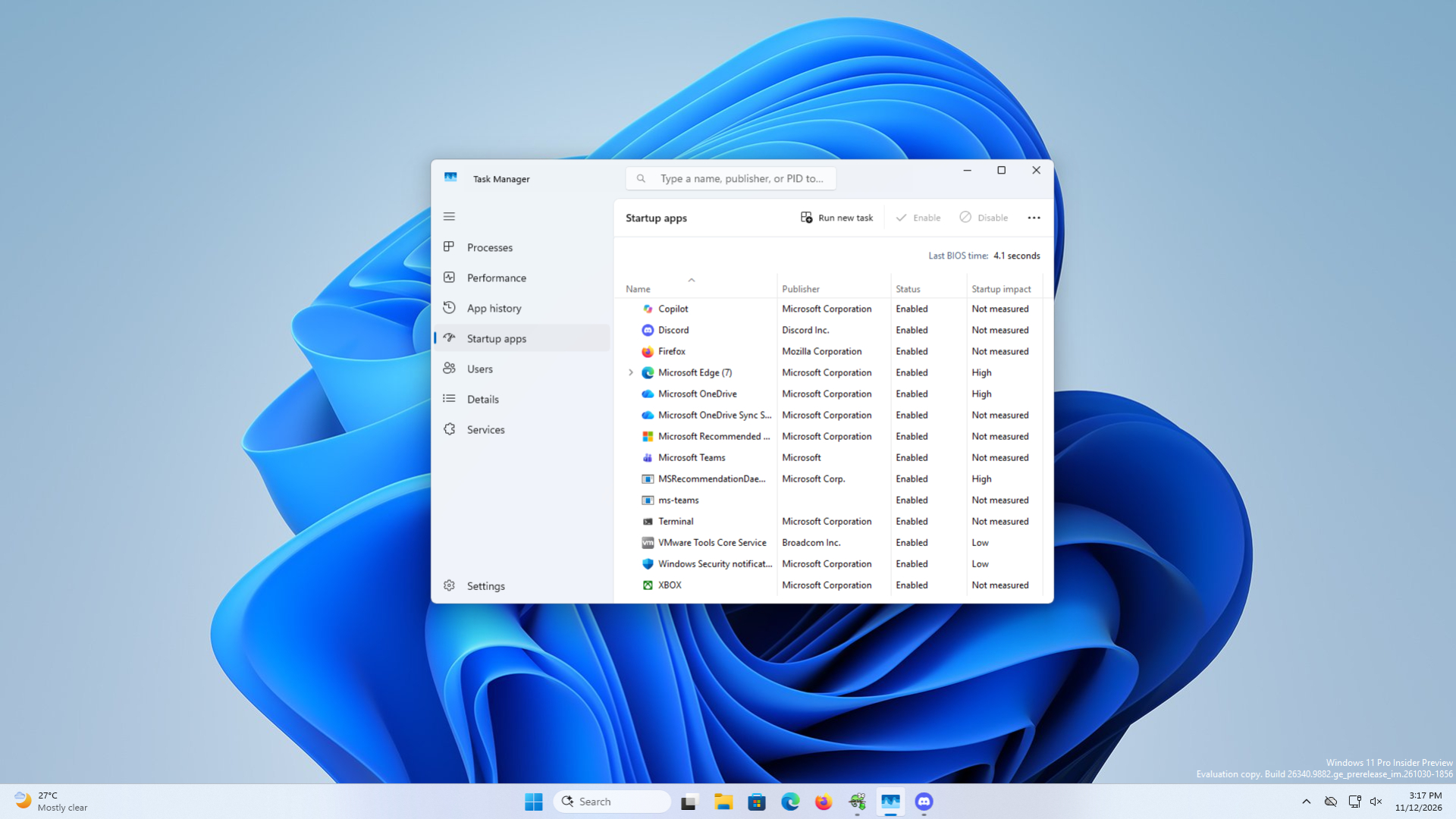
After checking with the Windows Performance Toolkit on a high-configuration computer, a Reddit user found that there were long gaps between application startups, but there was no particular program that slowed down the process. After he added the "Serialize" item in the registry and set the two DWORD values of "StartupDelayInMSec" and "WaitForIdleState" to 0, he said that the waiting time for all startup applications was shortened from about 2 minutes and 30 seconds to 30 seconds; the startup time of applications was also advanced from about 1 minute and 50 seconds after booting to about 20 seconds. Other users reported varying improvements, from 90 seconds to 47 seconds to just 3 to 6 seconds faster.
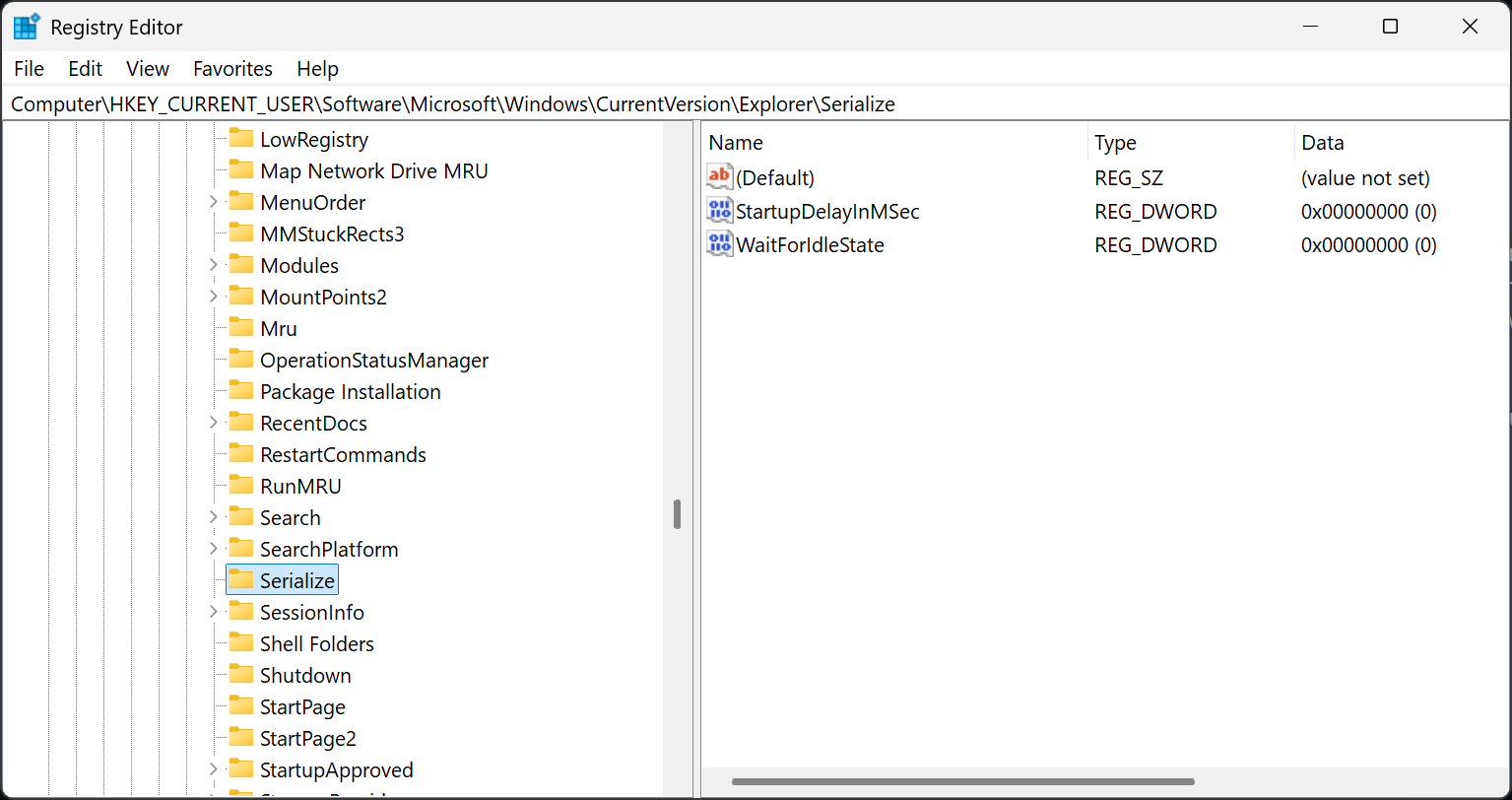
After testing on his own virtual machine, the author of the report also observed that starting applications appeared earlier, but the wait that originally took several minutes was still about one minute, and believed that low-performance devices may not be suitable for turning off such delays. The author also pointed out that the relevant registry values are not included in Microsoft's official documents and are adjustments shared by the community. Subsequent versions of Windows may change their role.
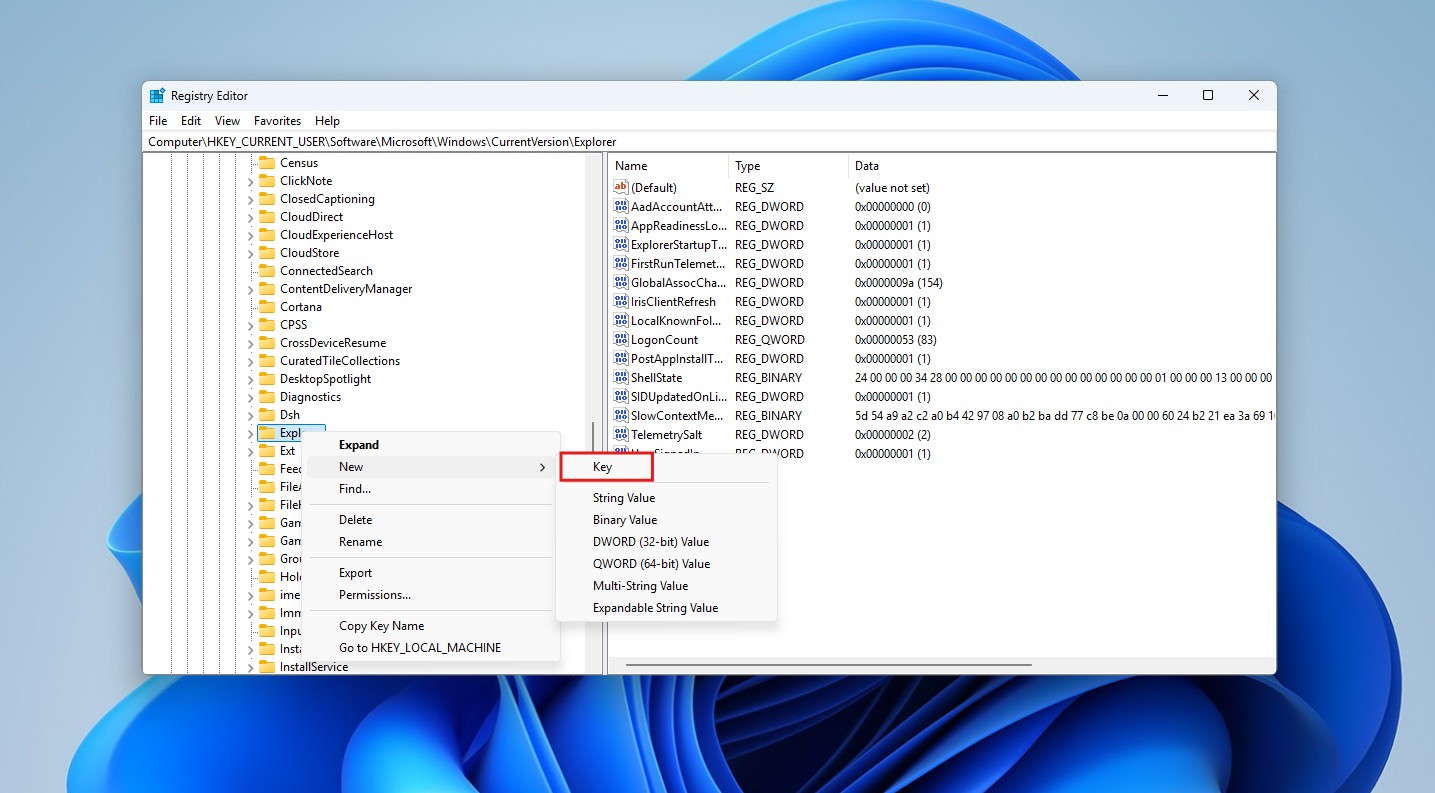
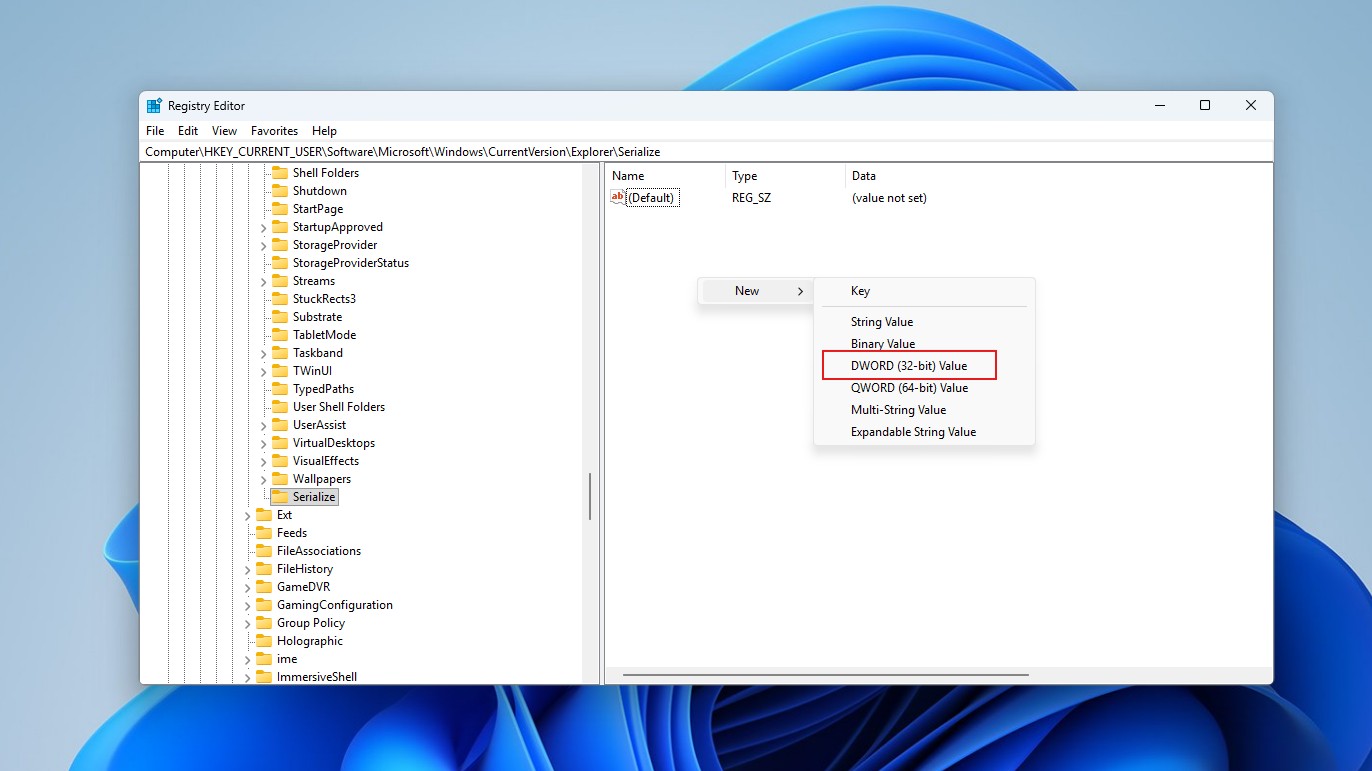
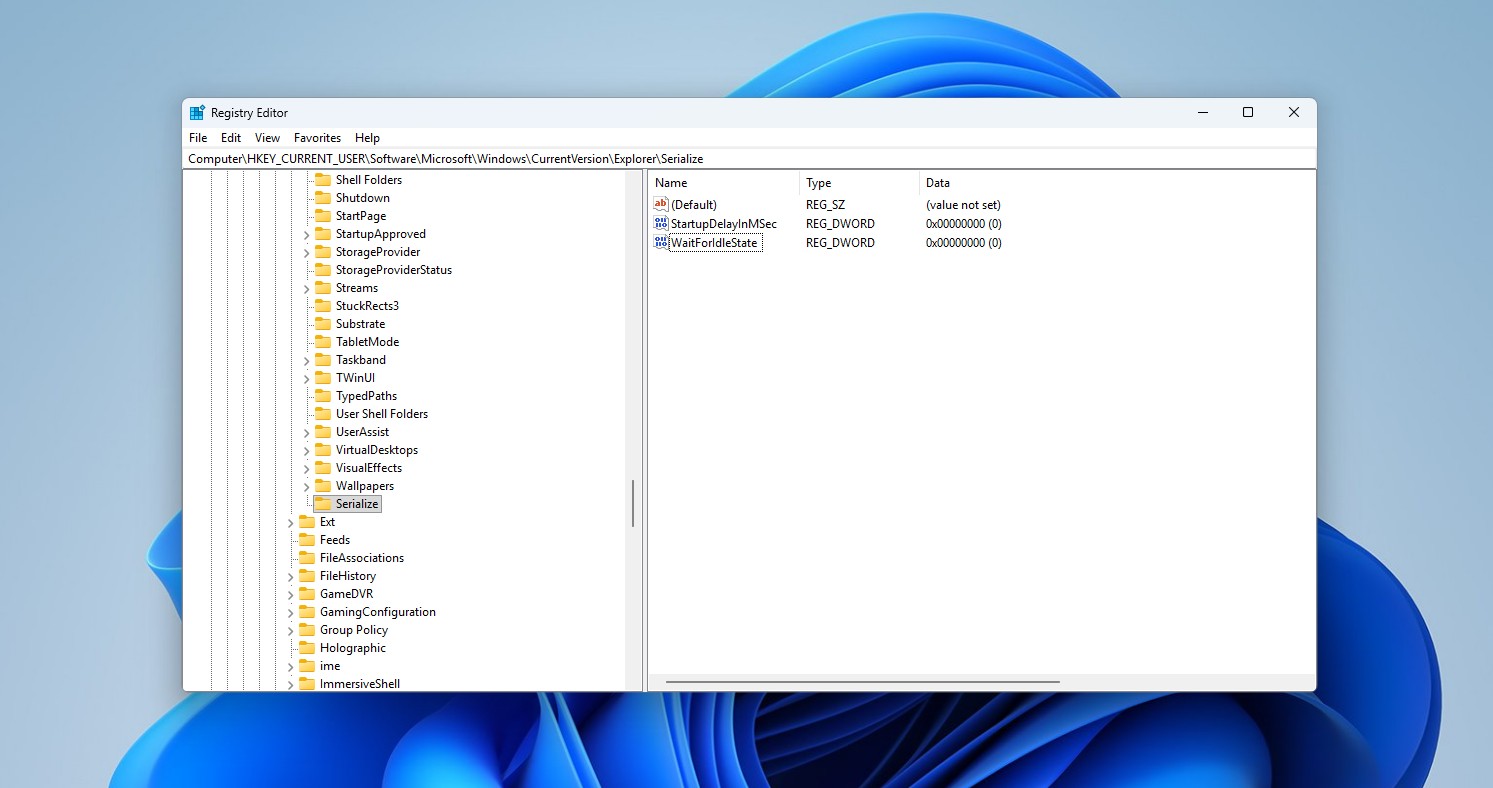
The modification method is to first create a system restore point, then open the registry editor, enter HKEY_CURRENT_USERSoftwareMicrosoftWindowsCurrentVersionExplorer, create a new item named "Serialize", and create two 32-bit DWORD values of "StartupDelayInMSec" and "WaitForIdleState" in it, set both to 0 and then restart the computer. Some systems may not be able to accept "StartupDelayInMSec" being set to 0 and can be changed to 1; to restore the original state, delete the "Serialize" item. Users can also use Windhawk's Startup App Delay Fix module or switch adjustments in Wintoys, but there are still compatibility differences for such changes.
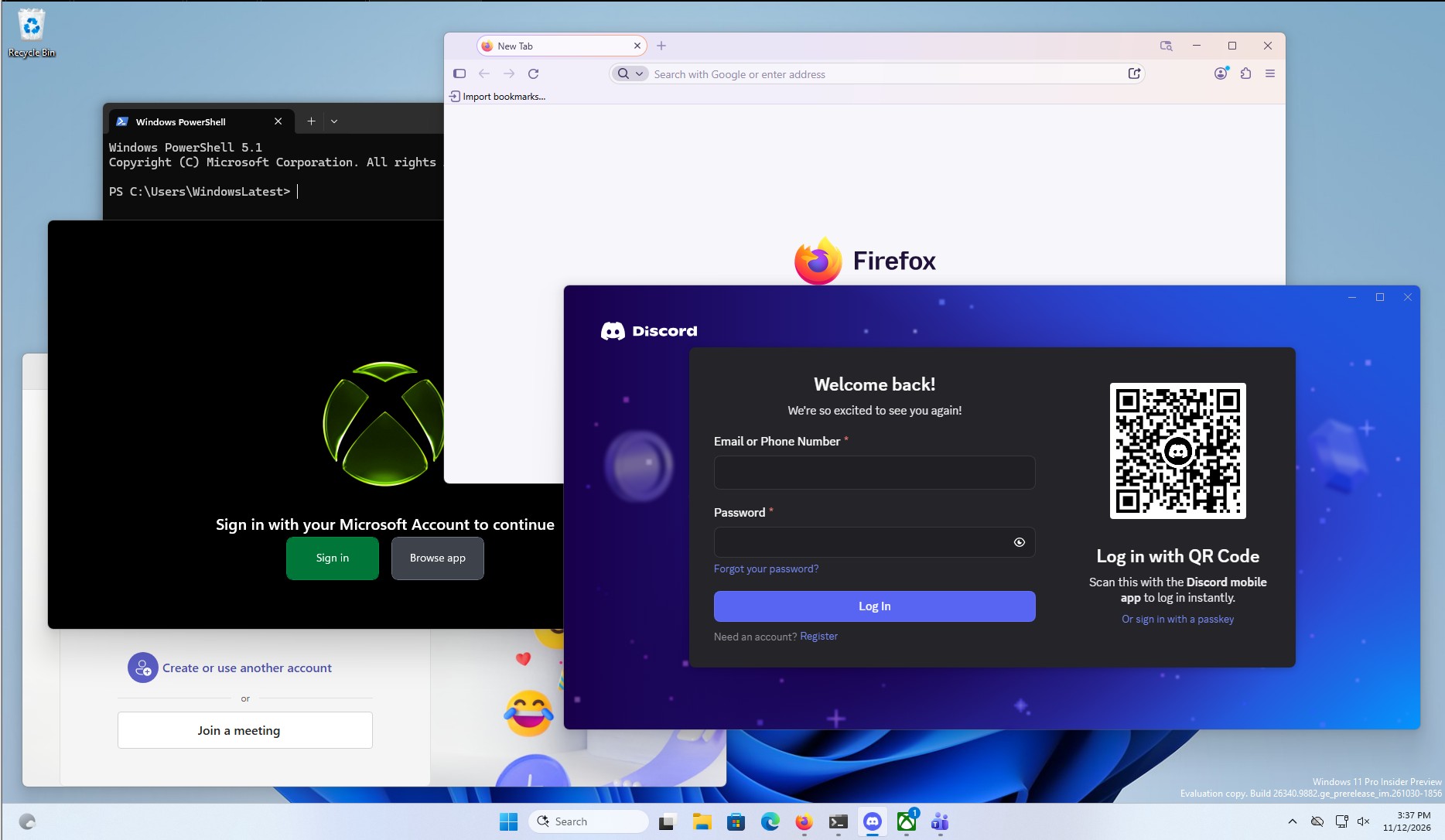
This adjustment only affects when Windows allows startup programs to start running. It does not reduce the loading time of the app itself, nor does it affect most Microsoft Store apps. If low-end computers allow many programs to be started at the same time, the system may become busy and lag. The effect depends on the hardware, the number of started applications and the system version. The speed-up results for individual users cannot be regarded as a general guarantee.
Comments